What are Predictions
Understanding predictions (tasks) in WaveSpeedAI.
Overview
A prediction is a single request to generate content using an AI model. Each prediction has:
- A unique ID for tracking
- A status indicating progress
- Outputs containing URLs to generated content
Prediction Lifecycle
Created → Processing → Completed (or Failed)Status Values
| Status | Description |
|---|---|
created | Task received and queued |
processing | AI model is generating content |
completed | Generation successful, outputs available |
failed | Error occurred, see error message |
cancelled | Task was cancelled |
timeout | Task timed out on the server |
deleted | Task was deleted |
Only completed is a successful terminal status. Treat failed, cancelled, timeout, and deleted as failure terminal statuses, and continue polling for every other status.
Creating a Prediction
Send a POST request to a model endpoint:
curl --fail-with-body --connect-timeout 10 --max-time 60 -X POST "https://api.wavespeed.ai/api/v3/wavespeed-ai/z-image/turbo" \
  -H "Authorization: Bearer $WAVESPEED_API_KEY" \
  -H "Content-Type: application/json" \
  -d '{"prompt": "A cat in space", "size": "1024*1024"}'
Response:
{
  "code": 200,
  "data": {
    "id": "pred_abc123",
    "status": "created",
    "urls": {
      "get": "https://api.wavespeed.ai/api/v3/predictions/pred_abc123/result"
    }
  }
}
Checking Prediction Status
Poll the prediction endpoint:
curl --fail-with-body --connect-timeout 10 --max-time 30 \
  "https://api.wavespeed.ai/api/v3/predictions/pred_abc123/result" \
  -H "Authorization: Bearer $WAVESPEED_API_KEY"
Use a controlled polling interval for each prediction. Start around 2 seconds and increase toward 5–10 seconds for long-running tasks. Avoid querying the same prediction more often than every 2 seconds.
Response when completed:
{
  "code": 200,
  "data": {
    "id": "pred_abc123",
    "status": "completed",
    "outputs": ["https://...generated-image.png"],
    "timings": {
      "inference": 2500
    }
  }
}
Viewing Predictions
Web Interface
View all your predictions at wavespeed.ai/history.
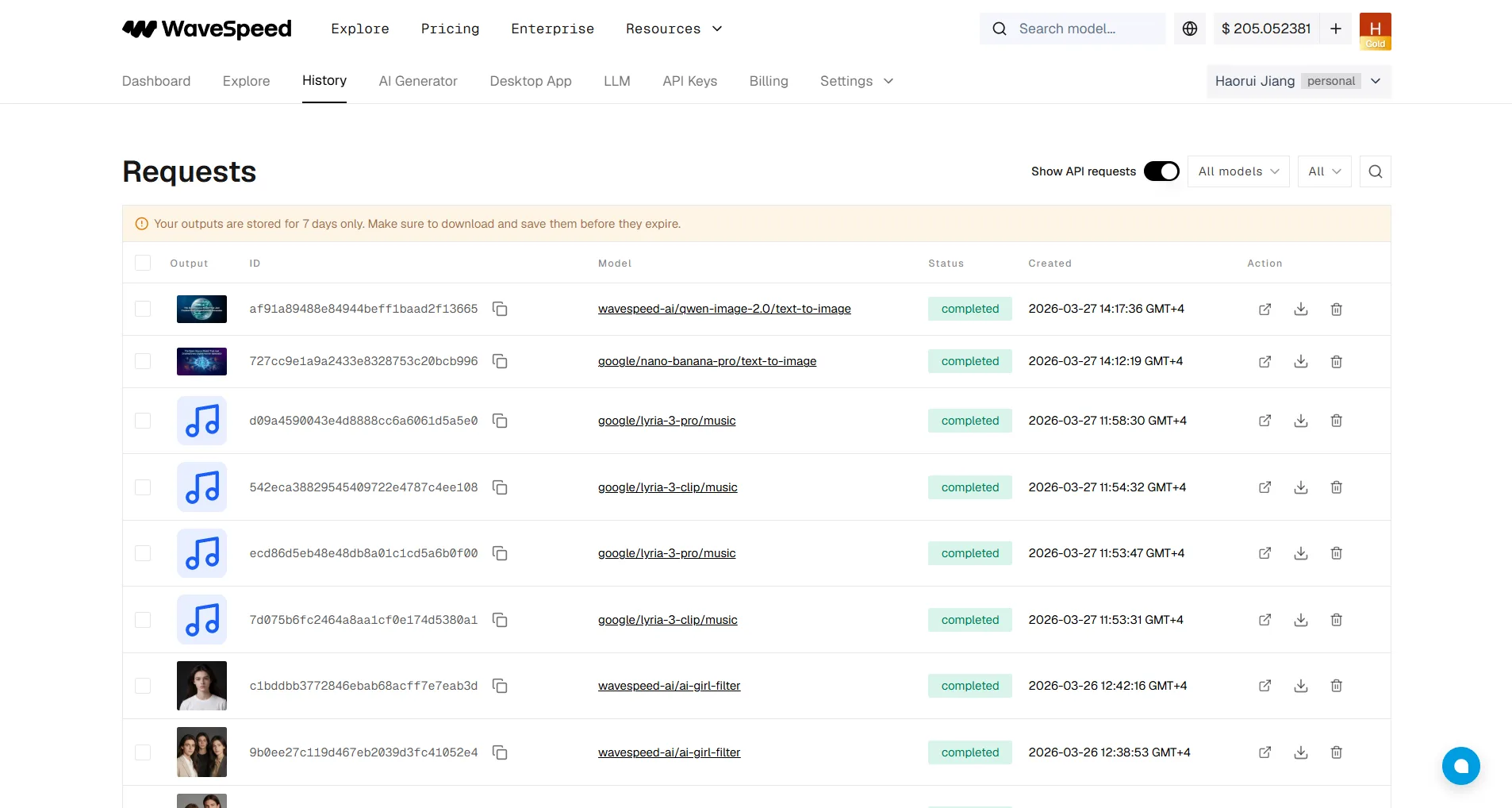
History is useful for debugging API and web tasks. Open a prediction to copy its task ID, review status and outputs, and use Show API requests when available to inspect the request body used for that generation.
API
List recent predictions:
curl --fail-with-body --connect-timeout 10 --max-time 60 \
  -X POST "https://api.wavespeed.ai/api/v3/predictions" \
  -H "Authorization: Bearer $WAVESPEED_API_KEY" \
  -H "Content-Type: application/json" \
  -d '{"page": 1, "page_size": 20}'
Both fields are required. Increment page for the next page, or use the cursor-pagination option described in the Predictions API for long-running synchronization.
Data Retention
- Generated media URLs are temporary and generally expire after 7 days
- Download outputs you need to retain
- Prediction metadata and history may remain available longer than the output files
Alternatives to Polling
Instead of repeatedly checking status, you can use:
- Webhooks — Receive notifications when tasks complete
- Streaming — Get real-time progress updates (supported by some models)
See How to Use Webhooks for details.