Troubleshooting Guide
Solutions to common issues when using WaveSpeedAI.
Generation Failed
What should I do?
- Check your parameters — Some models have specific requirements (e.g., image dimensions, file formats). Read the model’s README.
- Check your balance — Ensure you have sufficient credits.
- Try again, carefully — Temporary issues (such as
502or504) can resolve on retry. If you did not receive a task id, first check History for a matching task: the task may already exist and be billed. Only resubmit if none does. If you have a task id, keep polling it instead. See Errors, Retries and Timeouts. - Report the issue — Copy the Task ID from History and contact support.
Eligible inference failures are refunded automatically. If your balance does not update, provide the Task ID to support.
How to report issues
If you believe there’s a technical problem:
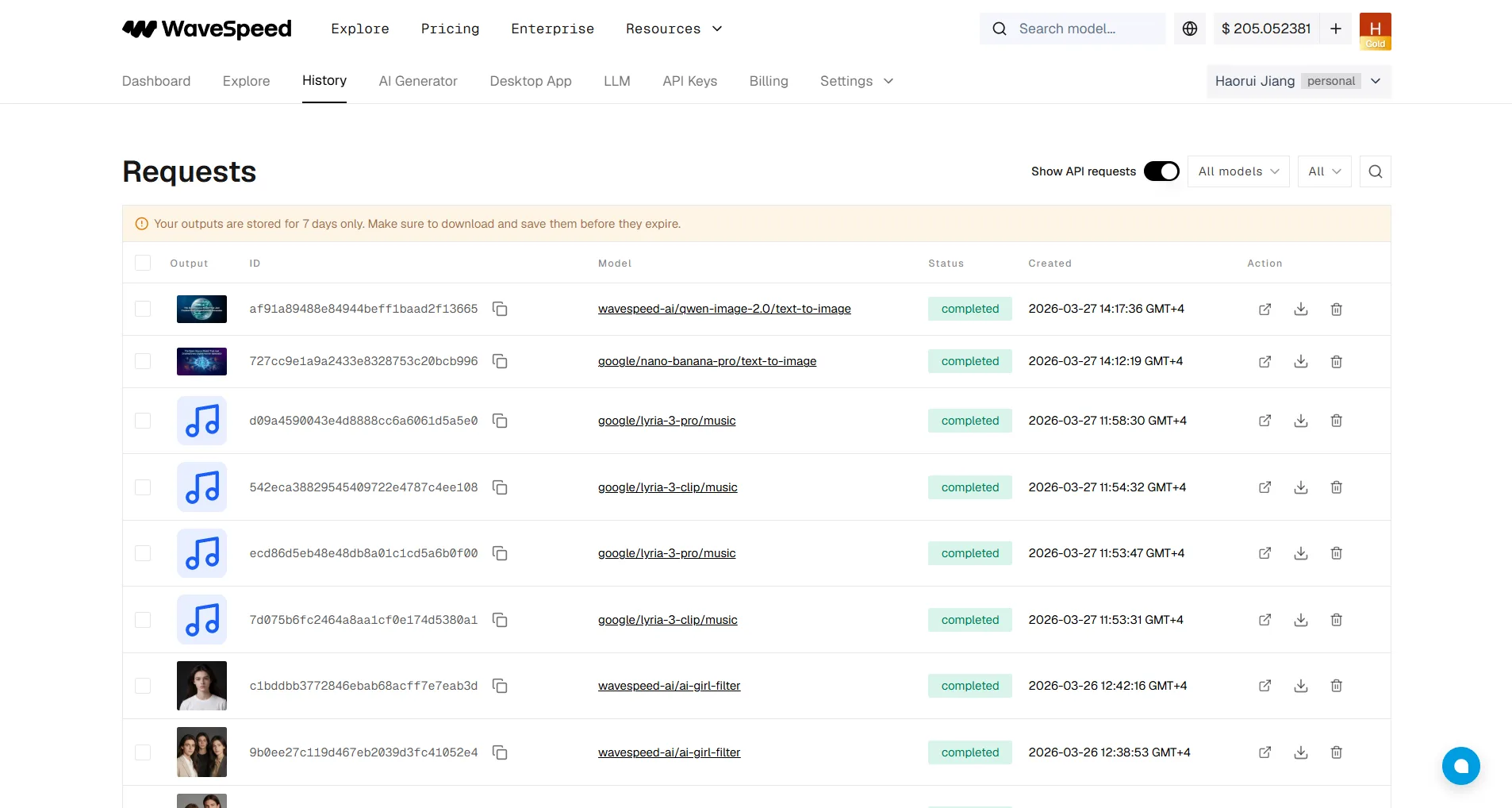
- Go to History
- Copy the Task ID (shown in the ID column)
- Provide it to our support team
API Key Issues
My API key doesn’t work. Why?
API keys are active as soon as they are generated; a top-up is not required to activate them. Authentication can still fail when the key, organization, or key creator is inactive, or when the creator’s current role does not permit the endpoint. Some models require a paid organization, and billable requests require sufficient credits.
Also check:
- The key is copied correctly (no extra spaces)
- The key hasn’t been deleted or regenerated
- You’re using the correct header format:
Authorization: Bearer YOUR_API_KEY - In a team organization, the key creator is still active and their current role permits the endpoint
- A Billing-created key is not being used to run models or read predictions
- Network issues may also cause authentication failures — try again or check your network connection
Rate Limit Errors
I’m getting “Too Many Requests” errors.
You’ve hit your tier’s rate limit. Options:
- Wait — Limits reset every minute.
- Upgrade — Add credits to reach the next tier threshold.
- Optimize — Reduce concurrent requests or add delays between calls.
See Account Levels & Rate Limits for tier details.
Output Quality Issues
Why is my output quality poor?
- Use Prompt Enhancer — It optimizes your prompt for better results ($0.001/use).
- Check model parameters — Resolution, steps, and other settings affect quality.
- Choose the right model — Different models excel at different tasks. Try a few to find the best fit.
- Provide clear prompts — Be specific and descriptive.
Common Error Codes
| Error | Description | Solution |
|---|---|---|
401 Unauthorized | Invalid or missing API key | Check your API key |
403 Forbidden | Account restriction or insufficient API key role | Verify the key creator’s current organization role and the endpoint’s required access; contact support if the role is correct |
429 Too Many Requests | Rate limit exceeded | Wait or upgrade tier |
500 Internal Server Error | Server issue | When polling, retry with backoff. For a submit request, check History before resubmitting; contact support if it persists |
502, 503, 504 | Temporary gateway or availability issue | When polling, retry with backoff. For a submit request, check History before resubmitting |
Get Help
- Live Chat: Click the chat icon in the bottom-right corner of our website
- Email: support@wavespeed.ai
- Discord: Join our community