
Best Shotstack Alternatives in 2027 for Video APIs
Shotstack alternatives for developers: compare edit specifications, rendering jobs, templates, and migration effort.
Do not migrate the vendor name. Migrate the workflow. The best Shotstack alternatives are the ones that can reproduce your timeline, subtitles, asset handling, render callbacks, and recovery rules without turning every video into a manual repair job.
I have not run a matched render, so this is an evidence review of official documentation checked October 2, 2026. For 2027 planning, I would shortlist by architecture, then test one representative edit before comparing price.
Which Shotstack Workflow Must the Alternative Replace?
The replacement must cover what your application uses. Shotstack’s current API reference separates editing, asset hosting, and media ingestion. A timeline-only migration differs from one involving templates, hosted URLs, sandbox renders, and ingest transformations.
Timeline JSON, Template Editing, and Render Jobs
A Shotstack request describes tracks, clips, assets, timing, and output in JSON. The Edit API queues it, returns a render identifier, and exposes status. Templates can add merge fields.
That contract should become the migration inventory:
- used assets, transitions, captions, fonts, crops, trims, and output settings;
- template variables and editor-to-API handoff;
- job states, webhooks, retry rules, and timeouts;
- output storage, URL lifetime, metadata, and deletion.
Alternatives to Shotstack do not share one schema. Even products marketed as video rendering APIs use different timeline models, defaults, identifiers, and failure responses.
Compare Failed Jobs, Output Control, and Cost per Delivered Video
This cannot be judged by feel. It needs a sample run. Use one authorized package with remote video, an image, audio, styled subtitles, a custom font, and a transition. Preserve the original JSON and expected output as fixtures.
For each candidate, record translation hours, changed assets, validation errors, render failures, retries, webhook delivery, manual review time, and output differences. Then calculate:
delivered-video cost = (platform charges + compute + migration labor + review labor) / approved videos
Prices change; capture the provider quote and actual debit on the same dated migration run.
Queue speed matters, but a fast failed job still failed. I care more about diagnosing, replaying, and reconciling a render without duplicate charges or lost customer references.
-
Creatomate for Template-Led Rendering
Creatomate fits teams wanting a visual template editor and managed render API. It is not a drop-in schema replacement.
Editor-to-API Handoff
Creatomate lets a designer create a template, name dynamic elements, and hand a template ID to the application. The API request supplies modifications for text, images, or video. Its create-render endpoint also accepts RenderScript directly when a team wants to own the composition as data rather than use a saved template.
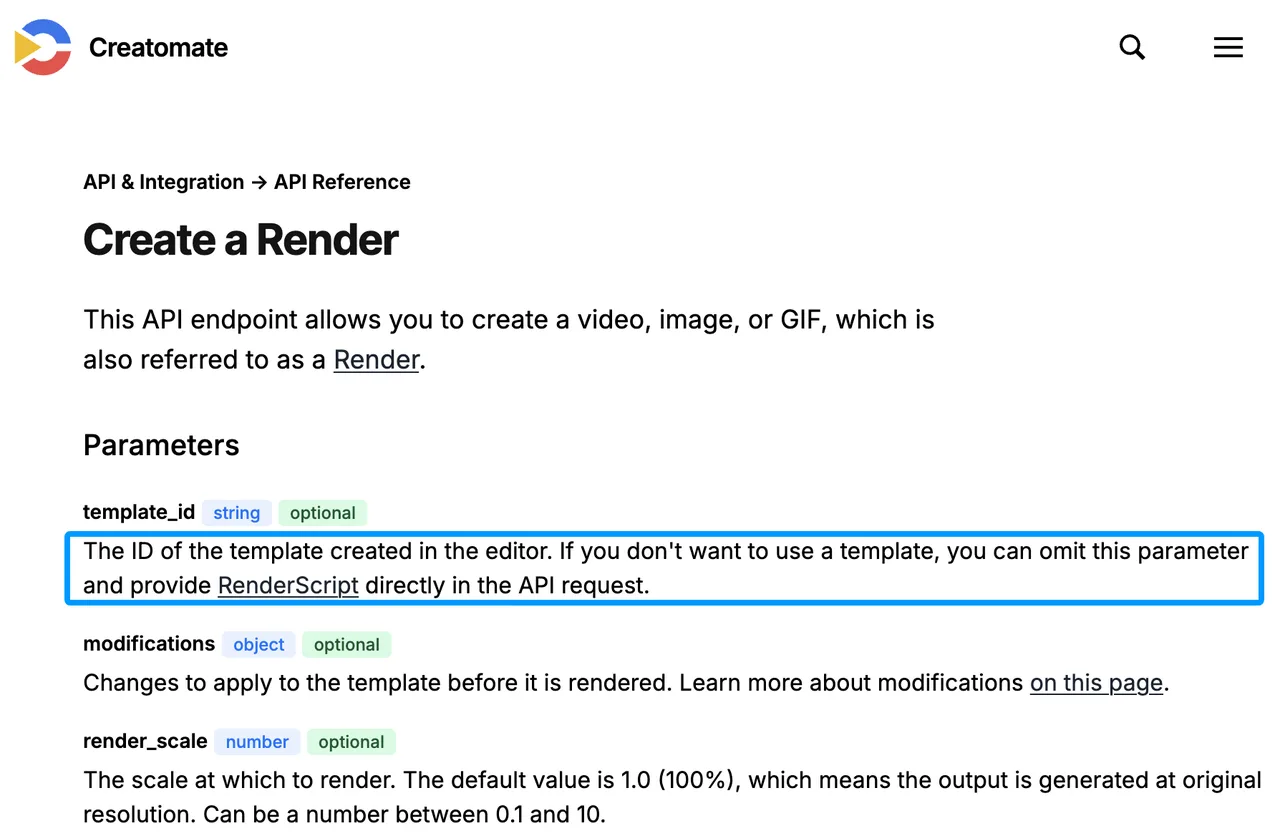
The handoff suits campaign variants and template video automation: designers control layout while developers pass approved values. Every Shotstack property still needs an equivalent. Unsupported effects need redesign, not renamed keys.
Specification and Render Limits
Creatomate renders video, images, and GIFs asynchronously. Requests can include a webhook URL and metadata; status can also be polled. Current documentation describes queued and active states, successful or failed completion, plan-dependent concurrency, API rate limits, and temporary hosting for completed renders.
Test font loading, subtitle position, frame rate, alpha, output dimensions, and remote-asset downloads. Copy approved outputs to controlled storage; provider URLs are not permanent archives.
-
JSON2Video for JSON-Driven Assembly
JSON2Video fits developers who want a managed JSON video API and prefer scenes and elements over a React codebase or After Effects project.
Request Structure and Media Inputs
The top-level Movie document contains scenes, movie-wide elements, resolution, quality, exports, and client metadata. Elements cover video, image, text, HTML, audio, voice, audiogram, and subtitles. The movie endpoint accepts saved-template variables or a complete JSON document and returns a project ID for an asynchronous render.
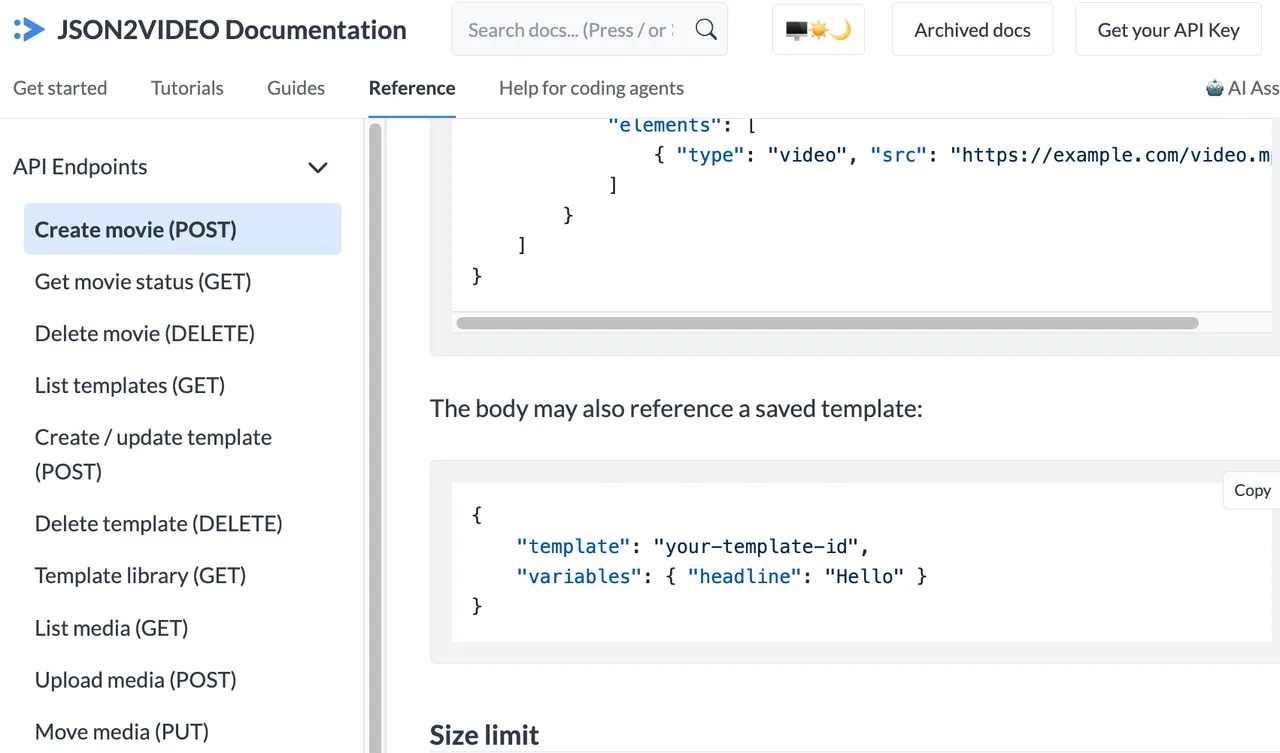
This resembles programmatic video editing, but its structure is not Shotstack’s track-and-clip timeline. Scenes run sequentially, while elements layer within a scene or across the movie. Build a translator only for the subset your fixtures use, then reject unknown properties loudly.
Job Control and Output Limits
JSON2Video documents polling and webhook delivery, client data for correlation, media management, caching, and export destinations. The current create endpoint limits a Movie JSON body to 2 MB; output duration and resolution depend on the account plan. Rendered videos and thumbnails are documented as temporary, so copy deliverables to your own bucket.
Test how the API reports invalid media, quota exhaustion, oversized payloads, and server errors. Some responses should not be retried unchanged. Your job runner should classify validation, capacity, and transient failures before deciding whether to retry.
-
Remotion for Code-Owned Video
Remotion is the strongest option when the team wants video logic to live in its application repository. It is a React-based runtime, not a managed JSON rendering API with a shared editing schema.
React-Based Composition and Render Control
A Remotion composition defines frames with React components and receives serializable props. That gives developers direct control over layout, animation, data fetching, codecs, and testing. Existing Shotstack JSON can become input to your own adapter, but the actual visual implementation must be rebuilt as components.
Code ownership helps when video behavior changes with product logic or needs normal software review, versioning, and tests. It is less useful when non-developers need to modify templates daily without a custom editor.
Infrastructure the Team Must Operate
Remotion can render through Node.js, command-line tools, AWS Lambda, or other server environments. Its server-rendering comparison makes the operational trade clear: with the Node APIs, your team handles queues, traffic spikes, progress, errors, logging, servers, and output storage. Lambda adds AWS functions, deployed bundles, S3, regional limits, permissions, and cloud cost.
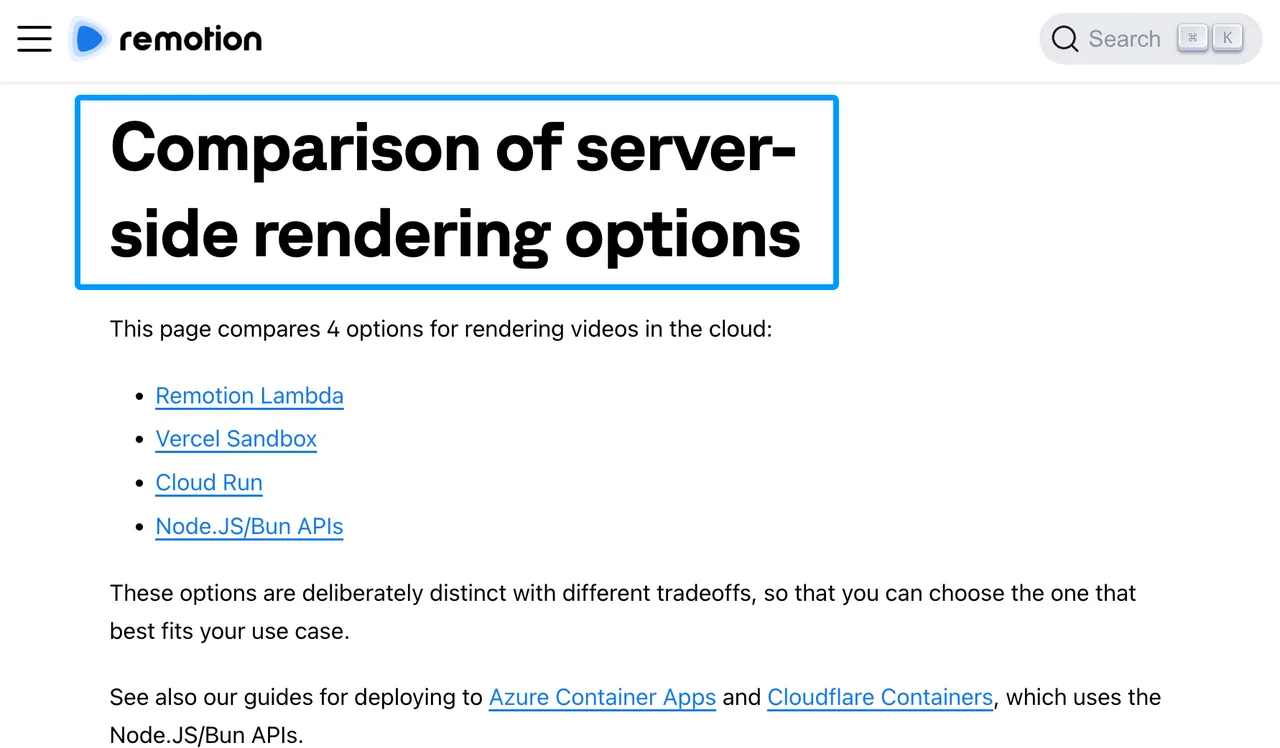
This route can provide the most control, but control is work. Include engineering ownership, upgrades, observability, browser dependencies, and incident response in the cost model. Do not compare only Lambda compute with a managed API’s per-render price.
-
Plainly for After Effects Templates
Plainly is a credible fit when designers already own the visual system in After Effects. It is a weaker fit when the existing workflow is JSON-first and no After Effects source exists.
Designer-Led Template Automation
A Plainly project represents an uploaded After Effects package. Templates map compositions and layers to parameters that the render request can replace with text, images, audio, or video. The Plainly developer guide describes asynchronous renders built around project IDs, template IDs, parameter objects, status retrieval, and webhooks.
That model keeps motion designers in their familiar authoring tool. It works well for branded series where design changes happen in After Effects and applications only supply data.
Fit Outside the After Effects Workflow
Outside that workflow, migration becomes a redesign. A Shotstack timeline cannot simply become an AE package. Someone must build the composition, expose the correct layers, upload and analyze the project, create templates, and maintain mappings when layer names or compositions change.
Test missing parameters, invalid remote media, throttled jobs, template updates, output delivery, and webhook retries. Count the motion designer’s maintenance time as production cost. A low render charge does not compensate for a template that only one person can safely repair.
Choose a Rendering API or a Code Runtime
Choose a managed rendering API when you want the provider to operate the renderer. Choose Remotion when owning the rendering code and infrastructure is worth the engineering load.
Migration Effort Matters More Than the Lowest Unit Price
Start with a schema coverage table, not a pricing table. Map every used Shotstack property to supported, transformed, redesigned, or blocked. Run golden-frame checks at selected timestamps, subtitle comparisons, audio-duration checks, and file-level validation for codec, dimensions, frame rate, and duration.
Keep your own immutable job ID across providers. Store the translated request, provider job ID, webhook body, failure reason, asset hashes, charge, output URL, and approval result. That record lets you replay a failed job after the provider-specific identifier changes.
Add a Generation API Only If the Source Media Is Missing
A generation API belongs before the renderer when the brief lacks an image, clip, voice, or sound. It does not replace timeline assembly, captions, deterministic templates, render states, or delivery.
WaveSpeed’s model directory can supply generated source media when that step is required — verify current model availability against the live directory. Save the resulting file to controlled storage, then pass its stable URL into Creatomate, JSON2Video, Remotion, Plainly, or another renderer. Keep generation failures and rendering failures as separate jobs with separate costs.
FAQ
Can existing Shotstack JSON edits be translated automatically?
No general automatic translator is documented. You can build an adapter for a controlled subset, but each destination has different timing, layering, effects, templates, and defaults. Reject unsupported fields instead of silently changing the video.
What happens to Shotstack asset URLs after account closure?
Do not assume they remain accessible. Temporary Edit API outputs have a limited lifetime, while hosted assets depend on Shotstack storage and the account relationship. Export every required source and deliverable to your own storage before closure.
Can a replacement preserve the same render-job identifiers?
No. Each service generates its own job or render ID. Preserve continuity by keeping an internal ID and storing both the old Shotstack ID and the new provider ID as external references.
Do alternatives expose a sandbox for replaying failed Shotstack jobs?
Not as a compatible Shotstack replay environment. Products may offer previews, test modes, logs, or low-cost development renders, but a translated request must be submitted under that product’s schema. Archive the original payload and assets for comparison.
Can archived Shotstack templates be transferred with version history?
No documented cross-provider transfer preserves template history. Export the current template JSON, merge-field definitions, assets, and your own revision records. For Remotion, move the rebuilt composition into source control; for Plainly, retain the After Effects source package.
Conclusion
The best Shotstack alternatives solve different production problems. Creatomate favors visual templates, JSON2Video favors managed JSON assembly, Remotion favors code ownership, and Plainly favors After Effects automation. None removes migration work.
My choice would follow the fixture results: schema coverage, recoverable failures, output control, human repair time, and cost per approved video. A good single output does not mean the production workflow is ready. Move traffic only after the same edit survives translation, rendering, delivery, and replay.
Previous posts:
Related Articles
/filters:quality(82)/media/images/1790934318687045151_6DhqzIS1.webp)
Best AI Video APIs for High-Volume Workflows in 2027
/filters:quality(82)/media/images/1790879706333726948_TmjHVhrF.webp)
Introducing AI Cinema Studio on WaveSpeedAI: Direct Cinematic AI Video Shots
/filters:quality(82)/media/images/1790934887466368319_r2GQZ8hr.webp)
LTX Studio Review 2027: Does the Video Workflow Hold Up?
/filters:quality(82)/media/images/1790935090456133598_u9CLU4dm.webp)
Segmind Review 2027: Can Its Media APIs Scale?
/filters:quality(82)/media/images/1790935438012010745_IjwFOnwG.webp)
Best Sync Labs Alternatives in 2027 for Lip Sync
/filters:quality(82)/media/images/1790903936921698253_6vhqAJT2.webp)