
Mootion Review 2027: Fit for Repeatable Video Stories
Mootion review for video teams: assess story structure, revision control, handoff, and cost before adopting it for repeatable work.
The first scene is rarely what breaks a story-video workflow. Trouble appears after the team fixes scene two, discovers that scene three no longer matches, and renders the full piece again. For this Mootion review, I am judging that rework path, not the quality of one attractive frame.
I had no authorized account and recorded test assets, so this is an evidence review, not a hands-on verdict. The 2027 title describes the planning cycle, not verified future features. Official pages also mix 5.0 language with older 4.0 and 2024 tutorials. Verify every control in the live workspace.
Can Mootion Turn a Brief Into a Usable Video Story?
Conditionally, yes. The Mootion AI video product is built around scenes and complete stories rather than isolated clips. That suits narrative prototypes, explainers, and recurring short-form work. The question is whether its draft survives team review.
From Script or Image to Scene Sequence
The current Mootion FAQ distinguishes Instant Mode from Director Mode. Instant Mode moves from one prompt to a short output. Director Mode creates a storyboard before rendering and offers shot-level control. The same documentation lists idea-to-video, script-to-video, recording-to-video, image-to-video, and multimodal references.
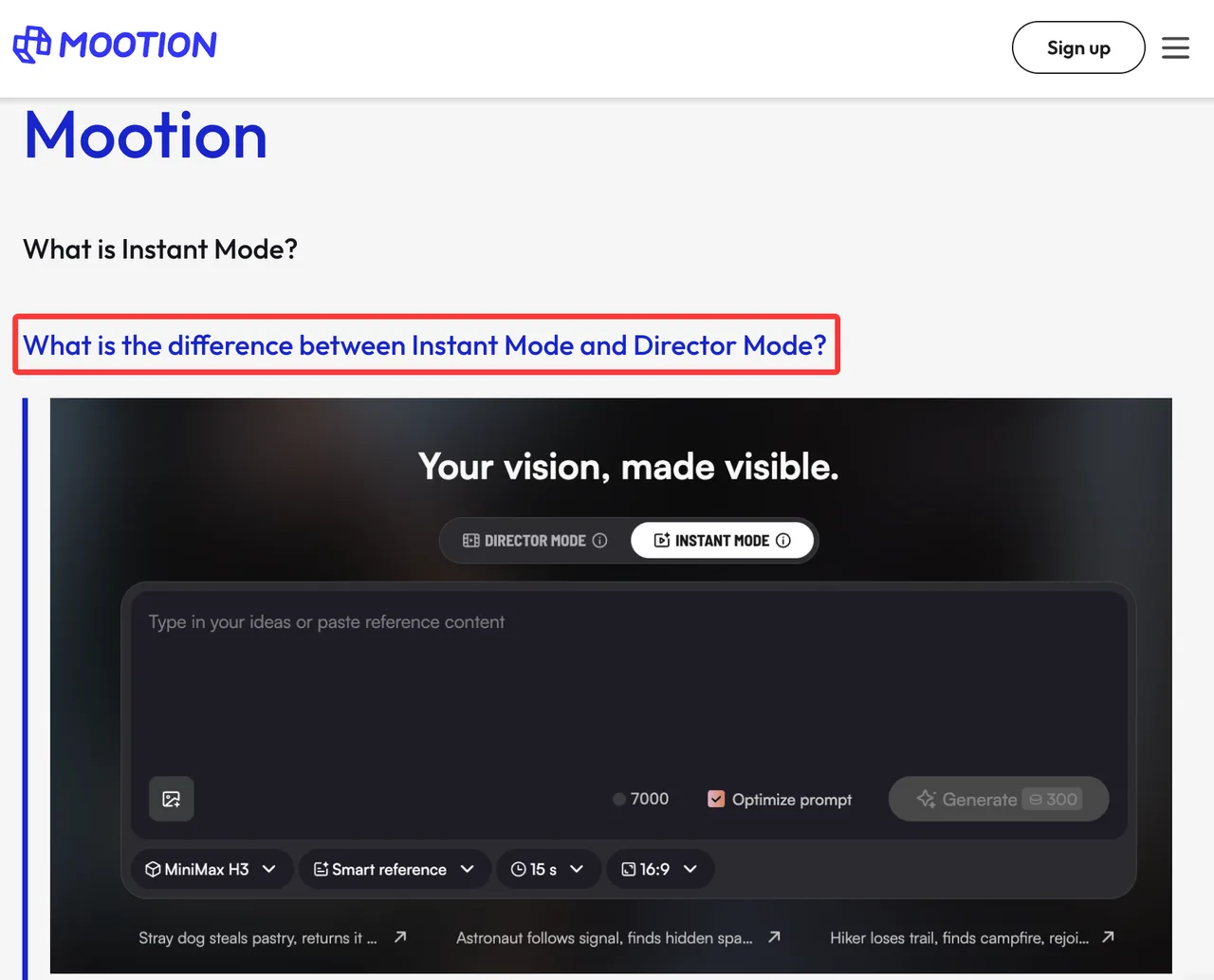
For a fair trial, use one three-scene script. Scene one introduces a named character and location. Scene two changes the action but keeps wardrobe, lighting, and camera direction stable. Scene three resolves the action and repeats one identifiable prop. Lock the language, aspect ratio, narration, visual style, and target length before generation.
Preserve the source script, scene split, references, generated prompts, model, credit deductions, timestamps, and exports. Note any value the workspace hides. One person can remember a setting. A team cannot.
Judge Coherence Across a Complete Deliverable
Review the composite video first, then inspect its scenes. A scene can look fine alone and still fail the story because the character changes age, the prop moves sides, the narration outruns the image, or the camera reverses direction without reason.
Set the approval threshold before generation: three scenes must pass continuity, narration, caption, pacing**, and export checks without rebuilding the sequence in another editor later.**
I would score character identity, prop continuity, action progression, narration timing, and cut-to-cut style stability. Label each scene pass, repair, or reject. Record external work needed for pacing, audio, captions, color, or transitions.
Mootion story workflow should earn its place by reducing assembly work. If three acceptable clips still require an editor to rebuild timing and continuity, the creative UI has produced ingredients, not a deliverable. Demos show the ceiling. Production shows the floor.
How Much Control Does the Team Have Over Revisions?
The useful control is not “can I edit something?” It is whether the team can change one failed beat without disturbing approved work around it.
Change One Scene Without Rebuilding the Story
Mootion’s scene-editing tutorial documents a scene list with text editing, add, split, merge, and delete actions. It also describes scene-level image regeneration, animation, asset insertion, and downloads. The tutorial is dated September 2024, so its labels and credit examples should not be treated as the current interface specification.
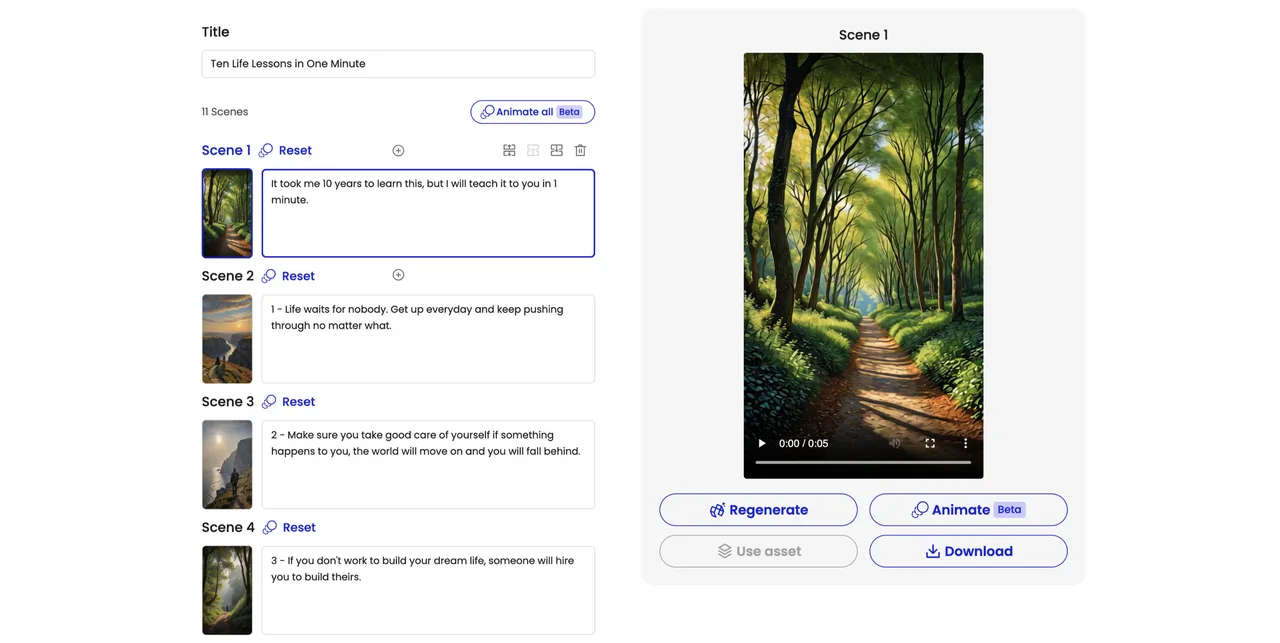
Use scene two as the controlled failure. Change one action line or reference image and regenerate only that scene. Record any change to narration, character appearance, transitions, subtitles, music, or the composite. Repeat with a smaller correction.
That gives the team a local-redo rate: how often a scene-level request stays local. If every correction triggers repairs elsewhere, Mootion scene editing may feel granular while the actual rework path remains long.
Track Manual Editing After Generation
Start the stopwatch when the first complete draft appears. Stop when the file meets delivery requirements. Separate time spent inside Mootion from time spent in Premiere Pro, Final Cut Pro, DaVinci Resolve, a caption tool, or shared review software.
The Mootion quick-start guide describes scene editing, subtitle styles, voiceover, music, composition, and video-plus-script downloads. It is an older tutorial. Check whether current projects retain the settings and assets your handoff needs.
Manual correction is not automatically a failure. Five minutes of finishing may beat another generation. Trouble starts when nobody records that labor and calls the draft “finished.” Track operator minutes, applications opened, exports, and external repairs.
What Does a Deliverable Cost to Approve?
Mootion pricing cannot be judged from the plan alone. Current tiers vary by credits, storage, scene or script limits, and queue priority. The FAQ says video generation uses model-specific credits per second. Review labor comes later.
Count Regenerations and Human Review Time
For the three-scene test, calculate:
Approved-deliverable cost = allocated subscription cost + extra generation-credit cost + reviewer labor cost + external editing cost.
Log each regeneration by cause: prompt miss, character drift, motion defect, narration mismatch, or reviewer preference. The last category matters. A platform should not be blamed for an undefined brief, but the team still pays for the rerun.
Also record the usable-scene rate and full-story approval rate. Three scenes passing individually does not guarantee one approved story. Long-term cost depends on rework, not only unit price.
Separate Creative Workspace Costs From Model API Costs
Mootion publishes an API page and developer material describing REST access, authentication/generation endpoints, webhooks, and scaling, but I could not verify a complete current public specification for endpoint URLs and schemas, webhook schemas, concurrency, rate-limit values, retention, or API pricing.
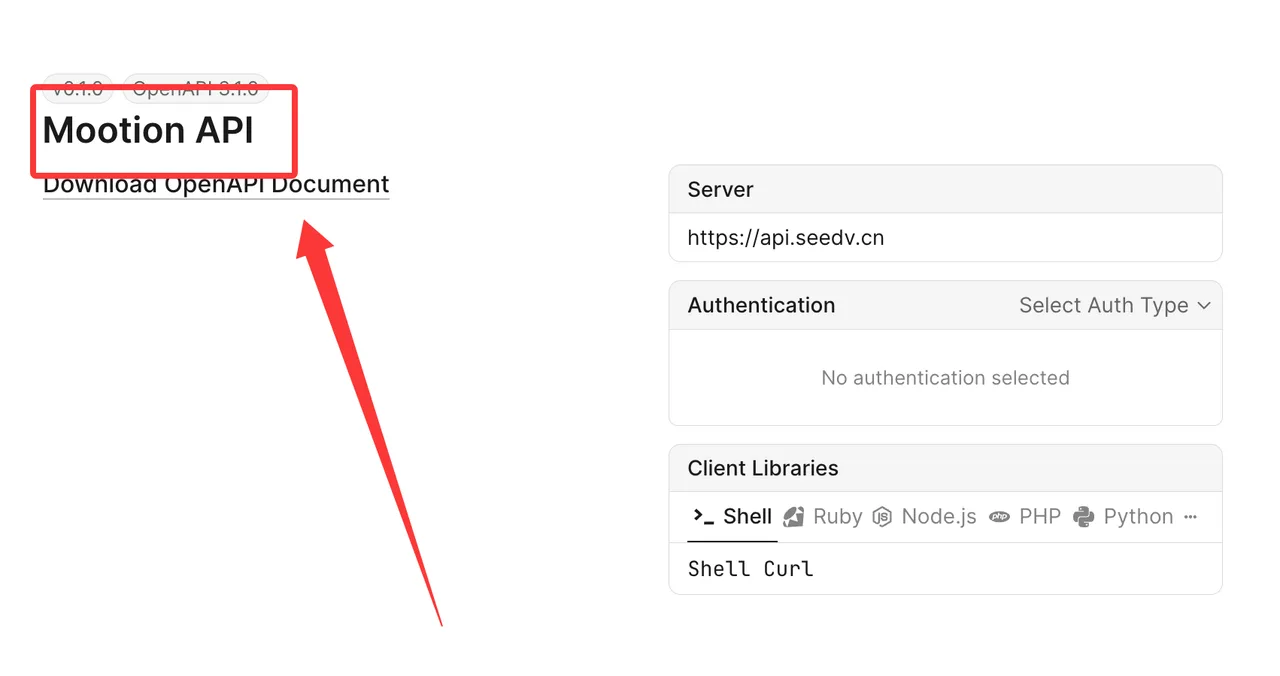
Keep two cost sheets. Workspace costs cover seats, credits, operation, review, and exports. API costs cover requests, retries, engineering, monitoring, storage, and failures. Do not transfer web-plan assumptions into an API forecast.
This distinction also matters when comparing an API-led stack. A custom pipeline may cost more to build but give the team stronger metadata and automation. Mootion may cost less to start because it already provides story planning and scene controls. They solve different layers.
Who Should Use Mootion Instead of an API-Led Stack?
Mootion fits when creative judgment is still happening inside every project. An API-led stack fits when the story recipe is stable enough to become structured input and the team already owns review, storage, and delivery systems.
Small Creative Teams and Narrative Prototypes
Small teams benefit when a writer, producer, or marketer needs a visible sequence before conventional editing. The interface can move a brief into a storyboard, reference frames, animated scenes, narration, and a composite draft.
That is especially useful for pitching a narrative direction or testing recurring formats. The team still needs an acceptance checklist and an external archive. Mootion export options reportedly include the completed video and a story package with scripts, images, and clips; verify the contents on the selected plan before making that package your handoff standard.
Limits for Automated, High-Volume Production
High-volume work needs job IDs, machine-readable settings, callbacks or polling, predictable failures, owned storage, access controls, and versioned templates. The creative UI’s existence proves none of those.
I would not design automation around screen behavior or assume that a scene control has an API equivalent. Ask Mootion for current developer documentation and run a separate integration test. Until the team can reproduce one approved story without manual reconstruction, scaling it only creates a faster route to inconsistent output.
FAQ
Can Mootion use a team’s existing voice recording?
Yes, according to the official FAQ. Recording-to-video accepts a voice or video recording, and Smart Reference can use audio. Test file formats, duration limits, noise handling, speaker consent, and whether the original recording is preserved in the downloadable project. Generated or uploaded voices also require the appropriate permissions.
Can Mootion export subtitles as a separate file?
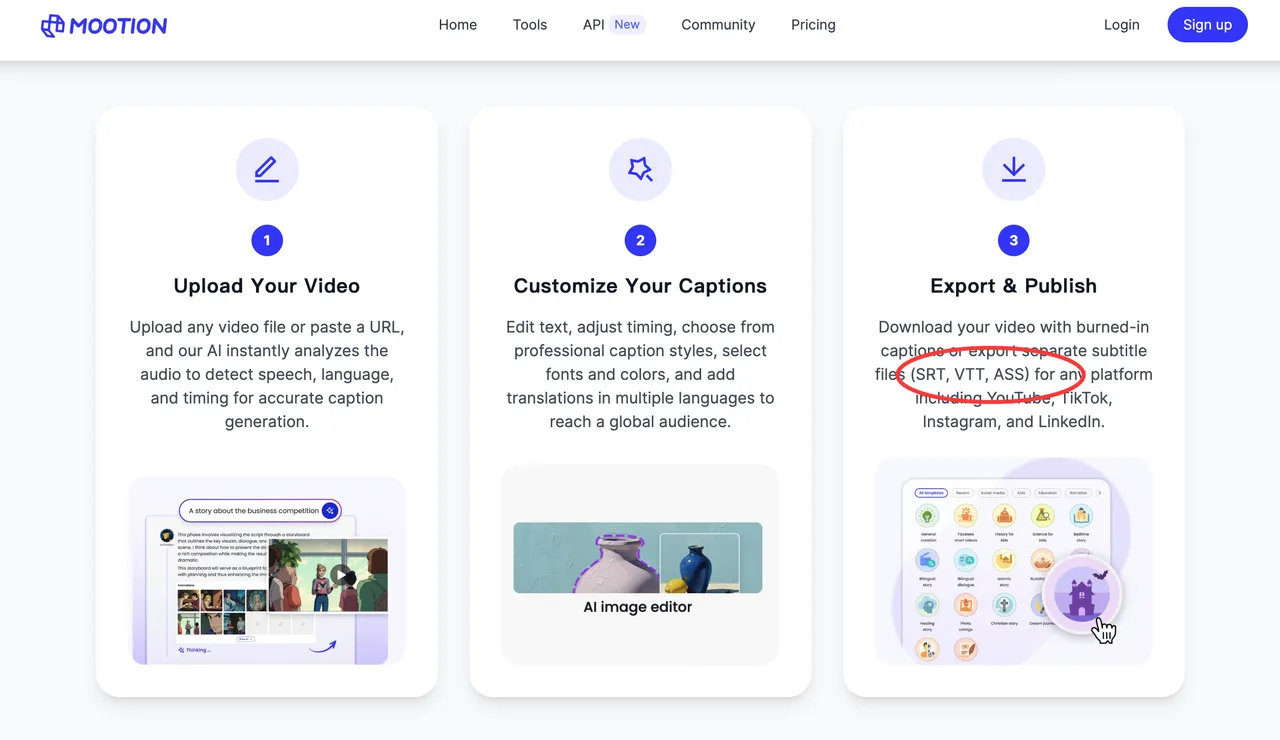
Mootion’s official caption-tool page advertises burned-in captions and separate SRT, VTT, and ASS exports. I could not independently confirm that every Director Mode story project exposes those same formats. Check the export menu on the chosen plan; do not confuse caption-tool capability with universal project export.
What happens to uploaded scripts when a Mootion project is deleted?
Mootion does not explain project-level script deletion well enough to promise immediate erasure from backups or providers. Its privacy policy permits deletion requests but says this may require deleting the account or subscription details. Ask support about retention and backups before uploading sensitive scripts.
Can external reviewers comment without using generation credits?
This is not publicly disclosed in the documentation I could verify. Previewing is documented, but I found no clear guest-review workflow, comment permissions, seat requirement, or statement that review activity consumes no credits. Teams should test an external reviewer link before treating Mootion as their approval system.
Are characters reusable across separate Mootion projects?
Mootion documents character lists and references, but I found no public evidence that one profile can retain identity, voice, and settings across separate projects. Treat reuse as unconfirmed until it survives an export-and-reopen test.
Commercial use also needs a current terms check. Mootion’s terms of service say users own files made from their submitted content, subject to Mootion’s materials and granted licenses. Input rights, likeness or voice consent, music, and third-party model conditions still matter. This is general information, not legal advice.
Conclusion
This Mootion review finds a plausible fit for teams that need a script-to-story workspace with scene-level revision before final editing. The fit is weaker when production depends on unattended automation, documented API behavior, formal external review, or proven reuse across projects.
Run one three-scene story. Count local redos, continuity failures, review time, external fixes, and cost per approved deliverable. Archive sources and exports outside the platform. Versions, Mootion pricing, model access, exports, retention, and terms may change during 2027, so recheck the live account before production.
Previous posts:
/filters:quality(82)/media/images/1790757954084144412_1AJT2bku.webp)
/filters:quality(82)/media/images/1790757509548436753_yzIR19zJ.webp)
/filters:quality(82)/media/images/1790760268656782522_xT4frCNY.webp)
/filters:quality(82)/media/images/1790758509393182709_xXaltBLV.webp)
/filters:quality(82)/media/images/1790758722893740431_0EQ2bkuD.webp)
/filters:quality(82)/media/images/1790673203845090867_ZwbkuCLU.webp)