Best AI Video Generation APIs for a First Build
Best AI video generation API options for a first product build: compare model access, a minimal integration, and a first test before scaling.
A customer clicks “Generate video” in a product. The page times out, so they click again. The team now has two jobs to investigate and no clip to show: did the first request reach the provider, and will the second create another charge?
I’m John. When I review a first integration, I start with that lost response. The best AI video generation API must make the job recoverable while producing a usable clip. This comparison covers four public routes for generating new footage: WaveSpeedAI, Runway, Google Vertex AI, and Higgsfield. Video editing APIs handle existing footage and need a different evaluation.
What Must a First Video API Build Prove?
It must carry one customer request from submission to a stored video, including the wait and a possible failure. An accepted API request proves that a job was created. The product still needs to find that job later, explain its status, and retain its output.
Start with a concrete task. Suppose the feature generates a short landscape shot of a backpack on a table while the camera moves around it. The backpack must remain recognizable, the motion must hold together, and the clip must contain no unwanted text. Write those acceptance criteria down before comparing providers. A good single output does not mean the production workflow is ready.

The first test should answer four questions:
- Does the route accept the product’s input?
- Can the backend recover the job after a restart?
- Can it store the finished file?
- Can the team identify what the job cost?
A provider that fails one of these checks may still make excellent clips, but the first product feature needs the entire path.
How Should Teams Run a First Video Job?
Run the same brief through one documented text-to-video route per provider. Request one landscape clip at the closest supported duration and resolution. Record differences in audio, length, and output size beside each result. Matching prompts do not create matching jobs when their settings differ.
Create a local job record before contacting the provider. It should hold the customer request, model route, prompt version, settings, and an internal ID. Attach the provider’s identifier as soon as submission succeeds. A background worker can then check completion and copy the result into product storage. The browser reads the local job state instead of waiting for a video inside one open HTTP request.
One person can remember parameters. A team cannot. Save the submitted payload with each job so a failed clip can be traced to its input.
Then interrupt the client during one submission. I would stop at this step if the team could not determine whether the job was accepted. Blindly repeating a generation request may produce a second billable clip.
1. WaveSpeedAI for Multi-Model Access
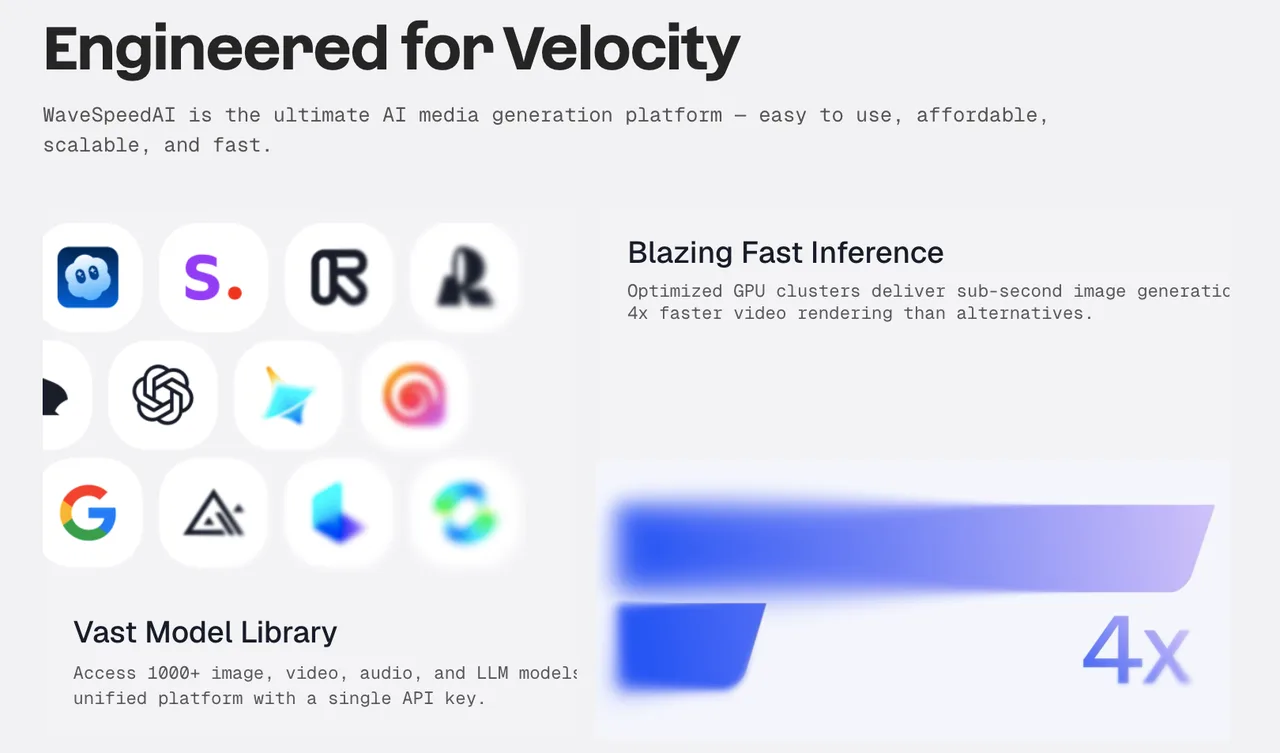
WaveSpeedAI belongs on the shortlist when a product may need different video models for different tasks. Its public catalog exposes model-specific text, image, and reference routes under one API account. The first integration should still name one route and use its published schema; shared authentication does not make model inputs interchangeable.
The MiniMax H3 text-to-video route, for example, lists prompt, aspect_ratio, resolution, duration, and seed. Submission returns a prediction ID. The result endpoint reports status and output, while a signed webhook option can notify the backend when work finishes.
The selected settings determine the price, so record the route’s current estimate and the final prediction charge. If a submission response disappears, WaveSpeedAI advises checking recent predictions for a matching job before sending it again.
Its catalog becomes useful when a second product task genuinely needs another model or input type. For a first build with one working route, extra choices can wait.
2. Runway API for Its Video Models
Runway is a direct candidate when the feature specifically calls for a Runway-generated shot. Its developer platform also offers third-party models; using gen4.5 keeps this first test focused on Runway’s own generation route.
The text-to-video API reference specifies a task request with model, promptText, ratio, and duration, plus an API-version header. Save the returned task ID and retrieve its status in a worker. Once the task succeeds, download the output into product storage. Runway’s result URLs expire and should not become permanent customer-facing asset URLs.
The developer pricing guide lists Gen-4.5 at 12 credits per output second, with credits priced at $0.01 each. That makes a request straightforward to estimate. The review still has to ask whether the generated product remains recognizable; a render that needs repeating changes the cost of an approved clip.
Cancellation needs careful UI wording. Runway says a task observed as running during cancellation is not refunded, and execution can advance while cancellation is being processed. A “stop watching” button should not promise a refund.
3. Google Vertex AI for Veo Access
Vertex AI fits a team already using Google Cloud projects, IAM, billing, and Cloud Storage. The generated file can enter an established storage path. Teams without that setup should include it in the effort required for their first clip.
Google’s Veo generation guide shows a predictLongRunning request with instances[].prompt and a model ID such as veo-3.1-fast-generate-001. The response provides an operation name. Store it, then use fetchPredictOperation to check completion. The documented flow can write output to a Cloud Storage bucket.
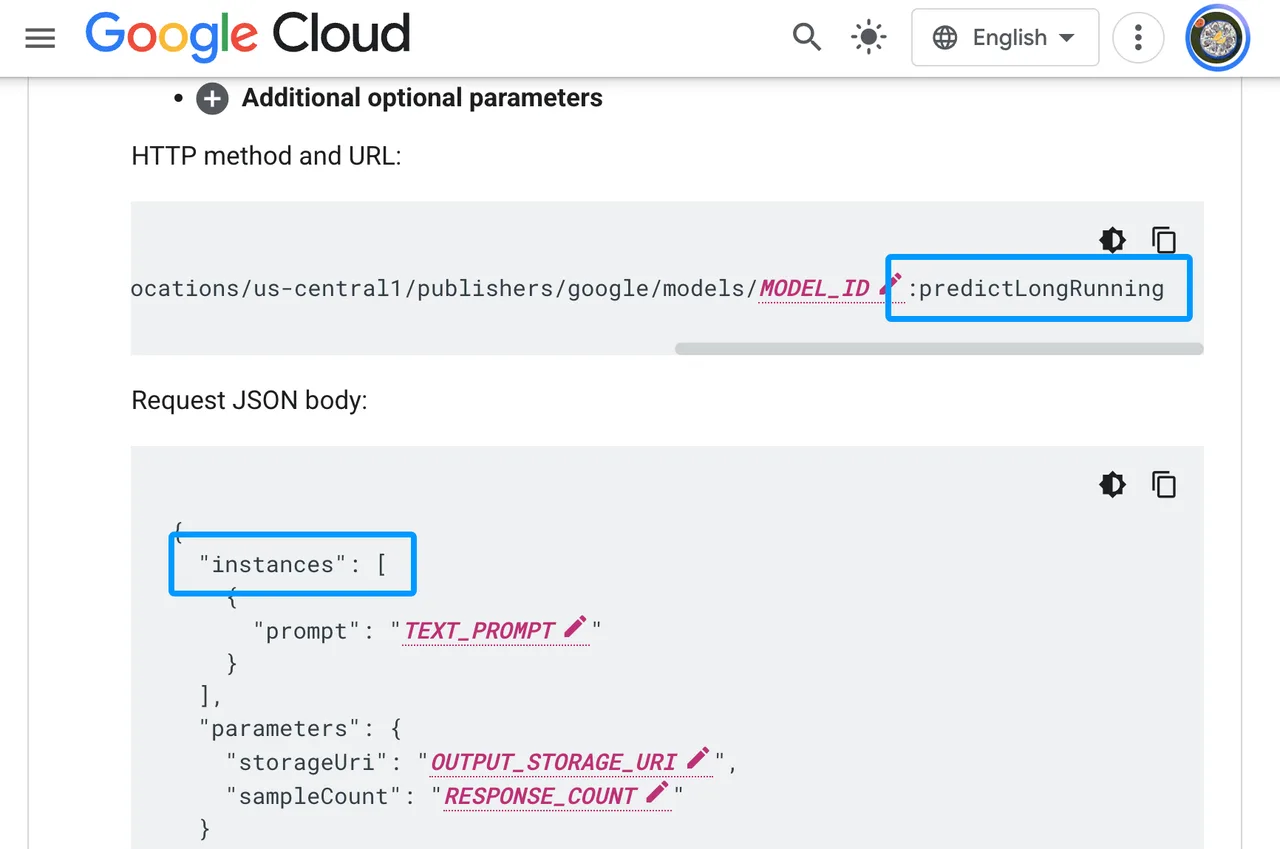
The Veo 3.1 route reviewed here is documented in us-central1. Confirm that location for the project before implementation. Google’s Veo pricing table separates model tiers, resolutions, and video with or without audio. Price the configuration the product will submit. A silent draft and a final clip with generated sound are different purchases.
Vertex AI earns its extra setup when Veo access and Google Cloud delivery are product requirements. For a small feature in an otherwise independent application, integration work belongs beside clip quality in the first-build decision.
4. Higgsfield API for Its Video Workflow
Higgsfield offers model-specific endpoints with a consistent asynchronous request lifecycle. Its Seedance 2.0 text-to-video route lists prompt, duration, resolution, aspect_ratio, and generate_audio. Submission returns a request ID and status URL; the initial response is a receipt, not the video.
Its submission recovery is useful in a customer-facing product. An Idempotency-Key identifies one intended generation. When a submission response is lost, the same request can be sent with the same key to retrieve the original request ID without creating another job. Create that key alongside the local job record, before the API call.
Higgsfield also documents signed completion webhooks. Configure the account’s signing secret, verify incoming deliveries, and retain status polling as a recovery path if a callback is missed.
Model and settings determine the charge. Higgsfield publishes route-specific rates and offers an estimate endpoint. Its public Seedance 2.0 page listed $0.1735 per output second at 720p on November 16, 2026; the estimate for the actual payload is the useful figure before submission. Each additional model route still needs its own input validation.
Which API Fits a First Product Integration?
Start with the product dependency. Runway fits a requirement for its video models. Vertex AI fits Veo inside an existing Google Cloud application. WaveSpeedAI and Higgsfield suit a product that expects to try multiple model routes; Higgsfield’s documented idempotency key gives it a clear path through an uncertain submission.
I would choose from the routes that pass one completed job, one interrupted-client recovery, and one transfer into product storage. Review their clips against the same written criteria, then compare charges for the settings actually used. The best AI video generation API for this build is the route that clears the product task and leaves the team able to operate its jobs.
What Should Teams Check Before Scaling?
Once the first route works, check concurrent-job limits, queue behavior, callback retries, output retention, and the cost of repeated work. Make sure a worker restart can resume every unfinished job from its saved identifier.
Creative-agency approval and client-rights handoff call for a separate selection. This first build stays focused on generating and delivering a new clip.
FAQ
Q: Does each API sign video-job webhooks?
No. WaveSpeedAI documents signed callbacks through standard_webhook. Higgsfield documents signed deliveries after its account signing secret is configured. The Runway task and Vertex AI Veo flows reviewed here document retrieving the saved task or operation. Use each route’s published completion method.
Q: Are cancelled jobs charged by each provider?
The rules differ. Higgsfield refunds a successfully cancelled queued request. Runway does not refund a task the server observes as running during cancellation. WaveSpeedAI’s public delete endpoint applies to finished predictions and cannot stop a running job. The reviewed Veo guidance does not establish a Veo-specific cancellation refund rule. Product refund language needs to follow the selected route’s confirmed terms.
Q: Can a timed-out job be queried without creating a duplicate?
Yes, when the backend saved its provider ID. Query that ID. Higgsfield’s idempotency key also handles a lost submission response; WaveSpeedAI advises checking recent predictions for a match. For Runway and Vertex AI, save the task ID or operation name immediately and reconcile an uncertain submission before making another attempt.
Q: Do all four providers support a selectable processing region?
No shared region selector appears in these generation flows. Google documents the Veo 3.1 route used here in us-central1. If processing location determines product eligibility, confirm the exact model route and account terms before integrating it.
Q: Can the same reference-image file be sent to every route?
No. The text-to-video routes in this first pass do not all accept images. For a later image-led test, keep one approved source asset and prepare the input each route requires. File transport, limits, and the role of a reference image differ by model. An upload rejected by the API is an input-contract result, not a verdict on video quality.
Conclusion
Ship one route after it passes the complete journey: submit once, save the identifier, recover an interrupted job, review the clip, and store the file. Add another model when a product task needs it.
That gives the first build a useful answer to the best AI video generation API question. The route can produce the required footage, and the team can account for what happens before and after generation.
Previous posts:
Related Articles
Consistent Characters in AI Video: A Shot Workflow

Kling Image 4.0 Preview Ranks Sixth on the Artificial Analysis Image Leaderboards

AI Video Cost: Budget Retakes, Audio, and Final Edits
Higgsfield Pricing: Credits and Video Cost Checks
Higgsfield Cinema Studio Review: Controls and Workflow