Kling 4.0 API
Kuaishou Kling 4.0 — text-to-video, image-to-video, reference-to-video, video edit and video extend, with 3-30 second clips, 720p and 1080p output, and synchronized stereo audio generated with the picture.
Five endpoints: kwaivgi/kling-v4.0/text-to-video turns a prompt into a clip, image-to-video animates a first frame with an optional last frame and keyframes, reference-to-video builds a new clip from up to 10 images, 5 videos and 3 audios, video-edit rewrites an existing video from a text instruction, and video-extend continues a video from its last frame. Clips run from 3 to 30 seconds at 720p or 1080p.
Overview
About the Kling 4.0 API
What Kling 4.0 does, how it fits in the Kuaishou model lineup, and why teams reach for it.
Kling 4.0 is a video generation model from Kuaishou, available through the WaveSpeedAI REST API. Kuaishou Kling 4.0 — text-to-video, image-to-video, reference-to-video, video edit and video extend, with 3-30 second clips, 720p and 1080p output, and synchronized stereo audio generated with the picture.
Five endpoints: kwaivgi/kling-v4.0/text-to-video turns a prompt into a clip, image-to-video animates a first frame with an optional last frame and keyframes, reference-to-video builds a new clip from up to 10 images, 5 videos and 3 audios, video-edit rewrites an existing video from a text instruction, and video-extend continues a video from its last frame. Clips run from 3 to 30 seconds at 720p or 1080p.
The Kling 4.0 family on WaveSpeedAI ships 9 REST endpoints covering Video-To-Video, Reference-To-Video, Image-To-Video, Text-To-Video, Video-Extend workflows. Each variant carries its own pricing, parameter knobs, and example outputs — pick the one that matches your input modality and production constraints, or call several from the same API key to compose multi-step pipelines.
Run Kling 4.0 through the same API key, billing account, and rate-limit envelope you use for the other 1,000+ AI models on WaveSpeedAI. No separate vendor setup, no per-provider SDKs, no per-vendor rate-limit envelopes — one integration covers everything from text-to-image and text-to-video through audio synthesis, 3D generation, upscaling, and editing.
Specs
Kling 4.0 API capabilities and release status
The model-specific details developers search for before choosing an API: availability, expected output length, reference support, and the current live fallback.
Endpoints
5 variants
Text-to-video, image-to-video, reference-to-video, video-edit and video-extend.
Duration
3-30 s
Any length from 3 to 30 seconds; 5 s is the default.
Resolution
720p / 1080p
720p is the default.
References
10 images + 5 videos + 3 audios
On reference-to-video, alongside a text prompt.
Endpoints
All Kling 4.0 API endpoints
9 Kling 4.0 endpoints available now on WaveSpeedAI — pick the variant that matches your workflow.

Kling v4.0 Flash Video Edit
Kling V4.0 Flash Video Edit transforms existing videos with natural-language instructions while preserving the original scene, subject, and motion, with optional reference-image guidance and synchronized audio for creative edits, marketing content, social videos, and production workflows. Ready-to-use REST inference API, best performance, no coldstarts, affordable pricing.

Kling v4.0 Flash Reference To Video
Kling V4.0 Flash Reference-to-Video generates high-quality videos guided by reference images and videos, with synchronized audio and a focus on fast generation for character consistency, motion guidance, social content, marketing videos, and production workflows. Ready-to-use REST inference API, best performance, no coldstarts, affordable pricing.

Kling v4.0 Flash Image To Video
Kling V4.0 Flash Image-to-Video animates a first-frame image into high-quality videos with synchronized audio, focusing on fast generation and rapid iteration for image animation, social content, marketing videos, storytelling, and production workflows. Ready-to-use REST inference API, best performance, no coldstarts, affordable pricing.

Kling v4.0 Flash Text To Video
Kling V4.0 Flash Text-to-Video generates high-quality videos from text prompts with synchronized audio, focusing on fast generation and rapid creative iteration for social content, marketing videos, storytelling, and production workflows. Ready-to-use REST inference API, best performance, no coldstarts, affordable pricing.
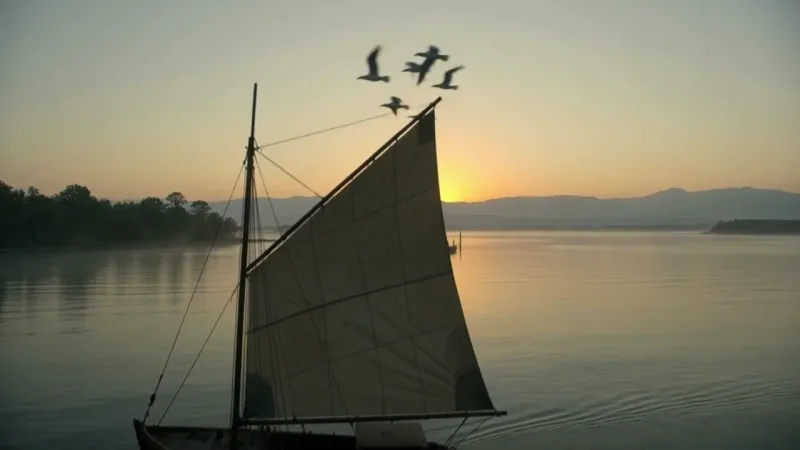
Kling v4.0 Video Extend
Kling V4.0 Video Extend continues a video from its last frame with a new 3 to 30 second segment guided by your prompt, at 720p or 1080p with synchronized stereo audio, and returns the original and the new segment joined. Ready-to-use REST inference API, best performance, no coldstarts, affordable pricing.

Kling v4.0 Video Edit
Kling V4.0 Video Edit rewrites a 3 to 30 second video from a text instruction: it keeps the scene, subject and motion and changes what you describe, with optional reference images and audios, 720p and 1080p output and new synchronized audio generated by default (the original sound can be kept instead). Ready-to-use REST inference API, best performance, no coldstarts, affordable pricing.

Kling v4.0 Reference To Video
Kling V4.0 Reference-to-Video builds a new clip of 3 to 30 seconds from up to 10 reference images, 5 reference videos and 3 reference audios, following the subjects, motion and camera you point to in the prompt, with 720p and 1080p output and synchronized stereo audio. Ready-to-use REST inference API, best performance, no coldstarts, affordable pricing.

Kling v4.0 Image To Video
Kling V4.0 Image-to-Video animates a first frame into a clip of 3 to 30 seconds, with an optional last frame and up to 8 in-between keyframes to direct the story, 720p and 1080p output and synchronized stereo audio. Ready-to-use REST inference API, best performance, no coldstarts, affordable pricing.

Kling v4.0 Text To Video
Kling V4.0 Text-to-Video generates cinematic clips of 3 to 30 seconds from a text prompt, with 720p and 1080p output, four aspect ratios including 21:9 ultrawide, and synchronized stereo audio. Ready-to-use REST inference API, best performance, no coldstarts, affordable pricing.
Examples
See Kling 4.0 in action
Real outputs generated by the Kling 4.0 API. Hover any video to preview, click to open the full-size viewer.
How to
How to use the Kling 4.0 API
Four steps from signup to a finished generation. Full Python, Node.js, and cURL examples are in the API section below.
- 01
Get an API key
Sign up for a WaveSpeedAI account and copy your API key from the dashboard. New accounts come with free starter credits — enough to run the playground a few dozen times before billing kicks in.
- 02
Submit a prediction
POST your input as JSON to https://api.wavespeed.ai/api/v3/kwaivgi/kling-v4.0/text-to-video. The endpoint returns a prediction id immediately — generations are async so you don't hold an open connection during inference.
- 03
Poll for completion
GET https://api.wavespeed.ai/api/v3/predictions/{request_id}/result. Return outputs on completed; stop with an error on failed, cancelled, timeout, or deleted; continue polling for every other status.
- 04
Read the output URL
Once status is "completed", read the URL from data.outputs[0]. The URL points to your generated media on the WaveSpeedAI CDN — image, video, audio, or 3D file depending on the Kling 4.0 variant you called.
Use cases
What you can build with Kling 4.0
Common workflows developers and creators use the Kling 4.0 API for.
Long single takes
kwaivgi/kling-v4.0/text-to-video generates any length from 3 to 30 seconds in one pass, leaving room for real action and camera movement instead of stitching short clips together.
Ultrawide cinematic framing
Text-to-video renders 16:9, 9:16, 1:1 or 21:9, so one prompt can serve a widescreen trailer, a vertical social post or an ultrawide cinematic shot.
Direct the story with keyframes
kwaivgi/kling-v4.0/image-to-video uses your image as the first frame and accepts an optional last frame plus in-between keyframes, up to 10 images in total, so you decide where the clip starts, passes through and ends.
Scenes built from mixed references
kwaivgi/kling-v4.0/reference-to-video combines up to 10 reference images, 5 reference videos and 3 reference audios, which the prompt refers to as @Image1, @Video1 and @Audio1.
Edit a video with words
kwaivgi/kling-v4.0/video-edit keeps the scene, subject and motion of your video and changes what you describe - swap a character, change the setting or the weather - with newly generated sound by default, or the original sound kept.
Continue a clip
kwaivgi/kling-v4.0/video-extend continues a video from its last frame with a new 3-30 second segment and returns the original and the new segment joined, optionally aiming at a target last frame.
Borrow a camera move or a performance
Point to a reference video in the prompt to reuse its camera movement or follow its performance, while the output length is chosen independently of the reference.
Sound generated with the picture
Every endpoint produces synchronized stereo audio together with the video. On reference-to-video you can instead keep the reference video's own sound.
Tips
Tips for prompting Kling 4.0
Practical advice for getting better outputs from Kling 4.0 — drawn from the patterns that work across video models in production pipelines.
- 01
Name the subject, action, setting and camera
Give the model a subject, what it does, where it happens and how the camera moves, for example a slow dolly-in or a handheld tracking shot. For longer clips, describe how the scene develops from beginning to end.
- 02
Describe the sound you want
Audio is generated together with the picture, so name the ambience, music or line of dialogue you want to hear in the prompt.
- 03
Say what each reference is for
On kwaivgi/kling-v4.0/reference-to-video, refer to inputs as @Image1, @Video1 and @Audio1 in the order you provide them, and say how each one should appear, for example the character from @Image1 walking through the street from @Image2.
- 04
Describe the change when editing
On kwaivgi/kling-v4.0/video-edit, describe what should change and name what must stay, and refer to the video as @Video1 and to reference images as @Image1, @Image2 ... The output follows the input video's length and aspect ratio unless you set them.
- 05
Describe what happens next when extending
On kwaivgi/kling-v4.0/video-extend, describe the continuation rather than the frame you already have, and keep it consistent with the end of your clip. Only the new segment is generated; your original video is kept as it is.
- 06
Keyframes are used in order
On kwaivgi/kling-v4.0/image-to-video, in-between keyframes are used in the order you list them, and the first frame, keyframes and last frame add up to at most 10 images. Describe the change that connects the frames.
- 07
Draft at 720p, deliver at 1080p
Explore ideas at 720p and a short duration, then re-run the chosen prompt at 1080p for delivery.
Pricing
Kling 4.0 API pricing
Pricing is per-output. The final charge scales with the parameters you set in each variant's playground (resolution, duration, output count, references).
| Endpoint | Type | Starting price |
|---|---|---|
| kwaivgi/ | video-to-video | $0.126 |
| kwaivgi/ | reference-to-video | $0.094 |
| kwaivgi/ | image-to-video | $0.094 |
| kwaivgi/ | text-to-video | $0.094 |
| kwaivgi/ | video-extend | 15% OFF$0.157$0.1335 |
| kwaivgi/ | video-to-video | 15% OFF$0.188$0.1598 |
| kwaivgi/ | reference-to-video | 15% OFF$0.157$0.1335 |
| kwaivgi/ | image-to-video | 15% OFF$0.157$0.1335 |
| kwaivgi/ | text-to-video | 15% OFF$0.157$0.1335 |
API
Call the Kling 4.0 API
Sign up for an API key at wavespeed.ai/accesskey, then submit a prediction via REST. The playground generates ready-to-paste samples for any combination of inputs.
POSThttps://api.wavespeed.ai/api/v3/kwaivgi/kling-v4.0/text-to-video
# 1. Submit the prediction.
SUBMIT_RESPONSE=$(curl --silent --show-error --fail-with-body \
  -X POST "https://api.wavespeed.ai/api/v3/kwaivgi/kling-v4.0/text-to-video" \
  -H "Content-Type: application/json" \
  -H "Authorization: Bearer $WAVESPEED_API_KEY" \
  -d '{
    "prompt": "A cinematic shot of a city at sunset, soft golden light",
    "resolution": "720p",
    "duration": 5,
    "aspect_ratio": "16:9"
}')

TASK=$(printf '%s' "$SUBMIT_RESPONSE" | jq 'if has("data") then .data else . end')
PREDICTION_ID=$(printf '%s' "$TASK" | jq -r '.id')
if [ -z "$PREDICTION_ID" ] || [ "$PREDICTION_ID" = "null" ]; then
  printf 'Submission response did not contain a prediction id
' >&2
  exit 1
fi
RESULT_URL="https://api.wavespeed.ai/api/v3/predictions/$PREDICTION_ID/result"

# 2. Poll until the prediction finishes.
while true; do
  RESPONSE=$(curl --silent --show-error --fail-with-body "$RESULT_URL" \
    -H "Authorization: Bearer $WAVESPEED_API_KEY")
  RESULT=$(printf '%s' "$RESPONSE" | jq 'if has("data") then .data else . end')
  STATUS=$(printf '%s' "$RESULT" | jq -r '.status')
  case "$STATUS" in
    completed) printf '%s\n' "$RESULT" | jq '.outputs'; break ;;
    failed|cancelled|timeout|deleted) printf '%s\n' "$RESULT" | jq . >&2; exit 1 ;;
    *) sleep 2 ;;
  esac
done
const submitUrl = "https://api.wavespeed.ai/api/v3/kwaivgi/kling-v4.0/text-to-video";
const apiKey = process.env.WAVESPEED_API_KEY;
if (!apiKey) throw new Error('Set WAVESPEED_API_KEY');
async function requestJson(url, options = {}) {
const response = await fetch(url, options);
if (!response.ok) throw new Error(await response.text());
return response.json();
}
// 1. Submit the prediction.
const body = await requestJson(submitUrl, {
method: "POST",
headers: {
"Authorization": `Bearer ${apiKey}`,
"Content-Type": "application/json",
},
body: JSON.stringify({
"prompt": "A cinematic shot of a city at sunset, soft golden light",
"resolution": "720p",
"duration": 5,
"aspect_ratio": "16:9"
}),
});
const task = body.data ?? body;
const resultUrl = `https://api.wavespeed.ai/api/v3/predictions/${task.id}/result`;
// 2. Poll until the prediction finishes.
while (true) {
const resultBody = await requestJson(resultUrl, {
headers: { "Authorization": `Bearer ${apiKey}` },
});
const result = resultBody.data ?? resultBody;
if (result.status === "completed") {
console.log(result.outputs);
break;
}
if (["failed", "cancelled", "timeout", "deleted"].includes(result.status)) throw new Error(JSON.stringify(result));
await new Promise(resolve => setTimeout(resolve, 2000));
}import json
import os
import time
from urllib.request import Request, urlopen
api_key = os.environ["WAVESPEED_API_KEY"]
headers = {"Authorization": f"Bearer {api_key}", "Content-Type": "application/json"}
payload = {
"prompt": "A cinematic shot of a city at sunset, soft golden light",
"resolution": "720p",
"duration": 5,
"aspect_ratio": "16:9"
}
def request_json(url, data=None):
request = Request(url, data=data, headers=headers, method="POST" if data else "GET")
with urlopen(request) as response:
return json.load(response)
# 1. Submit the prediction.
body = request_json("https://api.wavespeed.ai/api/v3/kwaivgi/kling-v4.0/text-to-video", json.dumps(payload).encode())
task = body.get("data", body)
result_url = f"https://api.wavespeed.ai/api/v3/predictions/{task['id']}/result"
# 2. Poll until the prediction finishes.
while True:
result_body = request_json(result_url)
result = result_body.get("data", result_body)
status = result.get("status")
if status == "completed":
print(result.get("outputs", []))
break
if status in {"failed", "cancelled", "timeout", "deleted"}:
raise RuntimeError(result)
time.sleep(2)Compare
Kling 4.0 vs alternatives
When to pick Kling 4.0 over similar models on WaveSpeedAI.
Kling 4.0 vs Kling 3.0
Kling 3.0 offers Standard, Pro and 4K tiers and a separate motion-control endpoint. Kling 4.0 is one set of five endpoints with 3-30 second clips, and it adds reference-to-video with mixed image, video and audio references, plus video edit and video extend.
Kling 4.0 vs Seedance 2.5
Seedance 2.5 also reaches 30-second single shots and has video edit and video extend endpoints too. Kling 4.0 covers the same ground, with up to 10 images, 5 videos and 3 audios as references.
Kling 4.0 vs Wan 3.0
Wan 3.0 offers text-, image- and reference-to-video up to 30 seconds at up to 1080p. Kling 4.0 covers the same range and is the pick when you want 21:9 ultrawide output, first, last and in-between keyframe control, or mixed image, video and audio references.
FAQ
Kling 4.0 API — Frequently asked questions
Pricing, license, integration — common questions about running Kling 4.0 on WaveSpeedAI.
What is the Kling 4.0 API?
Kling 4.0 is a Kuaishou video generation model exposed as a REST API on WaveSpeedAI. Kuaishou Kling 4.0 — text-to-video, image-to-video, reference-to-video, video edit and video extend, with 3-30 second clips, 720p and 1080p output, and synchronized stereo audio generated with the picture. You can call it programmatically or try it from the playground linked above.
How do I call the Kling 4.0 API?
Sign up for a WaveSpeedAI account, copy your API key from /accesskey, then POST to https://api.wavespeed.ai/api/v3/kwaivgi/kling-v4.0/text-to-video with your input as JSON. The endpoint returns a prediction id. Poll the result endpoint starting around every 2 seconds, increase the interval for long-running tasks, and stop on any terminal status. Production-oriented Python / Node.js / cURL examples are above.
How much does the Kling 4.0 API cost?
Kling 4.0 starts at $0.094. The exact cost scales with the parameters you set (resolution, duration, output count, references). The live cost preview next to the Generate button in the playground shows the exact price for your current input.
Which Kling 4.0 variants are available?
WaveSpeedAI hosts 9 live Kling 4.0 endpoints: kwaivgi/kling-v4.0-flash/video-edit, kwaivgi/kling-v4.0-flash/reference-to-video, kwaivgi/kling-v4.0-flash/image-to-video, kwaivgi/kling-v4.0-flash/text-to-video, kwaivgi/kling-v4.0/video-extend, kwaivgi/kling-v4.0/video-edit, kwaivgi/kling-v4.0/reference-to-video, kwaivgi/kling-v4.0/image-to-video, and more. Each variant has its own playground page and pricing.
Can I use Kling 4.0 outputs commercially?
Commercial usage rights follow the Kuaishou model license. Most Kuaishou models permit commercial output use; see each model's playground page for the specific license summary, and WaveSpeedAI's Terms of Service for platform-level conditions.
Why use Kling 4.0 on WaveSpeedAI instead of going direct?
One API key + one billing account across Kling 4.0 AND 1,000+ other AI models from other providers. No per-vendor SDK setup, no separate rate-limit envelopes, no rewrite-per-vendor integration code. Pricing is typically at parity with or below Kuaishou's direct API.
Provider
About Kuaishou
The team behind Kling 4.0 and the broader Kuaishou model lineup on WaveSpeedAI.
Kuaishou is a major Chinese short-video platform and the team behind the Kling family of video generation models. Kling 3.0 ships Standard, Pro, and 4K tiers with native audio synthesis (a sound parameter on every variant), plus a dedicated motion-control endpoint that transfers motion from a reference video to animate a still character image.
Start building with Kling 4.0 on WaveSpeedAI
Free starter credits on signup. One API key across 1,000+ AI models from Kuaishou and every other provider.