
LTX Studio Review 2027: Does the Video Workflow Hold Up?
LTX Studio review for production teams: evaluate storyboards, scene revisions, handoff, and approved-video cost without confusing Studio with its API.
A four-shot sequence rarely fails because every shot is bad. It fails because fixing shot three changes the actor’s face, breaks the prop, or leaves the editor rebuilding transitions by hand. That is the production problem behind this LTX Studio review: does the workspace preserve enough context to carry a brief through storyboard, scenes, revision, review, and export?
I paused here. A larger feature list does not prove a stronger project workflow. I reviewed LTX’s product, help, privacy, licensing, collaboration, credit, and API materials on October 2, 2026. No raw project or credit ledger was supplied, so this is a documentation-based assessment plus a reproducible four-scene test, not a claimed hands-on pass rate.
The short verdict: Studio makes sense when people need to see and revise a sequence together. It is less convincing as the execution layer for repeatable application traffic, where the separately purchased LTX model API is the relevant product.
What Does LTX Studio Add Beyond a Clip Generator?
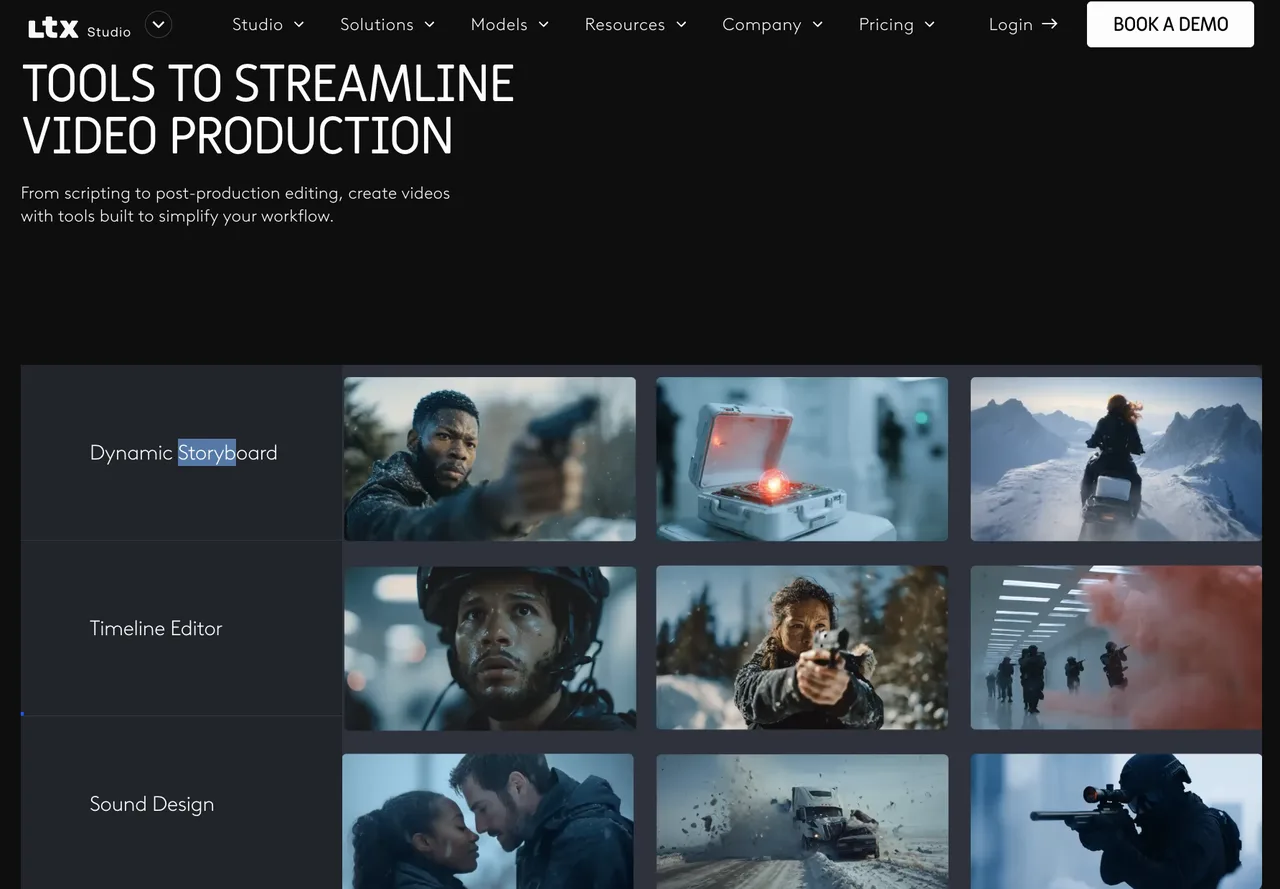
Connect a Brief, Storyboard, Scenes, and Final Edit
A clip endpoint begins with a prompt and ends with a media file. Studio keeps the material around that request: the brief, generated references, reusable Elements, shot order, scene alternatives, timeline, and review access. LTX’s explanation of the Platform and API boundary names Gen Space, Storyboards, and the Video Editor as Studio workspaces. API access and self-hosting are separate routes.
That makes Studio a project system rather than another model wrapper. A team can start with a script or blank storyboard, define characters, generate shot options, arrange scenes, then edit. Current plans list LTX models alongside third-party options including Veo, Kling, Seedance, FLUX, and Nano Banana; model choice can change controls and credit use.
For a reproducible evaluation, use one 24-second product story:
| Scene | Required event | Continuity check |
|---|---|---|
| 1 | Character enters with a red case | Face, wardrobe, case shape |
| 2 | Close-up opens the case | Hands, logo, screen direction |
| 3 | Product activates near a window | Character, prop, daylight style |
| 4 | Wide closing shot and title beat | Location, color, ending position |
Freeze the brief, owned reference, aspect ratio, duration, and rubric. Record every shot, model, credit charge, rejection reason, and export. A polished preview alone proves little.
Keep Creative Decisions Visible Across the Project
Studio’s advantage is visibility. A director can inspect the storyboard while an editor checks pacing. The current project-sharing documentation defines Viewer, Editor, and Owner roles. Viewers can inspect and download assets but cannot edit them; Editors can generate and delete assets; Owners control access and ownership.
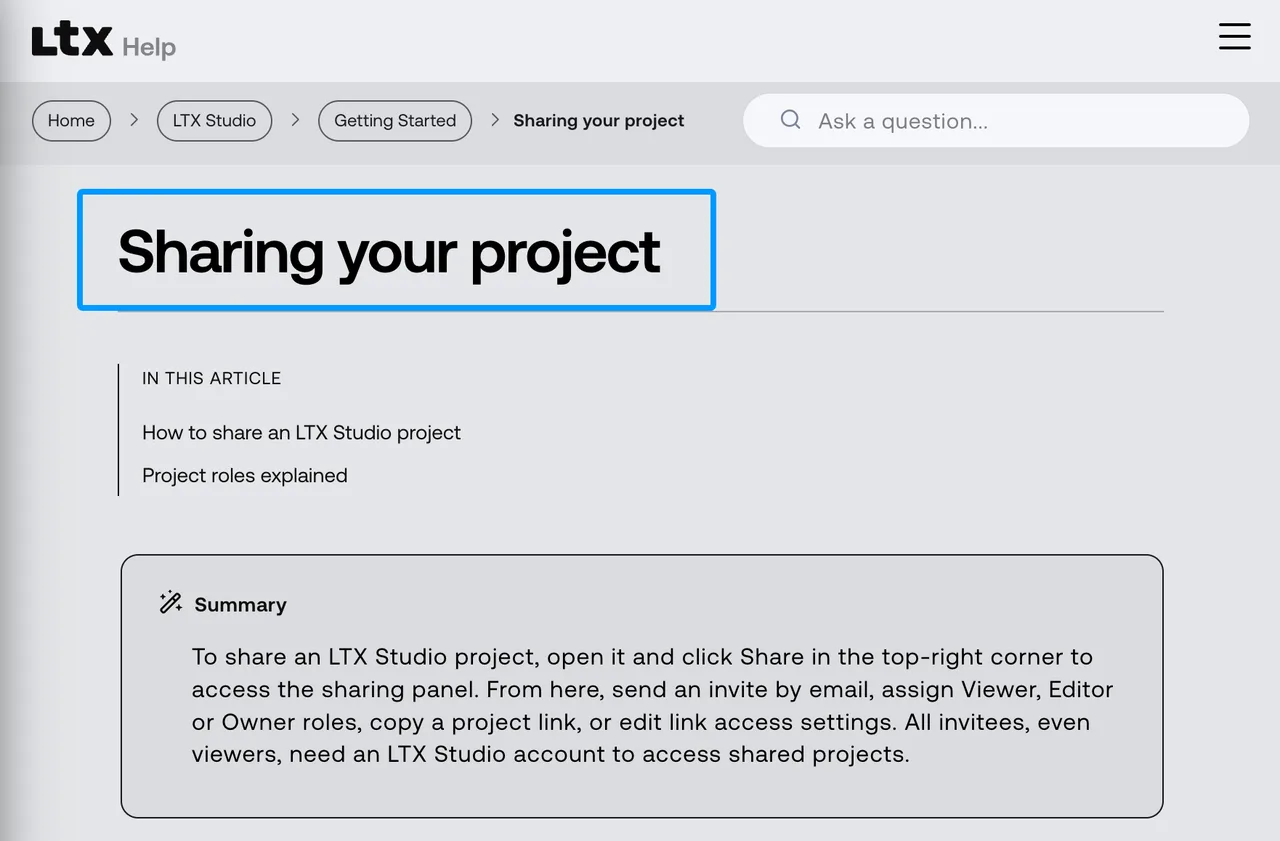
One awkward detail: collaborators use their own plans, credits, and features. A Pro project does not create a shared credit pool, so shared access does not guarantee identical production capacity.
An older TechRadar workflow review also described storyboard shots flowing into a timeline and being exportable for external finishing. Its 2025 prices are obsolete, so only the workflow observation remains useful.
Can Teams Revise a Scene Without Losing Continuity?
Measure Reference Consistency and Targeted Retakes
Lock scenes 1, 2, and 4, then revise only scene 3: change a medium shot to a low-angle push-in while preserving the character, case, product, lighting, and action. Generate three attempts with the same model and references.
Score five binary checks: identity, wardrobe, prop geometry, screen direction, and style. A usable retake passes all five. A correct face with the case in the wrong hand is still a rejection.
LTX promotes Elements and references for continuity, while its API separately documents Retake. Those are test hypotheses, not guarantees. Store the model name beside every scene because one Studio project may contain outputs from different models.
Count Manual Repair Between Storyboard and Export
Count minutes spent replacing shots, trimming handles, rebuilding audio, matching color, and relinking assets. Inspect what the LTX Studio export provides: public pages describe MP4 and, for some workflows, XML for continued editing. Availability can depend on plan and project type.
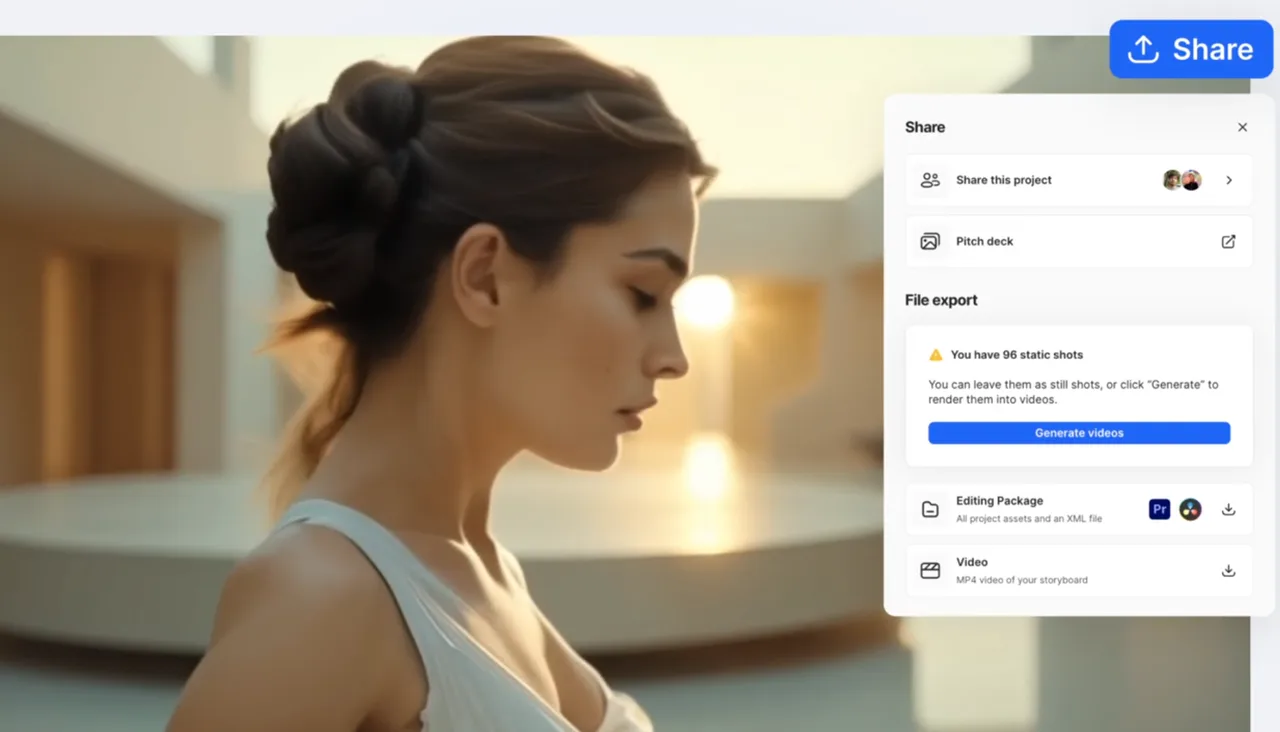
Use a simple handoff test:
- Export the approved sequence.
- Open the MP4 and verify duration, frame size, audio, and playback.
- When XML or an editing package is offered, import it into the target editor.
- Check shot order, timing, links, audio, and editable structure.
- Log each repair before another editor can continue.
The workflow holds up only if storyboard decisions survive that handoff. A flattened MP4 is delivery media, not an editable project package.
What Is the Cost per Approved Sequence?
Include Rejected Shots and Credit Use
Studio charges credits for actions including shot creation, character changes, and rendering. Published allowances checked on October 2, 2026 were 800 one-time Free credits, then 8,000 monthly for Lite, 28,000 for Standard, and 110,000 for Pro. They can change.
Do not divide the subscription price by an advertised generation count. For the four-scene test, calculate:
approved sequence cost = allocated subscription cost + extra credit cost + reviewer labor + external finishing labor
Divide by sequences that pass delivery review. Separate storyboard images, generations, retakes, upscales, audio, rejections, and exports. A technically successful but creatively rejected scene still costs money.
For a ten-sequence batch, record the opening credit balance, closing balance, and action-level charges. If seven sequences pass, divide the full batch expense by seven, not ten. Report both credit consumption and currency: credits reveal which actions drove usage, while currency allows comparison with editor time and outside finishing. Keep safety blocks, generation errors, and voluntary creative rejections in separate columns so the team can see whether cost came from the service, the model, or the brief.
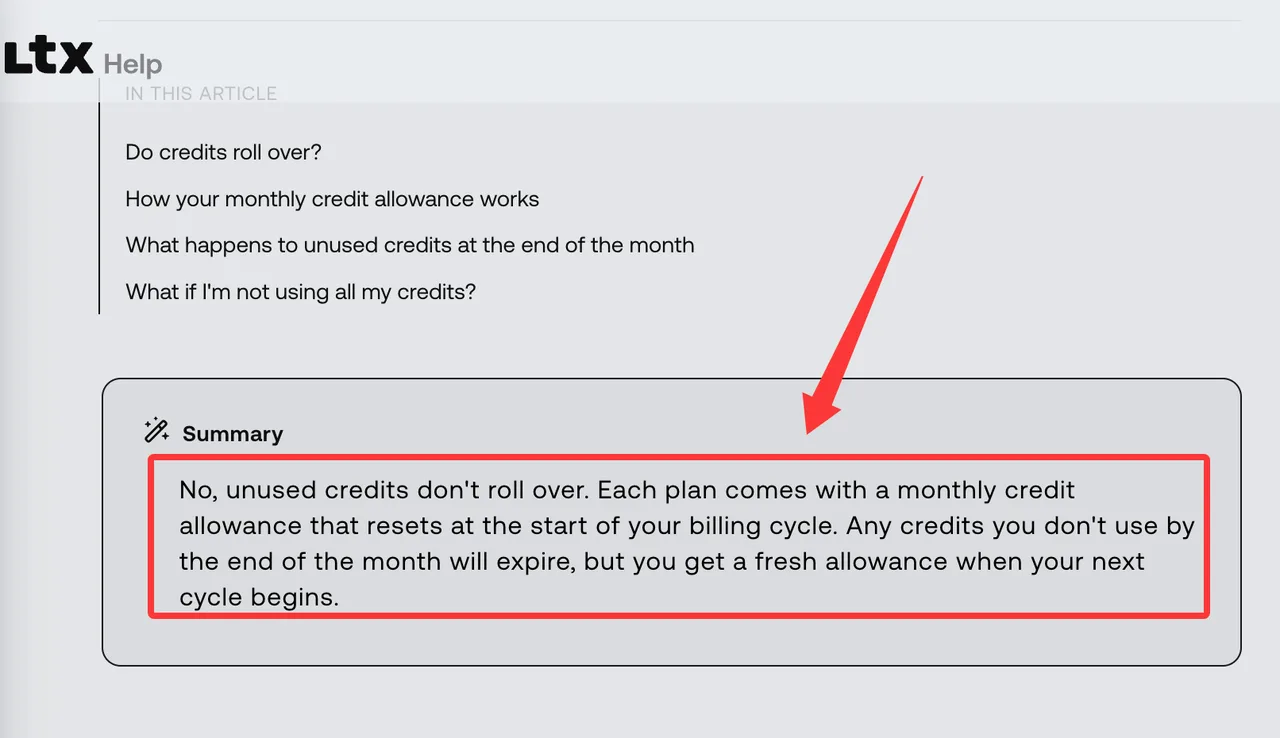
Monthly allowances do not roll over. The credit policy says they expire at cycle reset. Campaign timing therefore affects how subscription cost is allocated.
Separate Studio Subscription From LTX Model API Pricing
Studio and API credits are different balances. The API uses prepaid USD credits and per-second endpoint pricing; Studio uses subscription allowances across workspace actions. Its supported-model table currently lists LTX-2.5 and LTX-2.3 variants with endpoint-specific compatibility.
A Studio shot cost does not predict an API call, and an API rate does not buy storyboard, timeline, or collaboration. Even the API Playground uses Studio allowances. Production integration requires separate API access and cost controls.
Who Should Build in Studio and Who Needs an API?
Creative Review Workflows
Studio fits directors, pre-visualization teams, agencies, and brand studios that need a visible sequence and human approval. Viewer access helps when a client must inspect or download without changing the project.
My decision gate for this LTX Studio review is simple: choose Studio when fewer lost decisions and faster human review justify the workspace cost. Choose the API when deterministic intake, automated job handling, and application telemetry matter more than a shared creative canvas.
The limit is governance depth. Pro supports three collaborators per project including the owner; Enterprise supports unlimited collaborators. Credits remain individual, and public documentation does not describe controls such as “comment but do not download” or model restrictions per collaborator.
Repeatable App-Led Generation and Its Integration Burden
Use the API when generation starts from product data, a queue, or another application. Jobs, model IDs, storage, retries, and observability become engineering responsibilities. The API does not reproduce Studio’s storyboard or review surface.
Creative staff can approve a brief in Studio while engineers rebuild its generation contract in an application. This is a manual handoff: prompts, references, model IDs, seeds where available, timing, and acceptance rules need explicit transfer.
FAQ
Can an LTX Studio storyboard be copied into another workspace?
No cross-workspace copy or storyboard import appears in current public help. LTX documents sharing and ownership transfer for an existing project, while exported assets do not preserve editable storyboard state. Confirm any Enterprise migration route in writing.
What happens to unused LTX Studio credits after a downgrade?
A downgrade takes effect after the current billing cycle. Monthly credits expire at reset, then the lower allowance applies. Public documentation does not clearly say whether purchased Pro++ top-ups survive a downgrade; confirm that case with support.
Can project owners limit a collaborator to review-only access?
Yes. Assign Viewer. Viewers can see and download assets but cannot generate, edit, or delete them, and they need an account. Because download remains available, this is not a no-copy review room.
When are uploaded character references deleted from LTX Studio?
LTX publishes no fixed deletion window specifically for Studio character references. The Lightricks privacy policy says ordinary uploads may be held up to 30 days, but film-production inputs can remain as long as their outputs to preserve a sequence. Obtain contractual terms for sensitive references.
Do third-party models in Studio have separate commercial-use terms?
Potentially, yes. Studio integrates third-party technology, and LTX’s terms index points to the applicable online or enterprise agreement, which can incorporate provider or stock terms. Check the selected model, assets, music, and distribution territory. This is general information, not legal advice.
Conclusion
This LTX Studio review finds a credible reason to choose the product: it keeps a multi-scene creative conversation visible from brief through export. That is more useful than another isolated clip when directors, editors, and reviewers need to agree on a sequence.
The condition matters. Studio earns its place only when targeted retakes preserve references, manual repair stays bounded, and credits are measured per approved sequence. App-led volume belongs to the separate API layer. Run the four-scene test, keep rejected shots in the ledger, and inspect the export before committing a full production slate.
Previous posts:
Related Articles
/filters:quality(82)/media/images/1790934318687045151_6DhqzIS1.webp)
Best AI Video APIs for High-Volume Workflows in 2027
/filters:quality(82)/media/images/1790879706333726948_TmjHVhrF.webp)
Introducing AI Cinema Studio on WaveSpeedAI: Direct Cinematic AI Video Shots
/filters:quality(82)/media/images/1790935090456133598_u9CLU4dm.webp)
Segmind Review 2027: Can Its Media APIs Scale?
/filters:quality(82)/media/images/1790935248497016685_6cZjDPeF.webp)
Best Shotstack Alternatives in 2027 for Video APIs
/filters:quality(82)/media/images/1790935438012010745_IjwFOnwG.webp)
Best Sync Labs Alternatives in 2027 for Lip Sync
/filters:quality(82)/media/images/1790903936921698253_6vhqAJT2.webp)