WAVESPEED AI 3MF TO STL Models stay on your device
100% FREE
Free 3MF to STL ConverterReady for your 3D printer.
Convert 3MF files to STL in your browser. Get a plain STL for any slicer, printer or print service.
Scaled in millimetres, upright on the build plate, with holes closed.
- 3MF in, STL out
- Print check & repair
- Real size in mm
- No sign-up
- No upload
- Free downloads
Convert your 3D model to STL
Drop a model here, or choose a file
GLB, OBJ, FBX, PLY, STL, 3MF, STEP or IGES · Up to 300 MBNo model yet? Make one from a photo with AIOr try a model made with AI
Converted in your browser. Your model is not uploaded.
MADE WITH AI 3D MODELS
Print a model made with AI.
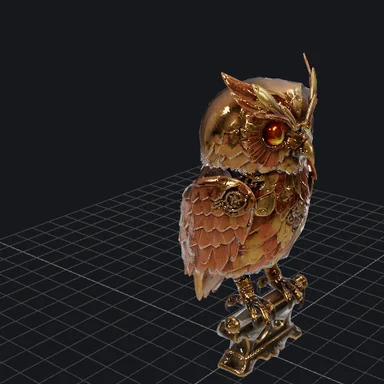
Real outputs from the 3D models on WaveSpeed AI. Choose one to check it and download a print-ready STL.
THREE SIMPLE STEPS
How to use the 3MF to STL Converter
Add your 3MF file
Drop a .3mf file. It opens in a 3D preview with its size and a print check.
Set size and orientation
Choose the height or longest side in millimetres and turn the model until it stands the right way up.
Download STL
Save the STL file. Other formats (STL, 3MF, OBJ, GLB) are one click away.
WaveSpeed AI
Make something to print.
Turn a photo or a sketch into a 3D model with WaveSpeed AI, then convert it here.
3D Generator
Make a printable model from a photo or a prompt, with Tripo, Meshy, Hunyuan3D, Rodin and more.
Image Generator
Design a figure, toy or ornament as a picture first, then turn it into 3D.
Video Generator
Bring your design to life in a short video to show it off.
- 1,000+ AI models
- Image, video and 3D
- Pay as you go
$1 in free credits for eligible new accounts. No card needed. Generators have separate account and credit requirements. The converter is free.










3MF to STL Converter FAQ
Is this 3MF to STL converter free?
Yes. Convert as many 3MF files as you like, with no account, subscription or watermark.
What is the difference between 3MF and STL?
3MF is a zipped XML package that records its units, so a part can’t come out 25 times too small. PrusaSlicer, Bambu Studio, OrcaSlicer and Cura save their projects in it. STL stores only triangles: no colours, no units (slicers read the numbers as millimetres) and no scene. Every slicer and 3D printer accepts it.
Are colours and textures kept?
No. The converter writes the shape only. To print in colour, paint the model in your slicer.
Why does my model stand differently?
3MF files build along Z, which the converter keeps. If it is lying down, switch the up axis or turn it 90°.
Is my file uploaded?
No. The model is read and converted in your browser and never leaves your device.
Free 3MF to STL Converter
3MF in, STL out · Print check & repair · Real size in mm