Add a texture
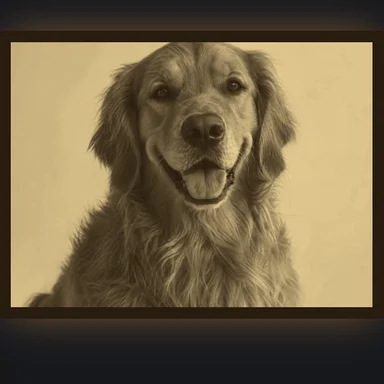
Upload, paste or drop a top-down photo, or start from one of the examples. No texture yet? Generate one with the AI Image Generator.
Turn a photo or an AI texture into a tile with no visible seams, then make height, normal, roughness and ambient occlusion maps from it.
Check the seams in a live 2×2 to 4×4 preview and on a 3D sphere, and download every map as PNG or one ZIP.
Upload, paste or drop a photo or an AI texture. Get a seamless tile plus height, normal, roughness and ambient occlusion maps.
JPG, PNG, WebP or AVIF, up to 50 MB. Top-down photos with even light work best.Each one opens in the maker above with its full PBR set. Your own photos work the same way.
Upload, paste or drop a top-down photo, or start from one of the examples. No texture yet? Generate one with the AI Image Generator.
Pick smart seam, cross-fade or mirror, set the blend width and size, and check the joins in the 2×2 to 4×4 preview.
Adjust height, normal, roughness and AO, look at the material in 3D, then save each PNG or all maps in one ZIP.
A full set for a physically based (PBR) material, all the same size and all seamless, so they line up in any engine.
Hold the camera parallel to the surface. Perspective makes the far edge smaller than the near one, and no seam method can hide that.
Overcast daylight or shade is best. Hard shadows and bright spots repeat across every tile and give false bumps in the height map.
Smart seam for stones, bricks and planks; cross-fade for soft patterns; mirror for noise-like surfaces such as sand, grass or concrete.
Look at the 4×4 preview from a distance. A single standout stain or knot shows as a pattern; choose another crop or source.
Know roughly how big one tile is (say 1 m of floor) and set the UV scale in your engine to match, so bricks and grass look the right size.
If gaps look raised in 3D, tick Invert on the height map. Bright mortar and pale cracks often need it.
Engines read the normal map's green channel in one of two ways. Pick the matching option before you download; every other map is the same everywhere.
Make the rest of your art with tools that also run in your browser.
Describe a material and get a flat, top-down texture from WaveSpeed AI, then make it seamless here.
Generate stone, wood, fabric, terrain or sci-fi panel textures from a prompt.
Turn a picture of a prop into a 3D model for your scene.
Animate concept art into a short clip for a trailer.
$1 in free credits for eligible new accounts. No card needed. Generators have separate account and credit requirements. The Seamless Texture Maker is free.
Add a top-down photo, keep the smart seam method and check the 3×3 preview. The tool shifts the picture by half a tile and joins the halves along the path where they already match best, so the edges continue into each other.
Smart seam cuts along the best-matching path and keeps details sharp. Cross-fade blends the borders smoothly but can double busy detail. Mirror reflects the picture into a 2×2 block: always seamless, but the symmetry is visible.
Yes. The normal map is computed from the height map, which comes from the texture's brightness. Adjust strength and smoothing until the 3D preview looks right.
Blender, Godot, Unity and three.js use OpenGL (Y+); Unreal Engine uses DirectX (Y−). If bumps look dented in your engine, switch the option and download again.
1024 px is a good default for games. Use 2048 for close-up surfaces and 512 for mobile or small props. Square power-of-two sizes work with mipmaps in every engine.
No. All processing runs on your device in a background thread of the browser. Nothing is sent to a server, and the downloads have no watermark.
Yes, the maps you make here are yours to use. Make sure you have the rights to the photo you start from.
Height is read from brightness, so pale gaps such as mortar read as high. Tick Invert in the height settings and the normal and AO maps follow.
Seamless tiles and a full PBR set, free in your browser.