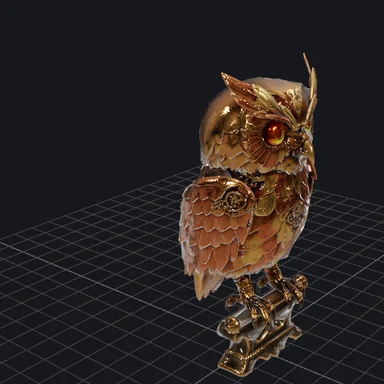
Add your photo
Drop, choose or paste a picture. It stays on your device.
AI estimates how near or far every pixel of your photo is, right in your browser.
Download the depth map as a PNG or 16-bit PNG, or turn the photo into a moving 3D clip.
People, pets, rooms, streets and landscapes all work.
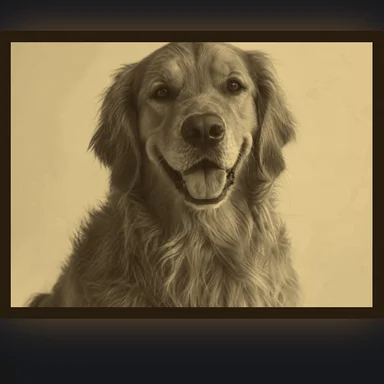
JPG, PNG, WebP, AVIF, GIF or BMP · up to 50 MB · or pasteOpen a sample photo and see its depth map and 3D photo in a click.
Drop, choose or paste a picture. It stays on your device.
Pick Fast, Standard or Fine detail and press Generate. Drag the slider to compare the photo and its depth.
Save a grey, color or 16-bit PNG, or switch to 3D photo and download a looping MP4, WebM or GIF.
Turn still pictures into videos, new scenes and 3D models with WaveSpeed AI.
Animate your photo into a real video clip with natural motion.
Create new pictures and scenes from a prompt.
Turn the subject of your photo into a full 3D model.
$1 in free credits for eligible new accounts. No card needed. Generators have separate account and credit requirements. The depth map generator is free.
Yes. Make as many depth maps and 3D photos as you like, with no account, no watermark and full-resolution downloads.
No. The AI runs in your browser, so your photos never leave your device. The first time, your browser downloads the AI model (about 50 MB) once and keeps it for next time.
Displacement and height maps in Blender and other 3D apps, depth of field and fog in video editing, depth guidance for AI image generation, parallax wallpapers, 3D photo effects and relief or lithophane 3D prints.
White is near and black is far, the most common convention. Tick Invert if your app expects the opposite; the PNG and 16-bit PNG both follow your choice.
It stores 65,536 grey levels instead of 256, so displacement in 3D and compositing apps stays smooth instead of showing steps. Its size matches your photo, up to 16 megapixels.
After generating the depth map, open the 3D photo tab, choose orbit, swing, zoom in, dolly zoom or rise, set the depth, focus and loop length, and download an MP4, WebM or GIF. The clip loops seamlessly.
Choose Fine detail for crisp edges on hair, leaves and small objects. For depth maps of whole videos, use our AI video depth tool, which runs in the cloud and keeps every frame consistent.
Free, private and no sign-up. Your photos never leave your device.
/filters:quality(82)/media/images/1791123751656780930_IfFPY7R0.webp)
/filters:quality(82)/media/images/1791123737177812425_RjKT3cku.webp)
/filters:quality(82)/media/images/1791123748309870128_xlkNgK8N.webp)
/filters:quality(82)/media/images/1791123738630744263_oR09R0aj.webp)
/filters:quality(82)/media/images/1791177033162457776_uQ09OY7g.webp)
/filters:quality(82)/media/images/1791123734319125607_JdnwGPY7.webp)
/filters:quality(82)/media/images/1791123746355630206_udnxGPY7.webp)
/filters:quality(82)/media/images/1791123744771362580_yC0sPezZ.webp)
/filters:quality(82)/media/images/1791123738606970169_5KIR1ais.webp)
/filters:quality(82)/media/images/1791123748197655725_EUmuFNW6.webp)