Add your photos
Drop, choose or paste one image or up to 30. They stay on your device.
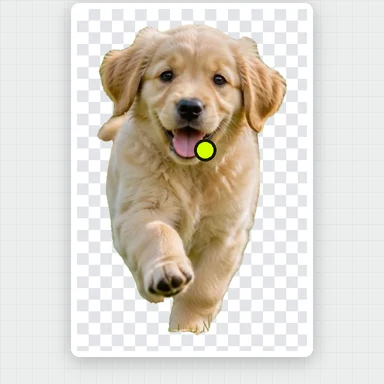
AI finds the subject and removes everything behind it, right in your browser.
Keep it transparent or put it on white or any color, then download.
People, pets, products and more. One photo or a whole batch.
JPG, PNG, WebP, AVIF, GIF or BMP · up to 50 MB each · up to 30 at a time · or pasteOpen a sample photo, or a batch of four, and remove the background in one click.
Drop, choose or paste one image or up to 30. They stay on your device.
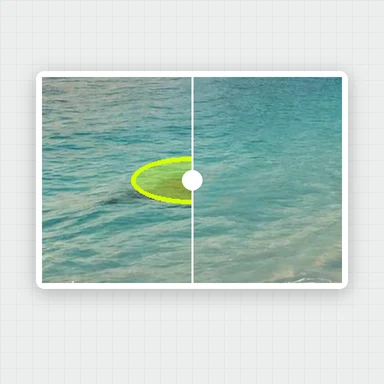
Press the button and the AI cuts out the subject. Drag the slider to compare before and after.
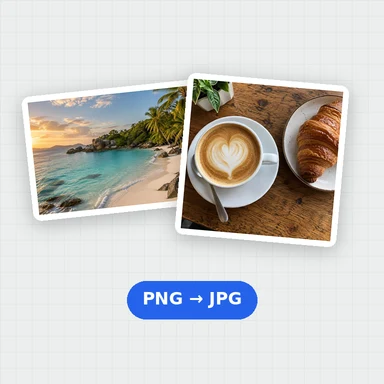
Keep it transparent or choose white or a color, then download a PNG, WebP or JPG, or a ZIP of all of them.
Create backgrounds, product scenes and short clips from a prompt with WaveSpeed AI.
Place your product or portrait in any scene you describe.
Bring the photo to life as a short video clip.
Turn a cut-out object into a 3D model.
$1 in free credits for eligible new accounts. No card needed. Generators have separate account and credit requirements. The background remover is free.
Yes. Remove backgrounds from as many photos as you like, with no account, no watermark and full-resolution downloads.
No. The AI runs in your browser, so your photos never leave your device. The first time, your browser downloads the AI model (about 91 MB) once and keeps it for next time.
Yes. After the background is removed, choose None for a transparent PNG, White for marketplace listings, or any color. Changing it doesn’t need another run.
Yes. Add up to 30 images, remove all their backgrounds in one go, then download each one or all of them as a ZIP.
The same size as your photo, up to 16 megapixels. Larger photos are scaled down to 16 megapixels so every browser can save them. Files can be up to 50 MB.
The AI is fastest when your browser can use the graphics card, as in recent Chrome and Edge. Otherwise it runs on the processor, which can take up to a minute per photo.
This free tool handles most photos well. For the finest hair, fur and see-through details, use our AI Background Remover, which runs in the cloud and returns HD cutouts.
Free, private, and no sign-up. Your photos never leave your device.
/filters:quality(82)/media/images/1791123751656780930_IfFPY7R0.webp)
/filters:quality(82)/media/images/1791123737177812425_RjKT3cku.webp)
/filters:quality(82)/media/images/1791123748309870128_xlkNgK8N.webp)
/filters:quality(82)/media/images/1791123738630744263_oR09R0aj.webp)
/filters:quality(82)/media/images/1791177033162457776_uQ09OY7g.webp)
/filters:quality(82)/media/images/1791123734319125607_JdnwGPY7.webp)
/filters:quality(82)/media/images/1791123746355630206_udnxGPY7.webp)
/filters:quality(82)/media/images/1791123744771362580_yC0sPezZ.webp)
/filters:quality(82)/media/images/1791123738606970169_5KIR1ais.webp)
/filters:quality(82)/media/images/1791123748197655725_EUmuFNW6.webp)