WAVESPEED AI STEP TO OBJ Models stay on your device
100% FREE
Free STEP to OBJ ConverterCAD parts for Blender and beyond.
Convert STEP (.step, .stp) and IGES files to OBJ in your browser, ready for Blender, KeyShot, Unity or Unreal.
Real size in millimetres, every part of the assembly, with the detail you choose.
STEP & IGES in, OBJ outReal size in mmNo CAD software needed
No sign-up No upload Free downloads
Convert your 3D model to STL
Drop a model here, or choose a file
GLB, OBJ, FBX, PLY, STL, 3MF, STEP or IGES · Up to 300 MBNo model yet? Make one from a photo with AIOr try a model made with AI
Converted in your browser. Your model is not uploaded.
MADE WITH AI 3D MODELS
Print a model made with AI.
Real outputs from the 3D models on WaveSpeed AI. Choose one to check it and download a print-ready STL.
THREE SIMPLE STEPS
How to use the STEP to OBJ Converter
Add your STEP file
Drop a .step or .stp file (or IGES). It opens in a 3D preview at its real size.
Choose the detail
Standard keeps the file light. Fine or Extra fine make curves smoother for close-up renders.
Download OBJ
Save the OBJ file. Other formats (STL, 3MF, OBJ, GLB) are one click away.
WaveSpeed AI
Make something to print.
Turn a photo or a sketch into a 3D model with WaveSpeed AI, then convert it here.
3D Generator
Make a printable model from a photo or a prompt, with Tripo, Meshy, Hunyuan3D, Rodin and more.
Image Generator
Design a figure, toy or ornament as a picture first, then turn it into 3D.
Video Generator
Bring your design to life in a short video to show it off.
- 1,000+ AI models
- Image, video and 3D
- Pay as you go
$1 in free credits for eligible new accounts. No card needed. Generators have separate account and credit requirements. The converter is free.
/filters:quality(82)/media/images/1791123751656780930_IfFPY7R0.webp)
/filters:quality(82)/media/images/1791123737177812425_RjKT3cku.webp)
/filters:quality(82)/media/images/1791123748309870128_xlkNgK8N.webp)
/filters:quality(82)/media/images/1791123738630744263_oR09R0aj.webp)
/filters:quality(82)/media/images/1791177033162457776_uQ09OY7g.webp)
/filters:quality(82)/media/images/1791123734319125607_JdnwGPY7.webp)
/filters:quality(82)/media/images/1791123746355630206_udnxGPY7.webp)
/filters:quality(82)/media/images/1791123744771362580_yC0sPezZ.webp)
/filters:quality(82)/media/images/1791123738606970169_5KIR1ais.webp)
/filters:quality(82)/media/images/1791123748197655725_EUmuFNW6.webp)
STEP to OBJ Converter FAQ
Is this STEP to OBJ converter free?
Yes. Convert as many STEP files as you like, with no account, subscription or watermark.
Why convert STEP to OBJ?
Blender, most renderers and game engines can’t open STEP. OBJ is a triangle mesh almost every 3D program reads. For the web or a game engine, GLB is one click away too.
What units is the OBJ in?
Millimetres, at the part’s real size, even if the STEP file was saved in inches. In Blender, set the import scale to 0.001 to work in metres.
Are colours and part names kept?
No. The OBJ holds the shape only, as one mesh with every part in place. To see the CAD colours and parts, open the file in the free 3D model viewer.
What does the detail setting do?
It sets how closely the triangles follow curves. Fine and Extra fine give smoother fillets and holes and a bigger file.
Is my file uploaded?
No. The file is converted in your browser and never leaves your device.
More free tools like this
All Free Tools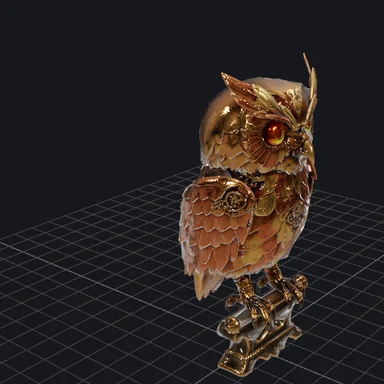

Free STEP to OBJ Converter
STEP & IGES in, OBJ out · Real size in mm · No CAD software needed