Meshy V7 Text-to-3D turns text prompts into textured, PBR-ready 3D models with configurable geometry, topology, rigging, and animation for game assets, product visualization, 3D design, and production workflows. Ready-to-use REST inference API, best performance, no coldstarts, affordable pricing.
Idle
$1.44per run
ExamplesView all
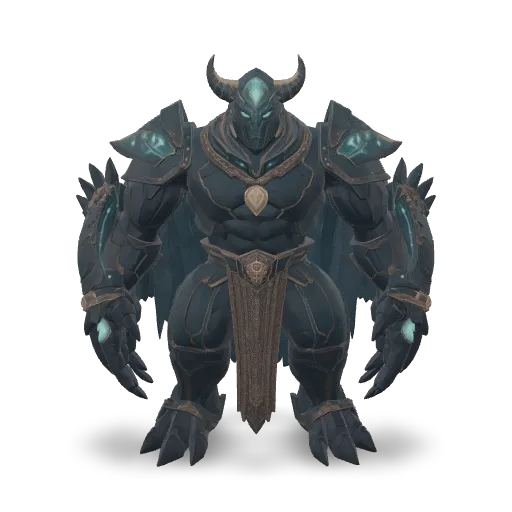
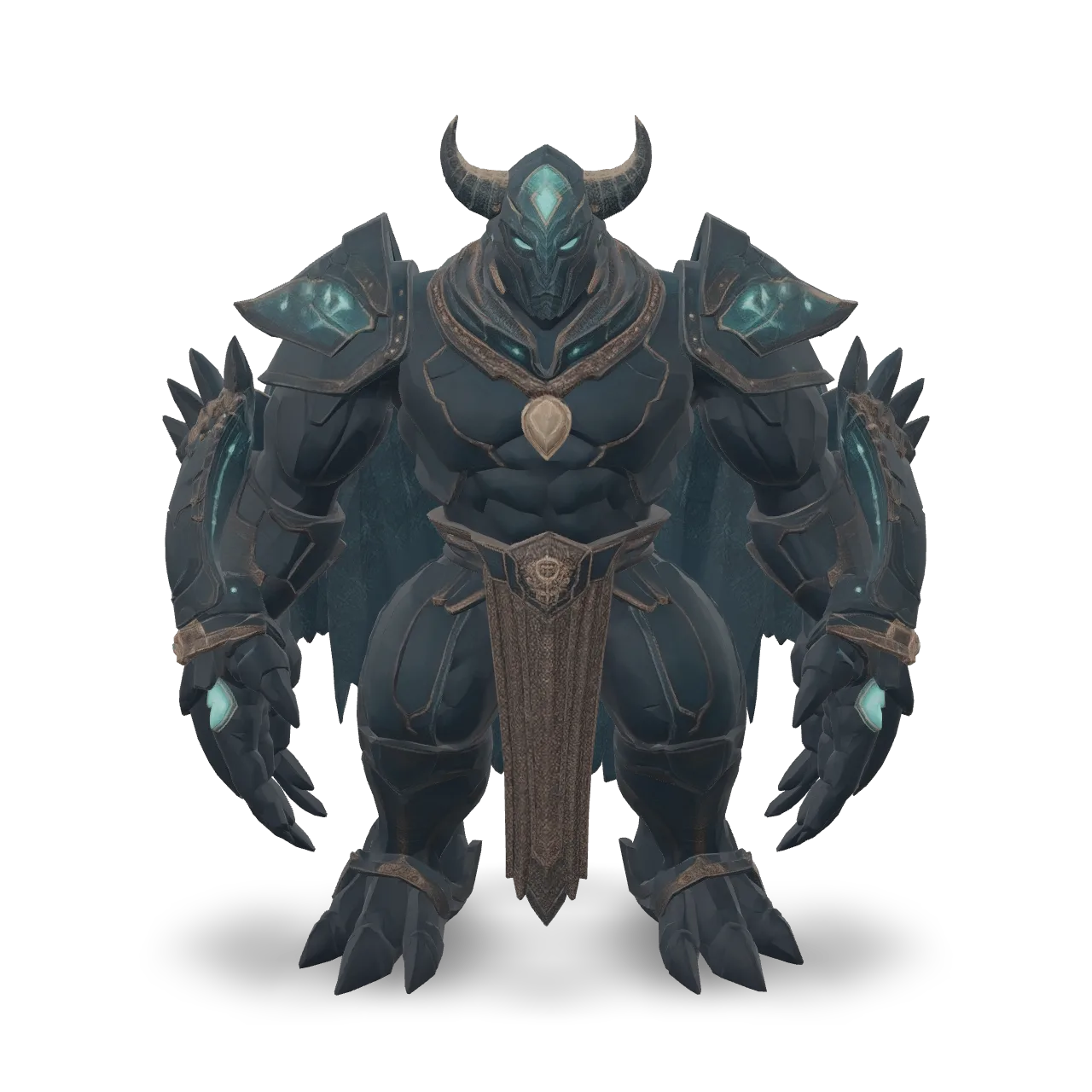
A colossal abyssal guardian creature, humanoid upper body fused with an armored sea-beast tail, dark navy shell armor, glowing turquoise bioluminescent patterns, translucent fins, coral-like horns, pearl ornaments, aged gold details, luminous blue eyes, strong silhouette, high-detail fantasy 3D asset, realistic shell, metal, pearl and crystal materials, centered, isolated, no background.
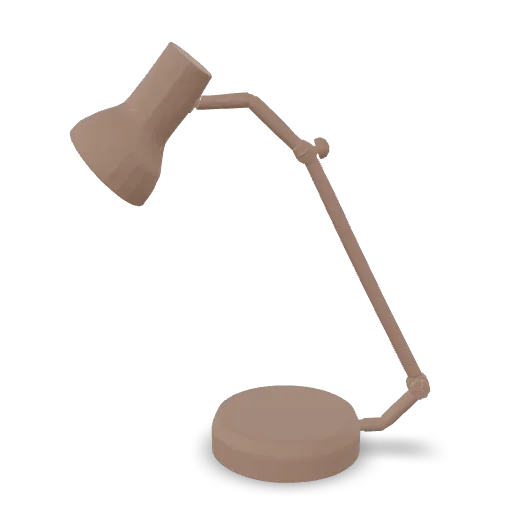
A stylized low-detail bronze desk lamp with a round base, curved neck, and conical shade, clean product design
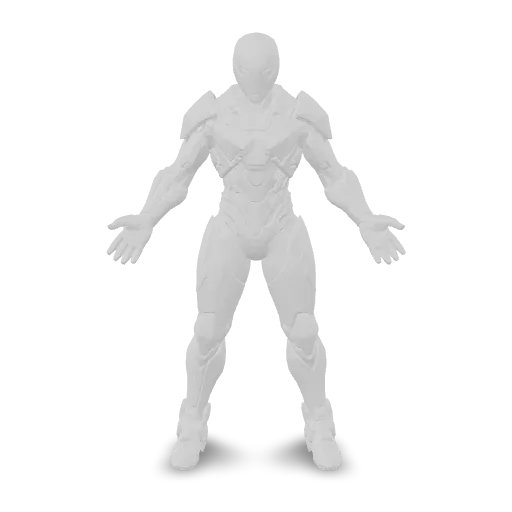
A full-body futuristic sci-fi warrior standing in a neutral A-pose, wearing sleek segmented titanium armor with glowing blue energy lines, a sealed tactical helmet, reinforced boots, mechanical gauntlets, and a compact power core on the chest. Symmetrical design, clean silhouette, realistic proportions, highly detailed hard-surface modeling, isolated character, no weapons, no cape, no base, no environment.
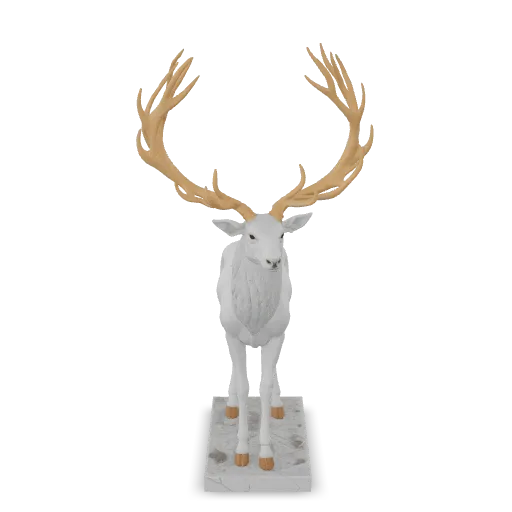
A majestic stag statue with large branching antlers standing proudly on a mossy rock, polished white marble with gold leaf accents on the antlers, highly detailed sculpture
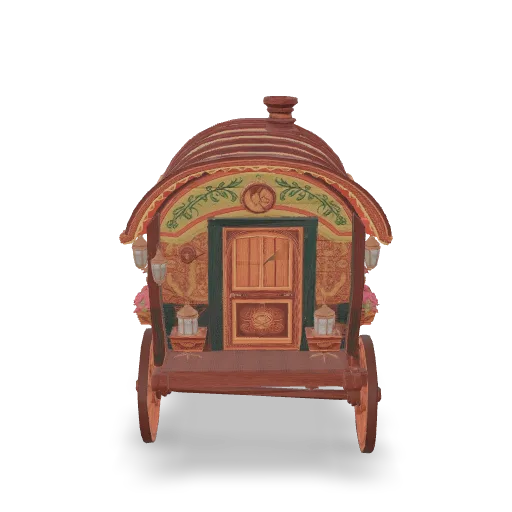
A colorful painted wooden caravan wagon with a curved roof, spoked wheels, a small chimney, lanterns and flower boxes, storybook style, highly detailed
Related Models
/filters:quality(82)/media/images/1789120746143744570_VtCMW5en.webp)
/filters:quality(82)/media/images/1790055357630118327_7rW5fpyH.webp)
/filters:quality(82)/media/images/1790055359461222633_sVA5nxPe.webp)
/filters:quality(82)/media/images/1789118312974471104_PeBKU3ck.webp)
/filters:quality(82)/media/images/1789119184005756217_r4sCMU3d.webp)
/filters:quality(82)/media/images/1789121897153465635_WuENX6fp.webp)
README
Meshy V7 Text to 3D
Meshy V7 Text to 3D generates a 3D model directly from a text prompt. Describe the object you want to create, choose preview or full mode, configure geometry settings, and optionally enable PBR materials, Ultra Mode, and humanoid rigging.
Why Choose This?
-
Text-to-3D generation
Create a 3D model from a written object description. -
Preview and full modes
Usepreviewfor untextured geometry orfullfor a textured model. -
Flexible geometry controls
Configure topology, target polygon count, remeshing, symmetry, and model type. -
Multiple model types
Choosestandard,lowpoly, orsmart-topologydepending on your downstream workflow. -
Texture guidance in full mode
Usetexture_promptortexture_imageto guide texture appearance when generating a full textured model. -
Optional PBR and rigging
Generate PBR material maps in full mode and optionally rig suitable humanoid characters.
Parameters
| Parameter | Required | Description |
|---|---|---|
| prompt | Yes | Describe the object to generate as a 3D model. Length: 1–600 characters. |
| mode | No | Generation mode: preview or full. preview returns untextured geometry; full returns a textured model. Default: full. |
| model_type | No | Geometry generation mode: standard, lowpoly, or smart-topology. Default: standard. smart-topology supports up to 15000 target polygons. |
| topology | No | Mesh topology for remeshed output: quad or triangle. Default: triangle. |
| target_polycount | No | Target polygon count. Range: 100–300000. Default: 30000. smart-topology accepts at most 15000. |
| should_remesh | No | Enable remeshing for cleaner topology. Default: true. |
| symmetry_mode | No | Controls symmetry during model generation: off, auto, or on. Default: auto. |
| enable_pbr | No | Generate metallic, roughness, and normal maps in full mode. Default: false. |
| pose_mode | No | Optional humanoid pose: a-pose or t-pose. Leave unselected for no specific pose. |
| texture_prompt | No | Optional text guidance for texture generation in full mode. Maximum length: 600 characters. |
| texture_image | No | Optional image to guide texture generation in full mode. |
| ultra_mode | No | Enable higher-fidelity standard geometry. Default: false. Cannot be combined with lowpoly or smart-topology. |
| enable_rigging | No | Automatically rig a suitable humanoid character. Default: false. |
| rigging_height_meters | No | Approximate character height in meters when rigging is enabled. Minimum: 0.01. Default: 1.7. |
| seed | No | Random seed for reproducible results. Use -1 for a random seed. Default: -1. |
How to Use
- Write your prompt — Describe the object, shape, material, style, and important visual details.
- Choose mode — Use
previewfor quick untextured geometry orfullfor textured output. - Select model type — Choose
standard,lowpoly, orsmart-topology. - Configure geometry optional — Adjust topology, polygon count, remeshing, and symmetry settings.
- Add texture guidance optional — Use
texture_promptortexture_imagewhen generating in full mode. - Enable PBR optional — Use
enable_pbrwhen metallic, roughness, and normal maps are needed. - Enable Ultra Mode optional — Use
ultra_modefor higher-fidelity standard geometry. - Enable rigging optional — Use
enable_riggingfor suitable humanoid characters. - Set seed optional — Use a fixed seed for reproducible results, or
-1for random generation. - Submit — Generate the 3D model and retrieve the output through the standard WaveSpeed prediction response.
Output
outputs is a list of GLB file URLs in this order:
| # | File | Returned when |
|---|---|---|
| 1 | 3D model | Always |
| 2 | Rigged character | enable_rigging is true |
| 3 | Walking animation | enable_rigging is true |
| 4 | Running animation | enable_rigging is true |
Pricing
Pricing depends on selected mode, ultra_mode, and whether enable_rigging is enabled.
| Configuration | Cost |
|---|---|
| Preview geometry | $0.96 |
| Full textured model | $1.44 |
| Full textured model with Ultra Mode | $1.68 |
| Auto-rigging | +$0.24 |
Example Costs
| Configuration | Cost |
|---|---|
| Preview geometry | $0.96 |
| Preview geometry + auto-rigging | $1.20 |
| Full textured model | $1.44 |
| Full textured model + auto-rigging | $1.68 |
| Full textured model with Ultra Mode | $1.68 |
| Full textured model with Ultra Mode + auto-rigging | $1.92 |
enable_pbr, model_type, topology, target_polycount, should_remesh, symmetry_mode, pose_mode, texture_prompt, texture_image, and seed do not add separate charges in the current pricing formula.
Best Use Cases
- Text-to-3D asset creation — Generate 3D models directly from object descriptions.
- Product and object prototypes — Turn product ideas or concept descriptions into 3D assets.
- Game and real-time workflows — Use
lowpolyorsmart-topologyfor optimized geometry. - Humanoid character workflows — Generate and optionally rig suitable humanoid characters.
- Material and texture exploration — Use full mode with texture prompts or texture images for styled 3D assets.
- Fast geometry previews — Use preview mode to test object structure before generating textured output.
Pro Tips
- Describe the object clearly, including shape, material, style, scale, and key details.
- Use
previewmode for fast geometry checks before running full textured generation. - Use
fullmode when you need textured output. - Use
texture_promptto describe material details such as metal, leather, ceramic, fabric, plastic, or wood. - Use
texture_imagewhen you need texture appearance to follow a visual reference. - Use
lowpolyfor lightweight assets andsmart-topologywhen cleaner optimized topology is needed. - Keep
target_polycountat or below15000when usingsmart-topology. - Use
ultra_modeonly withstandardgeometry. - Enable rigging only for suitable humanoid characters.
- Set a fixed
seedwhen comparing prompt or parameter changes.
Related Models
- Meshy V7 Image to 3D — Generate a 3D model from a single reference image.
- Meshy V7 Multi-Image to 3D — Generate a 3D model from multiple reference images of the same object.
v7 Text To 3d API — Quick start
Grab a WaveSpeedAI API key, then call POST https://api.wavespeed.ai/api/v3/meshy/v7/text-to-3d with your input as JSON. The endpoint returns a prediction id. Start polling the result endpoint around every 2 seconds, increase the interval for long-running tasks, and stop on any terminal status. On completed, read output values from data.outputs. Examples for v7 Text To 3d below.
HTTP example
set -euo pipefail

: "${WAVESPEED_API_KEY:?Set WAVESPEED_API_KEY}"

REQUEST_BODY=$(cat <<'JSON'
{
    "prompt": "A cinematic shot of a city at sunset, soft golden light",
    "mode": "full",
    "model_type": "standard",
    "topology": "triangle",
    "target_polycount": 30000,
    "should_remesh": true,
    "symmetry_mode": "auto",
    "enable_pbr": false,
    "pose_mode": "a-pose",
    "ultra_mode": false,
    "enable_rigging": false,
    "rigging_height_meters": 1.7
}
JSON
)

# 1. Submit the prediction.
SUBMIT_RESPONSE=$(curl --silent --show-error --fail-with-body \
  -X POST "https://api.wavespeed.ai/api/v3/meshy/v7/text-to-3d" \
  -H "Content-Type: application/json" \
  -H "Authorization: Bearer $WAVESPEED_API_KEY" \
  -d "$REQUEST_BODY")

TASK=$(printf '%s' "$SUBMIT_RESPONSE" | jq 'if has("data") then .data else . end')
PREDICTION_ID=$(printf '%s' "$TASK" | jq -r '.id')
if [ -z "$PREDICTION_ID" ] || [ "$PREDICTION_ID" = "null" ]; then
  printf 'Submission response did not contain a prediction id
' >&2
  exit 1
fi
RESULT_URL="https://api.wavespeed.ai/api/v3/predictions/$PREDICTION_ID/result"

# 2. Poll until the prediction finishes.
while true; do
  RESPONSE=$(curl --silent --show-error --fail-with-body "$RESULT_URL" \
    -H "Authorization: Bearer $WAVESPEED_API_KEY")
  RESULT=$(printf '%s' "$RESPONSE" | jq 'if has("data") then .data else . end')
  STATUS=$(printf '%s' "$RESULT" | jq -r '.status')
  case "$STATUS" in
    completed) printf '%s\n' "$RESULT" | jq '.outputs'; break ;;
    failed|cancelled|timeout|deleted) printf '%s\n' "$RESULT" | jq . >&2; exit 1 ;;
    *) sleep 2 ;;
  esac
done
Node.js example
const submitUrl = "https://api.wavespeed.ai/api/v3/meshy/v7/text-to-3d";
const apiKey = process.env.WAVESPEED_API_KEY;
if (!apiKey) throw new Error('Set WAVESPEED_API_KEY');

async function requestJson(url, options = {}) {
  const response = await fetch(url, options);
  if (!response.ok) throw new Error(await response.text());
  return response.json();
}

// 1. Submit the prediction.
const body = await requestJson(submitUrl, {
  method: "POST",
  headers: {
    "Authorization": `Bearer ${apiKey}`,
    "Content-Type": "application/json",
  },
  body: JSON.stringify({
        "prompt": "A cinematic shot of a city at sunset, soft golden light",
        "mode": "full",
        "model_type": "standard",
        "topology": "triangle",
        "target_polycount": 30000,
        "should_remesh": true,
        "symmetry_mode": "auto",
        "enable_pbr": false,
        "pose_mode": "a-pose",
        "ultra_mode": false,
        "enable_rigging": false,
        "rigging_height_meters": 1.7
}),
});
const task = body.data ?? body;
if (!task.id) throw new Error("Submission response did not contain a prediction id");
const resultUrl = `https://api.wavespeed.ai/api/v3/predictions/${task.id}/result`;

// 2. Poll until the prediction finishes.
while (true) {
  const resultBody = await requestJson(resultUrl, {
    headers: { "Authorization": `Bearer ${apiKey}` },
  });
  const result = resultBody.data ?? resultBody;
  if (result.status === "completed") {
    console.log(result.outputs);
    break;
  }
  if (["failed", "cancelled", "timeout", "deleted"].includes(result.status)) throw new Error(JSON.stringify(result));
  await new Promise(resolve => setTimeout(resolve, 2000));
}
Python example
import json
import os
import time
from urllib.request import Request, urlopen

api_key = os.environ["WAVESPEED_API_KEY"]
headers = {"Authorization": f"Bearer {api_key}", "Content-Type": "application/json"}
payload = {
    "prompt": "A cinematic shot of a city at sunset, soft golden light",
    "mode": "full",
    "model_type": "standard",
    "topology": "triangle",
    "target_polycount": 30000,
    "should_remesh": True,
    "symmetry_mode": "auto",
    "enable_pbr": False,
    "pose_mode": "a-pose",
    "ultra_mode": False,
    "enable_rigging": False,
    "rigging_height_meters": 1.7
}

def request_json(url, data=None):
    request = Request(url, data=data, headers=headers, method="POST" if data else "GET")
    with urlopen(request) as response:
        return json.load(response)

# 1. Submit the prediction.
body = request_json("https://api.wavespeed.ai/api/v3/meshy/v7/text-to-3d", json.dumps(payload).encode())
task = body.get("data", body)
if not task.get("id"):
    raise RuntimeError("Submission response did not contain a prediction id")
result_url = f"https://api.wavespeed.ai/api/v3/predictions/{task['id']}/result"

# 2. Poll until the prediction finishes.
while True:
    result_body = request_json(result_url)
    result = result_body.get("data", result_body)
    status = result.get("status")
    if status == "completed":
        print(result.get("outputs", []))
        break
    if status in {"failed", "cancelled", "timeout", "deleted"}:
        raise RuntimeError(result)
    time.sleep(2)
v7 Text To 3d API — Frequently asked questions
What is the v7 Text To 3d API?
v7 Text To 3d is a Meshy model for 3D asset generation, exposed as a REST API on WaveSpeedAI. Meshy V7 Text-to-3D turns text prompts into textured, PBR-ready 3D models with configurable geometry, topology, rigging, and animation for game assets, product visualization, 3D design, and production workflows. Ready-to-use REST inference API, best performance, no coldstarts, affordable pricing. You can call it programmatically or try it from the playground above.
How do I call the v7 Text To 3d API?
POST your input parameters to the model's REST endpoint (shown in the API tab of this playground) with your WaveSpeedAI API key in the Authorization header. Submission returns a prediction ID. Poll the result endpoint starting around every 2 seconds, increase the interval for long-running tasks, and stop on any terminal status. The playground generates Python, JavaScript, and cURL examples for submitting requests and polling results. Full request/response shape is documented at https://wavespeed.ai/docs/docs-api/meshy/meshy-v7-text-to-3d.
How much does v7 Text To 3d cost per run?
v7 Text To 3d starts at $1.44 per run. That figure is the base price — the final charge scales with the parameters you set in the form (output size, length, count, references, or whatever knobs this model exposes), so a higher-quality or larger output costs more than a minimal one. The exact cost for your current input is shown live next to the Generate button before you submit, and the actual per-call charge is recorded on the prediction afterwards.
What inputs does v7 Text To 3d accept?
Key inputs: `prompt`, `seed`, `enable_pbr`, `enable_rigging`, `mode`, `model_type`. The full JSON schema (types, defaults, allowed values) is rendered above the Generate button and mirrored in the API reference at https://wavespeed.ai/docs/docs-api/meshy/meshy-v7-text-to-3d.
How do I get started with the v7 Text To 3d API?
Sign up for a free WaveSpeedAI account to claim starter credits, copy your API key from /accesskey, then call the endpoint shown in the API tab of the playground. The playground also auto-generates a code sample in Python, JavaScript, or cURL for the parameters you've set.
Can I use v7 Text To 3d outputs commercially?
Commercial usage rights depend on the model's license, set by its provider (Meshy). Check the provider's applicable terms and WaveSpeedAI's Terms of Service before commercial use.
More from Meshy
View allMore Text to 3D models
View all- tripo3d/h3.1/text-to-3dText to 3D
- wavespeed-ai/hunyuan-3d-v3.1/text-to-3d-rapidText to 3D
- hyper3d/rodin-v2.5/text-to-3dText to 3D
- meshy/v6/text-to-3dText to 3D
- wavespeed-ai/hunyuan3d-v3/text-to-3dText to 3D
- hyper3d/rodin-v2/text-to-3dText to 3D
- meshy/v7.1/text-to-3dText to 3D
- tripo3d/p2/text-to-3dText to 3D