Tripo3D P2 Text-to-3D turns a text description into a 3D model with Tripo's P2 model with native quad topology (up to 50,000 triangles or 25,000 quads) for games and real-time pipelines. Ready-to-use REST inference API, best performance, no coldstarts, affordable pricing.
Idle
$1.32per run
ExamplesView all
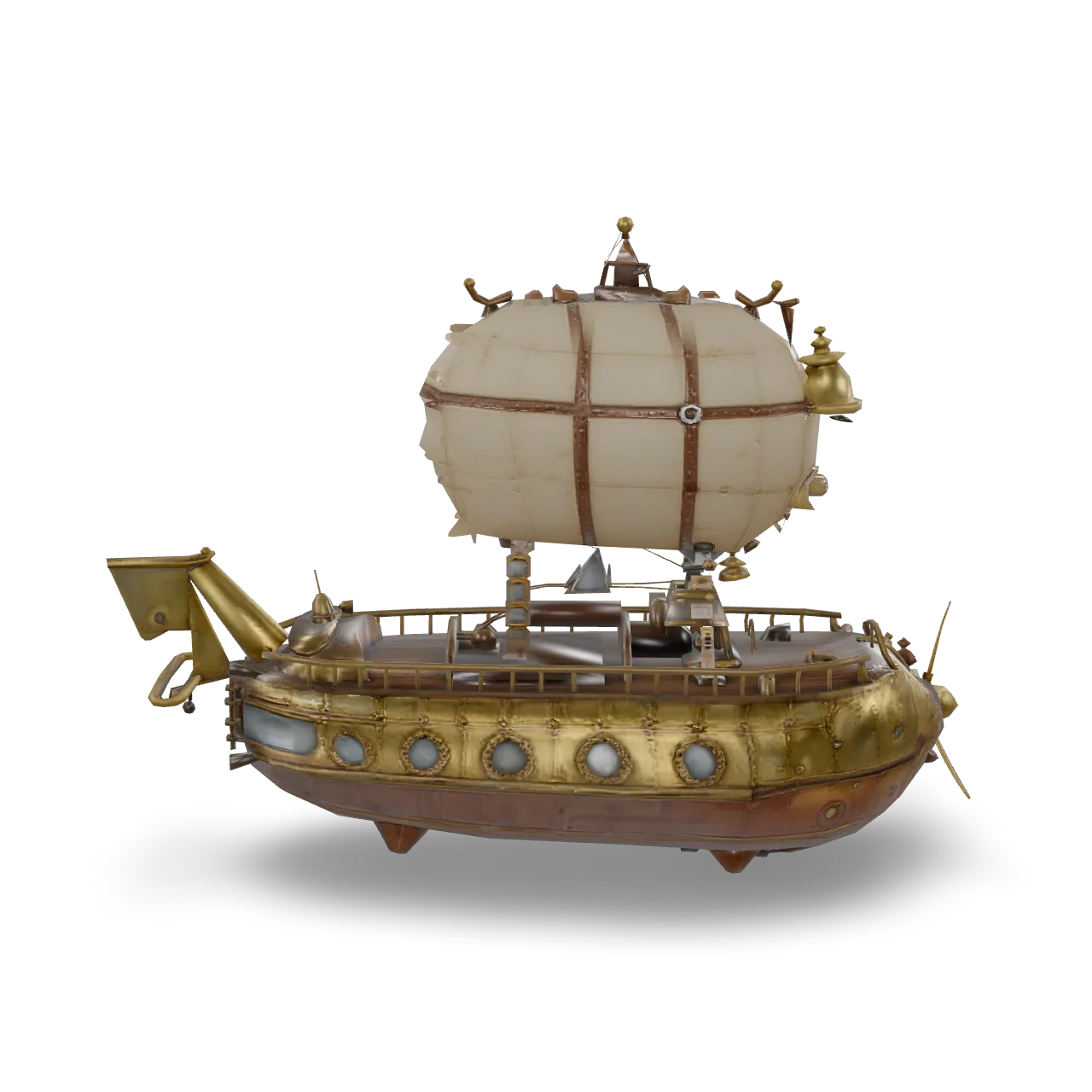
An ornate steampunk airship: a riveted brass and copper hull with porthole windows, a wooden deck with railings and a ship wheel, twin brass propellers at the stern, rope rigging connecting to a patched canvas balloon with leather straps and a brass gondola lantern, weathered metal with scratches and patina, single isolated object, game asset
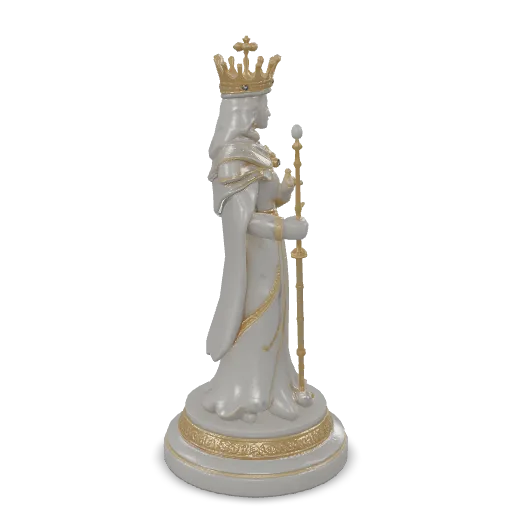
An ornate fantasy chess king piece carved from white marble with gold filigree inlays, a crown with tiny sapphire gems, flowing royal robe details, a scepter held against the chest, a stepped round base with engraved patterns, museum-quality collectible, single isolated object.
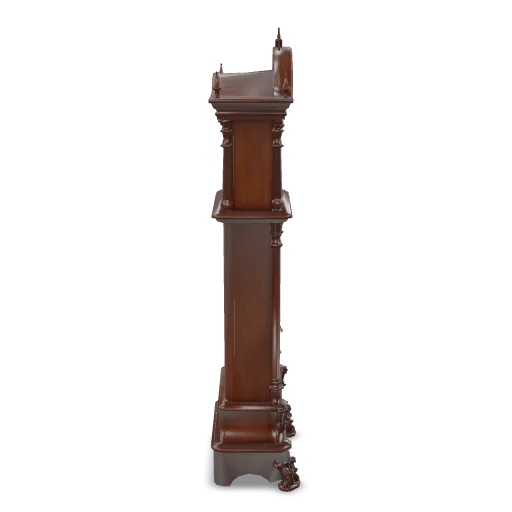
A gothic grandfather clock with a tall carved walnut case, pointed arch top with spires, an ornate brass clock face with filigree hands, a glass door showing a swinging brass pendulum, carved acanthus leaves and claw feet, antique furniture, single isolated object.
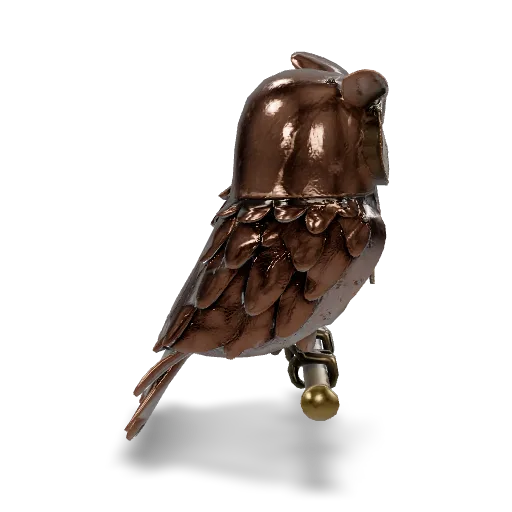
A clockwork mechanical owl automaton perched on a brass branch, layered hammered copper feathers, exposed gears and springs in the chest, glowing amber glass eyes, riveted wing joints, aged patina, highly detailed steampunk sculpture, single isolated object.
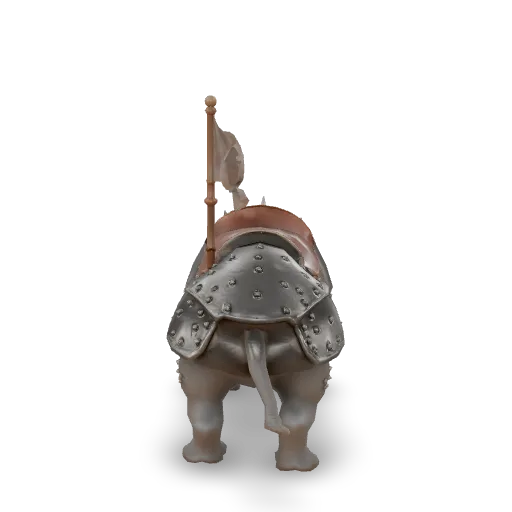
An armored war rhinoceros ready for battle, heavy iron plate barding with rivets, a leather saddle with a small wooden howdah, fluttering cloth banners, a reinforced horn cap, thick wrinkled grey skin, fantasy game creature, single isolated object.
Related Models
/filters:quality(82)/media/images/1790055359461222633_sVA5nxPe.webp)
/filters:quality(82)/media/images/1789120746143744570_VtCMW5en.webp)
/filters:quality(82)/media/images/b4ff1127-7d4e-40bd-9230-568f291a0b8f.webp)
/filters:quality(82)/media/images/e35cd35c-3645-4d6b-a411-f946f96c389f.webp)
/filters:quality(82)/media/images/1789119708524405601_mQHR09is.webp)
/filters:quality(82)/media/images/1789121897153465635_WuENX6fp.webp)
README
Tripo3D P2 Text-to-3D
Tripo3D P2 Text-to-3D generates a 3D model from a text description, with optional textures and PBR materials. Adjust the face count and choose triangle or quad output.
Why Choose This?
- Geometry and materials — Generate geometry alone or include textures and PBR materials.
- Texture choices — Choose standard, detailed, extreme, or fast texturing.
- Mesh options — Adjust the face count and choose triangle or quad output.
Parameters
| Parameter | Required | Description |
|---|---|---|
| prompt | Yes | Description of the 3D object: shape, material, style and scale. Up to 1024 characters. |
| negative_prompt | No | What the model should avoid. Up to 255 characters. |
| texture | No | Generate texture maps. Turn off (with pbr) for an untextured model at a lower price. Default: true. |
| pbr | No | Generate PBR materials (base color, metallic, roughness, normal). Turning it on also turns on texture. Default: true. |
| texture_quality | No | Texture quality: standard, detailed, extreme (8k), or fast (same texture size as standard). Options: standard, detailed, extreme, fast. Default: standard. |
| texture_version | No | Texture version. fast quality uses v3.5-20260815. Options: v3.0-20250812, v3.5-20260815. Default: v3.0-20250812. |
| delight | No | Remove the lighting baked into the source before texturing (texture model v3.5-20260815 only). Default: true. |
| quad | No | Output a native quad mesh (FBX). Default: false. |
| face_limit | No | Maximum number of faces: 48 to 50,000 triangles, or 48 to 25,000 quads. Omit for adaptive; 150+ for simple objects, 250+ for complex ones. |
| auto_size | No | Scale the model to real-world size in meters. Needs a textured model. Default: false. |
| export_uv | No | Unwrap UVs during generation. Default: true. |
| model_seed | No | Optional seed for geometry generation. |
| texture_seed | No | Optional seed for texture generation. |
How to Use
- Describe the object’s shape, materials, and style.
- Choose geometry and texture settings.
- Adjust optional mesh settings.
- Submit the request and download the generated model.
Pricing
| Configuration | Price per request |
|---|---|
| Geometry only | $1.20 |
| With standard or fast textures | $1.32 |
| With detailed textures | $1.44 |
| With extreme (8k) textures | $1.56 |
Quad output does not add a separate charge.
For geometry-only output, turn off both texture and pbr. Enabling pbr also enables textures.
Notes
- Turn off both
textureandpbrfor an untextured model. fastuses the same texture size and price asstandardand selects texture versionv3.5-20260815.delightaffects texturing only with texture versionv3.5-20260815; older texture versions ignore it.- Texture quality settings do not add a charge when textures are not generated.
auto_sizeestimates real-world scale and requires textured output.
P2 Text To 3d API — Quick start
Grab a WaveSpeedAI API key, then call POST https://api.wavespeed.ai/api/v3/tripo3d/p2/text-to-3d with your input as JSON. The endpoint returns a prediction id. Start polling the result endpoint around every 2 seconds, increase the interval for long-running tasks, and stop on any terminal status. On completed, read output values from data.outputs. Examples for P2 Text To 3d below.
HTTP example
set -euo pipefail

: "${WAVESPEED_API_KEY:?Set WAVESPEED_API_KEY}"

REQUEST_BODY=$(cat <<'JSON'
{
    "prompt": "A cinematic shot of a city at sunset, soft golden light",
    "texture": true,
    "pbr": true,
    "texture_quality": "standard",
    "texture_version": "v3.0-20250812",
    "delight": true,
    "quad": false,
    "auto_size": false,
    "export_uv": true
}
JSON
)

# 1. Submit the prediction.
SUBMIT_RESPONSE=$(curl --silent --show-error --fail-with-body \
  -X POST "https://api.wavespeed.ai/api/v3/tripo3d/p2/text-to-3d" \
  -H "Content-Type: application/json" \
  -H "Authorization: Bearer $WAVESPEED_API_KEY" \
  -d "$REQUEST_BODY")

TASK=$(printf '%s' "$SUBMIT_RESPONSE" | jq 'if has("data") then .data else . end')
PREDICTION_ID=$(printf '%s' "$TASK" | jq -r '.id')
if [ -z "$PREDICTION_ID" ] || [ "$PREDICTION_ID" = "null" ]; then
  printf 'Submission response did not contain a prediction id
' >&2
  exit 1
fi
RESULT_URL="https://api.wavespeed.ai/api/v3/predictions/$PREDICTION_ID/result"

# 2. Poll until the prediction finishes.
while true; do
  RESPONSE=$(curl --silent --show-error --fail-with-body "$RESULT_URL" \
    -H "Authorization: Bearer $WAVESPEED_API_KEY")
  RESULT=$(printf '%s' "$RESPONSE" | jq 'if has("data") then .data else . end')
  STATUS=$(printf '%s' "$RESULT" | jq -r '.status')
  case "$STATUS" in
    completed) printf '%s\n' "$RESULT" | jq '.outputs'; break ;;
    failed|cancelled|timeout|deleted) printf '%s\n' "$RESULT" | jq . >&2; exit 1 ;;
    *) sleep 2 ;;
  esac
done
Node.js example
const submitUrl = "https://api.wavespeed.ai/api/v3/tripo3d/p2/text-to-3d";
const apiKey = process.env.WAVESPEED_API_KEY;
if (!apiKey) throw new Error('Set WAVESPEED_API_KEY');

async function requestJson(url, options = {}) {
  const response = await fetch(url, options);
  if (!response.ok) throw new Error(await response.text());
  return response.json();
}

// 1. Submit the prediction.
const body = await requestJson(submitUrl, {
  method: "POST",
  headers: {
    "Authorization": `Bearer ${apiKey}`,
    "Content-Type": "application/json",
  },
  body: JSON.stringify({
        "prompt": "A cinematic shot of a city at sunset, soft golden light",
        "texture": true,
        "pbr": true,
        "texture_quality": "standard",
        "texture_version": "v3.0-20250812",
        "delight": true,
        "quad": false,
        "auto_size": false,
        "export_uv": true
}),
});
const task = body.data ?? body;
if (!task.id) throw new Error("Submission response did not contain a prediction id");
const resultUrl = `https://api.wavespeed.ai/api/v3/predictions/${task.id}/result`;

// 2. Poll until the prediction finishes.
while (true) {
  const resultBody = await requestJson(resultUrl, {
    headers: { "Authorization": `Bearer ${apiKey}` },
  });
  const result = resultBody.data ?? resultBody;
  if (result.status === "completed") {
    console.log(result.outputs);
    break;
  }
  if (["failed", "cancelled", "timeout", "deleted"].includes(result.status)) throw new Error(JSON.stringify(result));
  await new Promise(resolve => setTimeout(resolve, 2000));
}
Python example
import json
import os
import time
from urllib.request import Request, urlopen

api_key = os.environ["WAVESPEED_API_KEY"]
headers = {"Authorization": f"Bearer {api_key}", "Content-Type": "application/json"}
payload = {
    "prompt": "A cinematic shot of a city at sunset, soft golden light",
    "texture": True,
    "pbr": True,
    "texture_quality": "standard",
    "texture_version": "v3.0-20250812",
    "delight": True,
    "quad": False,
    "auto_size": False,
    "export_uv": True
}

def request_json(url, data=None):
    request = Request(url, data=data, headers=headers, method="POST" if data else "GET")
    with urlopen(request) as response:
        return json.load(response)

# 1. Submit the prediction.
body = request_json("https://api.wavespeed.ai/api/v3/tripo3d/p2/text-to-3d", json.dumps(payload).encode())
task = body.get("data", body)
if not task.get("id"):
    raise RuntimeError("Submission response did not contain a prediction id")
result_url = f"https://api.wavespeed.ai/api/v3/predictions/{task['id']}/result"

# 2. Poll until the prediction finishes.
while True:
    result_body = request_json(result_url)
    result = result_body.get("data", result_body)
    status = result.get("status")
    if status == "completed":
        print(result.get("outputs", []))
        break
    if status in {"failed", "cancelled", "timeout", "deleted"}:
        raise RuntimeError(result)
    time.sleep(2)
P2 Text To 3d API — Frequently asked questions
What is the P2 Text To 3d API?
P2 Text To 3d is a Tripo3D model for 3D asset generation, exposed as a REST API on WaveSpeedAI. Tripo3D P2 Text-to-3D turns a text description into a 3D model with Tripo's P2 model with native quad topology (up to 50,000 triangles or 25,000 quads) for games and real-time pipelines. Ready-to-use REST inference API, best performance, no coldstarts, affordable pricing. You can call it programmatically or try it from the playground above.
How do I call the P2 Text To 3d API?
POST your input parameters to the model's REST endpoint (shown in the API tab of this playground) with your WaveSpeedAI API key in the Authorization header. Submission returns a prediction ID. Poll the result endpoint starting around every 2 seconds, increase the interval for long-running tasks, and stop on any terminal status. The playground generates Python, JavaScript, and cURL examples for submitting requests and polling results. Full request/response shape is documented at https://wavespeed.ai/docs/docs-api/tripo3d/tripo3d-p2-text-to-3d.
How much does P2 Text To 3d cost per run or per second?
P2 Text To 3d starts at $1.32 per run or per second. That figure is the base price — the final charge scales with the parameters you set in the form (output size, length, count, references, or whatever knobs this model exposes), so a higher-quality or larger output costs more than a minimal one. The exact cost for your current input is shown live next to the Generate button before you submit, and the actual per-call charge is recorded on the prediction afterwards.
What inputs does P2 Text To 3d accept?
Key inputs: `prompt`, `negative_prompt`, `auto_size`, `delight`, `export_uv`, `face_limit`. The full JSON schema (types, defaults, allowed values) is rendered above the Generate button and mirrored in the API reference at https://wavespeed.ai/docs/docs-api/tripo3d/tripo3d-p2-text-to-3d.
How do I get started with the P2 Text To 3d API?
Sign up for a free WaveSpeedAI account to claim starter credits, copy your API key from /accesskey, then call the endpoint shown in the API tab of the playground. The playground also auto-generates a code sample in Python, JavaScript, or cURL for the parameters you've set.
Can I use P2 Text To 3d outputs commercially?
Commercial usage rights depend on the model's license, set by its provider (Tripo3D). Check the provider's applicable terms and WaveSpeedAI's Terms of Service before commercial use.
More from Tripo3D
View allMore Text to 3D models
View all- tripo3d/h3.1/text-to-3dText to 3D
- wavespeed-ai/hunyuan-3d-v3.1/text-to-3d-rapidText to 3D
- hyper3d/rodin-v2.5/text-to-3dText to 3D
- meshy/v6/text-to-3dText to 3D
- wavespeed-ai/hunyuan3d-v3/text-to-3dText to 3D
- tripo3d/h3.0/text-to-3dText to 3D
- meshy/v6-lite/text-to-3dText to 3D
- tripo3d/p1/text-to-3dText to 3D