Meshy 6 Retexture applies new textures to existing 3D models using text prompts or reference images, with 2K, 4K, and 8K base-color textures and optional PBR maps. Ready-to-use REST inference API, best performance, no coldstarts, affordable pricing.
Idle
/filters:quality(85)/examples/05c0e28108c35f5e394ff58cf54470d3/62409de0-7c4c-4001-a305-32e8fac319d9-7d8cd56d63f1.webp)
/filters:quality(85)/examples/05c0e28108c35f5e394ff58cf54470d3/ffa1946f-05b6-4004-9c3b-4ca47d5ad9a9-93e09fc5788b.webp)
$0.33per run·~30 / $10
ExamplesView all
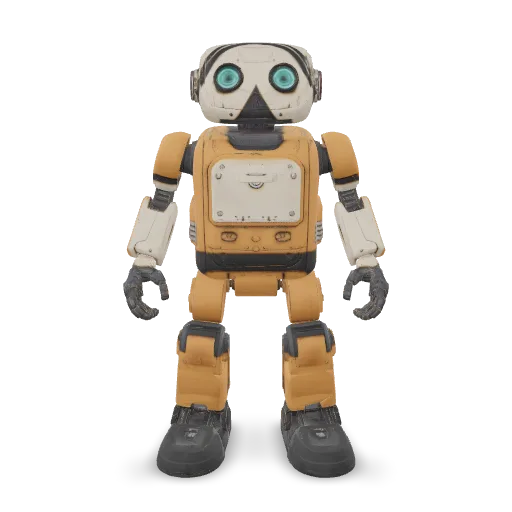
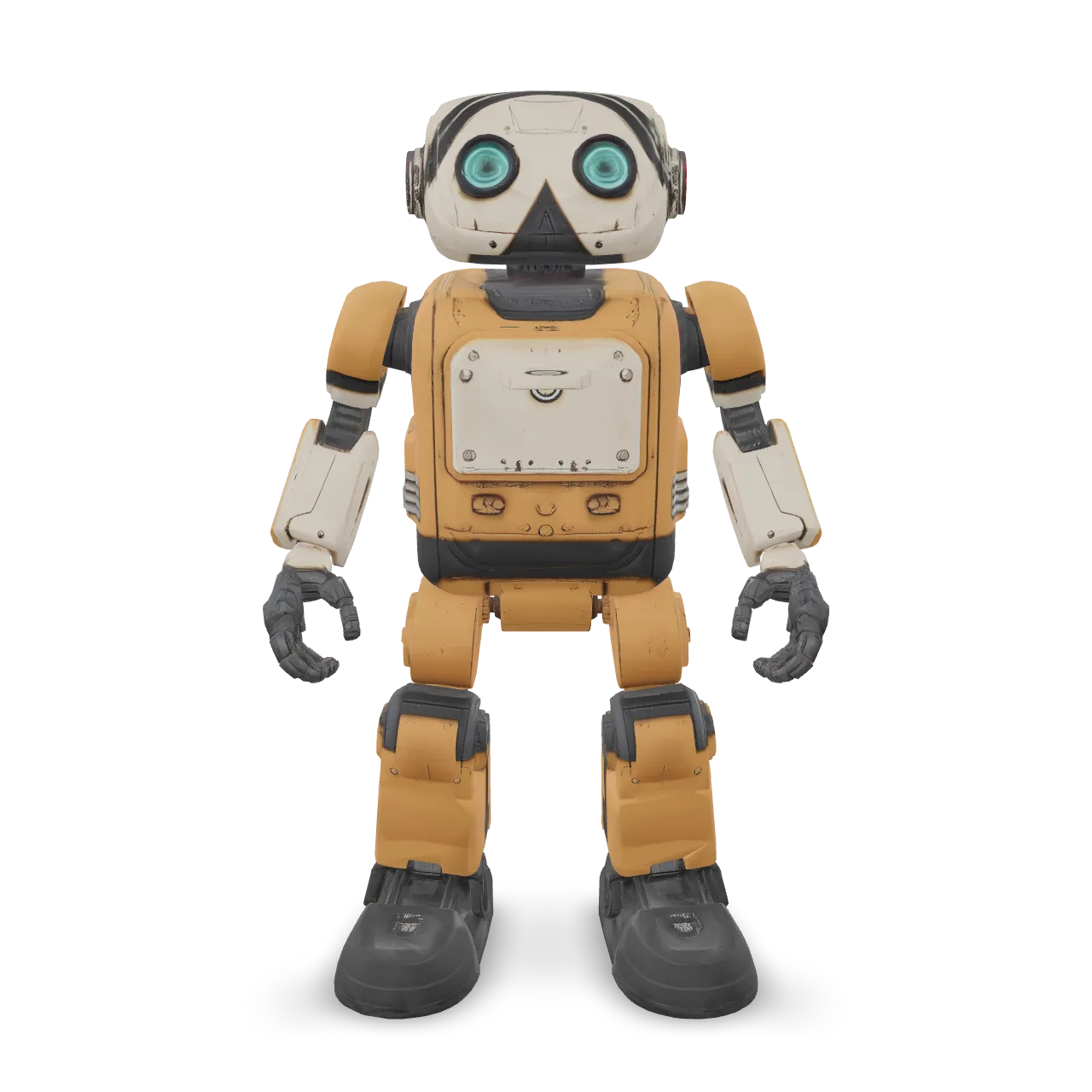
Retexture the robot as a retro space courier. Warm mustard-yellow enamel body panels, cream-colored head and cargo hatch, dark graphite rubber joints, brushed aluminum trim, and turquoise glass eyes. Subtle chipped paint along exposed edges and light wear around the cargo hatch. Clear material boundaries, believable roughness, charming industrial finish. No text or logos.
Related Models
/filters:quality(82)/media/images/e35cd35c-3645-4d6b-a411-f946f96c389f.webp)
/filters:quality(82)/media/images/1789110844516153997_XAJT1AJS.webp)
/filters:quality(82)/media/images/1790235699994417139_Dg2cluDM.webp)
/filters:quality(82)/media/images/1789116995724504097_XsYaxZv2.webp)
/filters:quality(82)/media/images/1789112066439068834_CakuDMV5.webp)
/filters:quality(82)/media/images/1789116311703870298_BX6f4dmv.webp)
README
Meshy 6 Retexture
Meshy 6 Retexture applies new textures and materials to an existing 3D model using either a text description or a reference image. Keep the original geometry while changing the model's surface appearance, choose 2K, 4K, or 8K base-color textures, preserve existing UV mapping when suitable, and optionally generate PBR material maps.
It is designed for material variations, product visualization, game assets, and other workflows where you want to change the look of an existing 3D model without regenerating its geometry.
Why Choose This?
-
Retexture existing 3D assets
Change materials, colors, finishes, and surface appearance without generating a new model. -
Text or image guidance
Describe the desired material in text or provide a reference image to guide the texture style. -
Up to 8K textures
Choose2K,4K, or8Kbase-color texture resolution. -
UV control
Preserve the model's original UV mapping or generate new UVs when the existing mapping is unsuitable. -
Optional PBR materials
Generate metallic, roughness, and normal maps alongside the base-color texture. -
Multiple 3D input formats
Supports GLB, GLTF, OBJ, FBX, and STL source models.
Parameters
| Parameter | Required | Description |
|---|---|---|
| model | Yes | 3D model file URL. Supports GLB, GLTF, OBJ, FBX, and STL. |
| prompt | Conditional | Text description of the desired material and texture. Maximum 600 characters. Required when texture_image is not provided. |
| texture_image | Conditional | Reference image URL in JPG, JPEG, or PNG format. Required when prompt is not provided. Takes priority when both are supplied. |
| texture_resolution | No | Base-color texture resolution: 2k, 4k, or 8k. Default: 2k. |
| enable_original_uv | No | Preserve the model's original UV mapping. Default: true. Disable it when new UVs should be generated. |
| enable_pbr | No | Generate metallic, roughness, and normal maps in addition to the base-color texture. Default: false. |
At least one of prompt or texture_image must be provided.
How to Use
- Upload a 3D model — Provide a supported model file or public URL.
- Choose texture guidance — Enter a material description or provide a reference image.
- Choose texture resolution — Select
2k,4k, or8k. - Configure UV handling optional — Keep
enable_original_uv=truewhen the source model has suitable UVs, or disable it to generate new mapping. - Enable PBR optional — Turn on
enable_pbrwhen metallic, roughness, and normal maps are needed. - Submit — Generate the retextured model and retrieve the available output files.
Pricing
Pricing is based only on texture_resolution.
| Texture Resolution | Price per Request |
|---|---|
| 2K | $0.33 |
| 4K | $0.33 |
| 8K | $0.50 |
2K and 4K use the same price tier. Selecting 8K increases the price to $0.50 per request.
enable_pbr, enable_original_uv, and the choice between prompt and texture_image do not add separate charges.
Available companion files also do not incur separate per-file charges.
Best Use Cases
- Game asset variations — Create different material and color versions of existing meshes.
- Product visualization — Explore finishes such as metal, wood, leather, plastic, fabric, or ceramic.
- Material prototyping — Compare different surface treatments without changing model geometry.
- E-commerce 3D — Produce product colorways and finish variants from an existing asset.
- Rendering workflows — Generate base-color and optional PBR maps for downstream rendering.
- Creative iteration — Quickly test multiple texture directions on the same model.
Pro Tips
- Describe the material, color, finish, wear, and surface properties rather than describing a different object.
- Use a reference image with a clear and consistent material style when using
texture_image. - Check whether the source model has usable UV mapping before keeping
enable_original_uv=true. - Disable original UV preservation when the source UVs are missing or unsuitable.
- Enable
enable_pbrwhen the model will be used in lighting-sensitive rendering or real-time 3D workflows. - Use
2kor4kfor lower-cost iteration before moving to8kwhen maximum texture detail is needed. - When both
promptandtexture_imageare supplied, remember that the reference image takes priority.
Notes
modelis required.- At least one non-empty
promptortexture_imagemust be provided. promptsupports up to600characters.texture_imagesupports JPG, JPEG, and PNG.texture_imagetakes priority when both guidance methods are supplied.texture_resolutiondefaults to2k.- Supported texture resolutions are
2k,4k, and8k. enable_original_uvdefaults totrue.enable_pbrdefaults tofalse.- At
8k, the base-color texture is8192pixels, while PBR maps are4096pixels.
Related Models
- Meshy 6 Lite Retexture — Retexture existing 3D models with the lighter Meshy 6 workflow.
- Meshy V7 Retexture — Retexture existing 3D assets with the Meshy V7 workflow.
v6 Retexture API — Quick start
Grab a WaveSpeedAI API key, then call POST https://api.wavespeed.ai/api/v3/meshy/v6/retexture with your input as JSON. The endpoint returns a prediction id. Start polling the result endpoint around every 2 seconds, increase the interval for long-running tasks, and stop on any terminal status. On completed, read output values from data.outputs. Examples for v6 Retexture below.
HTTP example
set -euo pipefail

: "${WAVESPEED_API_KEY:?Set WAVESPEED_API_KEY}"

REQUEST_BODY=$(cat <<'JSON'
{
    "model": "example",
    "texture_resolution": "2k",
    "enable_original_uv": true,
    "enable_pbr": false,
    "prompt": "A cinematic shot of a city at sunset, soft golden light"
}
JSON
)

# 1. Submit the prediction.
SUBMIT_RESPONSE=$(curl --silent --show-error --fail-with-body \
  -X POST "https://api.wavespeed.ai/api/v3/meshy/v6/retexture" \
  -H "Content-Type: application/json" \
  -H "Authorization: Bearer $WAVESPEED_API_KEY" \
  -d "$REQUEST_BODY")

TASK=$(printf '%s' "$SUBMIT_RESPONSE" | jq 'if has("data") then .data else . end')
PREDICTION_ID=$(printf '%s' "$TASK" | jq -r '.id')
if [ -z "$PREDICTION_ID" ] || [ "$PREDICTION_ID" = "null" ]; then
  printf 'Submission response did not contain a prediction id
' >&2
  exit 1
fi
RESULT_URL="https://api.wavespeed.ai/api/v3/predictions/$PREDICTION_ID/result"

# 2. Poll until the prediction finishes.
while true; do
  RESPONSE=$(curl --silent --show-error --fail-with-body "$RESULT_URL" \
    -H "Authorization: Bearer $WAVESPEED_API_KEY")
  RESULT=$(printf '%s' "$RESPONSE" | jq 'if has("data") then .data else . end')
  STATUS=$(printf '%s' "$RESULT" | jq -r '.status')
  case "$STATUS" in
    completed) printf '%s\n' "$RESULT" | jq '.outputs'; break ;;
    failed|cancelled|timeout|deleted) printf '%s\n' "$RESULT" | jq . >&2; exit 1 ;;
    *) sleep 2 ;;
  esac
done
Node.js example
const submitUrl = "https://api.wavespeed.ai/api/v3/meshy/v6/retexture";
const apiKey = process.env.WAVESPEED_API_KEY;
if (!apiKey) throw new Error('Set WAVESPEED_API_KEY');

async function requestJson(url, options = {}) {
  const response = await fetch(url, options);
  if (!response.ok) throw new Error(await response.text());
  return response.json();
}

// 1. Submit the prediction.
const body = await requestJson(submitUrl, {
  method: "POST",
  headers: {
    "Authorization": `Bearer ${apiKey}`,
    "Content-Type": "application/json",
  },
  body: JSON.stringify({
        "model": "example",
        "texture_resolution": "2k",
        "enable_original_uv": true,
        "enable_pbr": false,
        "prompt": "A cinematic shot of a city at sunset, soft golden light"
}),
});
const task = body.data ?? body;
if (!task.id) throw new Error("Submission response did not contain a prediction id");
const resultUrl = `https://api.wavespeed.ai/api/v3/predictions/${task.id}/result`;

// 2. Poll until the prediction finishes.
while (true) {
  const resultBody = await requestJson(resultUrl, {
    headers: { "Authorization": `Bearer ${apiKey}` },
  });
  const result = resultBody.data ?? resultBody;
  if (result.status === "completed") {
    console.log(result.outputs);
    break;
  }
  if (["failed", "cancelled", "timeout", "deleted"].includes(result.status)) throw new Error(JSON.stringify(result));
  await new Promise(resolve => setTimeout(resolve, 2000));
}
Python example
import json
import os
import time
from urllib.request import Request, urlopen

api_key = os.environ["WAVESPEED_API_KEY"]
headers = {"Authorization": f"Bearer {api_key}", "Content-Type": "application/json"}
payload = {
    "model": "example",
    "texture_resolution": "2k",
    "enable_original_uv": True,
    "enable_pbr": False,
    "prompt": "A cinematic shot of a city at sunset, soft golden light"
}

def request_json(url, data=None):
    request = Request(url, data=data, headers=headers, method="POST" if data else "GET")
    with urlopen(request) as response:
        return json.load(response)

# 1. Submit the prediction.
body = request_json("https://api.wavespeed.ai/api/v3/meshy/v6/retexture", json.dumps(payload).encode())
task = body.get("data", body)
if not task.get("id"):
    raise RuntimeError("Submission response did not contain a prediction id")
result_url = f"https://api.wavespeed.ai/api/v3/predictions/{task['id']}/result"

# 2. Poll until the prediction finishes.
while True:
    result_body = request_json(result_url)
    result = result_body.get("data", result_body)
    status = result.get("status")
    if status == "completed":
        print(result.get("outputs", []))
        break
    if status in {"failed", "cancelled", "timeout", "deleted"}:
        raise RuntimeError(result)
    time.sleep(2)
v6 Retexture API — Frequently asked questions
What is the v6 Retexture API?
v6 Retexture is a Meshy model for 3D asset generation from images, exposed as a REST API on WaveSpeedAI. Meshy 6 Retexture applies new textures to existing 3D models using text prompts or reference images, with 2K, 4K, and 8K base-color textures and optional PBR maps. Ready-to-use REST inference API, best performance, no coldstarts, affordable pricing. You can call it programmatically or try it from the playground above.
How do I call the v6 Retexture API?
POST your input parameters to the model's REST endpoint (shown in the API tab of this playground) with your WaveSpeedAI API key in the Authorization header. Submission returns a prediction ID. Poll the result endpoint starting around every 2 seconds, increase the interval for long-running tasks, and stop on any terminal status. The playground generates Python, JavaScript, and cURL examples for submitting requests and polling results. Full request/response shape is documented at https://wavespeed.ai/docs/docs-api/meshy/meshy-v6-retexture.
How much does v6 Retexture cost per run?
v6 Retexture starts at $0.33 per run. That figure is the base price — the final charge scales with the parameters you set in the form (output size, length, count, references, or whatever knobs this model exposes), so a higher-quality or larger output costs more than a minimal one. The exact cost for your current input is shown live next to the Generate button before you submit, and the actual per-call charge is recorded on the prediction afterwards.
What inputs does v6 Retexture accept?
Key inputs: `prompt`, `enable_original_uv`, `enable_pbr`, `model`, `texture_image`, `texture_resolution`. The full JSON schema (types, defaults, allowed values) is rendered above the Generate button and mirrored in the API reference at https://wavespeed.ai/docs/docs-api/meshy/meshy-v6-retexture.
How do I get started with the v6 Retexture API?
Sign up for a free WaveSpeedAI account to claim starter credits, copy your API key from /accesskey, then call the endpoint shown in the API tab of the playground. The playground also auto-generates a code sample in Python, JavaScript, or cURL for the parameters you've set.
Can I use v6 Retexture outputs commercially?
Commercial usage rights depend on the model's license, set by its provider (Meshy). Check the provider's applicable terms and WaveSpeedAI's Terms of Service before commercial use.
More from Meshy
View allMore Image to 3D models
View all- tripo3d/h3.1/image-to-3dImage to 3D
- bytedance/seed3d-2.0/image-to-3dImage to 3D
- wavespeed-ai/hunyuan-3d-v3.1/image-to-3d-rapidImage to 3D
- tripo3d/h3.1/multiview-to-3dImage to 3D
- wavespeed-ai/hunyuan3d-v3/image-to-3dImage to 3D
- hyper3d/rodin-v2.5/image-to-3dImage to 3D
- meshy/v7/multi-image-to-3dImage to 3D
- meshy/v7/image-to-3dImage to 3D