Meshy 6 Lite Retexture applies new materials and textures to existing 3D models using a text prompt or reference image, with optional PBR maps for game assets, product visualization, 3D design, and production workflows. Ready-to-use REST inference API, best performance, no coldstarts, affordable pricing.
Idle
$0.36per run·~27 / $10
ExamplesView all
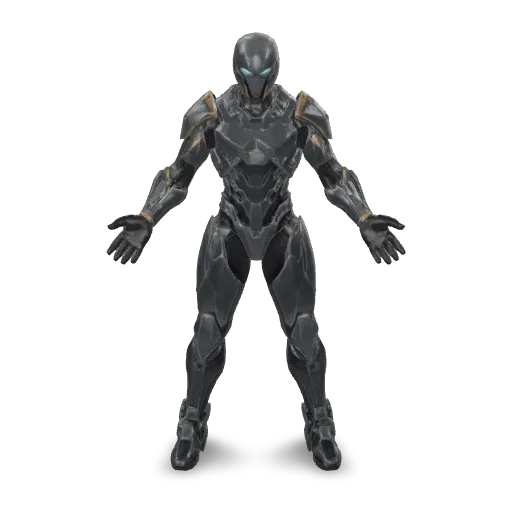
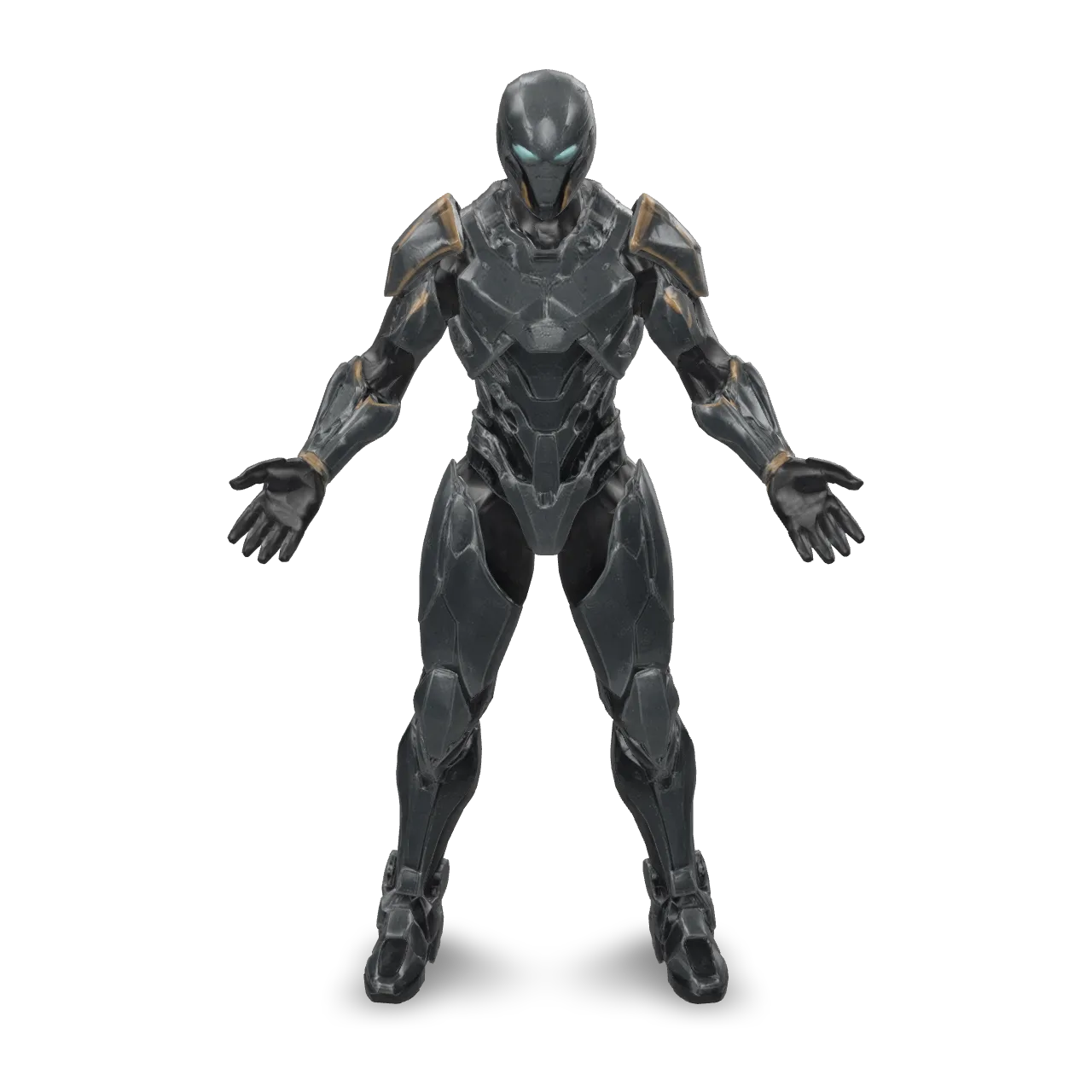
Texture this armored humanoid with matte charcoal-black armor plates, brushed gold trim, and dark titanium mechanical joints. Add deep crimson accents to the shoulders and chest, pale cyan lenses over the eyes, and black rubber seals between armor panels. Include subtle edge wear, fine scratches, and restrained surface weathering. Keep clear material separation and consistent detailing across the front and back. Preserve the existing geometry and pose. Realistic physically based materials, premium sci-fi craftsmanship.
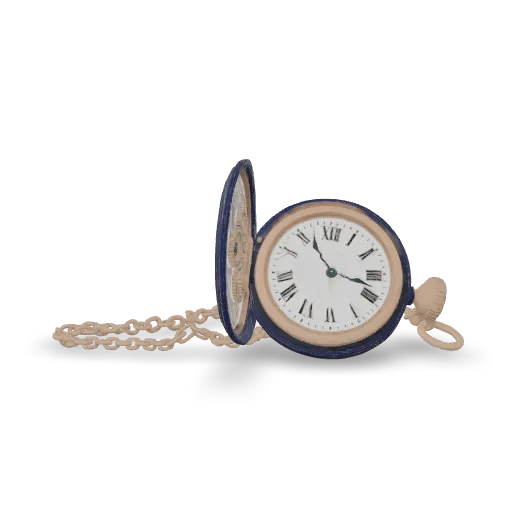
Retexture this pocket watch as a luxury midnight-blue enamel timepiece. Apply deep navy glossy enamel to the outer case and lid, with polished rose-gold rims, engraved details, crown, and chain. Use warm ivory porcelain for the dial, crisp dark Roman numerals, and dark blued-steel hands. Add subtle brushed-metal grain and fine micro-scratches to the metal surfaces. Preserve the existing geometry, open lid, chain links, dial layout, and hand positions. Realistic physically based materials, refined craftsmanship.
Related Models
/filters:quality(82)/media/images/1789110844516153997_XAJT1AJS.webp)
/filters:quality(82)/media/images/1790235699994417139_Dg2cluDM.webp)
/filters:quality(82)/media/images/1789116995724504097_XsYaxZv2.webp)
/filters:quality(82)/media/images/1789112066439068834_CakuDMV5.webp)
/filters:quality(82)/media/images/1789116311703870298_BX6f4dmv.webp)
/filters:quality(82)/media/images/1789115402962645988_sR09i2bk.webp)
README
Meshy 6 Lite Retexture
Meshy 6 Lite Retexture applies new textures and materials to an existing 3D model using either a text description or a reference image. Keep the original geometry while changing the surface appearance, colors, materials, and finish, then export the result as a textured GLB model.
It is designed for creating material variations, refreshing existing assets, product visualization, game assets, and other workflows where you want a new look without regenerating the underlying 3D geometry.
Why Choose This?
-
Retexture existing 3D models
Change the appearance of an existing asset without generating a new object. -
Text-guided materials
Describe the colors, materials, finish, wear, and surface style you want. -
Image-guided texturing
Use a reference image to guide the new texture appearance. -
UV control
Preserve the model's existing UV mapping or generate new UVs when needed. -
Optional PBR materials
Generate metallic, roughness, and normal maps in addition to the base color texture. -
Multiple 3D input formats
Supports GLB, GLTF, OBJ, FBX, and STL models.
Parameters
| Parameter | Required | Description |
|---|---|---|
| model | Yes | 3D model to retexture. Supports GLB, GLTF, OBJ, FBX, and STL. |
| prompt | Conditional | Text description of the desired materials and textures. Supports up to 600 characters. Required when texture_image is not provided. |
| texture_image | Conditional | Reference image used to guide texture appearance. Supports JPG, JPEG, and PNG. Required when prompt is not provided. If both are supplied, texture_image takes priority. |
| enable_original_uv | No | Preserve the model's existing UV mapping. Default: true. Disable it when new UV mapping should be generated. |
| enable_pbr | No | Generate metallic, roughness, and normal maps in addition to the base color texture. Default: false. |
At least one of prompt or texture_image must be provided.
How to Use
- Upload the 3D model — Provide the existing asset you want to retexture.
- Choose texture guidance — Enter a material description or provide a reference image.
- Configure UV handling optional — Keep
enable_original_uv=truewhen the existing UV mapping is suitable, or disable it to generate new UVs. - Enable PBR optional — Turn on
enable_pbrwhen additional material maps are needed. - Submit — Generate and retrieve the retextured GLB model.
Pricing
Pricing is fixed at $0.36 per retextured model.
| Output | Cost |
|---|---|
| One retextured model | $0.36 |
PBR maps are included at no additional charge.
Best Use Cases
- Game assets — Create new material and color variations for existing meshes.
- Product visualization — Explore finishes such as metal, wood, leather, ceramic, plastic, or fabric.
- Asset variation — Produce multiple visual versions of the same 3D geometry.
- Material prototyping — Test surface treatments without remodeling the asset.
- E-commerce 3D — Create product colorways or material variants from an existing model.
- Creative iteration — Compare different texture concepts on the same 3D asset.
Pro Tips
- Describe surface materials, colors, finish, wear, and texture characteristics clearly in
prompt. - Use a clean reference image with a clear material or surface style when using
texture_image. - Keep
enable_original_uv=truewhen the source model already has suitable UV mapping. - Disable
enable_original_uvwhen the existing UVs are missing or unsuitable. - Enable
enable_pbrwhen the model will be used in lighting-sensitive rendering, game-engine, or product-visualization workflows. - When both
promptandtexture_imageare supplied, remember that the reference image takes priority.
Notes
modelis required.- At least one of
promptortexture_imagemust be provided. promptsupports up to600characters.texture_imagesupports JPG, JPEG, and PNG.texture_imagetakes priority when both texture guidance methods are supplied.enable_original_uvdefaults totrue.enable_pbrdefaults tofalse.- PBR generation does not add a separate charge.
- The output is a textured GLB model.
Related Models
- Meshy V7.1 Text-to-3D — Generate a 3D model directly from a text description.
- Meshy V7.1 Image-to-3D — Generate a 3D model from a reference image.
v6 Lite Retexture API — Quick start
Grab a WaveSpeedAI API key, then call POST https://api.wavespeed.ai/api/v3/meshy/v6-lite/retexture with your input as JSON. The endpoint returns a prediction id. Start polling the result endpoint around every 2 seconds, increase the interval for long-running tasks, and stop on any terminal status. On completed, read output values from data.outputs. Examples for v6 Lite Retexture below.
HTTP example
set -euo pipefail

: "${WAVESPEED_API_KEY:?Set WAVESPEED_API_KEY}"

REQUEST_BODY=$(cat <<'JSON'
{
    "model": "example",
    "enable_original_uv": true,
    "enable_pbr": false
}
JSON
)

# 1. Submit the prediction.
SUBMIT_RESPONSE=$(curl --silent --show-error --fail-with-body \
  -X POST "https://api.wavespeed.ai/api/v3/meshy/v6-lite/retexture" \
  -H "Content-Type: application/json" \
  -H "Authorization: Bearer $WAVESPEED_API_KEY" \
  -d "$REQUEST_BODY")

TASK=$(printf '%s' "$SUBMIT_RESPONSE" | jq 'if has("data") then .data else . end')
PREDICTION_ID=$(printf '%s' "$TASK" | jq -r '.id')
if [ -z "$PREDICTION_ID" ] || [ "$PREDICTION_ID" = "null" ]; then
  printf 'Submission response did not contain a prediction id
' >&2
  exit 1
fi
RESULT_URL="https://api.wavespeed.ai/api/v3/predictions/$PREDICTION_ID/result"

# 2. Poll until the prediction finishes.
while true; do
  RESPONSE=$(curl --silent --show-error --fail-with-body "$RESULT_URL" \
    -H "Authorization: Bearer $WAVESPEED_API_KEY")
  RESULT=$(printf '%s' "$RESPONSE" | jq 'if has("data") then .data else . end')
  STATUS=$(printf '%s' "$RESULT" | jq -r '.status')
  case "$STATUS" in
    completed) printf '%s\n' "$RESULT" | jq '.outputs'; break ;;
    failed|cancelled|timeout|deleted) printf '%s\n' "$RESULT" | jq . >&2; exit 1 ;;
    *) sleep 2 ;;
  esac
done
Node.js example
const submitUrl = "https://api.wavespeed.ai/api/v3/meshy/v6-lite/retexture";
const apiKey = process.env.WAVESPEED_API_KEY;
if (!apiKey) throw new Error('Set WAVESPEED_API_KEY');

async function requestJson(url, options = {}) {
  const response = await fetch(url, options);
  if (!response.ok) throw new Error(await response.text());
  return response.json();
}

// 1. Submit the prediction.
const body = await requestJson(submitUrl, {
  method: "POST",
  headers: {
    "Authorization": `Bearer ${apiKey}`,
    "Content-Type": "application/json",
  },
  body: JSON.stringify({
        "model": "example",
        "enable_original_uv": true,
        "enable_pbr": false
}),
});
const task = body.data ?? body;
if (!task.id) throw new Error("Submission response did not contain a prediction id");
const resultUrl = `https://api.wavespeed.ai/api/v3/predictions/${task.id}/result`;

// 2. Poll until the prediction finishes.
while (true) {
  const resultBody = await requestJson(resultUrl, {
    headers: { "Authorization": `Bearer ${apiKey}` },
  });
  const result = resultBody.data ?? resultBody;
  if (result.status === "completed") {
    console.log(result.outputs);
    break;
  }
  if (["failed", "cancelled", "timeout", "deleted"].includes(result.status)) throw new Error(JSON.stringify(result));
  await new Promise(resolve => setTimeout(resolve, 2000));
}
Python example
import json
import os
import time
from urllib.request import Request, urlopen

api_key = os.environ["WAVESPEED_API_KEY"]
headers = {"Authorization": f"Bearer {api_key}", "Content-Type": "application/json"}
payload = {
    "model": "example",
    "enable_original_uv": True,
    "enable_pbr": False
}

def request_json(url, data=None):
    request = Request(url, data=data, headers=headers, method="POST" if data else "GET")
    with urlopen(request) as response:
        return json.load(response)

# 1. Submit the prediction.
body = request_json("https://api.wavespeed.ai/api/v3/meshy/v6-lite/retexture", json.dumps(payload).encode())
task = body.get("data", body)
if not task.get("id"):
    raise RuntimeError("Submission response did not contain a prediction id")
result_url = f"https://api.wavespeed.ai/api/v3/predictions/{task['id']}/result"

# 2. Poll until the prediction finishes.
while True:
    result_body = request_json(result_url)
    result = result_body.get("data", result_body)
    status = result.get("status")
    if status == "completed":
        print(result.get("outputs", []))
        break
    if status in {"failed", "cancelled", "timeout", "deleted"}:
        raise RuntimeError(result)
    time.sleep(2)
v6 Lite Retexture API — Frequently asked questions
What is the v6 Lite Retexture API?
v6 Lite Retexture is a Meshy model for 3D asset generation from images, exposed as a REST API on WaveSpeedAI. Meshy 6 Lite Retexture applies new materials and textures to existing 3D models using a text prompt or reference image, with optional PBR maps for game assets, product visualization, 3D design, and production workflows. Ready-to-use REST inference API, best performance, no coldstarts, affordable pricing. You can call it programmatically or try it from the playground above.
How do I call the v6 Lite Retexture API?
POST your input parameters to the model's REST endpoint (shown in the API tab of this playground) with your WaveSpeedAI API key in the Authorization header. Submission returns a prediction ID. Poll the result endpoint starting around every 2 seconds, increase the interval for long-running tasks, and stop on any terminal status. The playground generates Python, JavaScript, and cURL examples for submitting requests and polling results. Full request/response shape is documented at https://wavespeed.ai/docs/docs-api/meshy/meshy-v6-lite-retexture.
How much does v6 Lite Retexture cost per run?
v6 Lite Retexture starts at $0.36 per run. That figure is the base price — the final charge scales with the parameters you set in the form (output size, length, count, references, or whatever knobs this model exposes), so a higher-quality or larger output costs more than a minimal one. The exact cost for your current input is shown live next to the Generate button before you submit, and the actual per-call charge is recorded on the prediction afterwards.
What inputs does v6 Lite Retexture accept?
Key inputs: `prompt`, `enable_original_uv`, `enable_pbr`, `model`, `texture_image`. The full JSON schema (types, defaults, allowed values) is rendered above the Generate button and mirrored in the API reference at https://wavespeed.ai/docs/docs-api/meshy/meshy-v6-lite-retexture.
How do I get started with the v6 Lite Retexture API?
Sign up for a free WaveSpeedAI account to claim starter credits, copy your API key from /accesskey, then call the endpoint shown in the API tab of the playground. The playground also auto-generates a code sample in Python, JavaScript, or cURL for the parameters you've set.
Can I use v6 Lite Retexture outputs commercially?
Commercial usage rights depend on the model's license, set by its provider (Meshy). Check the provider's applicable terms and WaveSpeedAI's Terms of Service before commercial use.
More from Meshy
View allMore Image to 3D models
View all- tripo3d/h3.1/image-to-3dImage to 3D
- bytedance/seed3d-2.0/image-to-3dImage to 3D
- wavespeed-ai/hunyuan-3d-v3.1/image-to-3d-rapidImage to 3D
- tripo3d/h3.1/multiview-to-3dImage to 3D
- wavespeed-ai/hunyuan3d-v3/image-to-3dImage to 3D
- hyper3d/rodin-v2.5/image-to-3dImage to 3D
- meshy/v7/multi-image-to-3dImage to 3D
- meshy/v7/image-to-3dImage to 3D