
Genjutsu API: Submit One Object Swap Video
Use the Genjutsu API for one Object Swap request: prepare a source clip, submit the job, and retrieve the edited video.
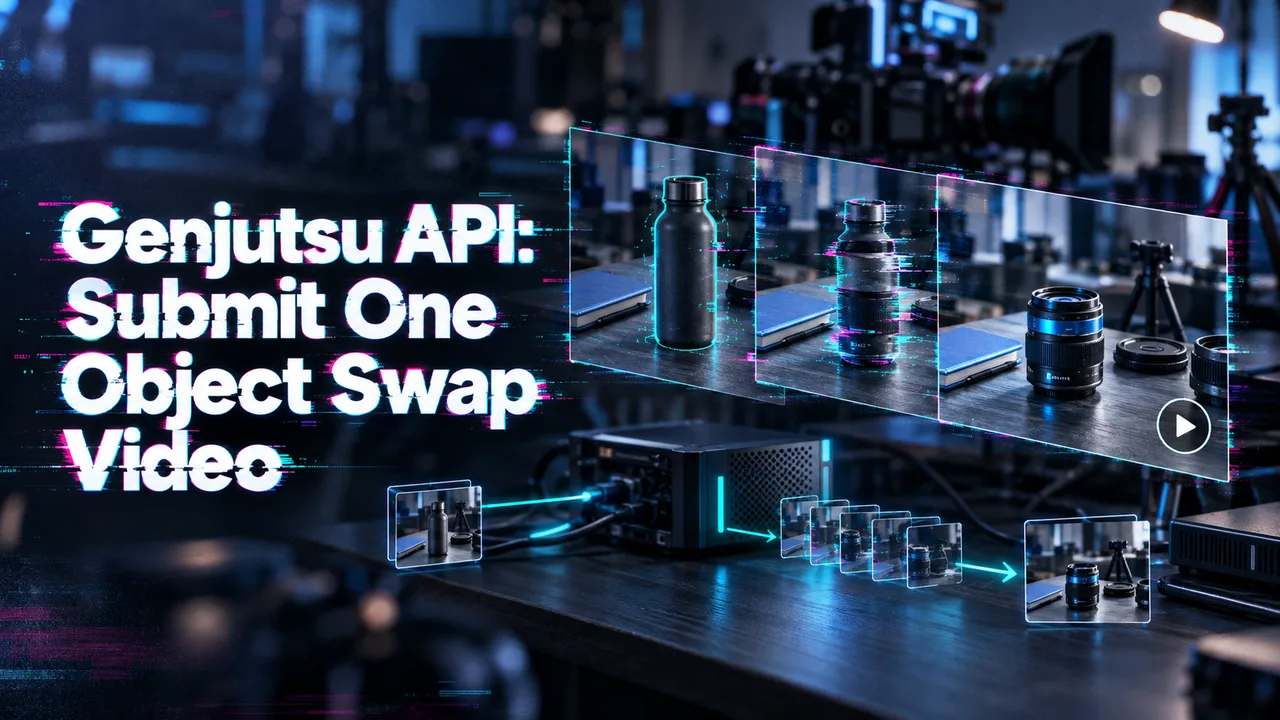
A video-editing feature can return a successful job and still leave your team with an unusable asset: the wrong part of the clip was processed, the replacement shifts between frames, or nobody saved the output. For a Genjutsu API integration, I would make one edit traceable from input to approved file. Higgsfield’s API quick start describes the submit–poll–retrieve flow; this guide applies it to one Object Swap request.
Higgsfield provides the model and endpoint. If your product uses WaveSpeedAI, check its model directory for this exact operation and its own request schema. Do not assume a different video-swap model accepts a Higgsfield request.
What Does One Genjutsu Object Swap Request Need?
One request needs a source video URL and one to eight reference image URLs. A prompt is optional. resolution defaults to 720p; 480p and 1080p are also listed. The Object Swap API reference identifies the model as higgsfield/genjutsu/object-swap/v1.0. It requires a video of at least four seconds and at least 409,600 pixels per frame.
Check the clip before submitting it. Videos longer than 30 seconds are trimmed to 30 seconds, and the output follows that prepared duration. If the intended edit occurs at second 34, a successful request still cannot deliver it. Select the segment first, then record which segment you submitted.
A server-side request can use this shape. The URLs and environment variables are illustrative:
curl -X POST \
  "https://api.higgsfield.ai/higgsfield/genjutsu/object-swap/v1.0" \
  -H "Authorization: Key ${HF_KEY}" \
  -H "Idempotency-Key: ${EDIT_ID}" \
  -H "Content-Type: application/json" \
  -d '{
    "video_url": "https://example.com/approved-source.mp4",
    "image_urls": ["https://example.com/approved-object.png"],
    "prompt": "Replace the featured cup with the reference cup.",
    "resolution": "720p"
  }'
Keep the credential on your server. Give each logical edit its own stable idempotency key so an ambiguous submission can be retried without deliberately creating a second job. If the source depicts an identifiable person, or uses protected footage or artwork, obtain the necessary rights and consent before uploading it. This is a production reminder, not legal advice.
Submit the Edit and Track Its Status
A successful POST accepts work; it does not return a finished video. Save the response’s request_id, status_url, and cancel_url against your product’s edit record. Use those returned URLs instead of constructing them yourself.
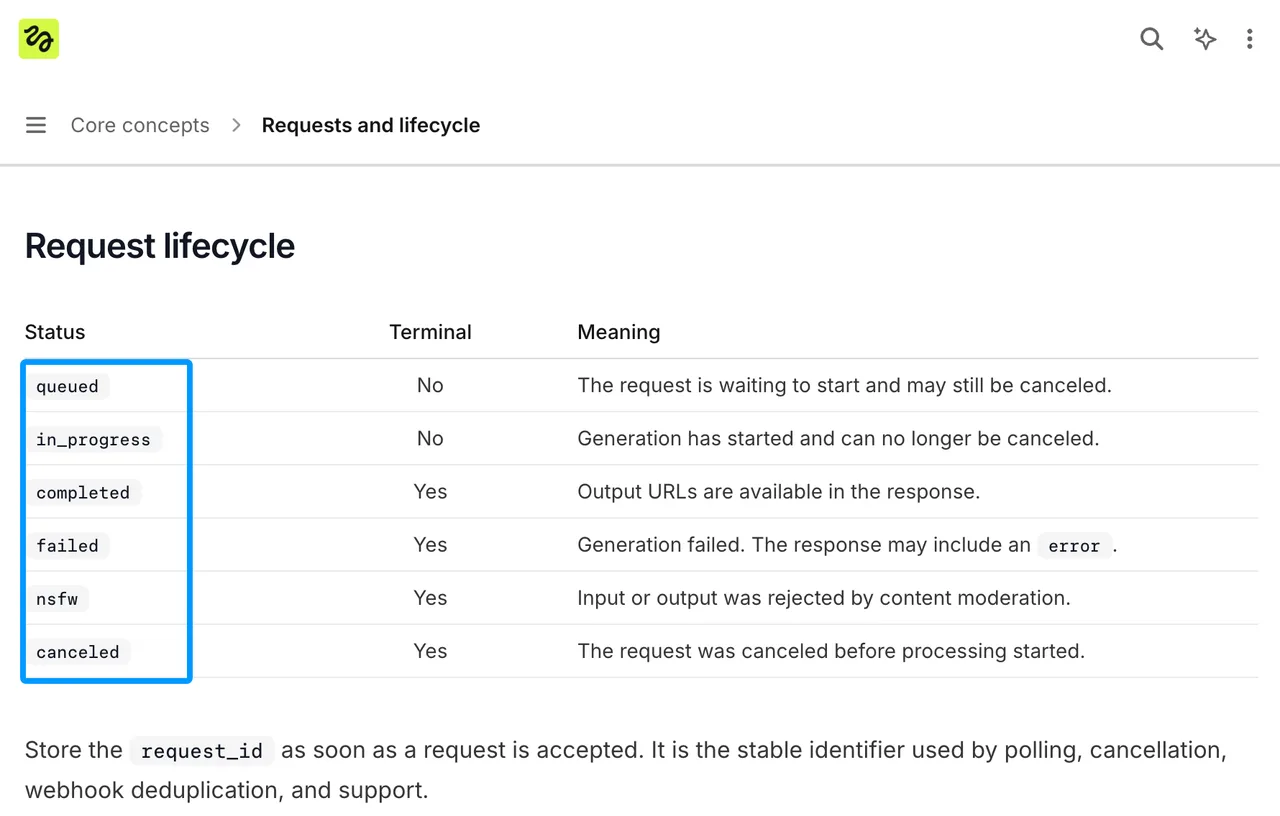
Higgsfield’s request lifecycle documentation lists queued and in_progress as non-terminal states. Stop waiting when the status becomes completed, failed, nsfw, or canceled. Show those outcomes separately in your UI. “Still processing” is poor feedback when the provider has already rejected the job.
Start polling at roughly two-second intervals, then increase the interval for a longer wait. If a status check encounters a transient network error, retry the status check. Do not POST another edit just because one poll failed. Save the final status and any returned error with the request ID so support can distinguish a failed generation from a browser session that ended early.
Retrieve and Check the Finished Video
When status is completed, read video.url from the result. Download the file into storage your product controls, then check that it plays and matches the intended edit. A completed API job is a delivery candidate, not an approval decision.
Review more than a thumbnail. Check the replacement at the start, middle, and end of the clip, particularly where the object moves behind another subject or crosses the frame. Compare the processed duration with the segment you submitted. If sound matters to the feature, inspect the output audio track too; the Object Swap reference does not promise source-audio retention.
A good single output does not mean the production workflow is ready. Provider completion says a file exists. Your acceptance check decides whether that file can enter the product.
Make the Object Swap Reproducible in Production
Save a Replayable Edit Manifest
Keep the source asset version, selected time range, reference-image versions, prompt, resolution, model ID, idempotency key, request ID, and final status together. Add the approved output’s storage location. One person can remember parameters. A team cannot.
This record helps when an editor asks for “the same swap, but with the blue product.” The team can change one input deliberately instead of reconstructing the previous request from a file named final-v3.mp4.
Archive the Original and Approved Output
Retain the original clip for rollback, and save the approved result outside the provider’s temporary media location. Higgsfield’s API terms on retention and consent say generated media is available for at least seven days, but may be deleted afterward. That is not a permanent URL guarantee. Record whether the result was accepted, rejected, or sent back for revision, and why.
FAQ
Does Object Swap retain audio from the source clip?
The published Object Swap reference does not say. Do not promise audio passthrough in your product. Test with an authorized clip containing a recognizable audio track, then inspect the returned file before making that feature claim.
Can a queued Genjutsu request be canceled?
Yes, while it remains eligible in the queue. Send a cancellation request to the returned cancel_url; merely stopping your poller does not cancel the job. Once processing starts, cancellation is no longer available under the documented lifecycle.
What happens if the source URL expires during preparation?
The documentation does not specify one universal failure point for an expiring Object Swap input URL. Keep the source reachable while Higgsfield may need to fetch it. If preparation fails, log the actual request status and error. Acceptance of the POST does not prove the file was already downloaded.
Does an input-preparation failure consume billing units?
It depends on the reported failure. Higgsfield’s billing and retention guidance says requests ending failed or nsfw are not charged and reserved credits are refunded. “Input-preparation failure” is not itself a billing status, so check the response and billing record rather than assigning every such error the same rule.
How long does the completed video URL remain available?
Generated media is accessible for at least seven days and may be removed afterward. Download an approved video promptly. For a Genjutsu API feature that users may revisit weeks later, serve the saved copy from your own storage.
Previous posts:
Related Articles
/filters:quality(82)/media/images/6cd1ca63-9e7e-493b-8a68-97bad82fb7b4.webp)
DomoAI Review 2027: Video Restyling for Teams
/filters:quality(82)/media/images/1773962750383987480_n3hqzHRZ.webp)
Nano Banana 3 Pro Spotted: What the Gempix 3 Pro Leak Tells Us
/filters:quality(82)/media/images/1ecd59e5-56e4-434d-ae06-c414860b29b8.webp)
Best DeepMotion Alternatives in 2027 for Mocap
/filters:quality(82)/media/images/b38eb9e7-de41-4a05-8e79-5e280c4a0c36.webp)
DeepMotion Review 2027: Is Video Mocap Production-Ready?
/filters:quality(82)/media/images/c347367a-a007-4466-b8f7-d37f5fb52819.webp)
Best AI Video Previsualization Tools for 2027
/filters:quality(82)/media/images/cd4db796-7728-45fb-8267-6813ed28e173.webp)