
DomoAI Review 2027: Video Restyling for Teams
DomoAI review for media teams: judge style consistency, source fidelity, revision work, and the cost of an approved clip.
A restyled clip can look good alone and fail in an edit. A face may change after an occlusion, a product label may become unreadable, or adjacent shots may no longer share the same look. This DomoAI review asks whether an authorized source clip can become a deliverable asset without disproportionate regeneration or repair.
It is a documentation-based evaluation framework, not a hands-on test: no footage was uploaded, and no success rate or measured repair time is claimed. Unlike an alternatives page, this article does not ask which service to switch to. It examines one product from source upload to approved edit, where a beautiful preview can still create expensive downstream work.
What Video Work Is DomoAI Best Positioned to Do?
Start With Authorized Source Footage
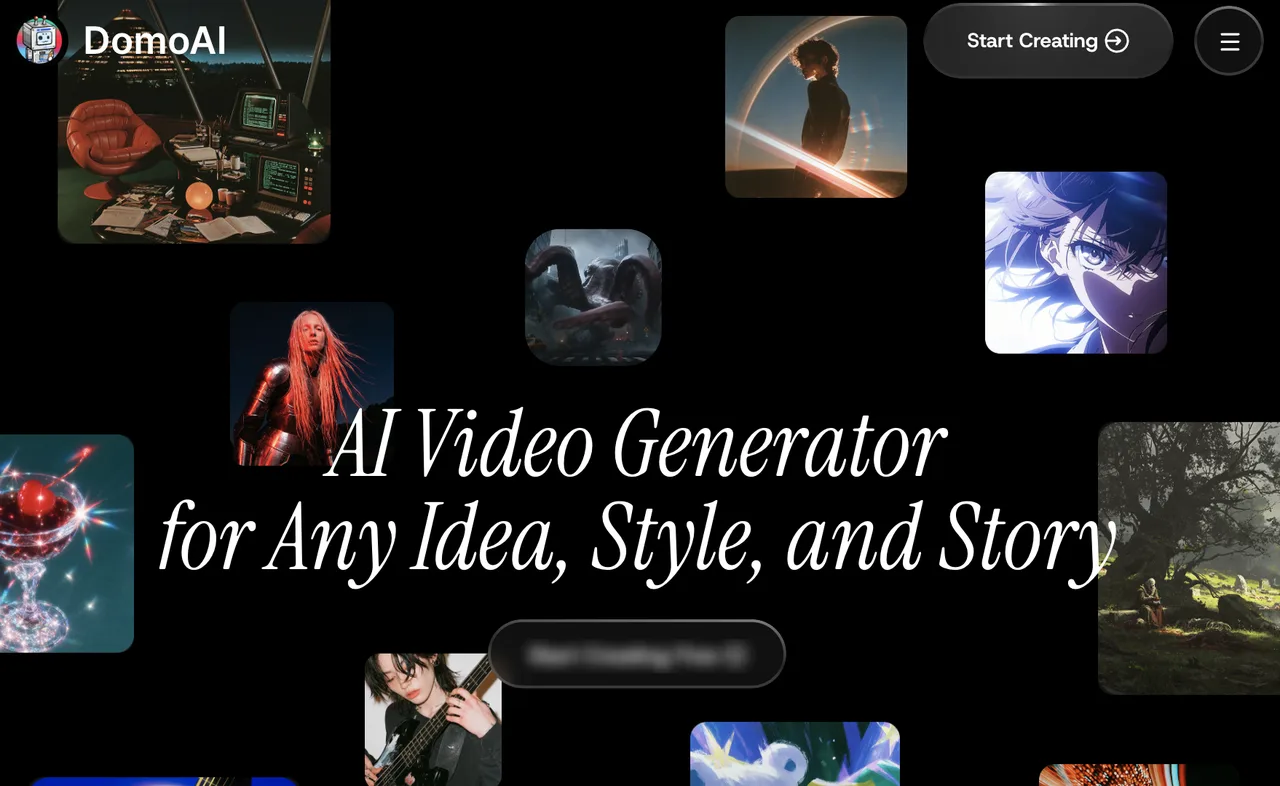
DomoAI video to video takes existing footage, applies a preset or reference-led style, and returns a restyled clip. That suits look development, social edits, music-video treatments, and other work where the action already exists but the appearance can change.
Before uploading, confirm rights to the footage and style references, performer consent where applicable, and permission to send client material to a third-party service. DomoAI’s service terms require rights to inputs and prohibit depicting real people without consent. Permission to use an output commercially does not clear rights in the source.
Choose one authorized test clip with a moving subject, an occlusion, and a background that matters. Preserve the source file, audio, and frame rate. A static portrait will not reveal the same problems as a hand crossing a face or a camera passing a sign.
Set a Measurable Style and Motion Brief
“Make it anime” is too vague for approval. State what may change—palette, texture, linework—and what must remain: identity, clothing, product marks, action order, camera motion, and spoken meaning. Keep duration, aspect ratio, style settings, and reference image constant across attempts.
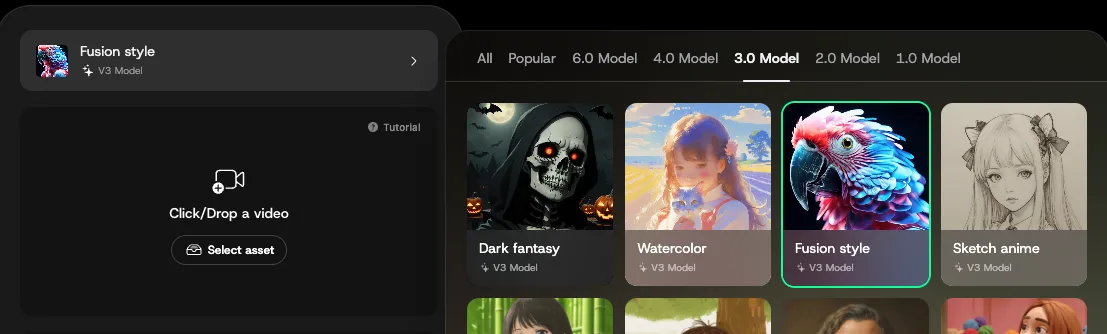
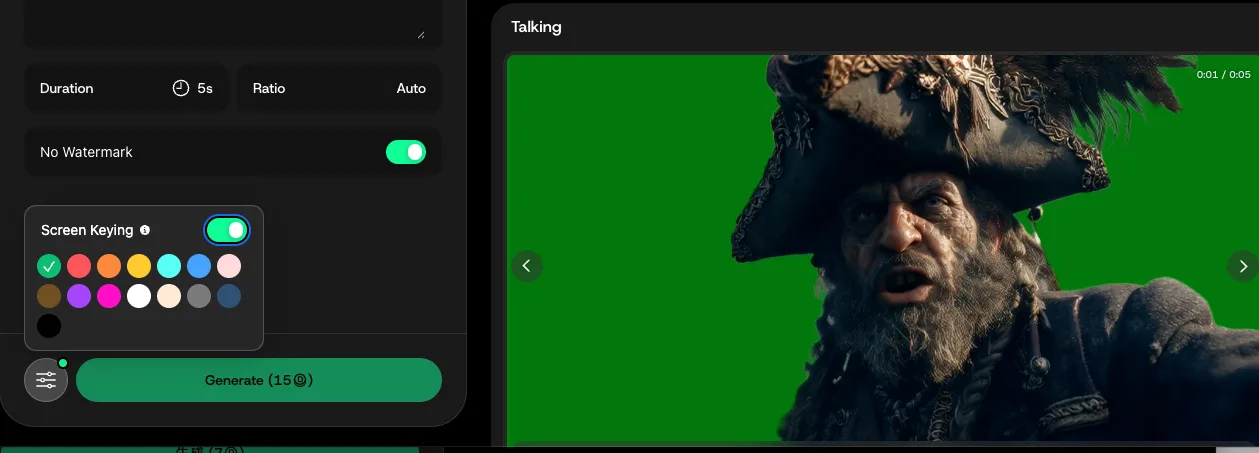
The Video to Video guide describes presets, prompts, reference images, Subject Only, and Screen Keying. It says original motion and audio are preserved. Treat that as intended behavior to check against the source, not a guarantee for every shot.
Use a review log with source timecode, required element, observed change, and decision: accept, local repair, regenerate, or reject. Set an acceptance rule for each element: for example, no logo changes, no missed action beats, and no identity break across an occlusion. Keep the same brief when testing another style so the comparison measures controllability rather than a moving target.
Does the Style Hold Through a Complete Clip?
Check Subject and Background Stability
Watch the entire output at normal speed, then inspect frames around fast movement and occlusion. Does the face remain recognizable? Do clothing and props persist? Does the background retain its layout? A treatment can be useful without pixel-perfect fidelity, but the acceptable threshold differs between a mood film and an advertisement with a specific product.
Set that threshold before viewing the generation. Otherwise an attractive frame may quietly become the new definition of “acceptable.” Count identity breaks, background changes, and frames needing masking. Without a controlled run, there is no basis for claiming how often DomoAI produces them. Capture the first failed frame and the duration of the defect, not just a screenshot of the best frame. A two-frame wobble and a three-second identity change demand very different repairs.
Record Unwanted Changes to Motion and Meaning
Style fidelity is not motion fidelity. A clip can match the requested look while amplifying a gentle gesture, shifting someone’s gaze, or changing the apparent timing of an action. Those differences matter when performance or product use carries the message.
Compare source and output side by side. Check action starts and ends, hand-object contact, and mouth movement against speech. Record whether each problem can be corrected locally. If one small note requires a full regeneration, log it as a large revision cost. Also separate source-footage defects from transformation defects: motion blur or an obstructed face may be present before processing. This distinction prevents a team from blaming the tool for a weak input, or excusing a new artifact as a source problem.
Can Separate Restyled Segments Cut Together?
Lock the Look Across Adjacent Segments
A good single clip is not a usable sequence. Generate two adjacent sections of one scene with identical settings and a shared reference. Compare the cut frames for face shape, palette, line density, clothing, and background geometry.
Length limits depend on the workflow. An older help article states 10 seconds per generation; the current creative-plan listing includes 20- and 30-second Fast-mode video-to-video options for higher tiers. The published enterprise API request still specifies a 10-second maximum. Confirm the limit for the interface and plan you will use. Do not plan a continuous thirty-second client take around a duration displayed for a different mode.
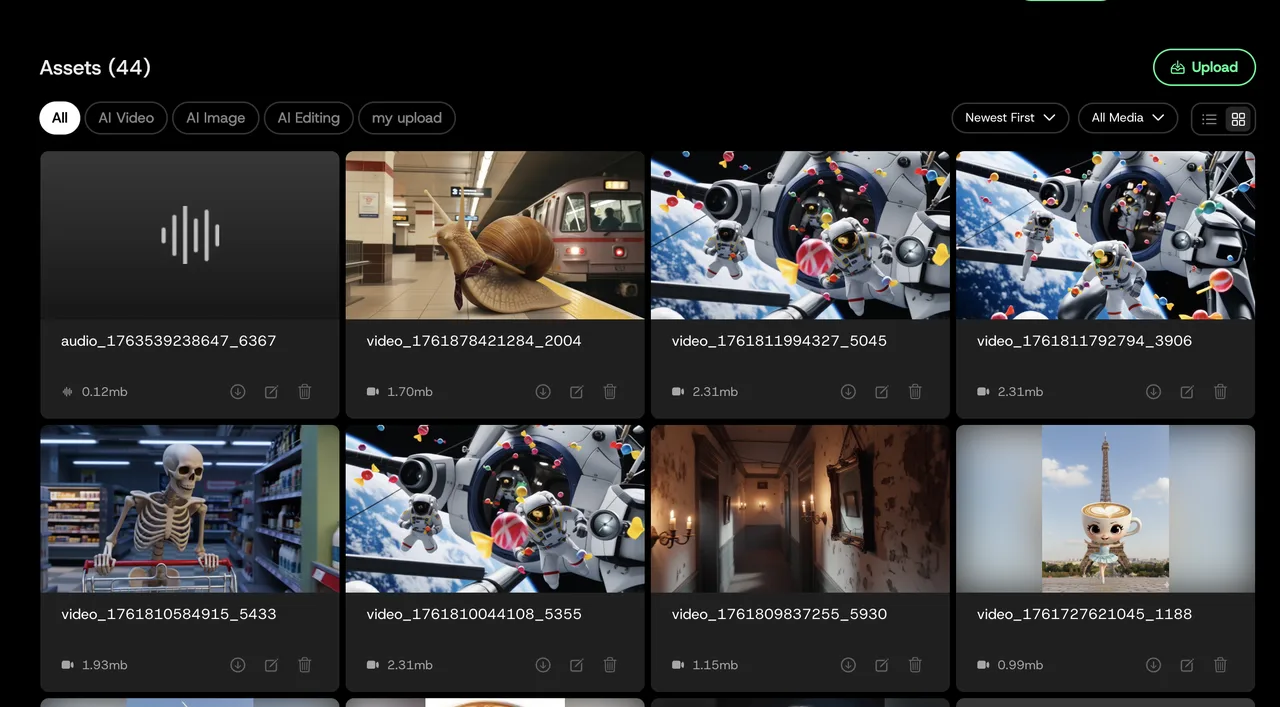
Keep an external record of source timecodes, settings, output versions, and approved cut points. The Assets library guide documents stored uploads and generations, but an asset library is not an editorial decision log.
Check Cut Frames, Audio Sync, and Source Timing
Place the outputs back on the source timeline. Step through each join and check whether action and audio still align. A look change may be harmless at a scene cut but obvious mid-gesture. Record joins that need a dissolve, manual composite, or regenerated segment.
This seam test matters because a team delivering ten connected shots needs a sequence that cuts together, not ten attractive files.
How Expensive Is a Usable Restyle?
Count Re-Generations and Manual Repair
DomoAI credits are only one cost. For each accepted clip, log every attempt, its settings and credits, queue time, review time, and editing time. Calculate:
Cost per usable clip = (generation spend + review and repair labor) ÷ accepted clips.
Include rejected attempts. Add a “revision radius”: when a client requests one change, how many seconds must be regenerated and reapproved? A cheap generation is not cheap if changing a sleeve color means rebuilding an approved shot.
Creative plans distinguish credit-consuming Fast mode from Relax mode on supported models, with access varying by plan. Capture the displayed cost for your exact duration and setting, then confirm checkout terms. A monthly credit allowance is not a per-deliverable price. For a useful pilot, stop only when the shot meets the prewritten acceptance rules or reaches a fixed attempt limit. Include the cost of abandoned shots in the numerator. Otherwise a team can report a low price per generation while hiding the attempts that never became deliverables.
Separate Creative UI Work From Repeatable API Needs
The browser workflow suits a few creative options. Repeatable production needs job submission, status retrieval, consistent parameters, failure handling, and storage.
DomoAI publishes an enterprise video-to-video API with a model, prompt, input, duration, and callback. That does not establish that every creative-interface control exists in the API; compare required settings before promising parity. Its API output guide says result URLs expire after eight hours. Download approved files into your own storage with source and settings metadata. Budget API usage separately from a creative subscription. The API’s documented ten-second request limit may force segmentation even where a longer creative-UI option exists. For an automated workflow, verify permitted throughput, callback reliability, and the exact style models available before estimating delivery time. None of these checks can be inferred from a successful manual preview.
When Should a Team Keep Its Existing Editing Stack?
Short Stylized Experiments
DomoAI animation is worth considering for short concepts, social clips, and look development where visual interpretation is acceptable. It can help a team decide whether to pursue a treatment before frame-by-frame finishing.
Keep audio, captions, graphics, color references, and approvals in the existing edit. Compare each exported generation with its source and retain the approved version. Judge the finished sequence, not the gallery preview.
Limits for Frame-Accurate Client Revisions
Keep conventional editing and compositing in charge when a client needs exact product geometry, readable legal text, stable identity, or changes limited to specified frames. Full-shot regeneration is a poor replacement for a tracked mask when the rest is already approved.
DomoAI export is documented as MP4 for video-to-video. Its Screen Keying guide describes green-screen or transparent outputs, but public documentation does not specify an alpha-bearing codec or export format. Inspect a sample in your compositing software before promising transparency. A keyable green background is not a verified alpha channel. Also check resolution, frame rate, audio track, and whether the exported file preserves the timing required by the edit. “MP4” alone does not describe those delivery properties.
FAQ
Does DomoAI preserve the original audio in a restyled clip?
Its documentation says yes. Compare the exported audio with the source and check sync through the entire clip, particularly across joined segments. The claim is not a substitute for checking your file.
Can DomoAI export an alpha channel for compositing?
A verified alpha-channel file format is not publicly specified. Screen Keying is documented, including green-screen output. Inspect the actual file before designing an alpha-dependent workflow.
When are uploaded DomoAI reference images removed?
A fixed automatic deletion period is not disclosed in the privacy policy, which says user content is retained according to account settings and legal requirements. Uploaded files appear under “My Upload” with a delete action. The account-deletion instructions describe removal of associated data, but give no precise backend deletion timetable for an individual reference image. Request written retention details for sensitive client assets.
Can multiple team members edit the same DomoAI project?
The Team offering advertises a workspace and shared credits. Public materials do not establish simultaneous editing of one project, frame comments, edit locks, or approval history. Test those actions with the intended seats; shared credits are not shared editing.
Can a client-owned style reference be used commercially in DomoAI?
Potentially, if permission covers upload, processing, and the intended commercial output, without infringing third-party rights. Get that scope in writing, especially for recognizable people, brands, or confidential artwork. This is general information, not legal advice.
Conclusion

The useful question in a DomoAI review is whether a source clip remains coherent through motion, survives joins, and accepts revisions without rebuilding approved work. Documentation establishes a video-to-video workflow and a separate API, but not your team’s repair rate.
Run a controlled sequence test, count every regeneration and local fix, and calculate cost per accepted clip. If the look holds and revisions stay contained, DomoAI can fit the stack. If exact frames or client changes dominate, keep the editor as the source of truth.
Previous posts:
Related Articles
/filters:quality(82)/media/images/567077af-c3bd-4701-ba96-1b981a515d79.webp)
Genjutsu API: Submit One Object Swap Video
/filters:quality(82)/media/images/1773962750383987480_n3hqzHRZ.webp)
Nano Banana 3 Pro Spotted: What the Gempix 3 Pro Leak Tells Us
/filters:quality(82)/media/images/1ecd59e5-56e4-434d-ae06-c414860b29b8.webp)
Best DeepMotion Alternatives in 2027 for Mocap
/filters:quality(82)/media/images/b38eb9e7-de41-4a05-8e79-5e280c4a0c36.webp)
DeepMotion Review 2027: Is Video Mocap Production-Ready?
/filters:quality(82)/media/images/c347367a-a007-4466-b8f7-d37f5fb52819.webp)
Best AI Video Previsualization Tools for 2027
/filters:quality(82)/media/images/cd4db796-7728-45fb-8267-6813ed28e173.webp)