
Best DeepMotion Alternatives in 2027 for Mocap
DeepMotion alternatives for animation teams: compare source-video capture, editable motion, retargeting, and production handoff.
A motion take can look fine in a web preview and fail when it reaches the game rig. The feet slide during a turn. The character moves in place when the scene needs travel. Someone fixes the shoulders, but nobody records which export setting produced the file.
That is the production question behind DeepMotion alternatives: which tool can deliver motion your team can edit, retarget, and hand off? This guide compares Rokoko Vision, Plask, and Move.ai for teams moving an existing DeepMotion workflow.
Which DeepMotion Job Needs Replacing?
Write down the deliverable before comparing markerless motion capture tools. A game team may need a looping FBX animation on its established skeleton. An ad team may need a character preview for client approval. Both start with video, but they finish at different points in the pipeline.
| Deliverable | First tool to investigate | Main acceptance check |
|---|---|---|
| Body motion for an existing rig | Rokoko Vision | Skeleton preset and cleanup path |
| Motion that artists will edit in a browser | Plask | Retargeting and export constraints |
| Planned single-camera or synchronized production capture | Move.ai | Capture setup and downstream timing |
| A rendered character preview with little downstream editing | Keep DeepMotion in the comparison | Whether its existing workflow already delivers it |
Capture Body Motion, Retarget a Rig, or Render a Character
DeepMotion can turn footage into animation files, apply motion to a custom character, and produce a video render. Those are separate jobs. Replacing its video-to-motion step does not guarantee that character retargeting or rendering becomes easier.
For each current take, record what leaves DeepMotion: a motion-only file, an animated character, or an MP4. Then note the receiving application and skeleton. A Blender preview proves little if the actual asset must enter Unreal with root motion intact.
The same distinction matters when searching for video to 3D animation. Some results focus on an attractive rendered character. Teams making mocap for game assets need the motion curves, rig mapping, and export settings behind that preview.
Compare Tracking Failures, Cleanup, and Cost per Usable Take
Use the same footage you have permission to process across candidates. Include a turn, a crouch, an arm crossing the torso, a short occlusion, and a hand gesture if hands matter to the shot. Keep the camera file, crop, frame rate, and acceptance rule fixed.
Review the exported motion on the target rig. Mark missing frames, foot drift, hand recovery, root displacement, and joints that require manual correction. Record artist cleanup time alongside processing time. This cannot be judged by feel. It needs a sample run.
Cost per usable take means the credits or subscription allocation plus cleanup labor and reruns, divided by the clips that pass your delivery check. A polished preview that needs extensive rig repair belongs in the failed or rework column, however good the first impression was.
-
Rokoko Vision for Camera-Based Capture
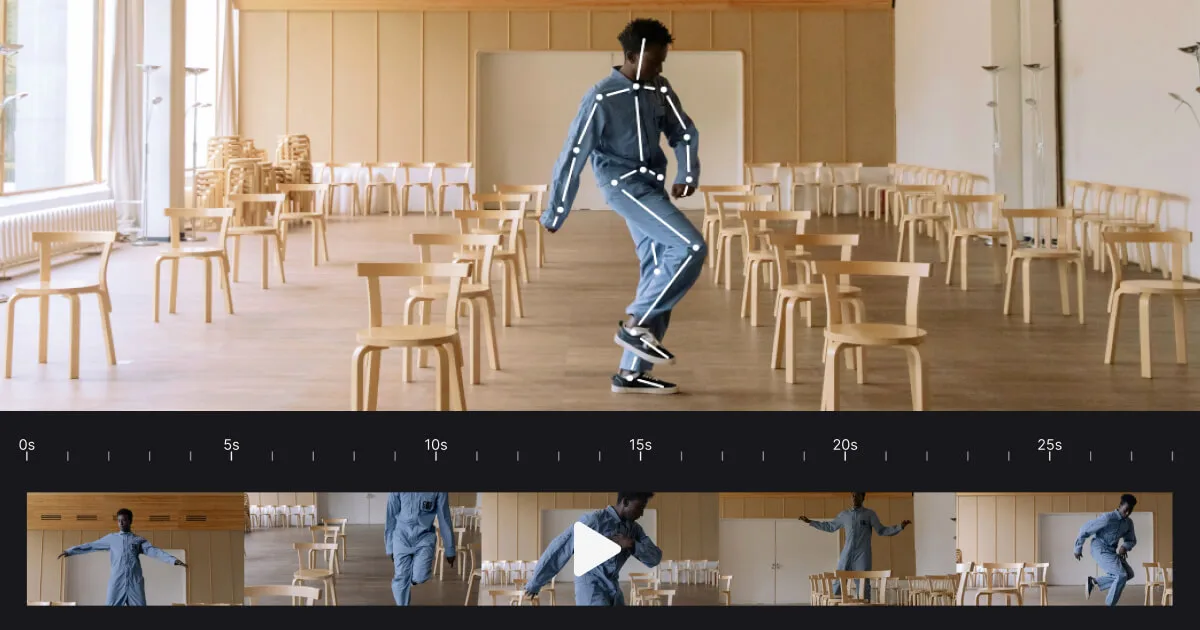
Rokoko Vision suits a team that wants to capture body motion from video, then move the result into a more deliberate editing and export workflow in Rokoko Studio.
Capture Workflow and Motion Output
The path is straightforward: submit footage through Rokoko Create, open the resulting motion in Studio to inspect it, perform cleanup or retargeting if needed, and export for the receiving tool. Studio’s export documentation describes FBX, BVH, skeleton presets, and frame-rate settings.
That skeleton choice deserves a real test. Export one take using the preset closest to your target rig, import it, and check a turn and a planted step. Matching a preset name does not prove that root movement, scale, or every joint lands correctly.
Hardware and Cleanup Limits
Video capture does not require a suit. Rokoko’s wider hardware system has other capture options, but a feature available in Studio should not automatically be attributed to Vision footage. Check the specific input path for finger motion or other details your shot requires.
Export access also varies by plan. Rokoko documents FBX on all Studio subscriptions, while BVH, 60 fps, and certain advanced settings require paid access. Budget for the export configuration the team will actually deliver, as well as the time spent fixing foot contact.
-
Plask for Browser Mocap Editing
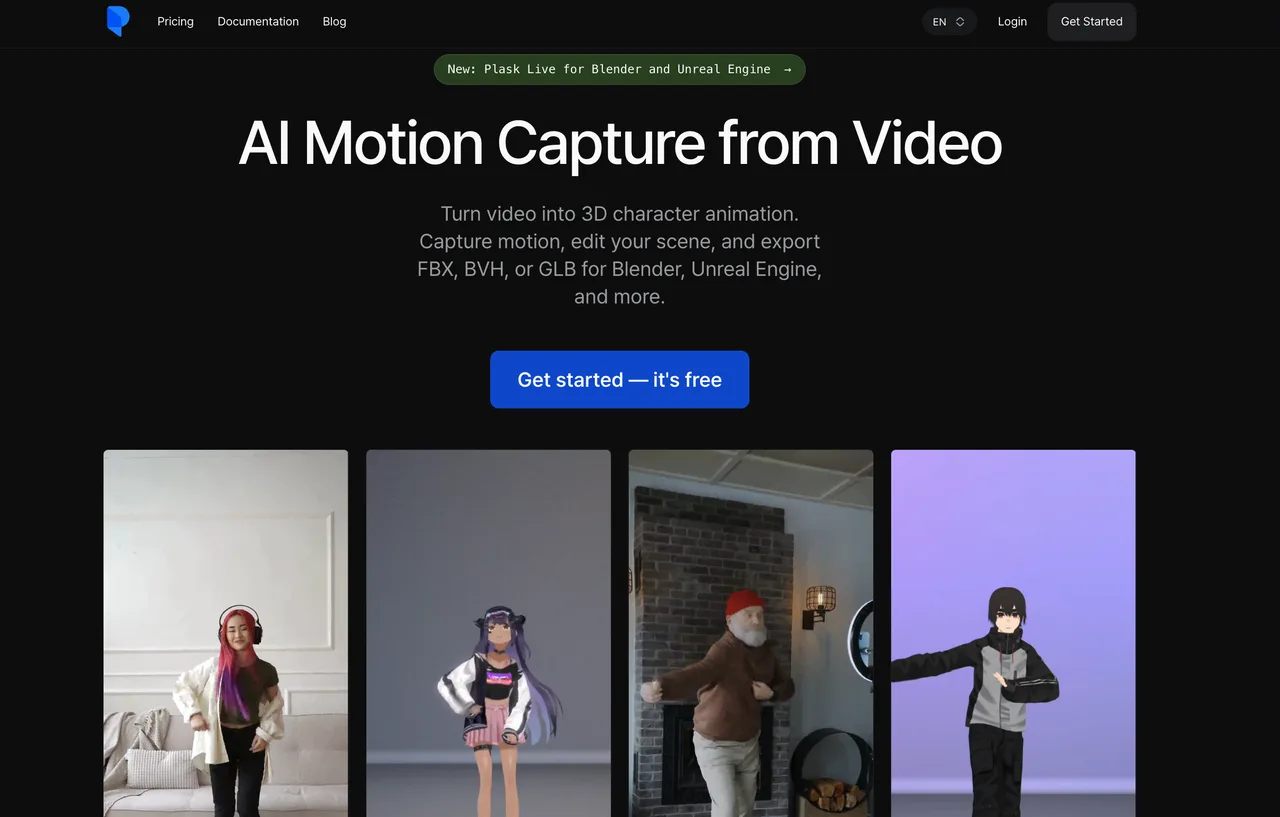
Plask is worth testing when an animator wants to extract motion from video, adjust it, apply it to a character, and review the scene in a browser before export.
Clip-to-Motion Workflow
Plask lets users select a segment of uploaded footage and extract its motion. Artists can then apply that motion to a rigged model and work on keyframes or curves. That editing step may save a handoff for teams whose current DeepMotion export immediately goes into another tool for basic corrections.
Test the entire clip-to-motion path. A short movement may look acceptable in Plask’s viewport yet change after retargeting to your production character. Save the original extraction and an edited version so reviewers can see what the tool supplied and what the artist repaired.
Export and Team Limits
Plask’s export guide lists FBX, GLB, and BVH. Its BVH path has a specific constraint: the model must be retargeted, and only motion from 24 mapped bones is exported. If your receiving rig needs more detail, inspect FBX or GLB rather than assuming another extension will preserve it.
Plask offers scene sharing and team editing, but collaboration in a browser does not replace asset version records. Before subscribing for a group, check current processing credits, storage, project access, and API terms against your expected take volume. Keep local copies of approved exports and the rig used to approve them.
-
Move.ai for Production Capture
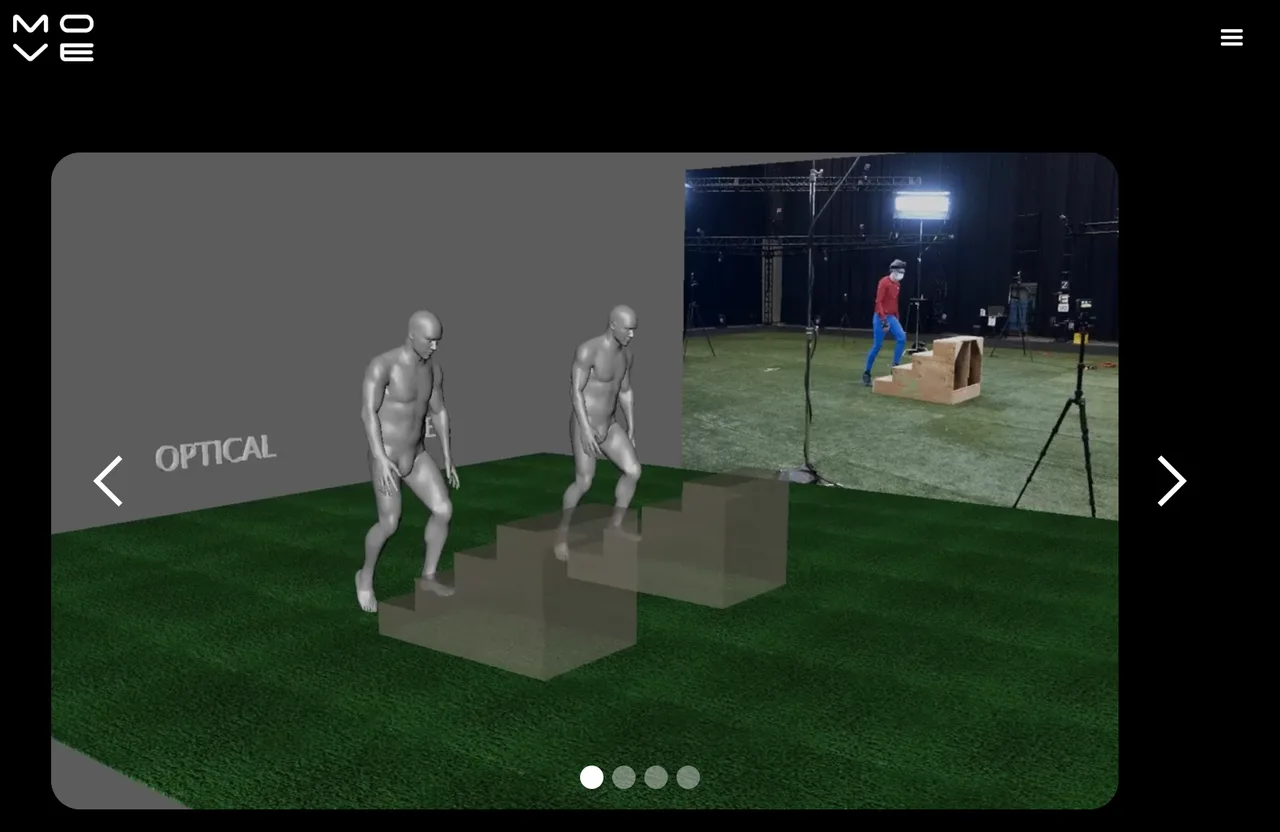
Move.ai covers more than one capture setup. Move One accepts single-camera footage; Move’s professional capture workflows add camera preparation and synchronization options. Price and evaluate the workflow you intend to operate.
Camera Setup and Tracking Control
The Move One single-file guide describes uploading MP4, MOV, or AVI footage. For best results, it recommends a fixed camera, one centered performer, Full HD, and at least 60 fps. An existing DeepMotion clip may be technically accepted yet still be a poor comparison sample if it was shot outside those conditions.
For a controlled production shoot, plan the camera layout and synchronization before recording. A second angle or a carefully calibrated volume changes the capture job, so do not present results from that setup as proof that the single-camera route performs the same way.
Deployment and Budget Trade-Offs
Move.ai makes more sense when the team can control the shoot and needs to coordinate motion with other captured elements. The cost sheet then includes camera setup, performer time, data preparation, processing, cleanup, and retargeting. A subscription figure alone misses most of that work.
For occasional ad blocking, this preparation may be hard to justify. For repeated character shoots or synchronized production, it may prevent expensive repairs later. Neither judgment needs an invented accuracy percentage; the approved take and its cleanup record will tell the team enough.
Preserve Motion Provenance Before Leaving DeepMotion
A usable FBX can still be a poor handoff. Six months later, another artist may need to revise it and find only a file called walk_final_3.fbx. One person can remember the settings. A team cannot.
Archive the Source, Export Settings, and Skeleton Map
Create one handoff record per take before the old account or project changes. It should contain the consented source video and its checksum; source frame rate and selected frame range; tool and processing settings; tracking options; export format and frame rate; skeleton preset or bone map; root-motion choice; target rig; and the location of the approved animation.
Keep the first export and the cleaned file as separate versions. Add a short repair note: “left foot slid during turn; corrected frames 84–102” is useful. “Fixed mocap” is not. Record the time spent on that repair so the next tool comparison includes labor.
This package helps locate the source of a bad result. If the actor travels in the video but stands still in the engine, the team can check capture, root settings, export, and retargeting in order.
Set Consent, Retention, and Deletion Rules for Performer Footage
Before uploading a performer’s video to another service, confirm that the team has permission for motion extraction and the planned use of the resulting animation. Record who may access the footage, where the source and derived motion are stored, and when each copy should be removed. This is a production checklist, not legal advice.
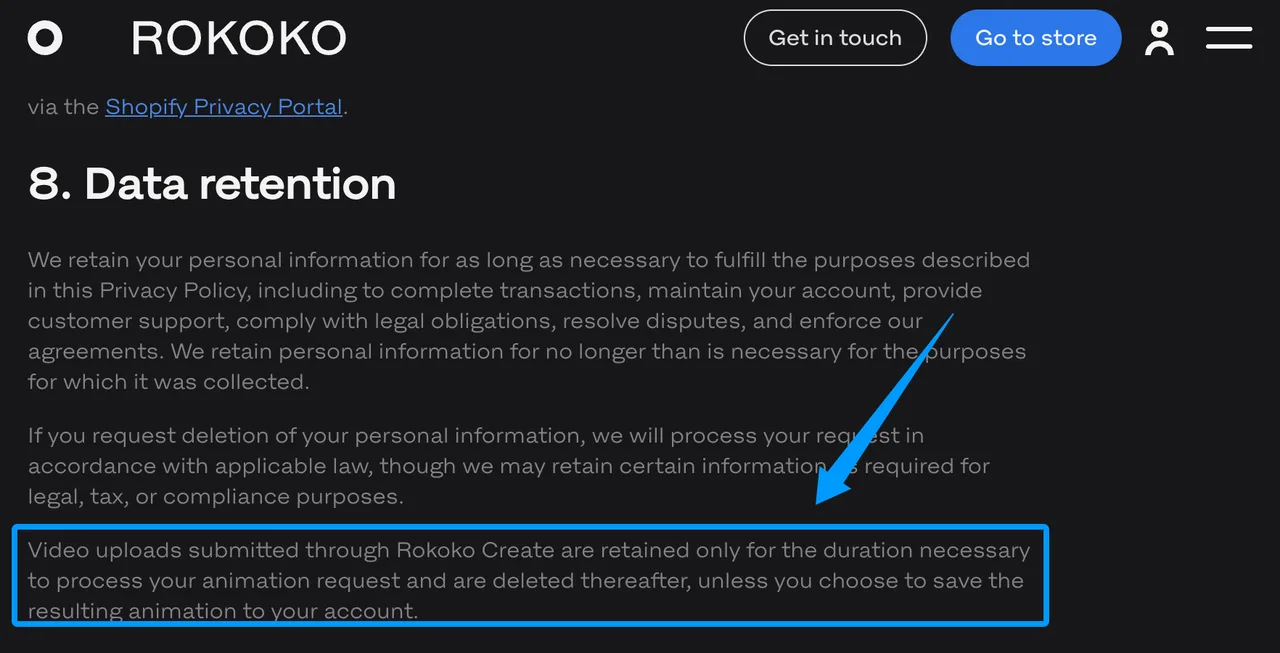
Check the service’s current policy separately from your own deletion procedure. Rokoko’s privacy policy says Rokoko Create video uploads are kept for processing and then deleted unless the resulting animation is saved to the account; it also describes how to request deletion of personal information, subject to exceptions. Do not extend that promise to other vendors or assume deleting a project removes every team backup.
DeepMotion’s terms for generated products also matter to asset handoff. They permit specified commercial uses under paid plans while restricting distribution of generated products as standalone digital assets. A team selling motion files needs to check that boundary before assuming it can carry its old library into a new business model.
Choose by Final Animation Asset
The best candidate is the one whose output survives the final import. Decide with an approved rigged asset, not a provider preview.
Engine-Ready Motion Versus Preview Video
For engine-ready motion, inspect bone names, reference pose, root displacement, foot contact, scale, and loop seam in the target engine. Motion retargeting software can repair some mismatches, but each repair adds work to every future take.
For a client preview, the rendered character and revision speed may matter more. If nobody needs editable skeleton data, a fuller production capture setup may add steps without improving the deliverable.
When DeepMotion Still Has the Simpler Pipeline
Keep DeepMotion on the shortlist if the team already goes from video upload to approved retargeted character or render with little correction. A replacement that produces cleaner raw motion can still lengthen the path to the approved asset.
Switch when a repeatable failure justifies the move: missing motion detail, excessive cleanup, unsuitable output settings, or a capture requirement the current pipeline cannot meet. Carry one representative take through both workflows before migrating the library.
FAQ
Can DeepMotion motion files retain character-root transforms?
They may contain root translation, but inspect the export settings and the file itself. DeepMotion provides root-at-origin options in its workflows, and a setting that holds the root in place can change how travel appears after import. Compare the source video’s displacement with the root and hip tracks on the receiving rig.
Do replacements accept the same skeleton naming convention?
Do not assume so. Presets can help, but bone names, hierarchy, rest pose, and scale still need checking. Save a mapping from the DeepMotion export skeleton to the target rig, then test it with a turn and a crouch before batch retargeting.
Can past DeepMotion takes be reopened after a subscription ends?
Public cancellation information does not establish a dependable access period for every historical project and source file. Export the motion, rendered previews, source footage you control, and processing records before cancelling. Ask DeepMotion to confirm any project-access period your team needs.
Which services let teams delete uploaded performer footage?
The answer depends on the service and the type of data. Rokoko publishes a specific Rokoko Create upload-retention statement and a personal-information deletion request process. For DeepMotion, Plask, and Move.ai, review the current policy and obtain written clarification for source video, derived motion, backups, and deletion timing before uploading sensitive footage. A request to delete personal data is not a blanket promise that every file disappears immediately.
Can a mocap export preserve frame-accurate source timecode?
Some controlled workflows can. Move’s Genesis timecode workflow documents FBX output that retains original timecode when cameras share a clock and the take is processed with timecode synchronization. Do not infer the same behavior for a casual single-video upload. Check the exported file in the actual edit or animation timeline.
Conclusion
The useful DeepMotion alternatives for this migration are Rokoko Vision for camera-based body capture with Studio export, Plask for browser editing, and Move.ai when the capture setup itself needs more control. RADiCAL is absent because its standalone service has ended.
Pick one consented take that represents your hardest routine delivery. Run it through the candidate tool, clean it, retarget it, and open it in the final application. Save the handoff record beside the approved file. That result can support a migration decision; a feature list cannot.
Previous posts:
/filters:quality(82)/media/images/b38eb9e7-de41-4a05-8e79-5e280c4a0c36.webp)
/filters:quality(82)/media/images/c347367a-a007-4466-b8f7-d37f5fb52819.webp)
/filters:quality(82)/media/images/cd4db796-7728-45fb-8267-6813ed28e173.webp)
/filters:quality(82)/media/images/1791535252286714222_v4jvJT2a.webp)
/filters:quality(82)/media/images/1791451065663755033_qNqAKS1a.webp)
/filters:quality(82)/media/images/1791359984291066138_tW5eOX6f.webp)