
Best Comfy Cloud Alternatives in 2027
Comfy Cloud alternatives for media teams: compare graph portability, custom nodes, deployment, and run economics.

A workflow can open perfectly and still fail as a production migration. The graph may be present while a custom node, private checkpoint, Python dependency, or output path is missing. That is why my shortlist of Comfy Cloud alternatives starts with workflow survival, not GPU specifications.
I’m John. I have not run a controlled migration across all four services, so this is an evidence review, not a hands-on ranking. My practical verdict is straightforward: RunComfy is closest to an interactive hosted ComfyUI session, ComfyDeploy is better aligned with graph-to-API delivery, ThinkDiffusion suits browser-based creative work, and RunPod offers the most infrastructure control with the most operational responsibility. None is a universal replacement.
What Must a Comfy Cloud Replacement Preserve?

Graphs, Custom Nodes, Models, and Output Assets
A ComfyUI workflow is more than its JSON file. A credible migration package should include the ComfyUI version, every custom-node repository and commit, Python dependencies, model filenames and hashes, licensed input assets, seeds, sampler settings, and expected output metadata. Without that manifest, “the same graph” may produce a different result or fail before generation begins.
This matters because Comfy Cloud currently supports a maintained set of preinstalled custom nodes, but does not let users directly install arbitrary nodes through ComfyUI Manager. A team leaving because one private or unsupported node blocks its graph needs to test that exact node elsewhere.
Do not switch models yet. Look at the workflow first. Confirm whether private checkpoints, LoRAs, fonts, reference media, temporary files, and final assets move with the graph or require separate storage.
Compare Runtime Limits and Cost per Approved Asset
This cannot be judged by feel. It needs a sample run. Use one authorized workflow containing at least two non-default nodes, one private model, and representative image or video outputs. Run it repeatedly under fixed inputs and acceptance rules. Record setup hours, missing-node errors, cold starts, queue time, failed runs, manual repairs, output consistency, and approved assets.
For each candidate, archive the input package, console logs, invoices, and approved outputs so another operator can reproduce both the result and its cost later.
Then calculate:
Cost per approved asset = (compute + storage + transfer + failed runs + operator time) / approved outputs
Hourly GPU price alone hides idle sessions, model downloads, reruns, and an engineer repairing a drifting environment. Judge fidelity against documented acceptance criteria, not only a shared seed.
-
RunComfy for Hosted ComfyUI Sessions
Existing Graph and Node Workflow
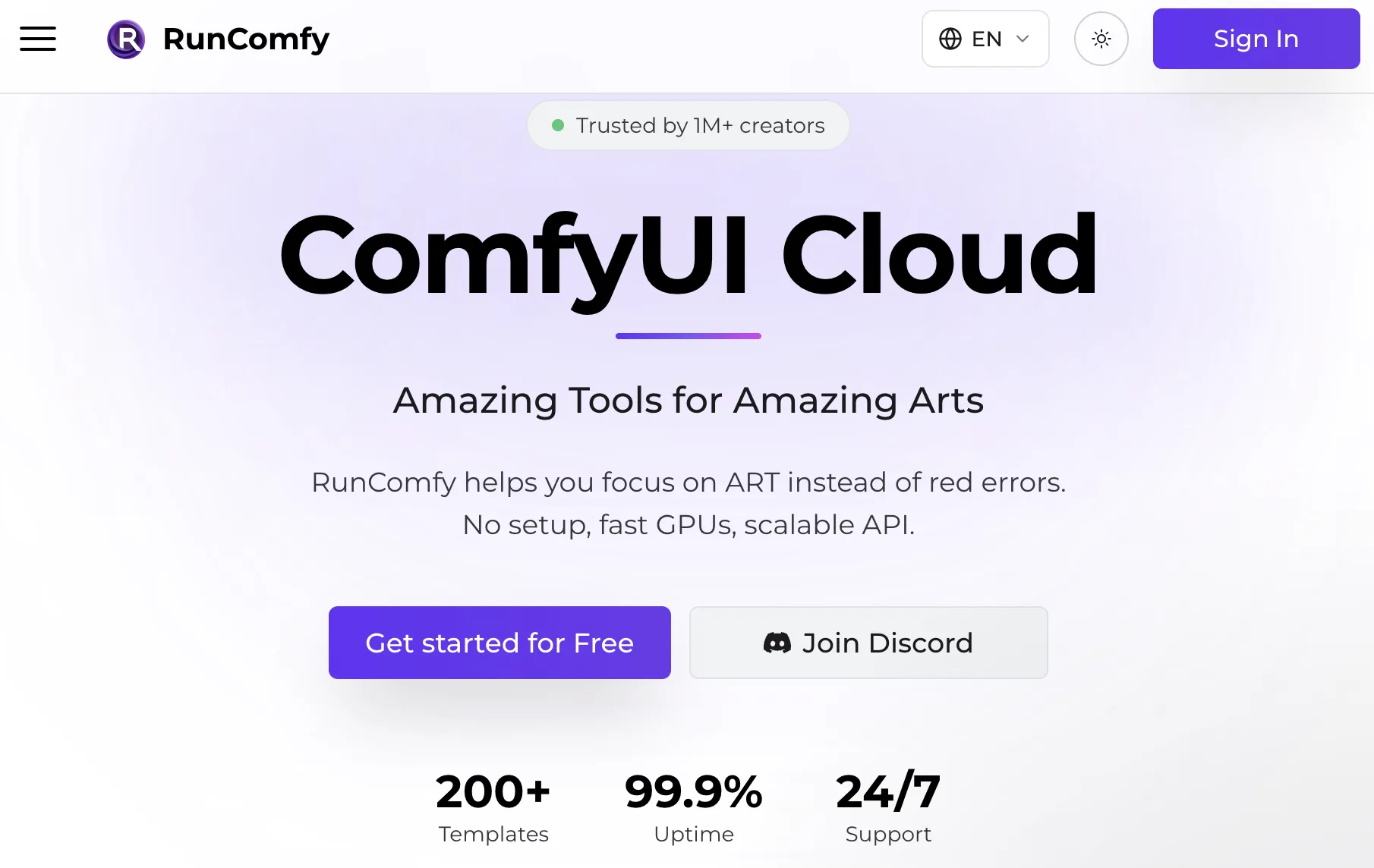
RunComfy is the closest fit here for teams that want to keep working inside recognizable ComfyUI rather than translate a graph into another abstraction. Its hosted workspace supports custom nodes and persistent models, while Cloud Save is designed to capture the workflow, nodes, models, and runtime environment. The same saved environment can then become a serverless endpoint through RunComfy’s ComfyUI API deployment flow.
That combination helps when artists edit a native graph while developers need asynchronous request, status, result, and cancellation operations. Test private repositories, install scripts, licensed models, and path-dependent nodes before calling the move complete.
Operational and Billing Limits
RunComfy bills GPU use by time, and storage allowances or retention vary by plan. GPU size also affects availability and cost. A saved environment can reduce reconstruction work, but large model startup, inactive storage rules, and serverless cold starts can change the economics of repeat jobs.
Time both an interactive session and an API deployment. Include build failures, first-run model loading, cancellation, idle charges, and storage after the last job. Check current terms in the purchase dashboard.
-
ComfyDeploy for Workflow Endpoints
Graph-to-API Deployment
ComfyDeploy is aimed at turning ComfyUI workflows into managed applications and endpoints. Teams can import a graph, identify custom nodes and models, expose selected inputs, select a machine, and deploy a workflow version. Its official documentation also describes private model storage, team workspaces, API runs, cancellation, and webhooks.
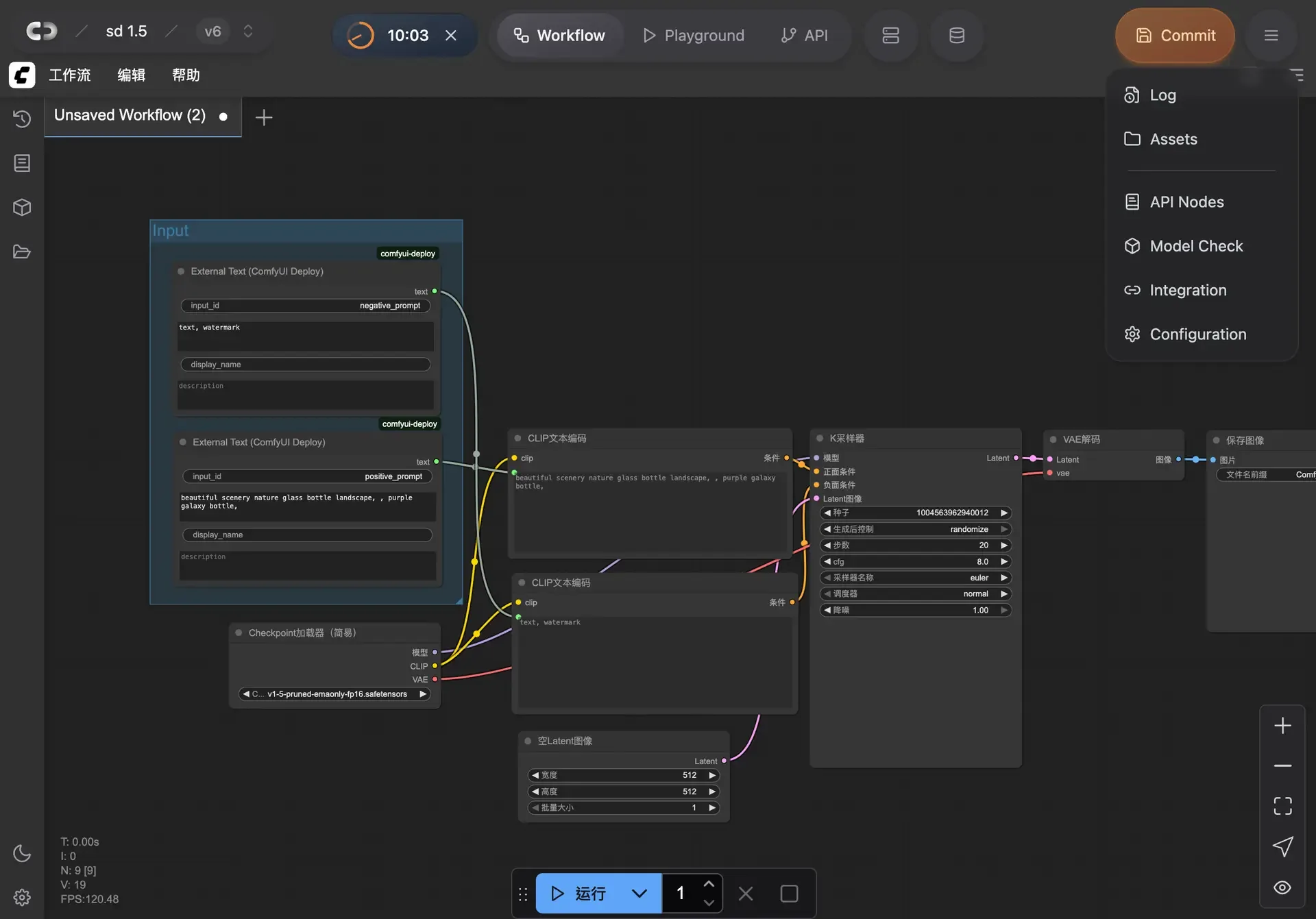
This is a stronger match than a general GPU desktop when the deliverable is a stable application endpoint. Test the API-format graph, request schema, output retrieval, webhook retries, authentication, concurrency, and failed-run inspection.
Version and Control Trade-Offs
ComfyDeploy environments can pin a custom node by hash, and a deployment connects a workflow version to a machine. Record every pin and treat environment changes as releases. Its import process may detect node packs, while model checking depends on exact filenames and can require manual resolution.
The trade-off is platform-managed structure. Team roles, deployment controls, and provider runtime behavior replace some direct server access. Public documentation does not clearly disclose every region, deletion path, or ownership-transfer procedure, so confirm those items in the live dashboard or contract. “Managed” should reduce routine work, not erase the need for release records.
-
ThinkDiffusion for Managed GPU Work
Browser Workspace and Model Access
ThinkDiffusion provides a private browser-accessed machine where teams can launch ComfyUI, install custom nodes, and use models from common repositories or their own uploads. Its official FAQ describes persistent storage and team workspaces that can share models, nodes, workflows, and extensions.
This attracts artists who want a managed GPU workstation without maintaining local hardware. The fit is weaker when the requirement is an immutable, autoscaled endpoint with explicit workflow releases.
Reproducibility and Team Limits
A persistent workspace is convenient, but persistence is not version control. A member can update a node, replace a model, or alter a shared file and unintentionally change later results. Keep workflow JSON in source control and maintain a separate lock manifest containing node commits, model hashes, application version, and dependency details.
Test permissions, simultaneous machines, shared-drive behavior, plan-change storage, and backup restoration. Current pricing separates machine time from subscription storage and collaboration benefits; budget from the live checkout.
-
RunPod for Self-Managed ComfyUI
GPU and Storage Control
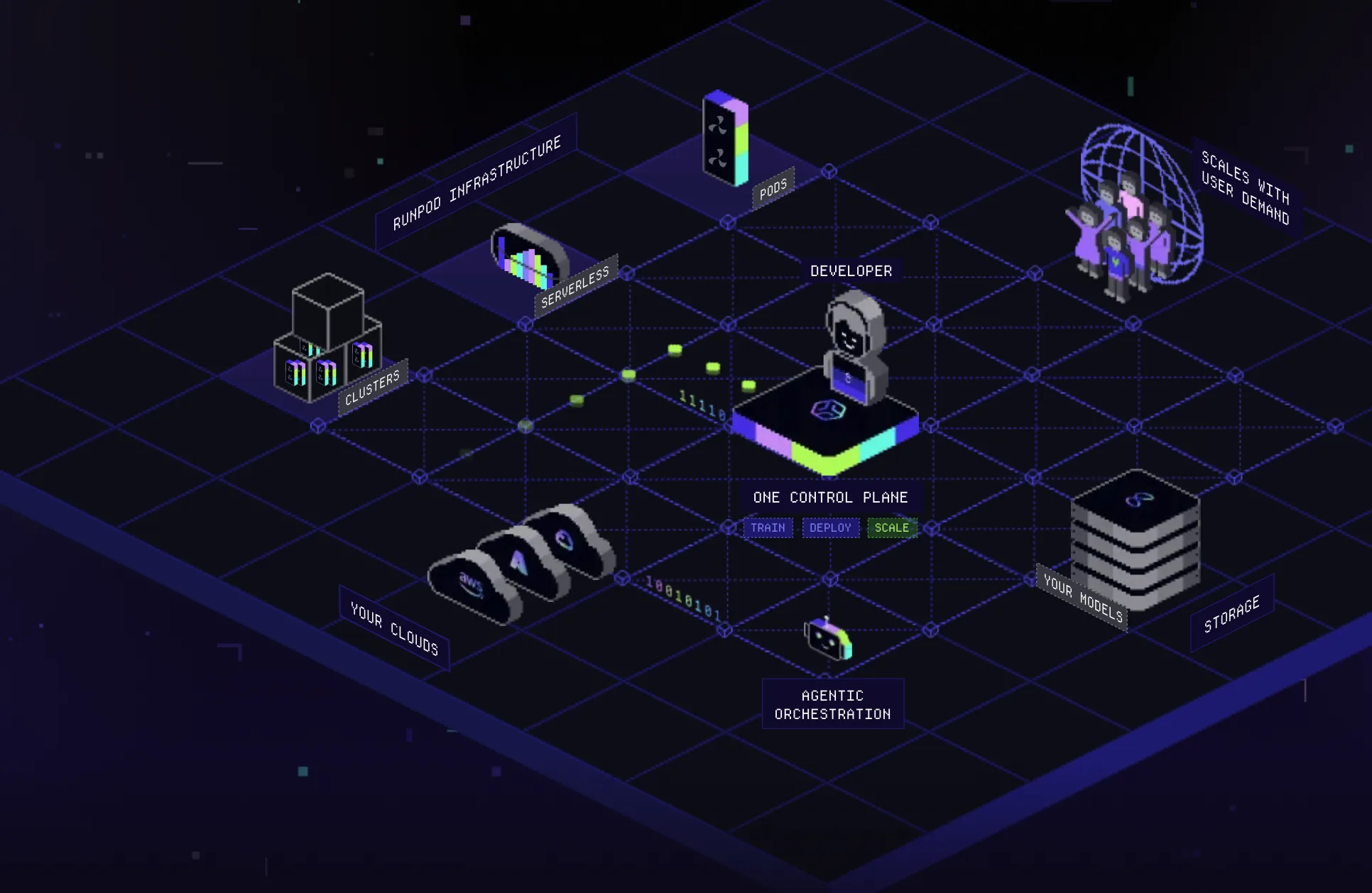
RunPod is not a managed ComfyUI product in the same sense. It supplies GPU infrastructure on which a team can run a template or its own container. Official ComfyUI templates use persistent workspace storage, and network volumes can keep models and installations beyond one Pod’s life. Current RunPod pricing lists GPU, container, volume, and network-storage charges separately, with availability varying by region.
For an infrastructure-capable team, this control is the appeal. You can define the image, startup scripts, node commits, security boundary, storage layout, and backup process. It is also easier to preserve unusual dependencies that managed hosted ComfyUI services may reject.
Setup and Maintenance Burden
The same control creates work. Your team owns image updates, dependency conflicts, secrets, network access, monitoring, queue logic, failed-job recovery, and capacity planning. Network volumes must be deleted separately; Pod volume disks are deleted when the Pod is terminated. Terminating compute still does not prove every external replica or backup is gone.
Benchmark setup from a clean environment, not from an engineer’s warmed personal volume. Measure image-build time, model hydration, patching, recovery after interruption, and hours spent maintaining the service. RunPod may have the lowest visible compute rate in one configuration and still cost more per approved asset after operator time.
Choose Between Hosted Graphs and Model APIs
When a Native ComfyUI Graph Must Survive
Keep native ComfyUI when custom nodes contain important logic, artists need visual iteration, local preprocessing determines quality, or the graph changes frequently. RunComfy, ComfyDeploy, ThinkDiffusion, and RunPod preserve different portions of that experience: session, endpoint, workspace, or infrastructure. Choose the layer that matches who edits, deploys, and supports the workflow.
A good single output does not mean the production workflow is ready. Require a clean-environment restore, repeat runs, a failed-job drill, and deletion verification before migration approval.
When Rebuilding as API Calls Is Worthwhile
Rebuilding makes sense when the graph mostly calls supported models and uses simple, explicit pre- and post-processing. An independent inference layer such as WaveSpeedAI’s model catalog can then provide model endpoints while your application owns orchestration, storage, retries, and observability.

That is not a lossless ComfyUI migration. Arbitrary nodes, graph metadata, preview behavior, and local execution semantics do not automatically transfer. Compare the engineering cost of rebuilding against the ongoing cost of maintaining the original graph. Use API composition only when clearer interfaces and repeatable automation justify that work.
FAQ
Can Comfy Cloud workflows export custom-node version pins?
Not as a documented property of ordinary workflow export. Standard graph JSON should not be treated as a lockfile, and Comfy Cloud does not allow arbitrary user-installed nodes. Comfy API Builds can pin dependencies and a ComfyUI version, but that build metadata is separate. Keep your own commit manifest.
Do alternatives preserve embedded model references in a saved graph?
They may preserve filenames or paths, not the model binary or license. Upload the exact authorized model, verify its hash, map its path, and run a clean restore. Some environment snapshots bundle models, but the scope must be checked per service.
Can private checkpoints be removed from all replicas after migration?
Only after following each provider’s deletion process and retention policy. Delete workspace copies, snapshots, builds, deployments, volumes, and backups where available, then request confirmation for residual replicas. Public documentation does not establish one universal purge guarantee.
What happens to queued Comfy Cloud runs when a subscription ends?
Official workspace guidance says members cannot start runs when a subscription is inactive, but it does not clearly specify every ordinary queued-run state. Drain or cancel the queue before expiry and confirm the current behavior with Comfy support.
Can a team transfer ownership of a ComfyUI workflow endpoint?
It depends on the platform. Comfy Cloud workspace owners can promote another owner; ComfyDeploy documents organization roles, but not a universal endpoint-transfer operation. Verify whether endpoints, secrets, billing, logs, and versions move together before changing ownership.
Conclusion
The best Comfy Cloud alternatives preserve the production contract your graph depends on, not merely its visible nodes. Choose RunComfy for a close hosted-session path, ComfyDeploy for managed workflow endpoints, ThinkDiffusion for collaborative browser work, or RunPod for infrastructure control. Before committing, migrate one lawful representative graph, restore it cleanly, measure failures and operator time, and calculate cost per approved asset.
Previous posts:
Related Articles
/filters:quality(82)/media/images/1773962750383987480_n3hqzHRZ.webp)
Qwen Image 2.1 vs Qwen Image 3.0: What Changes and When to Upgrade
/filters:quality(82)/media/images/1791271002496939282_TBLU3cmv.webp)
Best AI Texture Generators for 3D Assets in 2027
/filters:quality(82)/media/images/1791192288445452271_ToxGQZ8i.webp)
Holo4 27B vs 35B-A3B: Which Fits Your Agent?
/filters:quality(82)/media/images/1791194933461111356_WeoxGPY8.webp)
Holo4 API vs Local Deployment: Which Fits Your Agent?
/filters:quality(82)/media/images/1790934318687045151_6DhqzIS1.webp)
Best AI Video APIs for High-Volume Workflows in 2027
/filters:quality(82)/media/images/1790879706333726948_TmjHVhrF.webp)