
Gemini Image Generation API Guide for Developers 2026
Gemini image generation API integration requires model, pricing, rights, latency, and workflow checks before production use.
Hi, I’m John. I would not plug the Gemini image generation API into a product by starting with a prompt gallery. That is how teams get one good image, ship a demo, and then discover that pricing, review queues, fallback rules, and model naming were never pinned down.
Fetched on August 20, 2026, Google’s Gemini image generation guide describes Nano Banana as Gemini’s native image generation capability, not a separate standalone API brand. This matters. The production decision is not “use Nano Banana.” It is: pick the exact model ID, request path, output size, review policy, and rollback behavior.
What the Gemini Image Generation API Offers

Image Generation, Editing, and Multi-Modal Inputs
The Gemini image API can generate images from text, edit images with text plus image input, and continue image work across turns. For product teams, that makes it more than a text-to-image endpoint. It can handle workflows like product mockups, localized campaign visuals, image variation, background changes, and reference-based edits.
I would still separate three jobs in the integration plan:
- New image generation from text
- Image editing from uploaded or referenced images
- Multi-turn creative iteration with prior output state
A good single output does not mean the production workflow is ready. The harder part is keeping each generated asset tied to the prompt version, source image, model ID, review status, and customer permission boundary.
Gemini Image Models and Imagen Access
The current Nano Banana API naming needs care. Google’s docs list several image models, including Gemini-3.1-flash-lite-image, Gemini-3.1-flash-image, Gemini-3-pro-image, and legacy Gemini-2.5-flash-image.
| Use case | Model direction I would evaluate first |
|---|---|
| High-volume basic image generation | Gemini-3.1-flash-lite-image |
| General image generation and editing | Gemini-3.1-flash-image |
| More complex brand, layout, or text-heavy assets | Gemini-3-pro-image |
| Older Nano Banana integrations | Check migration from Gemini-2.5-flash-image |
Imagen is no longer the first place I would start for a new build. The pricing page still lists Imagen 4 model IDs with a shutdown warning dated August 17, 2026. Since that date had already passed on this fetch date, I would not plan new production work on Imagen unless the live console and model list confirm a valid path.
Plan a Developer Integration
API Access, Authentication, and Request Format
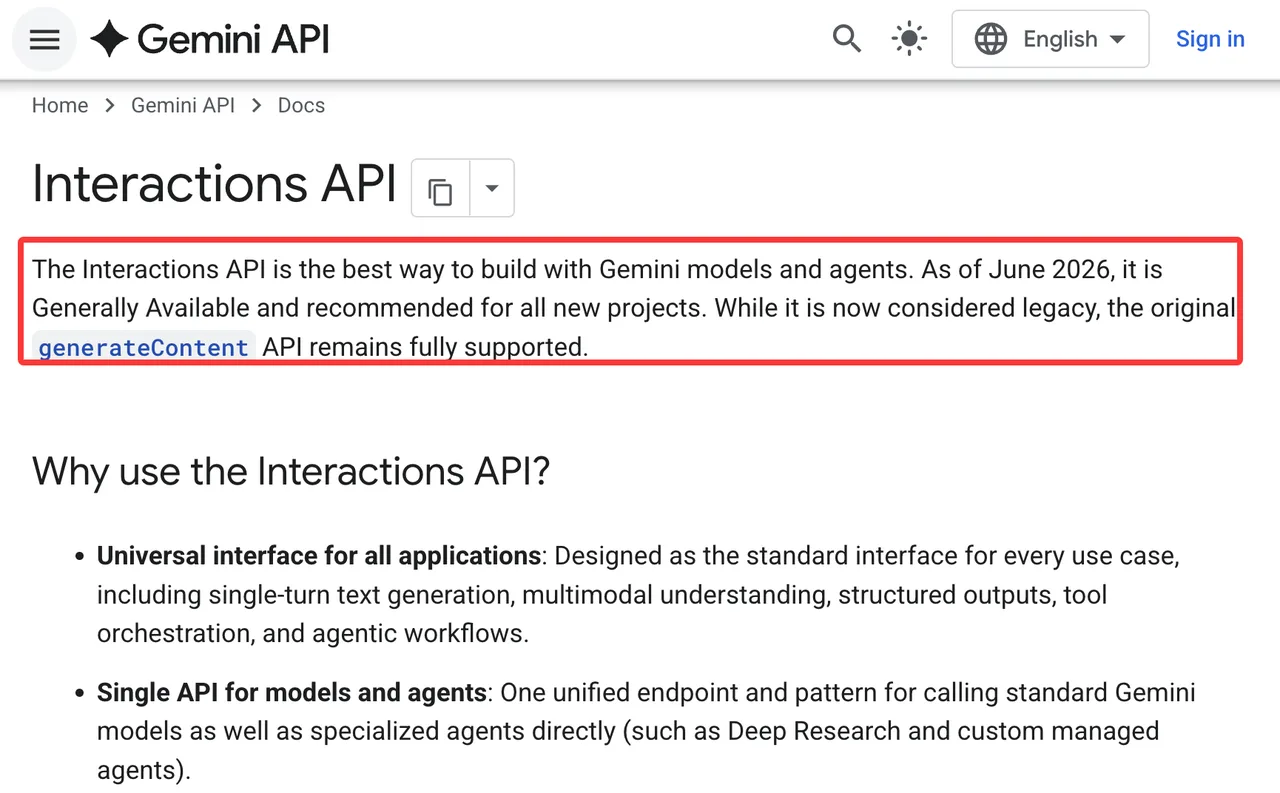
For new projects, I would start with the Interactions API overview. Google marks Interactions as generally available and recommended for new work, while generateContent remains supported but legacy.
The basic production request should store these fields in logs:
- model
- request endpoint
- prompt template version
- source image reference or file ID
- response_format
- output MIME type
- aspect ratio
- image size
- review status
- retry count
- provider response ID
Do not put real API keys in examples, docs, tickets, screenshots, or customer support threads. Use an environment variable such as Gemini_API_KEY, and keep key separation between local dev, staging, and production.
Output Format, Aspect Ratio, and Batch Use
The current image docs show response_format controls such as type: "image", mime_type, aspect_ratio, and image_size. I would lock these in configuration instead of letting each product surface improvise.
Batch needs a separate note. Google’s Batch API is priced differently, but the Batch API documentation says it is currently available only with generateContent. So I would not assume Interactions and Batch behave the same way. For non-urgent catalog work, batch may fit. For an interactive image editing API, it probably belongs outside the user-facing path.
This step cannot be skipped. If you skip it, you pay it back later.
Check Pricing and Operational Limits
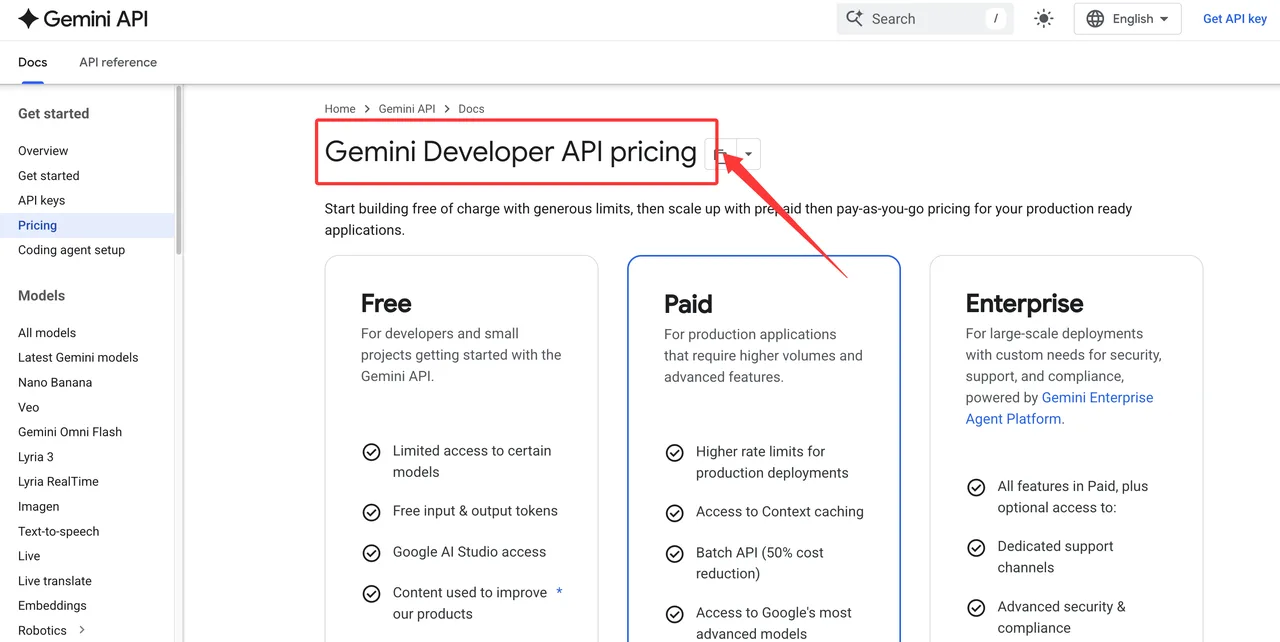
Image Output Pricing and Free Tier Boundaries
The Gemini API pricing page is the pricing source I would quote in a launch document, with the fetch date beside it. As of August 20, 2026, the image models show paid-tier pricing rather than free-tier availability for image output.
The cost math is not just “price per image.” It depends on:
- model ID
- standard, batch, flex, or priority path
- input type
- output resolution
- grounding usage
- retries
- failed generations that still trigger review work
For example, Gemini-3.1-flash-image lists paid output image pricing by token-equivalent resolution, while Gemini-3.1-flash-lite-image lists lower 1K-oriented pricing. Gemini-3-pro-image is priced higher and should be reserved for cases where the product actually needs the extra control.
Rate Limits, Regions, and Model Availability
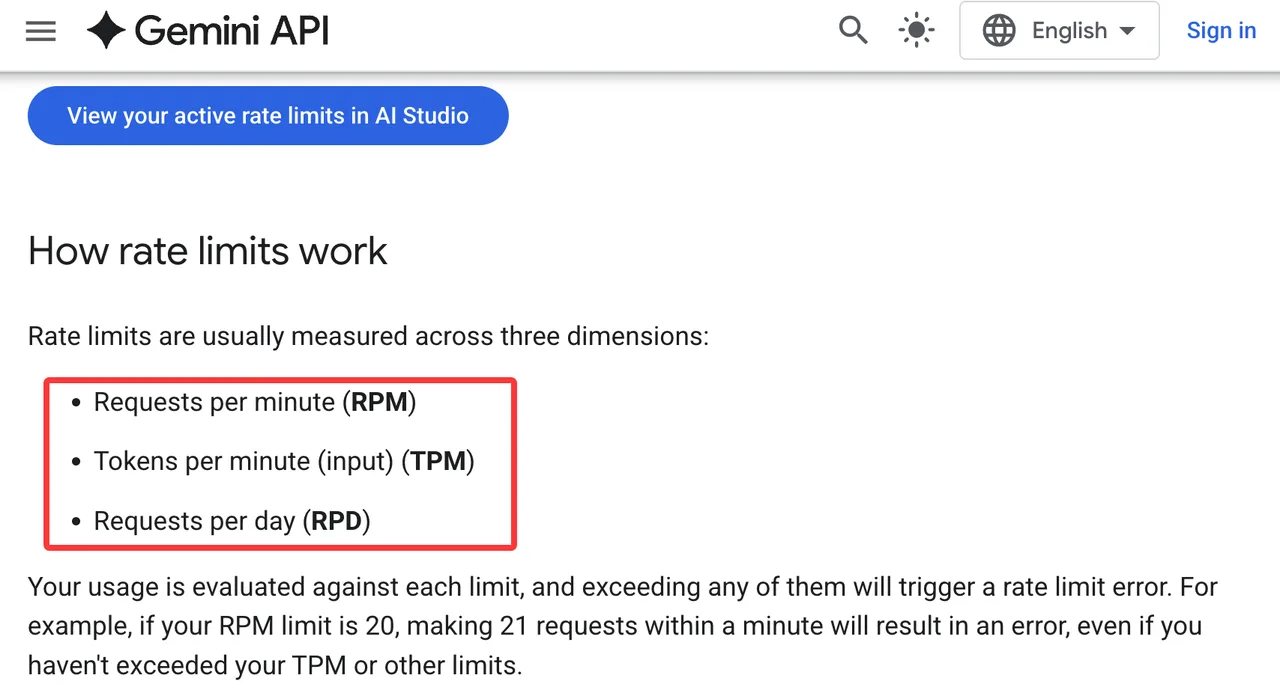
Rate limits are not a footnote. The Gemini rate limits page describes RPM, TPM, RPD, and image-specific IPM-style limits, with limits applied per project rather than per key. Batch jobs have their own limits as well.
Before launch, I would check:
- active project tier in AI Studio
- model-specific limits
- image generation limits
- country and region availability
- billing account state
- whether the model is preview, stable, deprecated, or legacy
- whether a provider outage has a tested fallback
Do not copy a rate limit from a blog post into production planning. These numbers move.
Fit Gemini Into a Product Workflow
Brand Assets, Product Images, and Creative Automation
The Google image generation API fits best when the product can benefit from multimodal editing, reference images, and controlled output formatting. The obvious cases are product mockups, ad variations, social images, presentation graphics, app UI concepts, and localized creative.
I would not let it directly publish customer-facing assets without review. For brand work, require approval on logo use, text rendering, product claims, likeness, and rights to uploaded images. The model may generate a clean-looking result. The legal and brand check still belongs to the product.
Fallbacks, Human Review, and Provider Switching
Provider switching should be designed before the incident. If Gemini fails, the app needs to know whether to retry the same model, downgrade to another Gemini image model, route to a different provider, or pause the job for review.
Do not claim WaveSpeedAI supports a precise Gemini model unless the WaveSpeed model directory or API response returns that exact ID on the publication date. A unified provider layer can make switching easier, but it does not remove the need to test image format, safety behavior, pricing, and provenance per model.
For provenance, Google’s SynthID overview explains the invisible watermarking system used across Google AI-generated media. In product terms, I would log whether the generated file keeps provenance metadata, whether screenshots strip it, and what customer disclosure is required for the use case.
FAQ
Who approves Gemini model names before publication?
Platform should approve exact model IDs, and product marketing should approve public naming. “Nano Banana API” may be a search term, but the implementation doc should use official model IDs such as Gemini-3.1-flash-image.
How should teams compare Gemini with existing providers?
Use the same prompts, source images, aspect ratios, output sizes, review rubric, retry budget, and cost sheet. Do not compare a hand-picked Gemini sample against an old provider’s worst batch.
Can customers opt out of a specific model provider?
Yes, if the product is built that way. Store provider preference at the account or project level, then enforce it in routing. Customer-facing enterprise products should document what happens when a requested provider is unavailable.
What logs help debug failed Gemini image jobs?
Keep model ID, endpoint, request ID, prompt version, source image ID, response format, output size, status code, safety block reason, retry count, latency, and cost estimate. For reviewed assets, keep the reviewer decision too.
How often should teams refresh pricing references?
For active production use, refresh pricing before launch, before large campaigns, and at least monthly. For public articles, record the fetch date and avoid claiming permanent Gemini image pricing advantages.
Conclusion
The Gemini image generation API is not just another image endpoint to drop into a creative tool. In 2026, it sits across native Gemini image models, Interactions API state, paid-tier pricing, rate limits, provenance, human review, and fallback planning.
My next action would be simple: pick one model ID, run a 30-image canary with real product prompts, log every retry and rejected asset, then decide whether Gemini belongs in the live workflow. Demos show the ceiling. Production shows the floor.
Previous posts:
/filters:quality(82)/media/images/c347367a-a007-4466-b8f7-d37f5fb52819.webp)
/filters:quality(82)/media/images/cd4db796-7728-45fb-8267-6813ed28e173.webp)
/filters:quality(82)/media/images/1791535252286714222_v4jvJT2a.webp)
/filters:quality(82)/media/images/1791451065663755033_qNqAKS1a.webp)
/filters:quality(82)/media/images/1791359984291066138_tW5eOX6f.webp)
/filters:quality(82)/media/images/1773962750383987480_n3hqzHRZ.webp)