
AG-UI Protocol for Model API Apps: Should You Adopt It?
Decide whether an AG-UI protocol layer belongs in your model API application by reviewing its contract, boundaries, adoption signals, and limits.
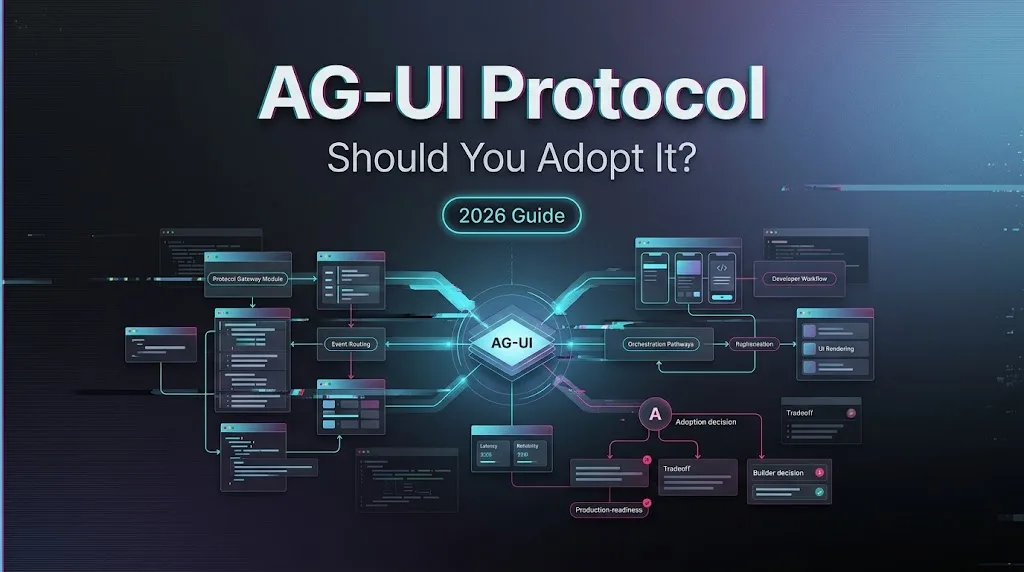
It’s Dora. I paused at the approval screen.
The model call was fine. The backend returned tokens. The problem was everything around it: a long-running run, partial progress, a user edit halfway through, and a frontend that needed to show what the agent was doing without inventing its own mini-protocol. That is the narrow place where the AG-UI protocol starts to matter.
This is not a production endorsement. I did not find evidence that WaveSpeed natively supports AG-UI. This note is only about whether a unified model API app should evaluate it as an interaction layer.
What AG-UI Standardizes for Model API Applications
The interaction contract between agent runtimes and frontends
AG-UI, short for Agent User Interaction Protocol, is an open, event-based protocol for connecting agent backends to user-facing applications. The official AG-UI overview describes it as the connection between a frontend and an agentic backend.
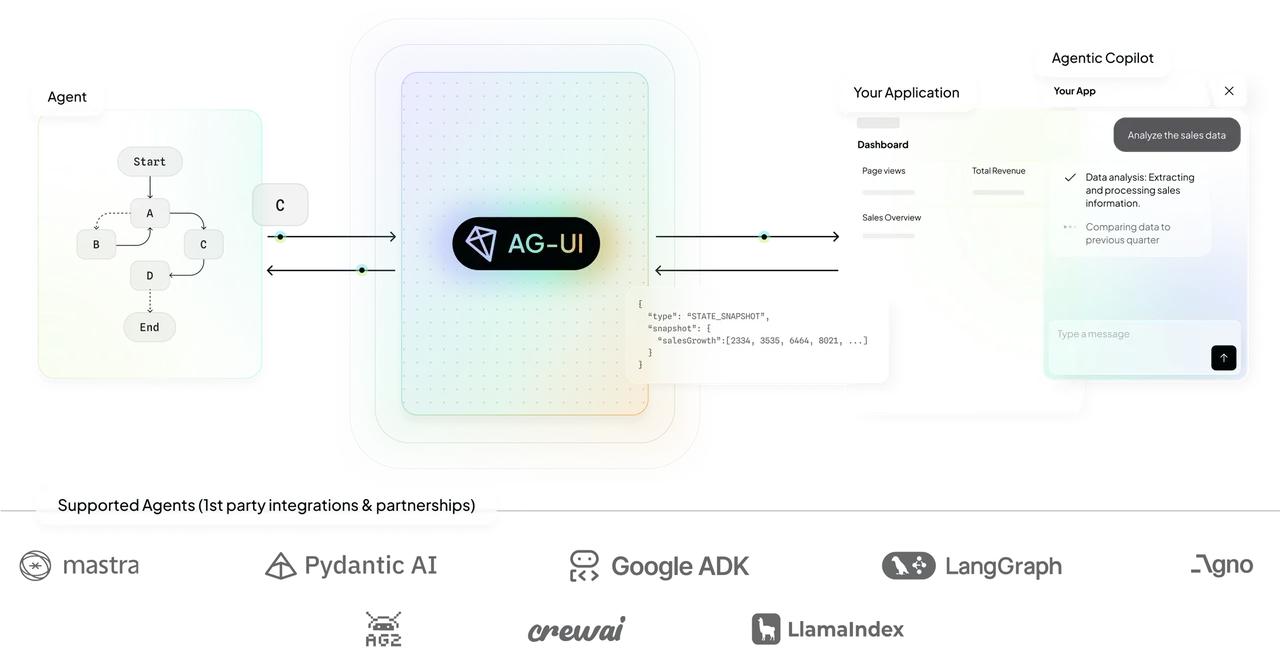
The useful word is “interaction.” AG-UI standardizes the stream of things a frontend needs to understand: run started, message content, tool call, state update, interruption, error, run finished. That gives a model API frontend one shared vocabulary instead of one custom event shape per agent framework.
For a simple chat box, this can be too much. For an agent workspace with progress, state, approvals, retries, and user steering, ad hoc events get messy fast. Found the pattern on the third try.
The model API, routing, authentication, and tools it does not replace
AG-UI is not a unified model API. It does not choose models, price tokens, manage provider keys, normalize authentication, enforce rate limits, or replace tool execution policy.
It also does not replace MCP or A2A. The AG-UI docs position MCP as the layer for tools and data, A2A as the layer for agent-to-agent coordination, and AG-UI as the user-facing interaction layer. Different job.
So the boundary is clean enough: model routing stays in the backend. Auth stays in the platform. Tool permissions stay in the security model. AG-UI describes how the agent and UI talk while work is happening.
Decide Whether Your Application Needs AG-UI
Long-running runs, streaming, user steering, and approvals
I would look at AG-UI when the frontend needs to show more than final text.
The adoption signal is not “we have an AI feature.” It is “the user needs to stay involved while the agent runs.” That includes long-running coding agents, research agents, document workflows, customer-support copilots, approval gates, editable plans, and interrupted runs that resume later.
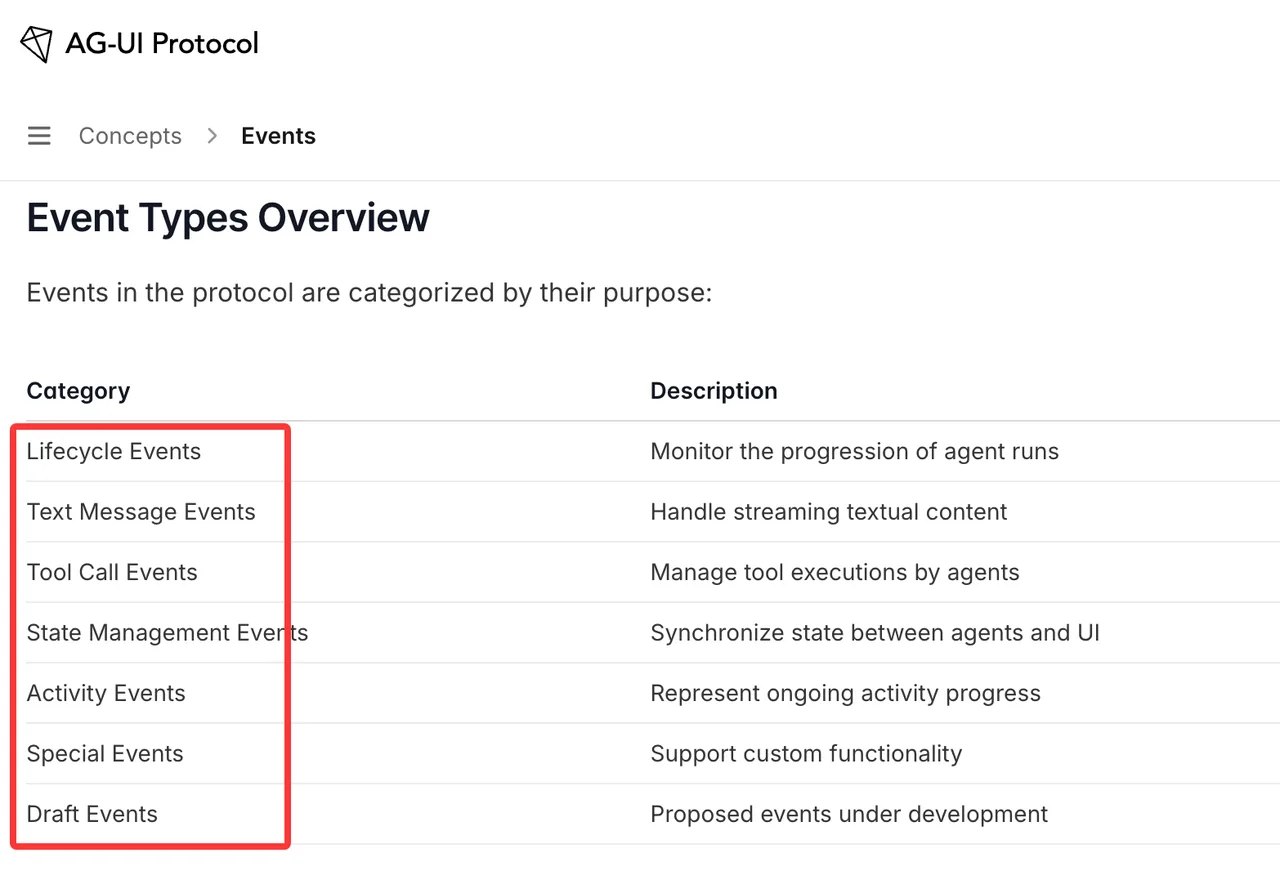
The events documentation is the part I would read first. It shows the protocol’s categories: lifecycle events, text messages, tool calls, state management, activity, custom events, and draft events. That is enough to see whether your frontend state problem matches the protocol.
When a simpler application protocol may be enough
I would not adopt AG-UI for a plain request-response wrapper around a model API. If the app sends one prompt, receives one answer, stores one message, and moves on, a small internal protocol is easier.
Same for a backend-only batch worker. If no human is watching the run, steering it, approving actions, or restoring session state, the frontend contract is not the bottleneck.
Having many protocols is not the problem. Having to manage your protocols is.
Evaluate AG-UI Before Adoption
Client and agent compatibility
The current AG-UI integrations page lists support across frontend clients, agent frameworks, SDKs, and deployment surfaces. That is useful evidence, but it still needs local verification.
I would test the exact stack: frontend framework, backend agent runtime, transport choice, session storage, auth boundary, and logging. A demo can pass while production tracing fails. Seen that enough times.
Compatibility also means failure compatibility. The proof of concept should handle cancellation, reconnect, duplicated events, malformed custom events, version drift, and a resumed session after browser reload.
Specification maturity and proof-of-concept success criteria
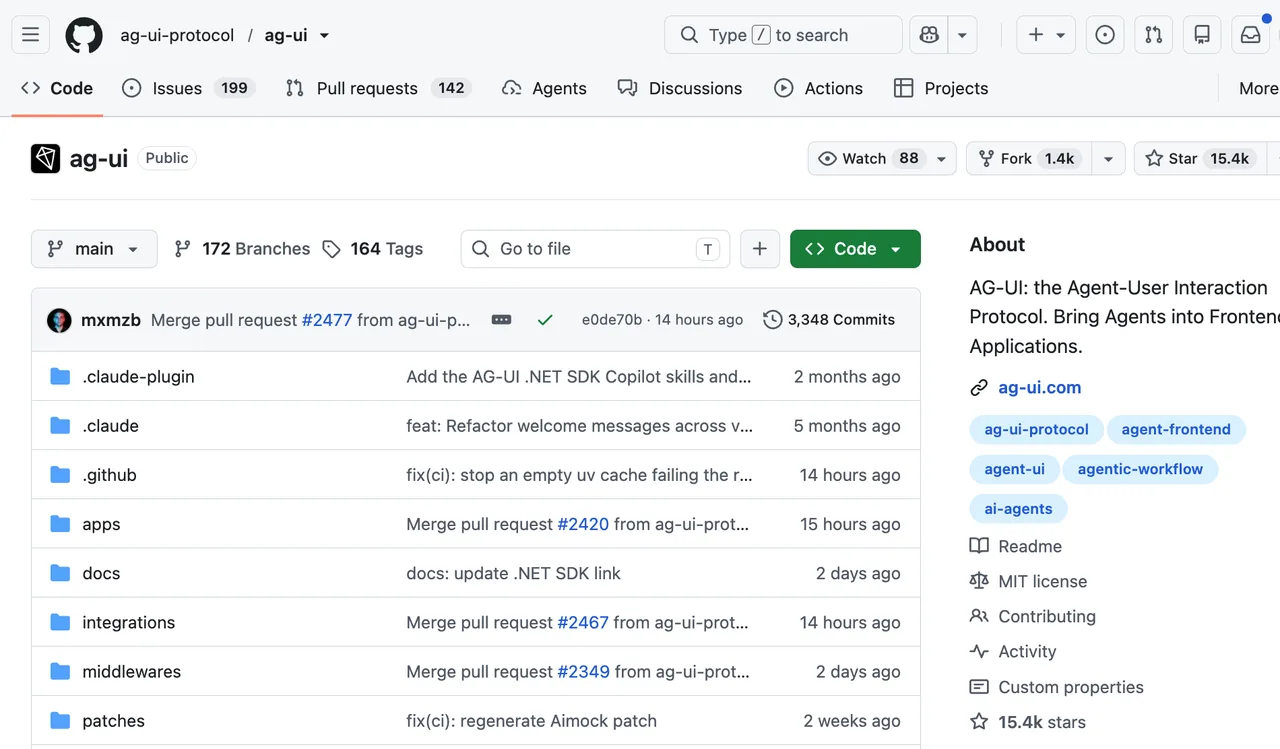
The public AG-UI GitHub repository shows an active open-source project with SDKs, integrations, releases, and MIT licensing. I did not find one single public “protocol version” label that should be treated as the whole standard. Package versions and release tags are not the same thing as a stable enterprise contract.
My proof-of-concept bar would be small:
- One long-running run.
- One streamed answer.
- One tool call.
- One human approval.
- One interrupted run that resumes.
- One stored session restored after reload.
- One failed run with a readable user state.
If that works without custom glue everywhere, AG-UI earns another week of testing. If half the app still speaks a private event dialect, adoption is mostly cosmetic.
Frequently Asked Questions
How should long-lived sessions be migrated after a version change?
Treat session migration like database migration. Store protocol version, app version, agent version, and event schema version. Replay old sessions in staging before changing external users.
What user-facing documentation should an AG-UI beta include?
The beta should explain what the agent can do, when it pauses for approval, what users can edit, what is logged, and what happens when a run fails or disconnects.
When should security review an AG-UI proof of concept?
Before the proof of concept executes real tools or touches customer data. Tool calls, frontend actions, stored event streams, and approval flows all change the risk model.
What accessibility review is needed before external testing?
Streaming progress, interrupt prompts, approval controls, and error states need keyboard support, screen-reader labels, visible focus, and non-color-only status signals.
What evidence might an enterprise customer request?
Expect questions about protocol versioning, audit logs, session storage, data retention, auth boundaries, tool permissions, accessibility, and rollback plans.
Conclusion
The AG-UI protocol is worth evaluating when the frontend is no longer just displaying model output. It is less compelling when the app only needs a thin model API frontend.
My answer is conditional. Use AG-UI when user interaction during agent execution is the product surface. Skip it when a smaller contract keeps the workflow easier to own. That is the clean line for now.
Previous posts:
/filters:quality(82)/media/images/c347367a-a007-4466-b8f7-d37f5fb52819.webp)
/filters:quality(82)/media/images/cd4db796-7728-45fb-8267-6813ed28e173.webp)
/filters:quality(82)/media/images/1791535252286714222_v4jvJT2a.webp)
/filters:quality(82)/media/images/1791451065663755033_qNqAKS1a.webp)
/filters:quality(82)/media/images/1791359984291066138_tW5eOX6f.webp)
/filters:quality(82)/media/images/1773962750383987480_n3hqzHRZ.webp)