AI Agent Harness Architecture Explained
Agent harness architecture explains how models, tools, runtime, evaluation, and orchestration fit in production AI agents.
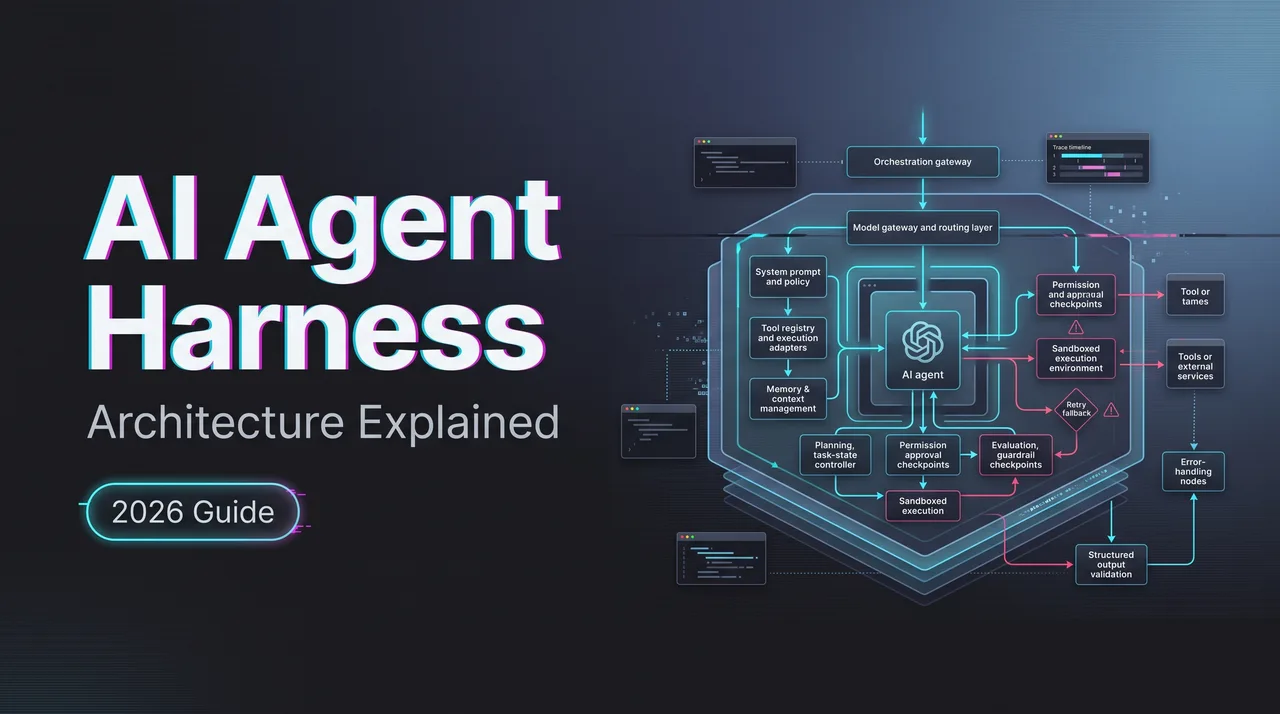
An Agent harness is where an AI agent stops being a clever prompt and starts becoming production infrastructure. That sounds less glamorous. Good. Glamour does not recover a failed tool call, replay a bad run, or explain why one model spent 40 seconds deciding whether to call a calendar API.
If your team is building agents that touch files, databases, browsers, internal tools, or customer workflows, the harness is the part that carries the operational burden. It connects the model, tools, runtime, memory, permissions, logs, and evaluation loop. The prompt is only one input. Sometimes not even the most important one.
This piece is a work note for platform teams trying to draw that boundary cleanly.
What an Agent Harness Is
The layer between models, tools, runtime, and evaluation
An agent harness is the control layer around an agentic workflow. It decides which model receives the task, which tools are available, what state is carried forward, what actions require approval, what gets logged, and how the run is judged afterward.
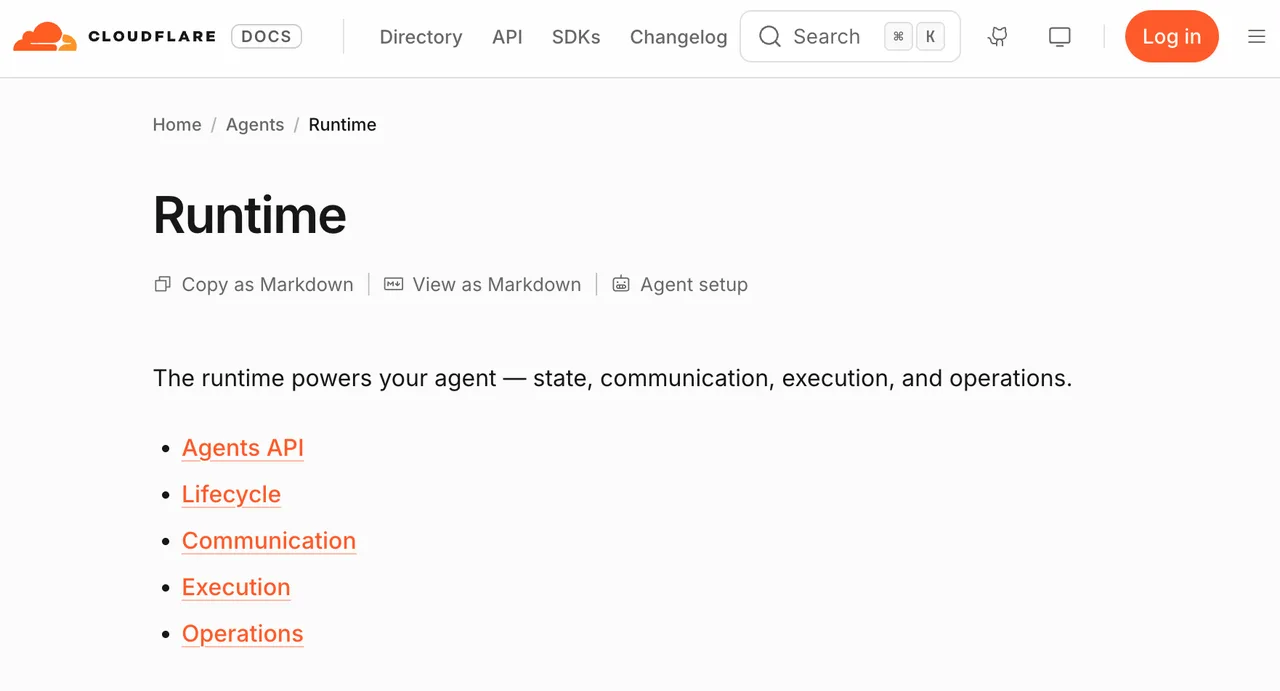
Cloudflare’s Agents runtime describes this kind of surface in terms of state, communication, execution, and operations. That framing is useful because it keeps the model in its proper place. The model reasons. The harness governs the run.
A practical harness usually owns these boundaries:
| Layer | What it controls | Common failure if missing |
|---|---|---|
| Model adapter | Provider, model ID, request format, response parsing | Provider swap breaks behavior silently |
| Tool registry | Tool schema, permissions, execution rules | Model calls unsafe or unavailable tools |
| Runtime state | Session, task state, checkpoints, resumability | Long runs cannot recover cleanly |
| Memory | What persists across turns or jobs | Context leaks or useful state disappears |
| Orchestration | Step order, routing, fallback, human approval | Agent loops, stalls, or overdelegates |
| Logging and replay | Traces, inputs, outputs, tool calls, errors | Incidents cannot be explained |
| Evaluation | Acceptance rules, scorecards, regression tests | “It seemed better” becomes the metric |
That last row matters more than teams expect. If the harness cannot replay and evaluate a run, it cannot prove the agent improved. It can only ship vibes. I do not recommend building infrastructure around vibes.
Why a harness is different from a single agent prompt
A prompt tells the model how to behave. A harness decides what the model is allowed to do, what happens when it fails, and how much evidence survives after the run.
This distinction gets blurry during prototypes. A developer puts system instructions, tool descriptions, output rules, retry wording, and escalation policy into one large prompt. It works for a demo. Then the first production failure arrives, and nobody knows whether the issue came from the model, the tool schema, the runtime, the user input, or the retry wrapper.
A harness separates those concerns.
The model instruction might say: “Ask for confirmation before deleting a record.”
The harness should enforce: deletion tools require an approval token, the approver identity is logged, the tool call is blocked without that token, and the run can be replayed later with the same decision point visible.
That is the difference. One is guidance. The other is control.
Core Architecture Layers
Model adapter, tool registry, runtime state, memory, and orchestration
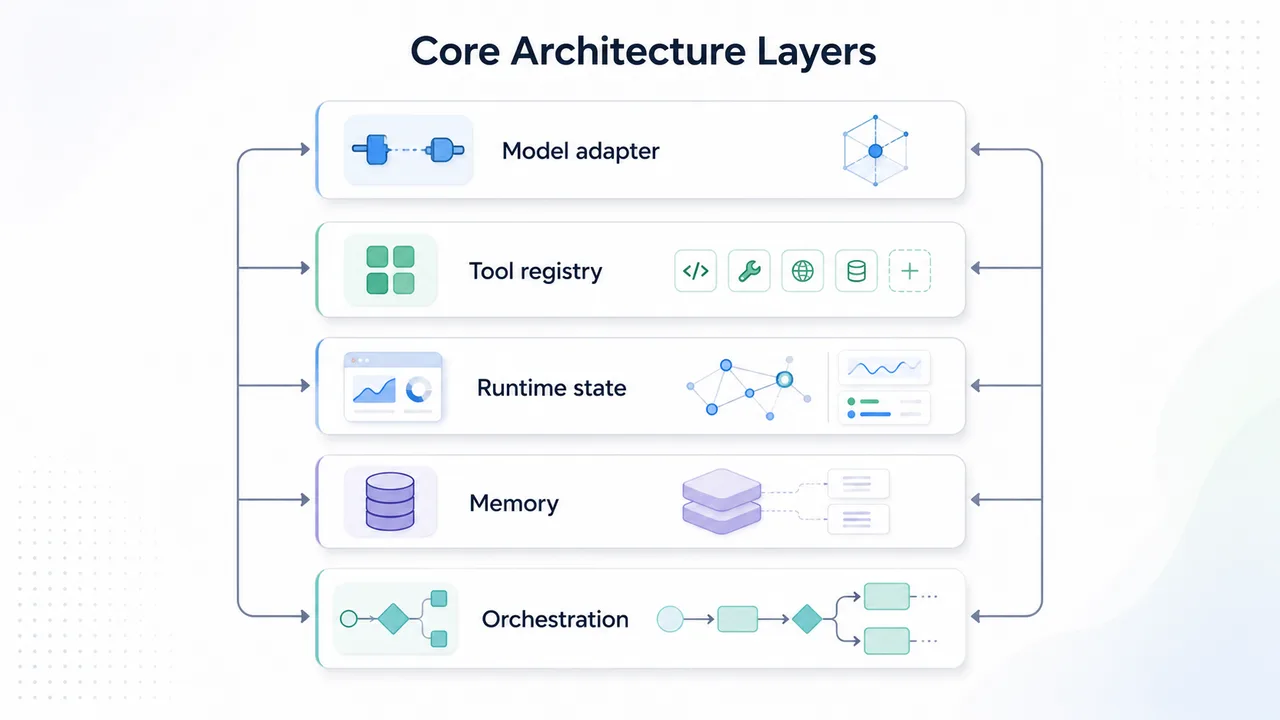
The model adapter is the translation boundary. It hides provider-specific request formats without pretending providers are identical. This is where teams map system messages, tool definitions, structured output, streaming events, usage fields, and error formats.
The mistake is forcing artificial parity. If one provider supports a tool feature and another does not, the adapter should expose that difference upward. Quietly smoothing it over creates worse failures later.
The tool registry is the permissioned inventory of actions. A good registry does not just store tool names. It stores schema versions, allowed roles, required approvals, timeout rules, retry rules, rate limits, and data sensitivity tags. Tool calling looks simple until a model calls the right tool with the wrong scope.
Runtime state is the working memory of the run. It tracks the current task, intermediate results, pending approvals, tool outputs, and recovery points. LangGraph’s persistence documentation is a useful public example of why checkpointing matters: human-in-the-loop review, time travel debugging, and fault-tolerant execution all depend on saved state.
Memory is not the same thing as runtime state. Runtime state answers, “Where is this run right now?” Memory answers, “What should this agent remember beyond this run?” Mixing those two creates privacy and quality problems. A checkout agent does not need to remember every abandoned cart forever. A coding agent may need repository preferences across sessions. Different job. Different retention rule.
Orchestration ties the pieces together. It decides whether the agent runs as one loop, a planner-executor pattern, a graph, a queue-backed workflow, or a multi-agent system. Model orchestration is not about making the diagram look sophisticated. It is about constraining who acts, when, and with what evidence.
Logging, replay, permissions, and failure recovery
Logging is not an afterthought. It is part of the architecture.
OpenAI’s Agents SDK documents tracing for agent runs across model generations, tool calls, guardrails, handoffs, and custom events. That is the right level of granularity for production debugging. A final answer alone is not enough. The path matters.
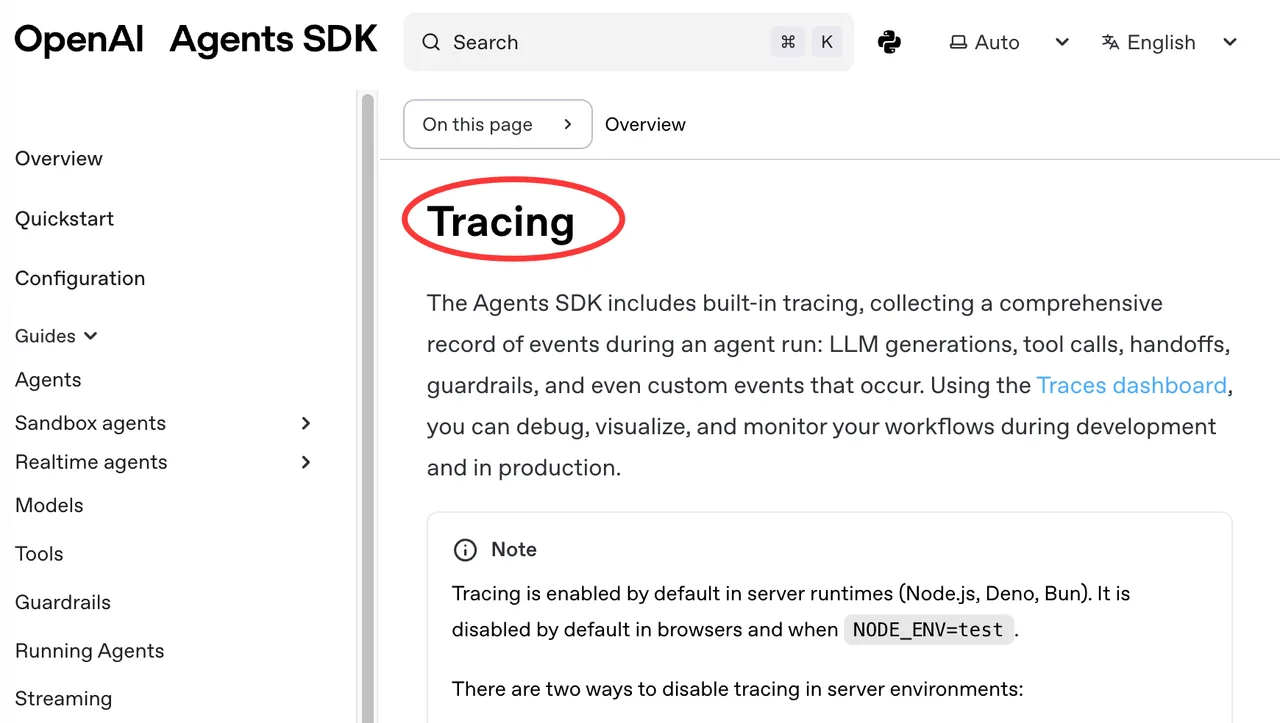
A useful trace should show:
- The selected model and model settings
- The prompt and instruction versions
- Tool schemas exposed to the model
- Tool calls requested, approved, denied, retried, or failed
- Latency by model call and tool execution
- Token usage or provider usage fields
- Final output and evaluator decision
- Human approvals and overrides
Permissions should sit outside the prompt. The model can request. The harness decides. For sensitive tools, the approval path should be explicit: who approved, for what scope, for which run, at what time. If a user asks an agent to update a billing record, the harness should not rely on the model to remember company policy.
Failure recovery needs the same discipline. Classify failures before fixing them. Model refusal, malformed tool arguments, timeout, provider 429, permission denial, stale memory, schema mismatch, evaluator rejection, and user cancellation are different events. One retry policy will not handle them all.
Found the pattern on the third try. Most “agent quality” bugs were harness classification bugs wearing a model costume.
How Harnesses Support Multi-Model Agents
Routing, fallback, provider abstraction, and cost controls
Multi-model agents need more than a provider dropdown. They need routing rules that can be audited.
A harness can route by task type, risk level, context length, tool complexity, latency target, region, cost ceiling, or historical accepted-task rate. A summarization job might use one model. A tool-heavy account update might use another. A long-context analysis task might require a third.
Provider abstraction helps only when it keeps evidence intact. The harness should record the provider, model ID, adapter version, request shape, and response shape for every run. Without that, fallback behavior becomes hard to explain.
Cost controls also belong here. The harness can stop a runaway loop, cap retries, downgrade draft tasks, or require approval before expensive long-context AI calls. Token cost is not the only cost. Repair time counts. So does support time after a bad action.
AWS’s AgentCore Observability is a useful reference point because it treats session count, latency, duration, token usage, and error rates as production signals. That is the level where agent infrastructure should be measured. Not just “model answered correctly once.”
Fallback needs rules, not hope. If provider A fails with a transient timeout, route to provider B. If provider A returns a schema violation, retry once with repair. If the task requires a tool that provider B cannot represent, do not fallback. Escalate or fail cleanly.
Test environments before production tasks
A harness should have a staging lane.
The staging lane uses the same tool schemas, the same routing code, the same logging path, and the same evaluator shape as production. The difference is permission and consequence. Read-only tools replace write tools. Fake records replace live customer records. Approval gates stay enabled.
This is where agent evaluation becomes useful. Build test suites around workload contracts, not abstract intelligence. A customer support agent gets tested on refund policy interpretation, escalation routing, and CRM note quality. A coding agent gets tested on repository edits, test execution, and patch explanation. A data agent gets tested on query correctness, permission boundaries, and answer citation.
The harness should replay the same test set across models and versions. It should store raw outputs, tool events, evaluator notes, and cost. When a model changes behavior, the team can compare runs instead of arguing from memory.
OpenTelemetry’s semantic conventions are not agent-specific product advice, but the principle applies cleanly: common naming makes telemetry easier to compare across codebases and platforms. Agent traces need the same boring consistency.
Test environments should also include negative cases. Denied permissions. Missing tool. Bad user input. Slow provider. Corrupt memory. Partial outage. The harness earns trust when it handles ugly paths without improvising.
FAQ
Who approves cross-product harness changes?
A shared harness should not be changed by one product team alone. Approval should include the platform owner, security or governance owner, and at least one representative from each affected product group.
The approval record should name the changed layer: model adapter, tool registry, permission policy, runtime state, memory retention, orchestration rule, logging format, or evaluation rubric. That makes rollback easier. “Agent changed” is not a useful incident note.
Who leads post-incident review for harness failures?
The platform owner should lead the review, but the review needs evidence from the product team, security owner, and support team.
The first question is not “Which model failed?” It is “Which layer failed?” The answer may be tool calling, permission enforcement, adapter translation, stale memory, missing replay data, or weak evaluation coverage. Model blame is tempting. Sometimes correct. Not always.
How should customer-facing teams explain harness limitations?
Customer-facing teams should explain limits as operational boundaries, not model personality.
Say what the system can and cannot do: which tools are available, which actions require approval, which data sources are used, what audit trail exists, and when a human takes over. Avoid promising that the agent “understands everything” or “acts autonomously.” Those phrases create support debt.
If the limitation comes from permissions, say so. If it comes from incomplete integrations, say that. If behavior varies by model or provider, mark it as such in the customer note.
Conclusion
A good Agent harness makes agent behavior inspectable, repeatable, and governable. It does not make the model harmless. It does not remove evaluation work. It gives the team somewhere precise to put runtime state, tool permissions, routing rules, logs, replay, and agent evaluation.
That is the architecture line I would hold: prompts describe intent; harnesses enforce operations. When that line stays clean, AI agent infrastructure becomes much easier to debug. When it disappears, every incident turns into a guessing session.
Previous posts:
Related Articles

Best AI Video Platforms for Production Teams in 2027

Best Sora 2 Alternatives for Video Teams in 2027

Lanta AI Review 2027: Best Uses, Pricing, and Limits
Sora 2 Review 2027: API Quality, Cost, and Limits
Build a GPT-6 Astra 3D Workflow With Blender Assets