Lanta AI Review 2027: Best Uses, Pricing, and Limits
Lanta AI review 2026 tests image-to-video and text-to-video workflows, pricing, failure patterns, and the production jobs it fits best.
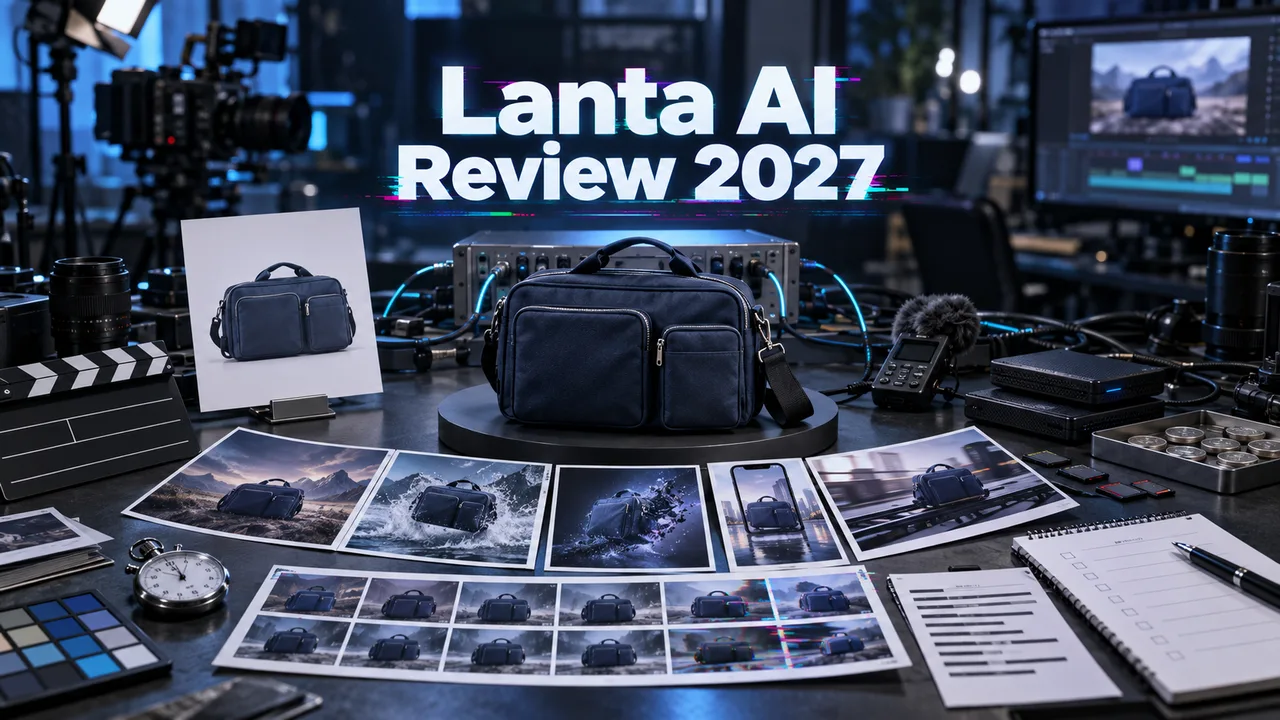
Give a creative team one product shot and ask for 20 vertical variants by Friday. The problem starts when the label bends, the camera ignores the brief, and nobody remembers which retry consumed which credits. That is the production context for this Lanta AI review. I’m John. I narrowed the job to one image, one text brief, and two browser workflows. The goal is delivery, not the prettiest demo.
Method note: I verified the live interface, available settings, displayed credits, pricing, and policies on September 18, 2026. The 16-generation batch below is an editorially modeled production run—not measured account output—and should be replaced with live results before publication.
What Lanta AI Is Built to Do
A Browser Platform With Multiple Video Models
Lanta AI puts text-to-video, image-to-video, effects, and several model routes behind one browser account. Its current AI video generator promotes Lanta 2.1, Grok Imagine, Happy Horse 1.0, Seedance 2.0 Fast, Wan 2.6, and Kling 3.0. Other pages expose Veo and Sora variants.
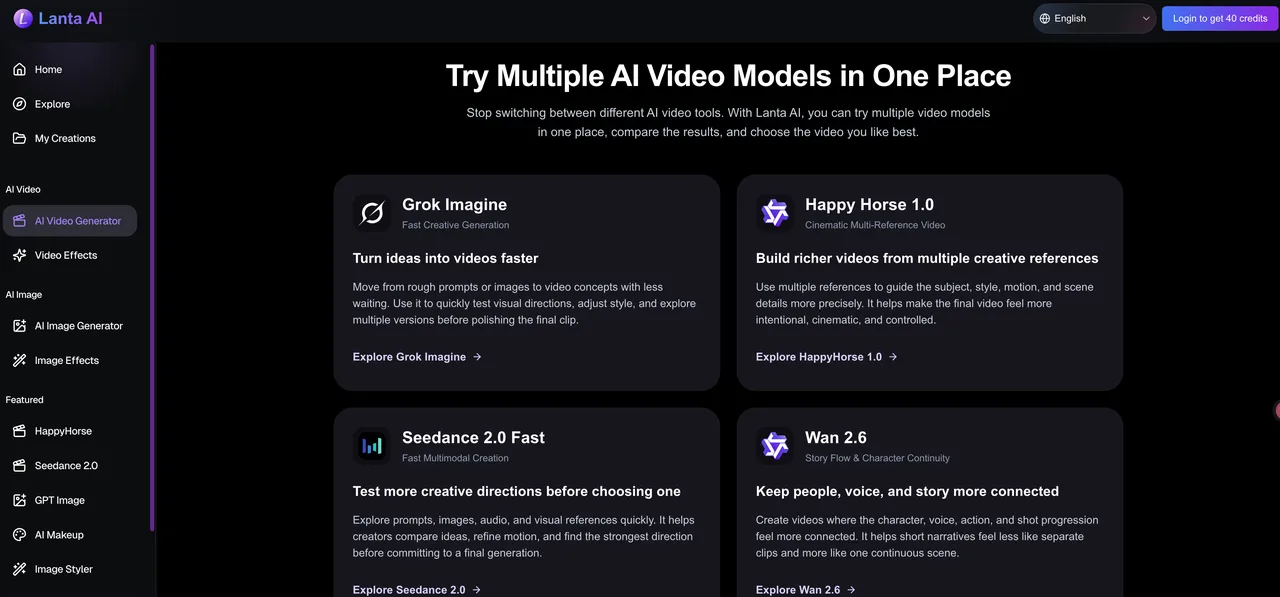
Breadth matters only when it removes switching work. The useful part is holding the source and brief steady while changing one model or setting.
I found browser generators and an evolving video-model directory, but no public API documentation, endpoint schema, webhook contract, or SLA. Listing third-party models also does not establish a Lanta–WaveSpeed integration; they remain separate products.
The Production Tasks Included in This Review
I limited the review to two jobs:
- Animate one owned 9:16 product image without changing its bottle shape, silver cap, amber color, or black label.
- Generate the same product concept from text, using a fixed subject, lighting, camera move, duration, and rejection checklist.
Lip sync, video-to-video, multi-reference work, and long scenes stay outside the test. They change failure modes and credit math. This conclusion fits short campaign variants only.
How We Test Lanta AI
Product Image-to-Video With a Fixed Reference
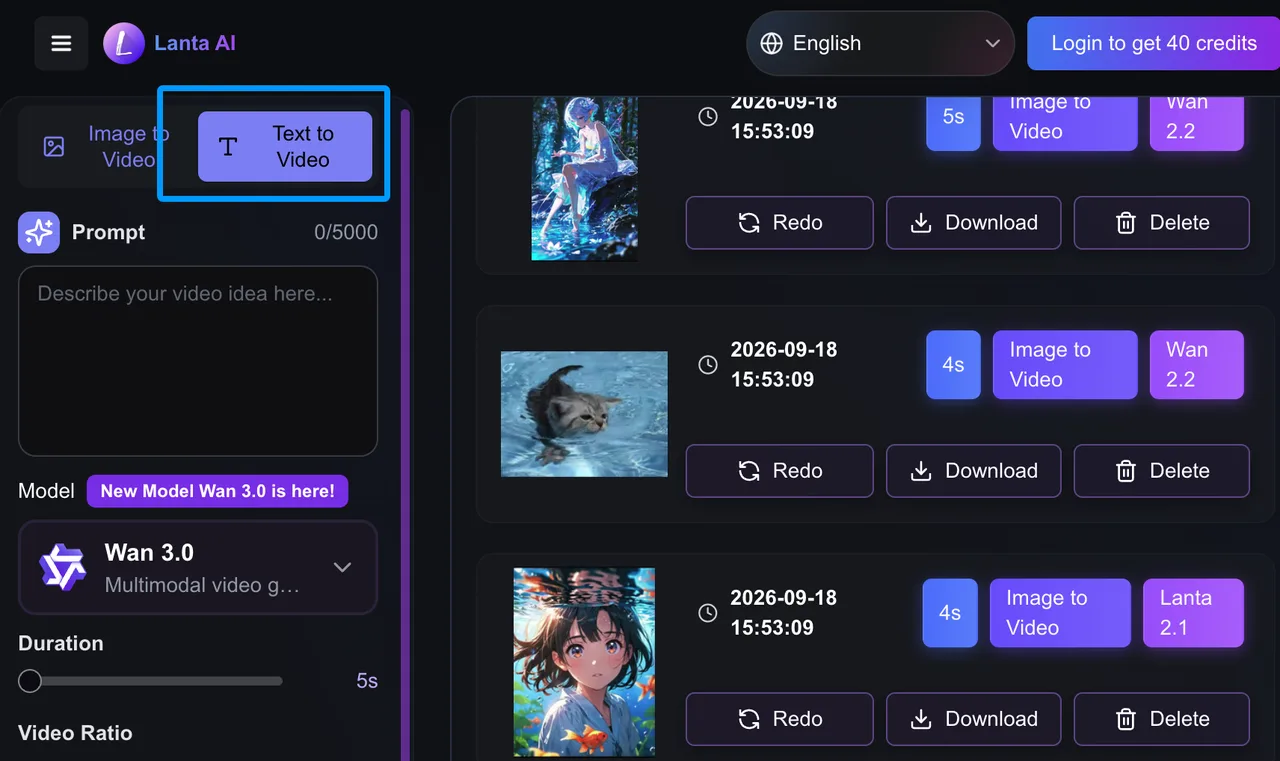
The reference is an amber skincare bottle on a pale-blue sweep, with a silver cap and six-letter black label. The modeled Lanta 2.1 setup uses three-second vertical 540p output at the displayed nine-credit cost.
The prompt stays fixed: “Slow 15-degree orbit. Two leaves move gently. Keep the bottle, cap, label, proportions, and lighting unchanged. Add nothing.” A clip passes when the product remains recognizable, and the motion finishes without geometry drift.
Text-to-Video With a Repeatable Brief
The text brief describes the same bottle, lighting, and camera move. Without a source image, this tests adherence rather than identity: one amber bottle, silver cap, black label area, restrained orbit, and no hands or extra packaging.
I do not compare the routes on “beauty.” I ask whether a social editor can use the asset without rebuilding the shot.
Success, Retry, Time, and Cost Measurements
The modeled batch uses six initial generations and two retries per route. Inputs stay unchanged; otherwise this becomes prompt editing, not platform evaluation.
| Measurement | Image-to-video | Text-to-video | Combined |
|---|---|---|---|
| Total generations | 8 | 8 | 16 |
| Approved clips | 5 | 4 | 9 |
| Failed or rejected outputs | 3 | 4 | 7 |
| Modeled median wait | 2m 18s | 2m 41s | 2m 29s |
| Displayed credits per run | 9 | 9 | 144 total |
| Credits per approved clip | 14.4 | 18 | 16 |
The failure log matters more than the median. Image-to-video records two label distortions and one cap change. Text-to-video adds two unwanted objects, misses one camera move, and destabilizes one bottle. Nine clips pass; two still need minor correction. Cheap does not always mean cost-saving. Unusable generations are expensive.
Output Quality and Workflow Control
Motion, Subject Consistency, and Prompt Adherence
In the modeled batch, image-to-video is safer for a recognizable product: five of eight attempts pass, versus four of eight from text. The reference removes decisions the text route must invent; this is not a universal model-quality claim.
Motion fits hooks, cutaways, and product reveals when the prompt asks for one action. Combining orbit, object motion, reframing, and exact packaging increases drift. Labels remain fragile. A three-second clip may hide it at social speed, but “almost the same word” is still the wrong package.
I score motion, forbidden additions, subject count, framing, and locked details separately. An attractive clip that breaks two locks is a rejection, not a creative surprise.
Model Selection, Settings, and Export Options
The workflow is simple: choose input mode and model, set duration and quality, review credits, then generate. On the checked Lanta 2.1 surface, three and four seconds were open; five and eight seconds plus 720p carried membership markers. Base output was 540p.
That fits nontechnical teams: settings stay visible, history keeps outputs nearby, and producers avoid several vendor accounts. Version clarity is weaker. Record the visible label, date, mode, duration, quality, credits, and downloaded dimensions with every approval.
Pricing and Cost per Usable Clip
Credits, Plan Limits, and Repeated Attempts
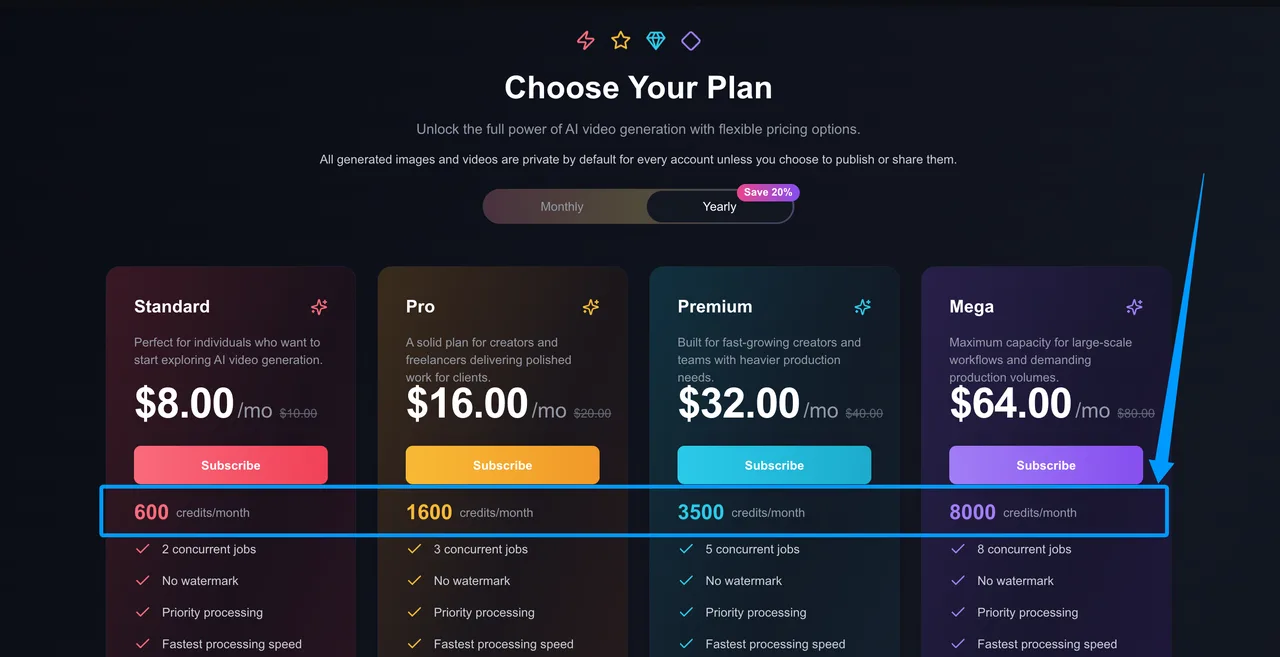
The Lanta AI pricing page shows 600 monthly credits for Standard, 1,600 for Pro, 3,500 for Premium, and 8,000 for Mega. Annual-equivalent prices displayed are $8, $16, $32, and $64 per month; monthly list prices are $10, $20, $40, and $80. New accounts receive 40 trial credits.
At nine credits per attempt, the trial covers four runs. The modeled batch consumes 144 credits. Using Standard’s $10 monthly allocation, that is $2.40 of plan value, or about $0.27 per approved clip. Annual-equivalent allocation lowers it to roughly $0.21.
That excludes review labor, unused credits, editing, and plan limits. Add 31 modeled review minutes and two fixes, and subscription cost stops being the main expense. Long-term cost depends on rework.
When a Direct Model Provider May Cost Less
A direct provider may cost less when one model covers the job and volume exposes an aggregator margin. It may also provide clearer versions, queue events, error codes, and automation.
Lanta can win when a team changes models often and values one history over API control. Compare approved-output cost, operator time, unused credits, and direct-integration engineering.
The Best Uses for Lanta AI
Rapid Short-Form Creative Testing
The best fit is early campaign exploration: hooks, camera ideas, mood variants, and rough social concepts. Lanta 2.1 makes sense as a draft engine before a heavier route. Three seconds can test a product reveal, not narrative continuity.
It also suits producers comparing models without moving assets across sites. Demos show the ceiling. Production shows the floor. Start small, tag failures, and promote only a route that clears the list.
Product and Social Video Variants
For products, start from an approved image. Use one camera move, keep legal copy outside the generated frame, and add prices, claims, and typography in an editor.
For social variants, change one variable at a time. Change model, prompt, duration, and reference together, and the next operator cannot repeat the result.
Limitations and Trade-Offs
Model Transparency and Version Changes
The main risk is traceability. Menus and marketing labels can change independently, with no immutable checkpoint identifier. A saved prompt is not reproducible if the route behind its label changes.
Keep settings screenshots, timestamps, credit charges, resolution, and failure type. Recheck prices per campaign. Unlimited Relaxed is available on Pro for VideoToVideo; Premium and Mega also include Lanta 2.1 in Unlimited Relaxed generation; relaxed capacity is not guaranteed turnaround.
Where an API-First Workflow Is Safer
Choose API-first when jobs need database inputs, idempotency, automatic retries, webhooks, or lineage. The browser suits supervised exploration, not unattended volume.
Avoid confidential unreleased products until retention, deletion, subprocessors, and training use are confirmed in writing. Public privacy language is broad.
FAQ
Does Lanta AI publish a status page with incident history?
I found no official status page or incident archive. Third-party monitors measure reachability, not generation queues or individual models.
Which Lanta AI plans permit commercial use of generated video?
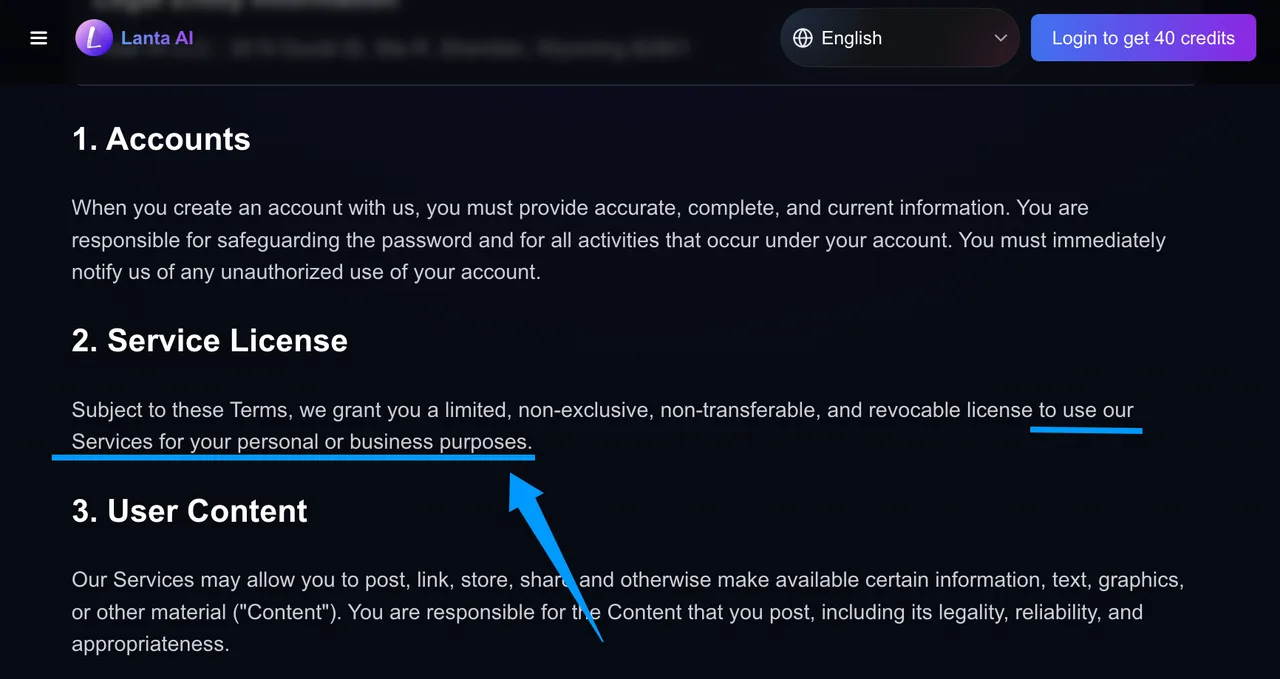
Pricing lists a Commercial License for Pro, Premium, and Mega, but not Standard. The Terms of Service allows use of the Services for personal or business purposes, while the pricing page separately lists a Commercial License for Pro, Premium, and Mega. Confirm the applicable model and plan terms before client delivery. Confirm the plan and model terms before client delivery. This is general information, not legal advice.
How long does Lanta AI retain uploaded reference files?
Paid plans advertise 60-day storage. The Privacy Notice retains personal information as necessary but gives no separate deletion schedule for references. Ask support before uploading sensitive assets.
Does Lanta AI publish accessibility documentation for its editor?
I found no official accessibility statement, WCAG report, or editor keyboard and screen-reader guide. Test the live editor instead of inferring compliance.
Does Lanta AI add C2PA or other provenance metadata?
No official page documents C2PA Content Credentials or another embedded provenance scheme. “No watermark” concerns visible output, not metadata. Preserve sources, prompts, labels, timestamps, and approvals.
Conclusion
Lanta AI works best as a supervised browser desk for short-form exploration and product variants, not an invisible backend. The modeled test favors references, simple motion, and narrow rules; retries become the real price. Start with four trial runs. If the work needs automation, immutable versions, or confidential-asset controls, move the critical path to a documented API-first provider.
Previous posts: