
How to Turn a Grok Bot Idea Into a Real AI App
Turn a Grok Bot AI app idea into a working product with a clear user job, API architecture, data flow, evaluation plan, and production controls.
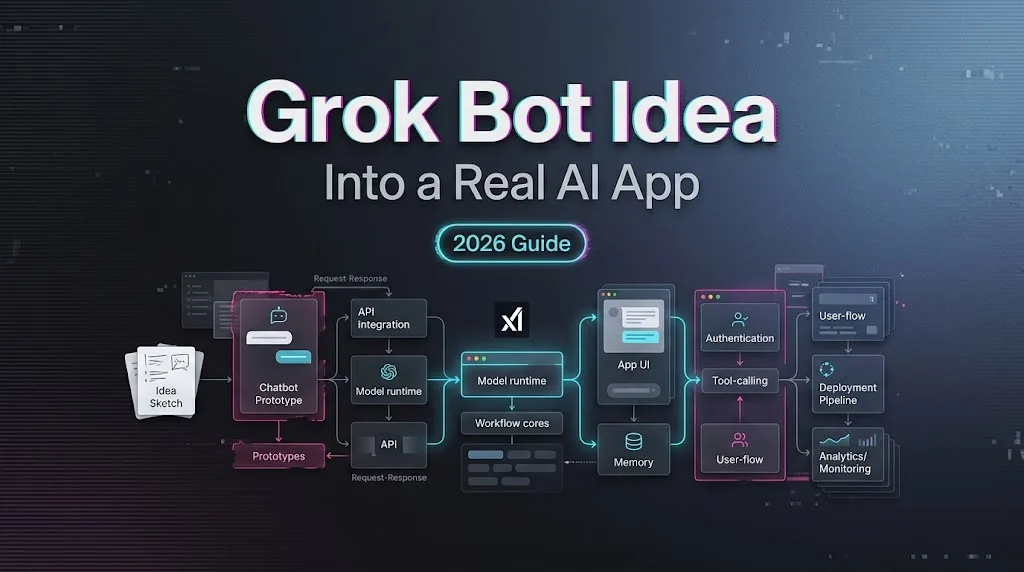
A Grok Bot AI app starts breaking when it has to do more than chat. The prompt works in a demo. Then someone asks it to remember users, call tools, follow policy, log actions, and recover when a CRM lookup fails. That is real product work.
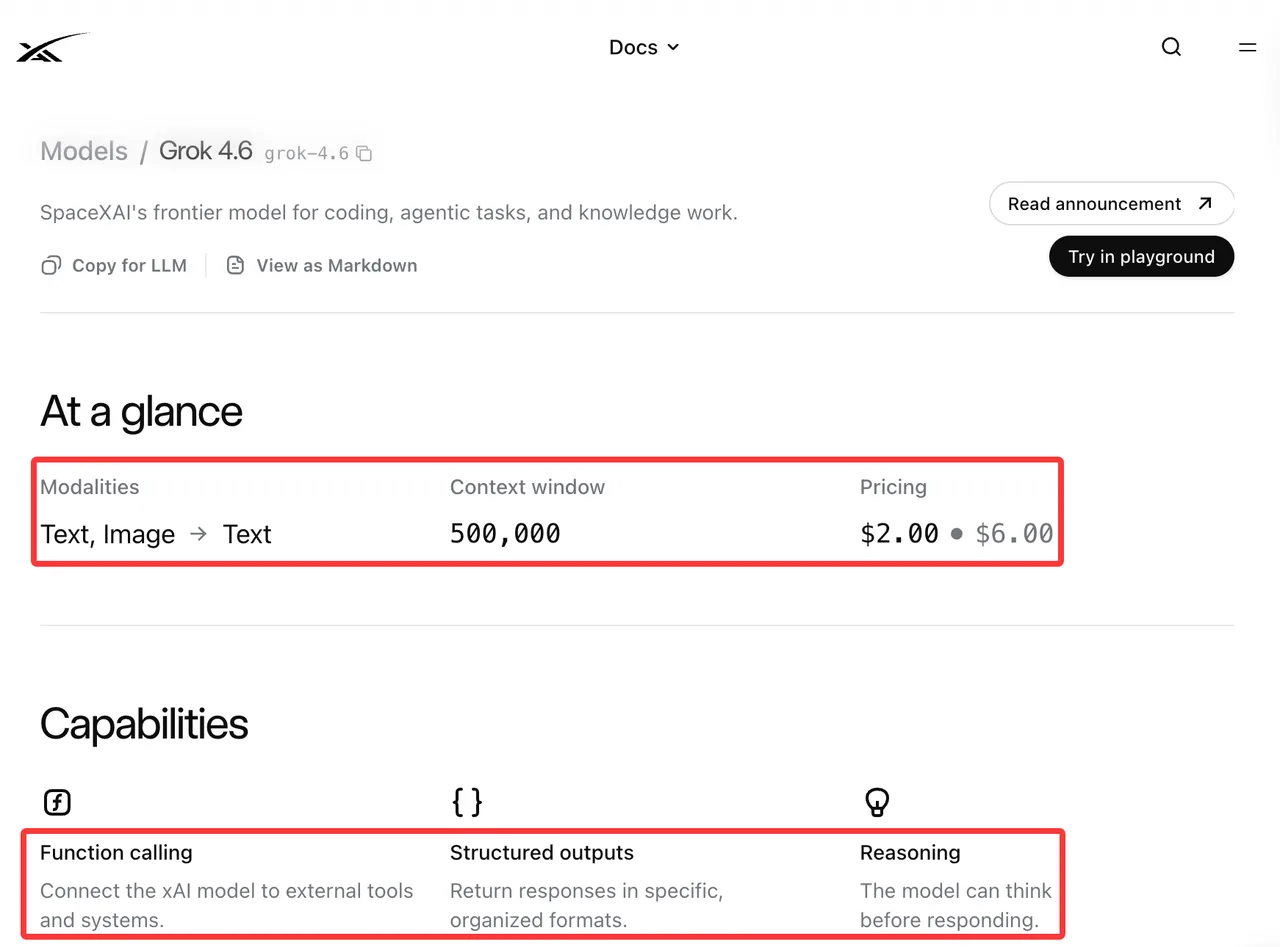
I’m using “Grok Bot” here as a search phrase for a Grok-powered app idea, not as a claim that every custom bot is an official xAI product. As of August 18, 2026, xAI’s Grok 4.6 model page lists text and image input, text output, function calling, structured outputs, reasoning, a 500k context window, and published API pricing. Useful facts. Not a finished app.
Define the Bot’s Job Before Choosing a Model
Turn a Chat Prompt Into a Repeatable User Outcome
The model choice comes later than people want it to.
First define what should be finished when the conversation ends. “Build an AI bot for support” is vague. “Classify the return request, check the order, cite the policy, draft a reply, and ask for approval before refunding” is closer.
A real app needs inputs, permissions, required data, output format, and a stop condition. The bot should not invent its own operating boundary from a system prompt. That is not architecture. That is hope with indentation.
Set Success Criteria and Failure Boundaries
Success criteria need to be observable: task completion rate, policy citation accuracy, structured-output validity, human override rate, latency, and cost per completed task.
Failure boundaries matter just as much. The bot can retrieve order data, but cannot approve refunds above a limit. It can draft outbound messages, but cannot send them without review. It can summarize a contract, but cannot provide legal advice.
I paused here. Most bot failures are not dramatic model failures. They are missing product boundaries.
Design the Grok-Powered Application Architecture
Frontend, Backend, State, and Data Flow
The frontend is the conversation surface. It collects requests, shows progress, asks for approval, and displays results.
The backend owns the workflow. It authenticates users, retrieves data, calls the model, validates outputs, runs tools, handles retries, stores state, and writes logs.
| Layer | Production responsibility |
|---|---|
| Frontend | Chat UI, forms, uploads, approvals |
| Backend | Auth, orchestration, retries, state |
| Data layer | Users, conversations, files, audit records |
| Tool layer | CRM, ticketing, billing, search |
| Observability | Logs, traces, token cost, latency |
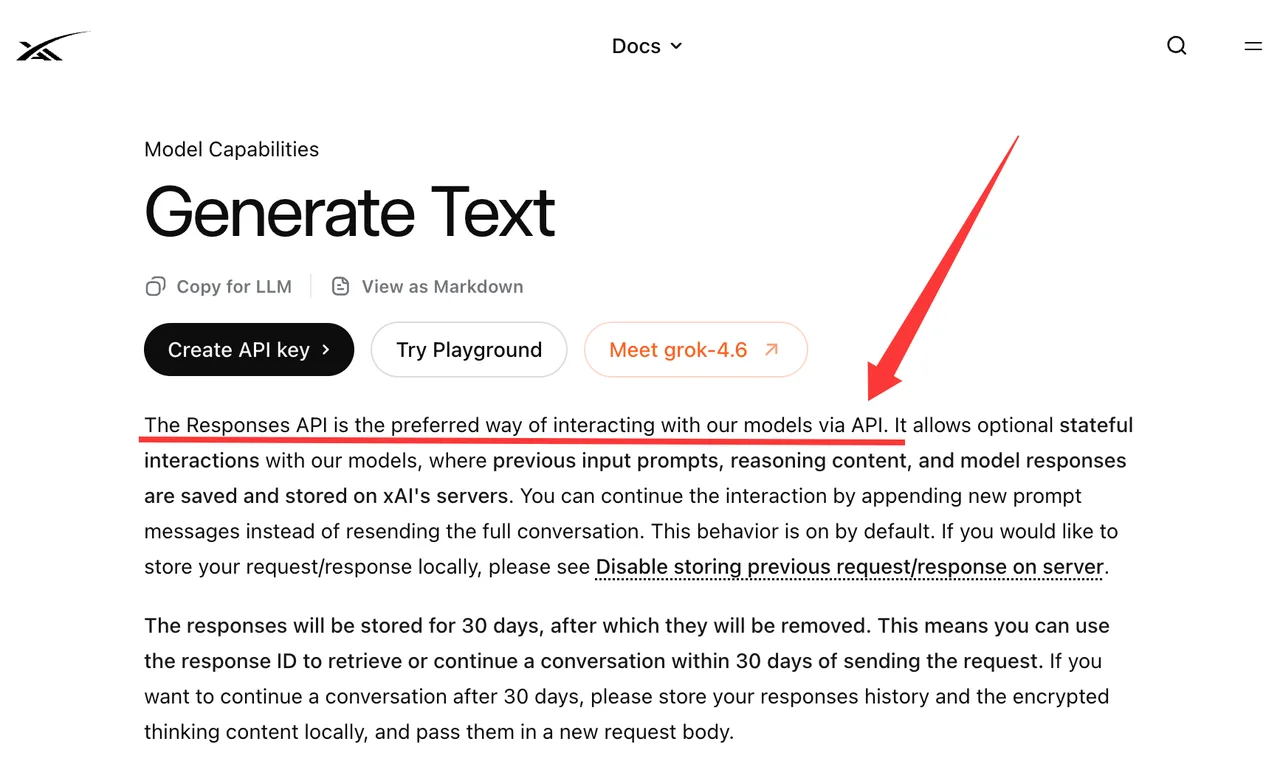
Do not depend on model memory as the only state. xAI’s Text Generation guide describes the Responses API, response IDs, previous-response continuation, and default server-side storage. Useful. Still not your product database.
Model Calls, Tools, Retrieval, and Structured Outputs
A real ai chat bot needs outputs software can inspect.
For actions, xAI’s function calling documentation defines the loop: the model requests a tool call, the app executes it, and the app returns the result. The model asks. The application acts.
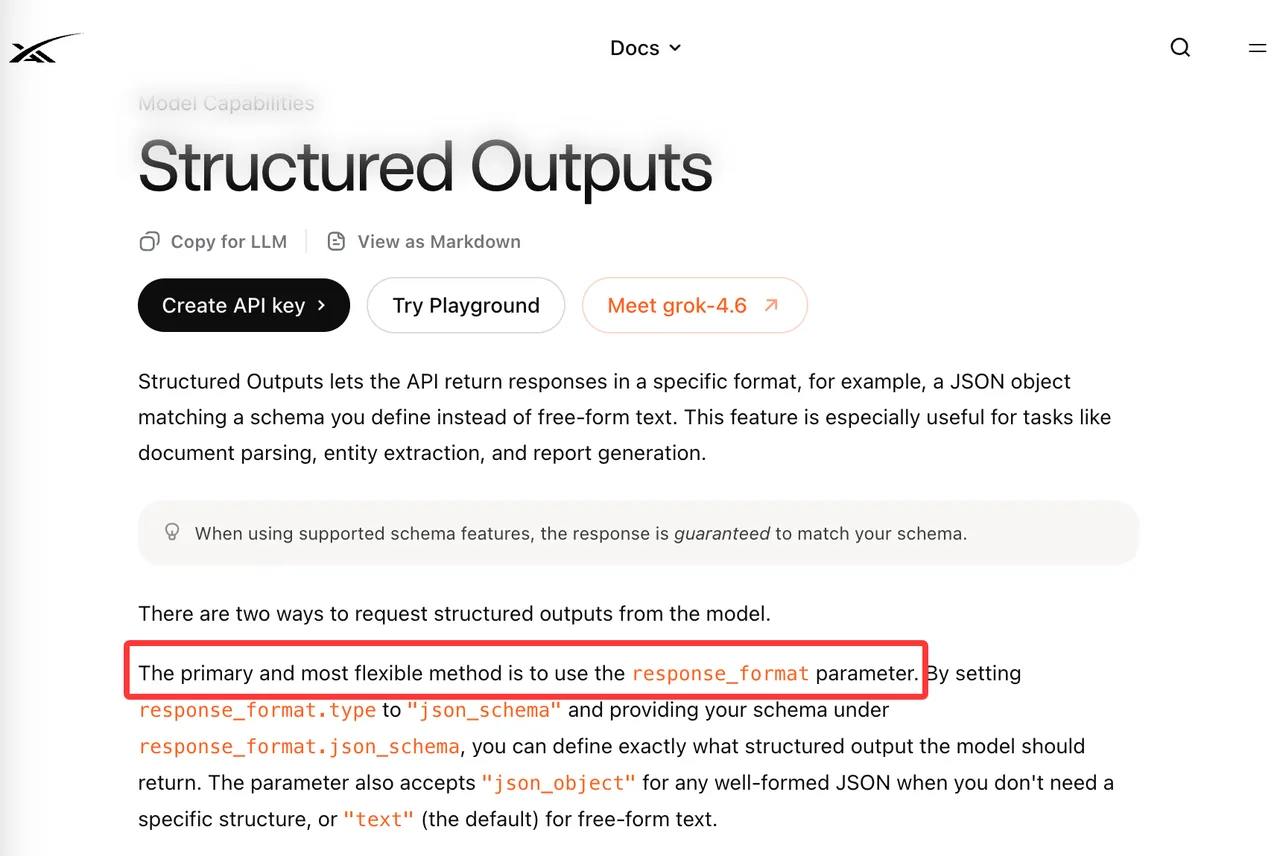
For predictable responses, use schemas. xAI’s structured outputs guide supports schema-shaped responses through response_format and tool schemas. Treat these schemas like contracts. If the output does not validate, repair, retry, or hand off.
Retrieval belongs in the app when the bot needs private or changing facts: policies, orders, account notes, internal docs, customer records. Keep source IDs attached. If the app cannot explain which record shaped the answer, debugging becomes archaeology.
Do not mix Grok Imagine image or video generation into this architecture unless the product actually needs media. Text agents and media pipelines have different costs and review rules.
Build the Smallest End-to-End Workflow
Authenticate Users and Persist Conversations
The smallest useful version should touch one real system with limited authority.
Authentication comes first. The app needs to know who the user is, which workspace they belong to, what data they can access, and which actions they can approve. The model should never be the access-control layer.
Persist the records that make the app auditable: user ID, conversation ID, task ID, model ID, prompt version, retrieved sources, tool calls, approval decisions, errors, retries, and final outcome.
Connect Actions to Real Business Systems
A bot becomes an app when it can affect business systems. Start with low-risk actions. Draft a support reply. Prepare a CRM note. Create a pending ticket update. Generate a report for review. Once that works, add write actions with approval gates.
Every action needs clear states: proposed, approved, completed, failed. If a tool fails, the user should see what failed and what can be retried. “Something went wrong” is not enough once the bot touches business data.
Speed is useful. Not breaking flow matters more.
Test the App With Real User Tasks
Create Acceptance Tests From Actual Requests
Synthetic prompts are fine for smoke tests. They are weak for product validation.
Use real request shapes from support tickets, sales notes, product logs, internal workflows, or customer interviews. Remove personal data before testing. Freeze the cases. Then define expected behavior and failure rules.
A support case might require the bot to retrieve an order, cite the return policy, ask for a photo, and avoid approving a refund. A sales case might require verified account facts and one draft message in a fixed format.
Track failures by type: retrieval miss, bad tool argument, policy violation, invalid schema, slow response, excessive token use, rejected approval. “The model did poorly” is not a useful bug report.
Measure Failure, Repair, Latency, and Cost
Model quality is only one metric.
A production team should measure task completion rate, human override rate, repair success, tool-call count, token cost, latency, failed retries, and escalation rate. If every successful task needs three model calls and two tool calls, that may still be acceptable. But the cost model has to show it.
xAI’s rate limits guide says API teams have per-model limits across requests per second and tokens per minute. Treat the console as the operational source for your account. Your team’s limits decide the launch plan.
Prepare the Bot for Production
Safety Controls, Rate Limits, and Observability
Production safety starts outside the model.
Validate every tool argument. Use allowlisted tools. Apply scoped credentials. Redact secrets from prompts and logs. Rate-limit by user, tenant, and tool. Treat retrieved text as untrusted input, because private documents can contain instructions the model should ignore.
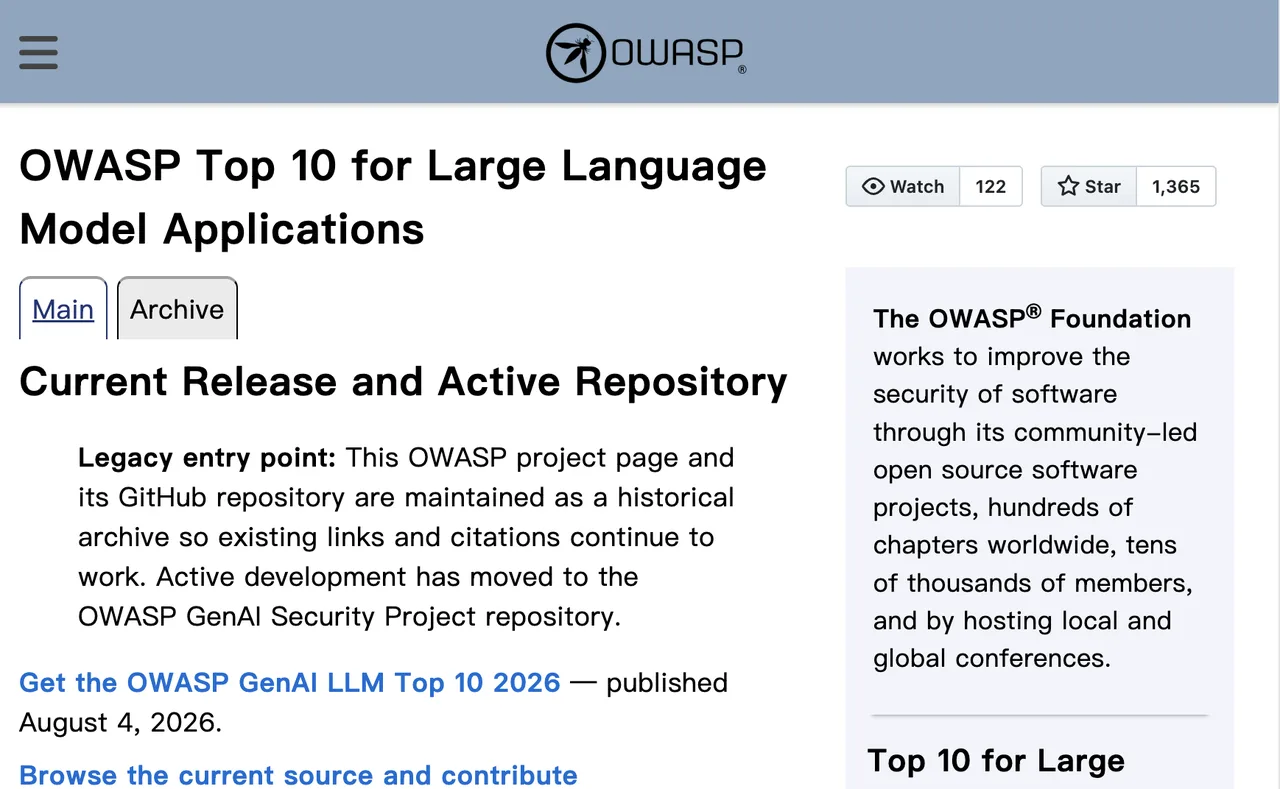
The OWASP Top 10 for LLM Applications is a useful checklist. Prompt injection, sensitive information disclosure, excessive agency, improper output handling, and unbounded consumption show up quickly in bot products.
Observability needs to answer five questions: what did the user ask, what context was retrieved, what did the model decide, which tools ran, and what changed in the business system?
Versioning, Fallbacks, and Incident Recovery
- Version the prompt, model ID, schemas, tool definitions, retrieval corpus, and acceptance tests. If one changes, the app changed.
- Fallbacks should be plain. Retry transient errors. Ask for missing fields. Reduce scope when retrieval fails. Route to a human when policy confidence drops. Disable a risky tool without redeploying the full app.
- Incident recovery needs a kill switch. A bot with write access should be stoppable from an admin control, not from a message to the engineer who remembers the config file.
Decide What to Build Next
Add Features Only After Workflow Validation
After the smallest workflow runs end-to-end, read the logs before adding features.
If users repeat the same setup, build templates. If reviewers keep correcting the same field, fix retrieval or schema design. If long chats drive cost up, add summarization. If users abandon approval screens, fix the product flow before changing the model.
The app does not need more personality by default. It needs fewer broken handoffs.
Expand to Multiple Models When the Evidence Supports It
Multi-model support makes sense when there is evidence: lower cost, lower latency, stronger coding output, safer fallback, better long-context handling, or different modality needs.
That is where the internal Grok Model Routing piece belongs. Routing should follow measured workflow needs. Otherwise, the team starts comparing models before it knows what the app is supposed to finish.
FAQ
Can users export conversations from a Grok-powered application?
Yes, if the app stores conversations in an exportable format. Store messages, timestamps, task states, tool calls, files, generated outputs, and final actions in your own system.
Who owns content generated through a third-party model API?
That depends on provider terms, customer contracts, app terms, and the content itself. Ownership, reuse rights, restrictions, and indemnity need legal review before launch. This is not legal advice.
What should privacy notices disclose about external model providers?
They should disclose that user content may be sent to an external AI provider, what data categories are processed, expected retention, training policy, controls, and export or deletion paths. xAI’s API security FAQ is the current source I would recheck before publishing.
Can one app support both enterprise and consumer accounts?
Technically, yes. Product-wise, separate the policies. Enterprise accounts may need tenant isolation, admin controls, audit logs, stricter retention settings, and contract-specific terms.
How should teams handle deletion requests for stored bot data?
Search beyond the chat table. Conversations, embeddings, uploaded files, generated outputs, tool logs, queues, analytics events, and backups may all contain bot data.
Conclusion
A Grok Bot AI app is not a prompt with a nicer interface. It is a workflow system around a model: identity, state, tools, retrieval, schemas, tests, limits, logs, approvals, and recovery.
Start with one narrow job. Make it run end to end. Then read the failures. That will tell the team what to build next better than another brainstorming session.
Previous posts:
/filters:quality(82)/media/images/c347367a-a007-4466-b8f7-d37f5fb52819.webp)
/filters:quality(82)/media/images/cd4db796-7728-45fb-8267-6813ed28e173.webp)
/filters:quality(82)/media/images/1791535252286714222_v4jvJT2a.webp)
/filters:quality(82)/media/images/1791451065663755033_qNqAKS1a.webp)
/filters:quality(82)/media/images/1791359984291066138_tW5eOX6f.webp)
/filters:quality(82)/media/images/1773962750383987480_n3hqzHRZ.webp)