
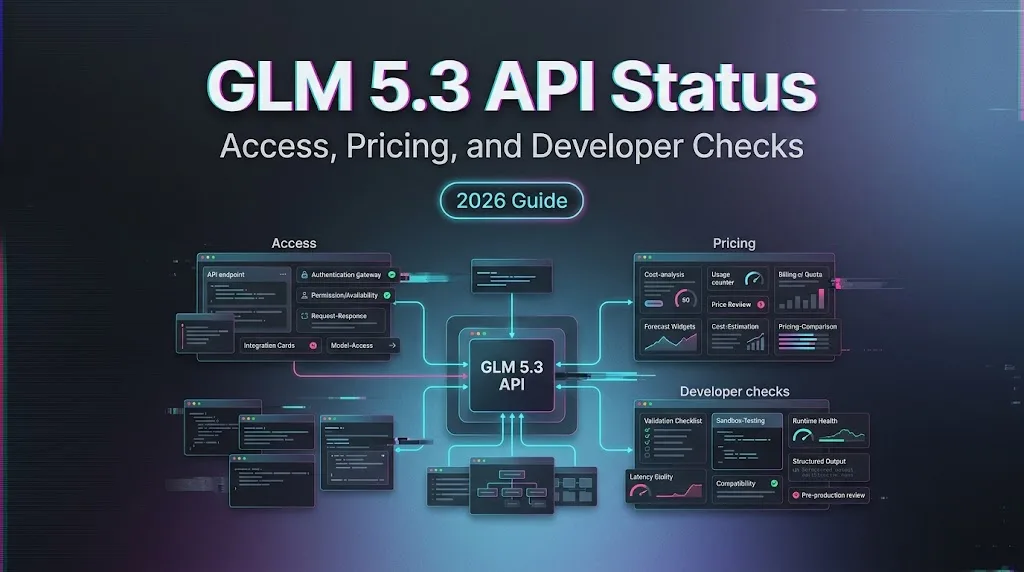
GLM 5.3 API Status: Access, Pricing, and Developer Checks
Review GLM 5.3 API status, model IDs, pricing, context, tool calls, and developer checks without assuming public access is already available.
I’m Dora. I opened the model docs before the benchmark chart.
The thing I needed for this GLM 5.3 API review was not another score. It was whether glm-5.3 could be called from staging, logged, priced, retried, and rolled back without guessing. That is usually where launch excitement stops being useful.
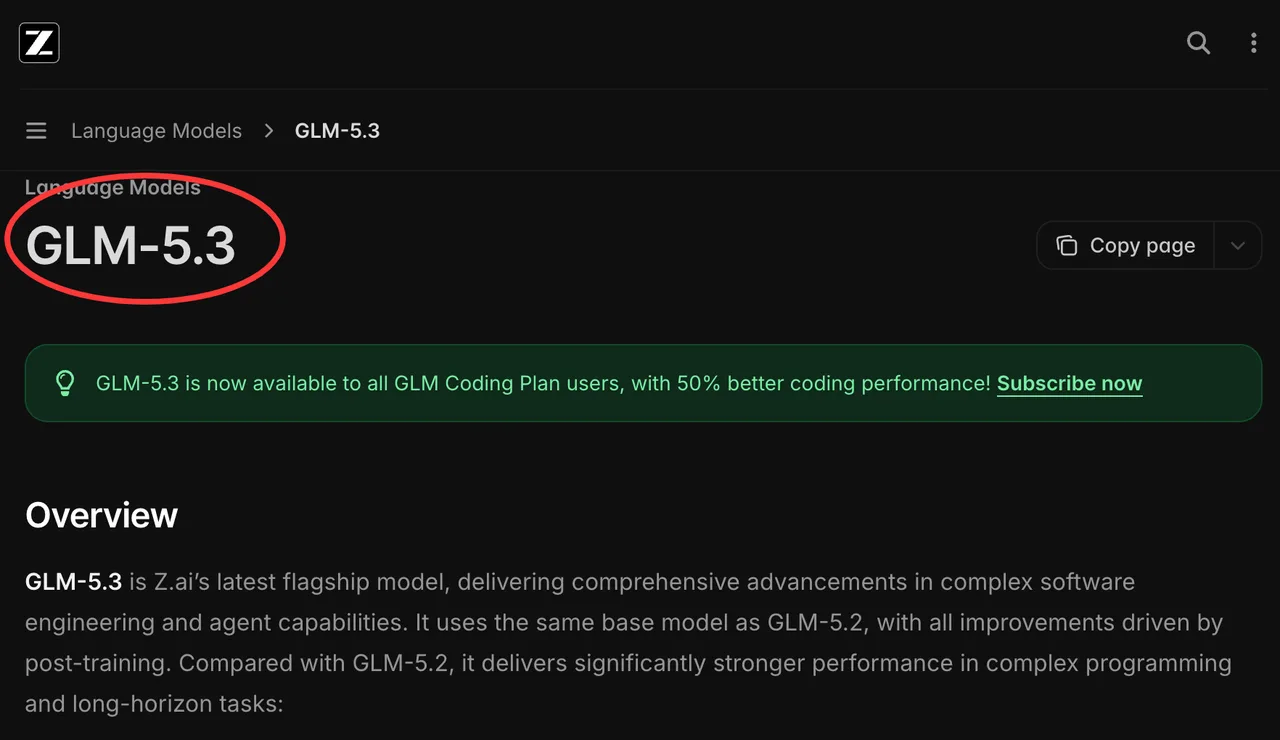
As checked on August 19, 2026, Z.ai documents glm-5.3, long context, streaming, tool calls, structured output, and OpenAI-compatible routes. This piece records what public API evidence confirms, what still needs account-level testing, and where I would stop before calling it production-ready.
Check GLM 5.3 API Availability
Official Model IDs and Supported Endpoints
The first record in any evaluation log should be the exact GLM 5.3 model ID. Z.ai currently documents the model as glm-5.3 in its official GLM-5.3 guide. Do not shorten this to “GLM latest” or “5.3” in test sheets. A vague alias makes benchmark results, support tickets, billing review, and rollback analysis harder to trust.
Z.ai also documents several compatible access styles, including OpenAI Chat Completion, OpenAI Response, and Anthropic Message formats. That does not mean every account has the same access. Teams still need to verify plan status, region, quota, billing, and console permissions.
Public, Partner, and Aggregator Access
GLM 5.3 API access should be labeled by route. Direct Z.ai access, partner access, and aggregator access are separate evidence. A successful call through one route does not prove that another route has the same latency, tool behavior, response shape, safety handling, or data policy.
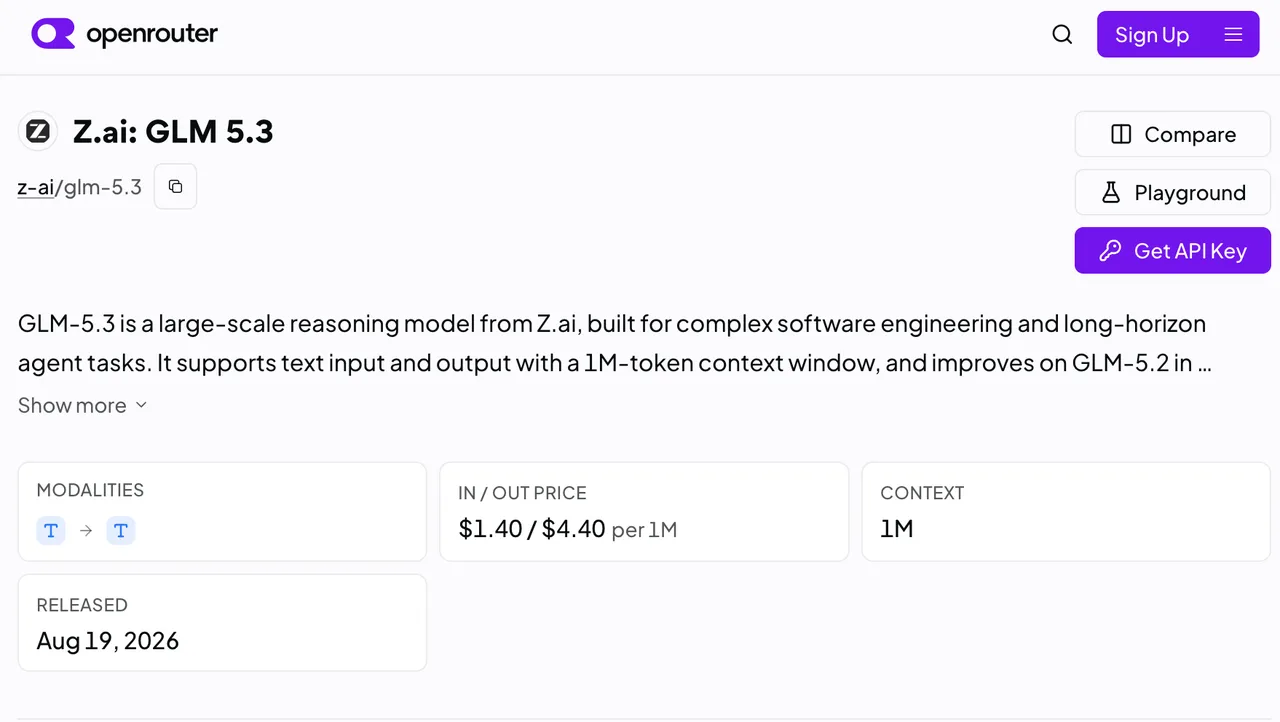
OpenRouter lists z-ai/glm-5.3 as an aggregator route. That can help teams compare routing behavior, but it should be recorded as OpenRouter-mediated access, not direct Z.ai availability. The provider, date, route, model ID, and settings all belong in the test record.
Inspect the API Contract
Context, Streaming, Tools, and Structured Output
Official documentation currently lists GLM 5.3 context at 1M tokens and max output at 128K tokens. Treat those as upper limits, not as a promise that every long-context workload will be accurate, fast, or cheap. A GLM 5.3 context test should include retrieval misses, conflicting documents, irrelevant long inputs, and answer grounding checks.
For tool use, test the actual production schema. A toy function call does not prove much. Use the real function names, required fields, enum values, nested objects, and failure responses. The same applies to structured output. Valid JSON is not the same as correct business data.
The Z.ai Chat Completion API reference is the contract teams should check for parameters, streaming behavior, tool fields, response format, and usage objects before writing client code.
Authentication, Limits, and Error Behavior
Authentication uses bearer-token API keys. Production teams should separate development, staging, and production keys where the console and policy allow it. Logs should capture request ID, model ID, endpoint, prompt version, latency, token usage, finish reason, retry count, and error type.
Do not assume rate limits from public examples. Record the actual account limit from the console or contract. Also test common failure paths: invalid key, missing model permission, prompt too long, malformed tool schema, timeout, insufficient balance, and provider-side errors.
Run a Safe Integration Check
Send a Minimal Request With the Exact Model ID
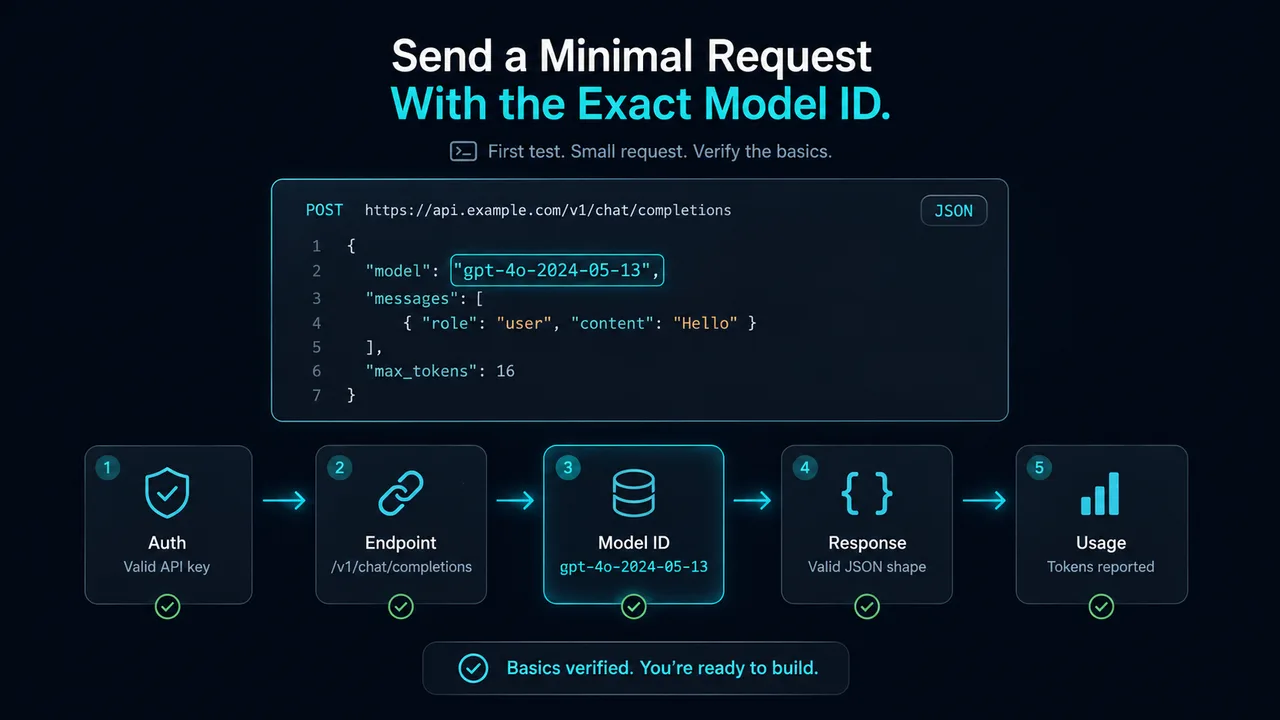
The first test should be small. It should confirm authentication, endpoint path, model ID, response shape, and usage reporting.
curl -X POST "https://api.z.ai/api/paas/v4/chat/completions" \
  -H "Authorization: Bearer <YOUR_ZAI_API_KEY>" \
  -H "Content-Type: application/json" \
  -d '{
    "model": "glm-5.3",
    "messages": [
      {"role": "user", "content": "Return the word ready."}
    ],
    "thinking": {"type": "enabled"},
    "reasoning_effort": "low",
    "max_tokens": 64,
    "stream": false
  }'
Use placeholder keys in shared documentation. Live keys belong in the approved secret manager, not in tickets, docs, screenshots, or prompt notebooks.
Test Tool Calls, Retries, and Usage Reporting
After the minimal request works, add one real tool call. Then test a malformed tool response. Then test streaming. Then test a long-context prompt that should fail gracefully when it exceeds policy, cost, or timeout limits.
Retries need rules. Retry selected transient failures. Do not blindly retry unsafe outputs, invalid tool actions, or expensive long-context requests. If the model call can trigger business systems, the surrounding workflow needs idempotency before production traffic touches it.
Evaluate Developer Experience
Documentation, SDKs, and Compatibility
OpenAI-compatible APIs can reduce migration cost, but compatibility is not a slogan. Check the SDK version, base URL, request fields, streaming chunks, tool-call shape, usage records, and error body. One missing field can break tracing or billing reconciliation.
A practical GLM 5.3 API review should also include developer setup time. How long does it take to get a key, run a request, inspect logs, stream a response, and debug a tool-call failure? That answer matters more than a clean quickstart screenshot.
Observability, Reliability, and Version Changes
Reliability should be measured by workload, not by model reputation. Track p50 and p95 latency, timeout rate, malformed output rate, tool-call failure rate, refusal rate, context overflow rate, and cost per completed task.
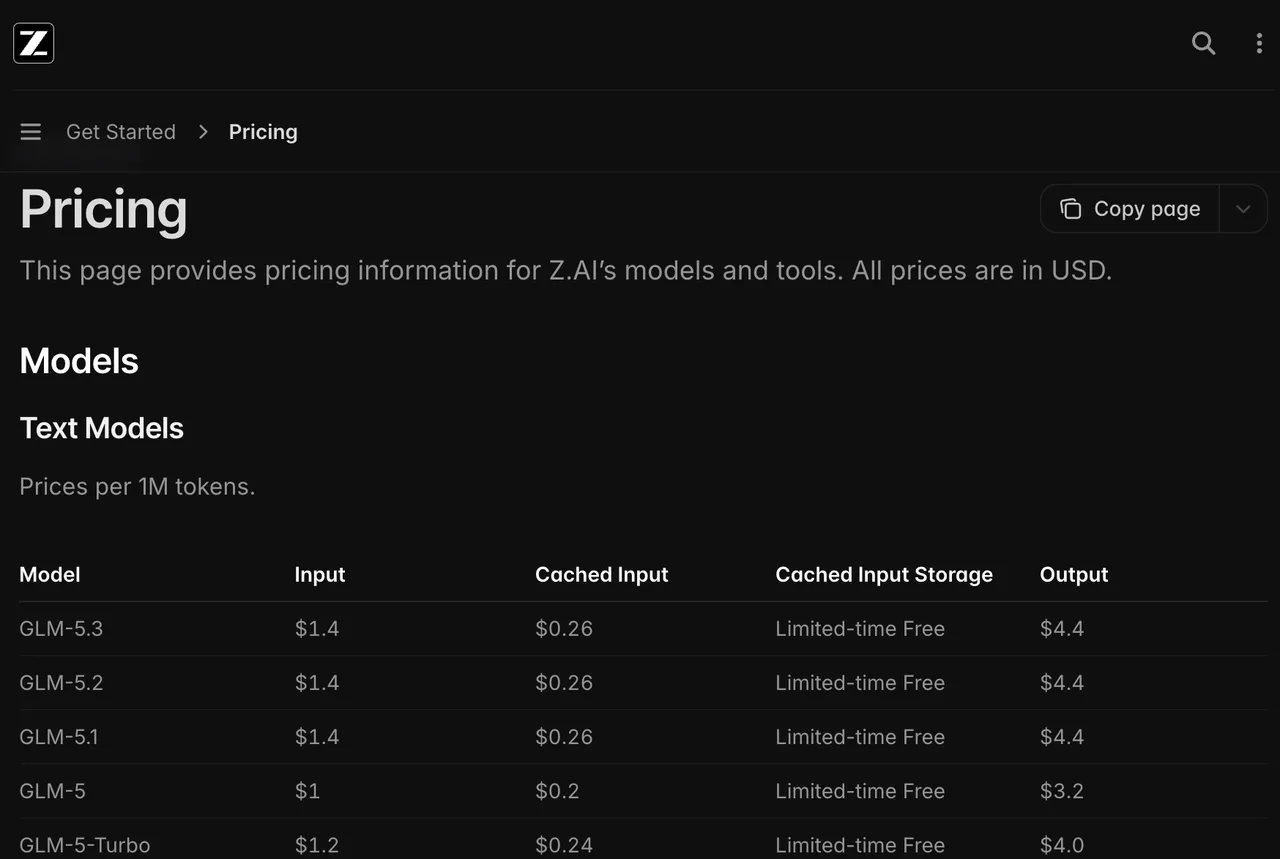
For GLM API pricing, use the current Z.ai pricing page at approval time, then record the date. Public pricing can change, and cached input, output tokens, preview terms, and plan-specific discounts may affect the real bill. The current Z.ai pricing documentation is a starting point, not a substitute for account-level billing confirmation.
Limits and Trade-Offs
An Endpoint Listing Does Not Prove Full Availability
A listed endpoint proves documentation exists. It does not prove every account can use it today. Access can depend on plan, geography, billing, preview status, or partner route. This is where my data ends: public docs cannot confirm the user’s private account permissions.
Provider Behavior May Differ From Direct Z.ai Access
Aggregator behavior should be tested separately. OpenRouter’s GLM 5.3 listing is useful for route discovery and comparison, but direct Z.ai and aggregator routes may differ in supported parameters, safety layer, logging, retry behavior, moderation, and usage reporting.
If both routes are evaluated, write two rows in the evidence table. Do not merge them into one “GLM 5.3 result.”
FAQ
Can one GLM API key serve multiple environments?
Only if provider policy and internal security rules allow it. Separate keys are cleaner for audit, rotation, quota control, and incident response.
Can an enterprise contract specify API support response times?
Yes. Support response time, escalation path, outage notice, change notice, and data handling can be contract topics. This is commercial information, not legal advice.
Can customers obtain a data-processing addendum before evaluation?
Enterprise buyers commonly request one before sending sensitive or customer-derived prompts. The applicable terms should come from the provider’s latest legal documents.
Can API evaluation logs include customer-derived prompts?
Only after privacy, security, retention, and consent rules are checked. Redacted or synthetic replay sets are usually safer for early testing.
Who owns API compatibility testing before deployment?
Platform engineering should own the harness. Product teams should own task acceptance. Security and legal should review data exposure, retention, and external-provider use.
Conclusion
This GLM 5.3 API review supports a controlled developer check, not an automatic production rollout. The official docs identify a GLM 5.3 model ID, access paths, context claims, tool support, and pricing references. Each one still needs account-level verification.
The right next step is small and concrete: call glm-5.3, test real tool schemas, record usage, compare routes separately, and approve adoption only when the measured API behavior matches the workload.
Previous posts:
/filters:quality(82)/media/images/c347367a-a007-4466-b8f7-d37f5fb52819.webp)
/filters:quality(82)/media/images/cd4db796-7728-45fb-8267-6813ed28e173.webp)
/filters:quality(82)/media/images/1791535252286714222_v4jvJT2a.webp)
/filters:quality(82)/media/images/1791451065663755033_qNqAKS1a.webp)
/filters:quality(82)/media/images/1791359984291066138_tW5eOX6f.webp)
/filters:quality(82)/media/images/1773962750383987480_n3hqzHRZ.webp)