
Gemini 3.5 Transcribe Pricing for Real-Time STT
Gemini 3.5 Transcribe pricing explained through current audio rates, session duration, retries, and cost per completed real-time transcription.
A real-time voice session does not get expensive because one user talks for five minutes. It gets expensive when the app reconnects, resends audio, keeps logs nobody reads, and counts only successful transcripts. This Gemini 3.5 Transcribe pricing review focuses on one decision: cost per completed transcript for a single live STT session.
It’s John. The numbers below use Google’s current public pricing as of September 1, 2026. Voice pricing moves.
Start With the Current Pricing Snapshot
Audio Input, Text Output, and Live Session Units
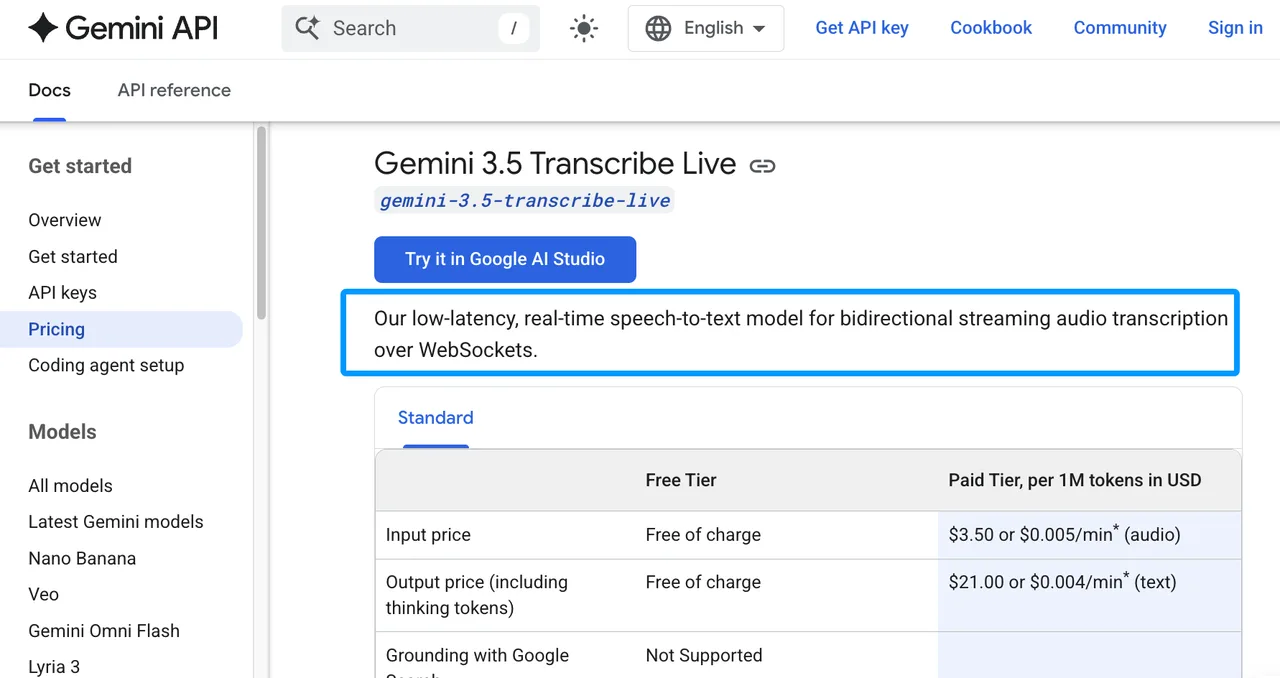
Gemini API pricing, last updated August 28, 2026, lists gemini-3.5-transcribe-live as the real-time speech-to-text model for bidirectional WebSocket streaming.
For the paid tier, Google lists:
| Unit | Current Paid Rate |
|---|---|
| Audio input | $3.50 per 1M tokens, or about $0.005/min |
| Text output | $21.00 per 1M tokens, or about $0.004/min |
| Blended estimate | about $0.009/min |
That blended number is an estimate. Google bases it on 25 audio tokens per second and 175 text tokens per minute. For FinOps, keep both token math and minute math in the sheet.
Free Tier, Paid Access, and Provider Boundaries
The pricing page lists free input and output tokens for this model in the free tier. It also says free-tier content is used to improve Google products, while paid-tier content is not.
That matters for production. Free is good for smoke tests. It is not a clean production assumption.
If you use a third-party provider, do not call Google’s list price your final voice API cost. Put provider markup, routing fees, storage, support plans, and taxes as separate lines. WaveSpeed should only appear here if its current model catalog confirms Gemini 3.5 Transcribe Live as an available hosted route.
Model One Real-Time Session
Duration, Silence, Output, and Reconnection Assumptions
Start with one session, not monthly volume. Google’s model page lists gemini-3.5-transcribe-live for Live API use and shows a 10-minute max audio duration per live session.
Use this sheet:
| Input | Example Variable |
|---|---|
| Spoken duration sent | audio_minutes_sent |
| Transcript output size | text_output_tokens |
| Reconnect count | reconnect_attempts |
| Retry audio resent | duplicate_audio_minutes |
| Completed transcript | completed = true/false |
Silence is not free if your client sends it as audio. Client-side VAD is a cost control, not just a latency feature.
Cost per Attempt and Cost per Completed Transcript
Use the replaceable formula:
attempt_cost = (audio_tokens / 1,000,000 * current_audio_rate) + (text_tokens / 1,000,000 * current_text_rate) + provider_markup
For minute planning:
attempt_cost_estimate = audio_minutes_sent * 0.005 + transcript_minutes_equivalent * 0.004 + provider_markup
Then calculate the number that matters:
cost_per_completed_transcript = total_cost_of_all_attempts / completed_transcripts
That includes failed attempts. Production billing does not care that the user dropped off before the transcript reached your CRM.
Test the Main Cost Drivers
Session Length, Retries, and Duplicate Audio
The main Gemini transcription cost driver is audio sent, plus text returned. The hidden driver is repeated audio. A reconnect that resends the last 30 seconds looks small in one test. At 50,000 sessions, it becomes a line item.
Google’s Live API billing guidance also warns that Live API sessions can accumulate context and reprocess retained tokens by turn. For pure live STT, still record session structure. Long-lived sockets deserve suspicion.
Logging, Storage, and Downstream Processing
The model price is not the whole workflow. Add relay bandwidth, audio storage, transcript storage, analytics, QA review, and any downstream LLM cleanup.
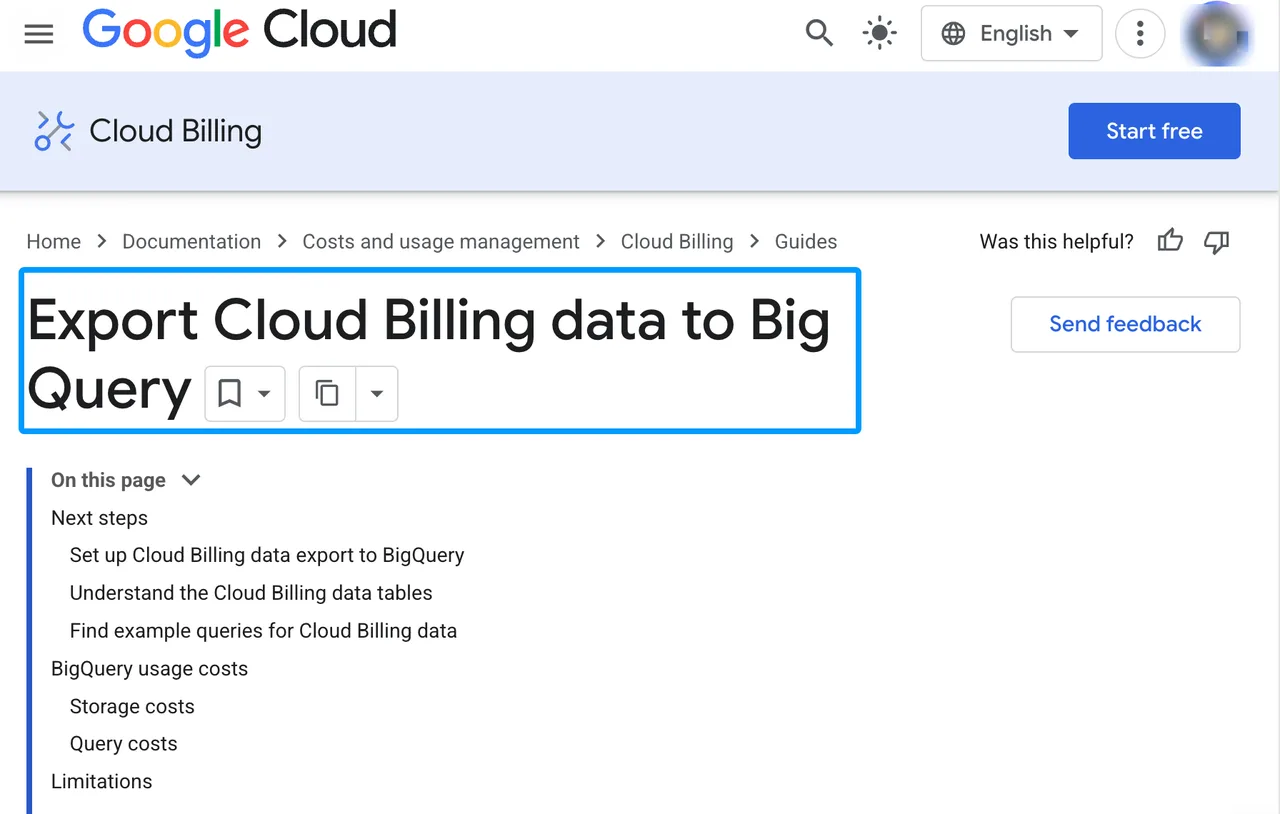
If billing goes through Google Cloud, Cloud Billing export can help separate service, SKU, project, labels, cost, usage, credits, and invoice month. One person can remember where a test ran. A team cannot.
Decide Whether the Economics Fit
Workloads That Match the Pricing Shape
This real-time STT pricing shape fits short, interactive transcription: dictation, live captions, agent assist, call notes, and app sessions where low delay changes the product.
It fits best when you control session length, avoid duplicate audio, and count failed sessions honestly.
Cases Where Operational Costs Dominate Tokens
If calls are long, noisy, heavily reviewed, or often reconnected, operational cost can beat audio token pricing. Human QA, storage retention, and post-processing may cost more than the model.
Do not decide by per-minute rate alone. Decide by completed transcript.
FAQ
Can Gemini 3.5 Transcribe invoices separate usage by application?
Not automatically at the app-feature level. Use separate projects when you need billing-level separation. API keys within the same project do not have independent billing settings; use your own application telemetry, plus supported billing-export fields or labels where available, for finer attribution.
Do committed-use discounts apply to Live API audio?
The public Gemini Developer API pricing table does not list a Transcribe Live-specific committed-use discount. Enterprise or Cloud contract pricing may differ. Confirm in your agreement and billing export.
Can administrators set hard monthly budgets for Gemini transcription workloads?
Google Cloud budgets can alert on spend, and spend caps are available in preview for eligible services. Treat hard caps as an implementation check, not a spreadsheet assumption.
How are failed sessions represented in billing exports?
Billing exports show charged usage, not your product outcome. Mark failed, retried, and completed sessions in your own telemetry, then join that data to cost records.
Which taxes or regional fees appear outside token rates?
Taxes, currency effects, reseller terms, and regional fees can sit outside token rates. Check the actual invoice before locking forecast numbers.
Conclusion
The bottom line for Gemini 3.5 Transcribe pricing is simple: the per-minute estimate is only the starting point.
Build the sheet around cost per completed transcript. Count audio sent, text returned, retries, reconnects, provider markup, logs, storage, and review. The conclusion is valid only at that scale.
Previous posts:
/filters:quality(82)/media/images/b73c2438-6bdd-4b80-a229-8d71d8f819cf.webp)
/filters:quality(82)/media/images/427fd9f2-347d-4f86-a2d5-aee110cda01d.webp)
/filters:quality(82)/media/images/1773962750383987480_n3hqzHRZ.webp)
/filters:quality(82)/media/images/43fa0e7f-a0db-48d7-9bab-921d1225db30.webp)
/filters:quality(82)/media/images/5799ff56-3a73-40ca-a666-e4965d878496.webp)
/filters:quality(82)/media/images/7a8850fc-caf6-482f-ac4d-5ddbe64ec47c.webp)