
Comfy Cloud Review 2027: Local Workflow, Hosted Run
Comfy Cloud review for media builders: assess local workflow portability, hosted execution, team handoff, and cost per usable job.

A graph can look portable until the first missing node. This Comfy Cloud review asks whether an existing image or video graph survives hosting, and what one accepted output costs. I checked Comfy’s public documentation. No paired run logs were supplied.
For a team already producing assets locally, ComfyUI cloud hosting is a migration decision before it is a GPU purchase.
Can a Local ComfyUI Graph Run in Comfy Cloud?
Export One Known Workflow and Its Inputs
I would start with a graph the team already trusts. Save its editable JSON, input files, prompts, seed, dimensions, model and LoRA versions, and an accepted output. Note the local ComfyUI and custom-node versions. A canvas screenshot is a poor dependency record.
Use inputs the team can legally process remotely. Keep hashes or stable filenames. Hold the task constant: source, settings, output format, and acceptance rule. If the model is unavailable in Cloud, mark any replacement before running. It cannot demonstrate migration of the original graph.
I would write the acceptance rule before seeing the Cloud output. For an image, that may mean dimensions, alpha, subject consistency, and a file the design team can open. For video, it may include duration, frame rate, audio, and a clean final frame. Otherwise, “looks fine” changes meaning halfway through the test.
Editable JSON preserves the visual graph; API-format JSON is for programmatic submission. Mixing them up says nothing about model quality.
Identify Unsupported Nodes or Models Before Migration
Comfy Cloud includes preinstalled models and managed Comfy Cloud nodes. Its custom-node support note says users cannot directly install their own custom nodes. I would inventory loaders, checkpoints, LoRAs, preprocessors, samplers, encoders, file paths, and Python-dependent extensions, then check Cloud’s catalog on test day.
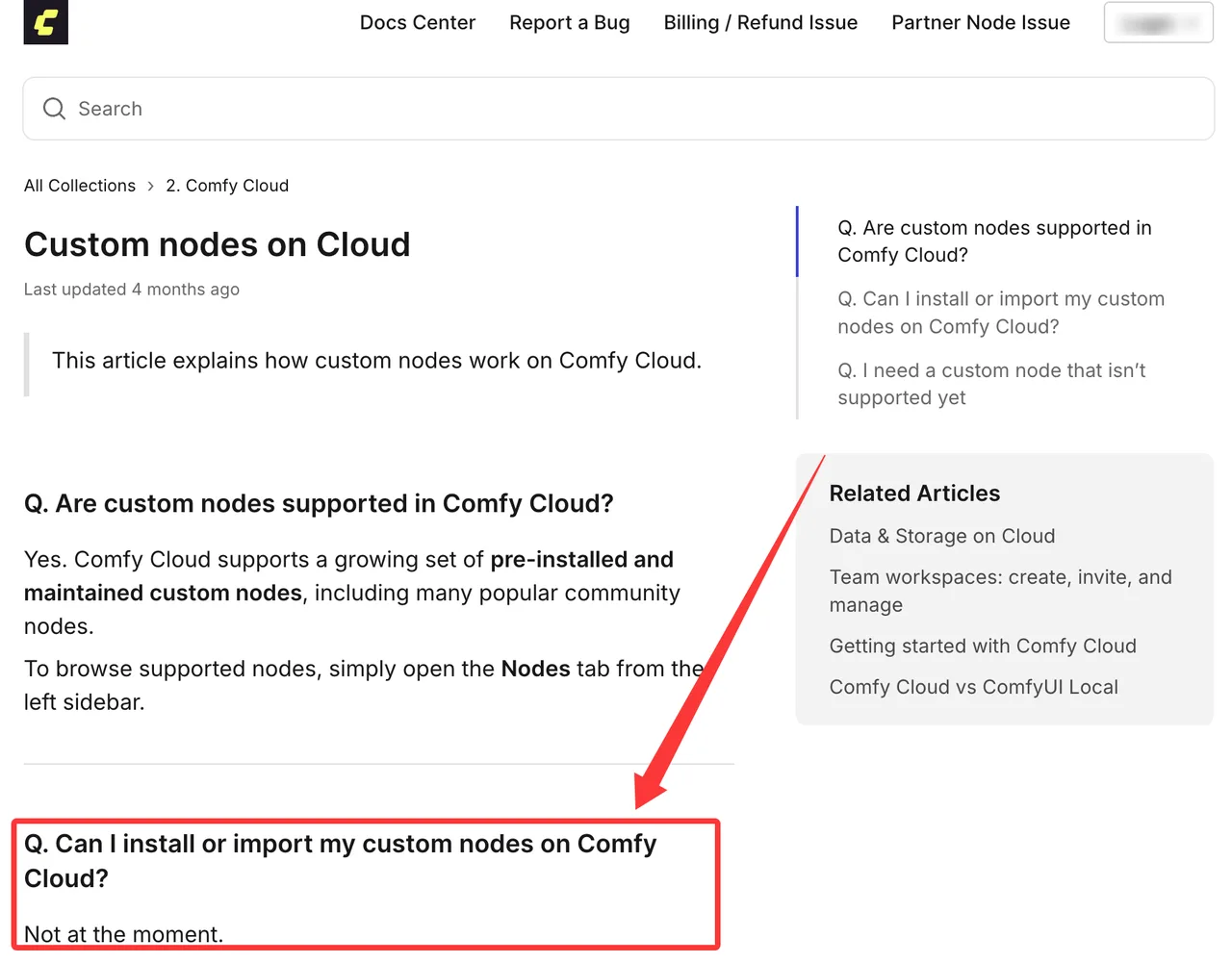
A missing node or model blocks migration unless the team agrees to a replacement. “The graph opens” is a low bar. Does it complete with the intended inputs and produce a usable file?
How Much Did the Graph Change to Run in Cloud?
Keep a Migration Diff
I would keep the local JSON and a separate Cloud copy. Mark every dependency unchanged, replaced, or blocked. Record changed parameters, relocated inputs, output nodes, and model swaps. If Cloud needs a different preprocessor, its runtime is not a clean GPU comparison.
A renamed checkpoint may point to different weights. A video graph may render but save at another frame rate or codec. One polished frame hides that. I paused here: portability belongs to the deliverable, not just the canvas.
The diff should travel with the output. If a producer approves a Cloud render without knowing it came from a replacement model, the next person may try to reproduce it locally with the original graph. The file will look like evidence of parity. It is evidence of a different setup.
Count Workarounds as Part of the Cost
Keep three outcomes: unchanged, repaired, and blocked. Log time spent replacing nodes, testing models, and correcting paths. Those minutes are migration cost even if editing uses no GPU credits.
A repaired Comfy Cloud workflow needs its own acceptance check. If the output differs materially from the local baseline, its runtime does not answer the original migration question.
What Changes in Hosted Execution?

Compare Reproducibility and Job Visibility
I would run the licensed reference graph locally and in Cloud in paired batches. Match seed and settings; save files, not previews. Exact pixel equality is brittle across builds and hardware. Count runs that complete in the requested format and pass the team’s acceptance criteria.
For each attempt, record queue and run status, error, and failure point. A missing model, timeout, and rejected output are different failures. Cloud’s paid API can submit jobs and retrieve results, but “complete” does not mean the asset passed review.
Keep the job ID next to the output filename. That sounds administrative until two retries finish out of order and someone attaches the wrong image to the wrong settings. Then it becomes the only useful line in the log.
Record Waiting, Running, and Download Time
I would timestamp submission, execution start, execution end, and download. That separates queue wait, GPU work, and transfer. A fast Comfy Cloud GPU does not help much if the queue dominates handoff. An idle local card may deliver sooner despite slower generation.
Compare paired samples in the same time window, including retries. Report median and slowest completion time with accepted-output count. There are no measured numbers here yet.
Queue time deserves its own column because the team experiences wall-clock delay, while Cloud bills GPU activity. Those numbers answer different questions. A workflow can be cheap to run and still miss a review deadline. I would judge both before calling it faster.
What Does a Usable Workflow Run Cost?
Include GPU Time, Partner Models, and Failed Jobs
Comfy Cloud pricing has a plan fee plus credits for active GPU time and Partner Nodes. The current pricing page lists a Blackwell RTX 6000 Pro with 96 GB VRAM, runtime and concurrency limits, and one credit pool for both charges. Record the plan, credit balance before and after the batch, and price-check date.

My cost line is total credits consumed divided by accepted outputs, with plan fee separate. Failed attempts stay in the numerator. Credit History, rather than an assumption about free failures, supplies the charged amount. Partner calls get their own row because model and parameters change their cost.
For a monthly decision, I would allocate the plan fee across that month’s accepted outputs, then add only the cost of any top-up credits consumed beyond the plan’s included allowance. I would also keep a separate figure for marginal cost of one more run. Those two numbers answer different questions: whether the plan pays off and what the next request is likely to consume.
The runtime cap matters for video. A cancelled job leaves an incomplete attempt regardless of the GPU rate.
Compare Hosted Runs With Local Hardware Operations
“Local is free” usually means the GPU invoice arrived earlier. I would include electricity, depreciation or rental, storage, maintenance, failed local runs, and time spent managing versions. Partner Node charges stay on the local side too.
Frequency changes the answer. A busy owned GPU spreads fixed cost across many assets; occasional bursts leave it idle. The useful unit remains cost per accepted image or video at actual volume.
Who Should Choose Comfy Cloud?
Teams Sharing Visual Graphs
The best candidate has graphs that fit the managed catalog and wants to stop tending a workstation. A Team plan also supplies a shared credit pool.
Comfy’s workspace documentation says team files and credits belong to the workspace and are shared with members; owners control invitations and billing. I would decide which LoRAs and client files belong there before inviting editors. A shared pool is not a per-project budget.
The workflow handoff still needs a rule: who edits the graph, who approves an output, and where accepted JSON is kept. The pricing page still labels shared workflows and assets as coming soon. A shared credit pool does not prove that members can co-edit one canvas today.
Limits for Custom Infrastructure and API-Led Products
Comfy Cloud is less convincing when a graph needs private Python code, unsupported nodes, or a missing model. An application needing pinned environments or dedicated endpoints belongs in a separate Comfy API deployment evaluation. Its controls and billing should not be credited to Cloud.
Paid Cloud plans include API access. I would still test concurrency, failure handling, and output retrieval before putting customer requests behind a graph.
FAQ
Who can view a private LoRA uploaded to Comfy Cloud?
Personal workspaces are owner-only; team members share workspace files. Current plans describe importing models or LoRAs from CivitAI or Hugging Face, not unrestricted direct file upload. I found no documented per-LoRA control keeping an import visible only to its uploader. “Private” at the source repository is not proof of private Cloud visibility. Check access with a member account before importing a sensitive LoRA.
Can Comfy Cloud restore a previous version of a workflow?
I could not verify a documented native workflow-version restore control. Run history is not version history. I would export named JSON revisions to the team’s version control with the matching model manifest.
When are uploaded source files deleted from Comfy Cloud?
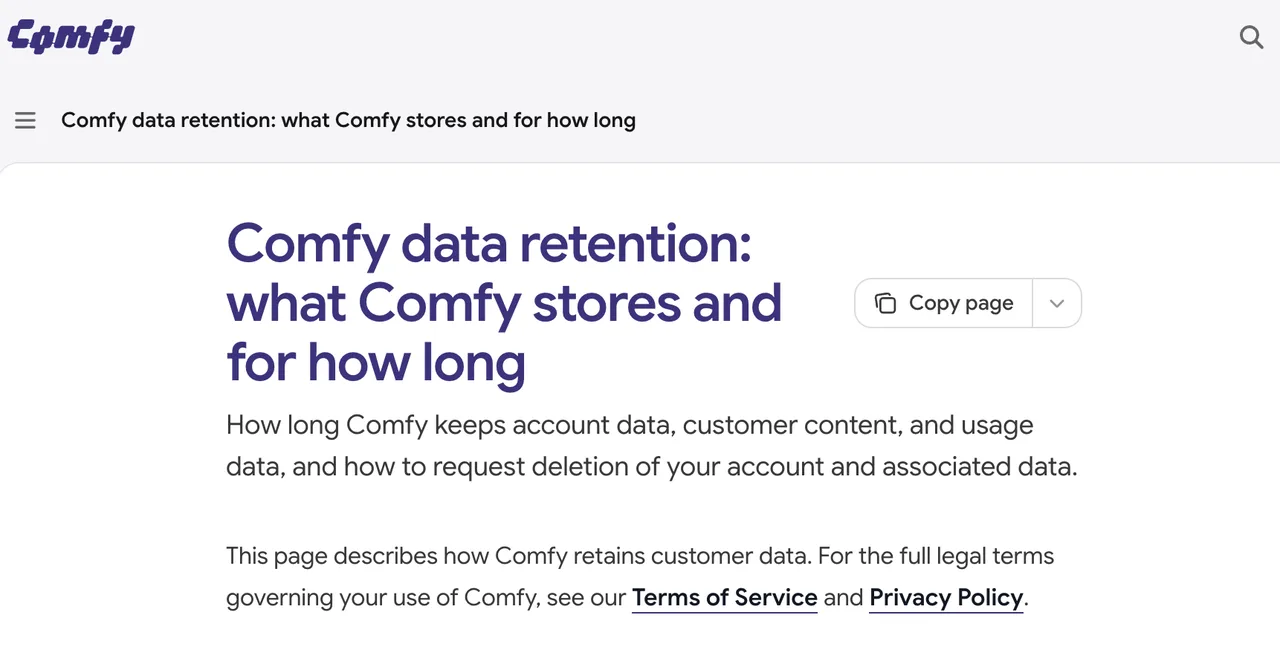
The published retention page gives no fixed deletion period for ordinary Cloud uploads. It says customer content is retained as long as necessary to operate, analyze, and improve the service. Partner Node media has a separate 24-hour period. Comfy API deployment retention is another policy; do not apply either period to Cloud source files.
Can a team pass secrets to a workflow without exposing them to editors?
I found no documented general-purpose secret store proving arbitrary node credentials are hidden from Cloud editors. I would keep tokens out of visible node fields, exported JSON, and shared notes. Server-side keys and enterprise BYOK cover particular integrations; test the exact role and node before sharing credentials.
Do Partner Nodes have separate output-license terms?
They can. Comfy markets Cloud models as cleared for commercial use, while its Enterprise MSA makes Partner Node use subject to provider terms and policies. That agreement applies to enterprise customers; check the team’s own plan, model terms, input rights, and intended use. This is general information, not legal advice.
Conclusion
My provisional judgment is narrow. Cloud looks practical when the graph stays intact, the catalog covers its dependencies, and accepted-output cost beats local operations. Import alone settles none of those points.
This Comfy Cloud review has documentation and a measurement method, not a paired run log. The next useful note is a table of what changed, what failed, how long accepted outputs took, and what Credit History charged. That is where the verdict starts.
Previous posts:
/filters:quality(82)/media/images/b73c2438-6bdd-4b80-a229-8d71d8f819cf.webp)
/filters:quality(82)/media/images/1773962750383987480_n3hqzHRZ.webp)
/filters:quality(82)/media/images/43fa0e7f-a0db-48d7-9bab-921d1225db30.webp)
/filters:quality(82)/media/images/5799ff56-3a73-40ca-a666-e4965d878496.webp)
/filters:quality(82)/media/images/7a8850fc-caf6-482f-ac4d-5ddbe64ec47c.webp)
/filters:quality(82)/media/images/64b08aeb-92bb-48b8-924c-2e2535731f28.webp)