
Best DomoAI Alternatives in 2027 for Video Style
DomoAI alternatives for video teams: compare source-motion fidelity, style control, revisions, and production fit.
The best DomoAI alternatives depend on what must survive the edit. For teams restyling authorized character footage or ads every week, an attractive frame is not enough: the result must preserve the performance, pass review, and fit the original timeline without excessive repair.
This guide covers tools that transform an existing source video. Text-to-video may create a similar look, but it cannot replace a specific actor’s movement, product action, or camera timing. Details reflect October 2026 documentation; reconfirm access, pricing, exports, and data terms before migrating. No provider has been tested head-to-head for this article.
Which DomoAI Workflow Are You Replacing?

Restyle Source Footage or Generate a New Clip
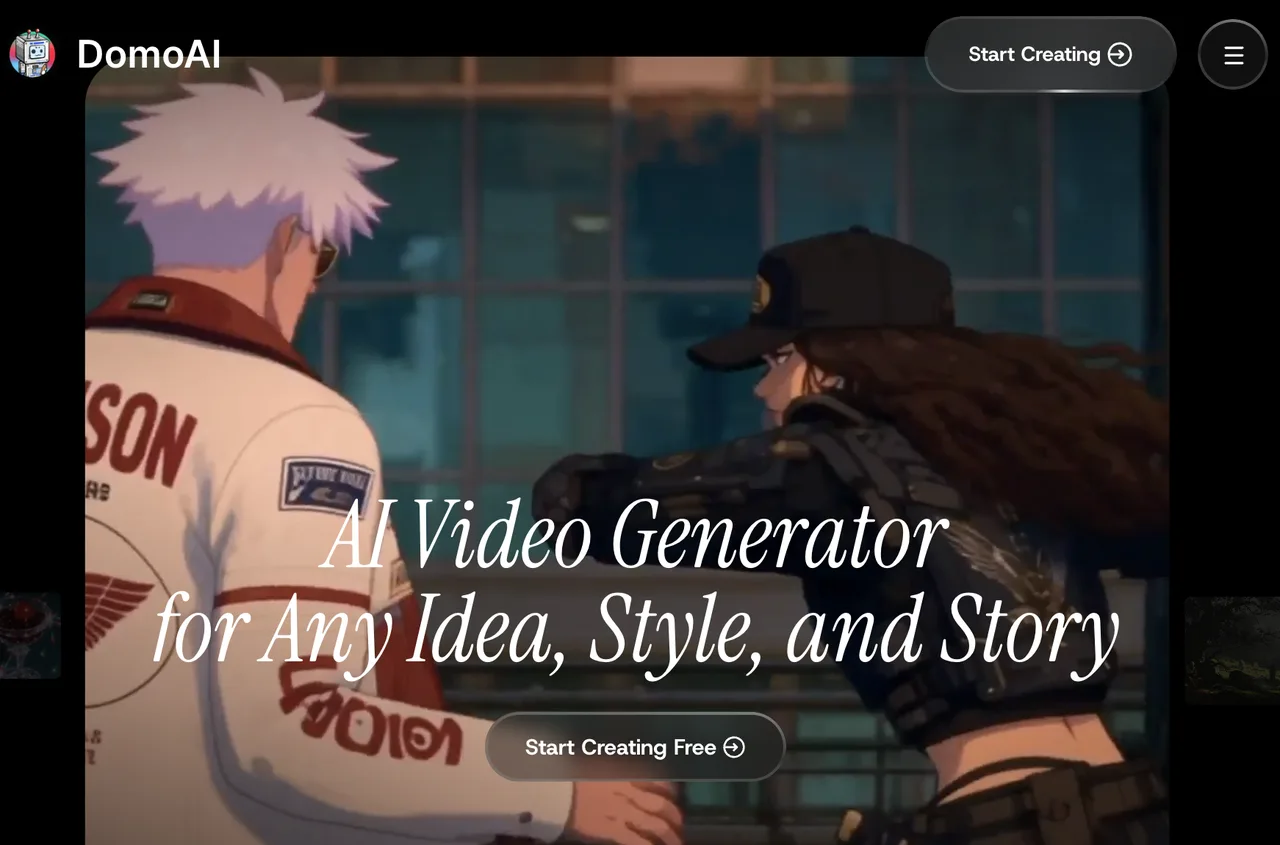
Start with the input, not the style gallery. DomoAI’s Video-to-Video guide describes uploading footage and applying a visual style. If you already have an approved performance, a replacement must accept that footage as its motion source. Prompt-only or still-image generation changes the job.
List what cannot change: the face, product silhouette, hand action, camera move, dialogue timing, or cut point. Then specify what may change. “Make this animated” is not the same brief as “preserve this performance while changing its rendering style.”
Compare Identity Drift, Temporal Artifacts, and Rework
Use the same authorized clips and approved references for every candidate: a facial close-up, a shot with hands or occlusion, and a moving product or background. Match duration and resolution where possible; record differences where not.
Review complete clips, not selected frames. Log missed actions, face drift, flicker, unwanted background changes, revisions, and cleanup minutes. Calculate cost per approved segment as generation spend plus repair labor cost (repair hours × hourly rate), divided by usable segments. Without these results from your footage, there is no defensible winner.
Set acceptance rules before seeing the outputs. For example, mark a shot unusable if a product label changes, a face becomes unrecognizable, or the key action falls outside the approved timing. Keep the rejection reason beside the provider’s job ID. This separates creative preference from a failed production requirement.
-
GoEnhance AI for Stylized Source Video
Video-to-Video Editing Flow
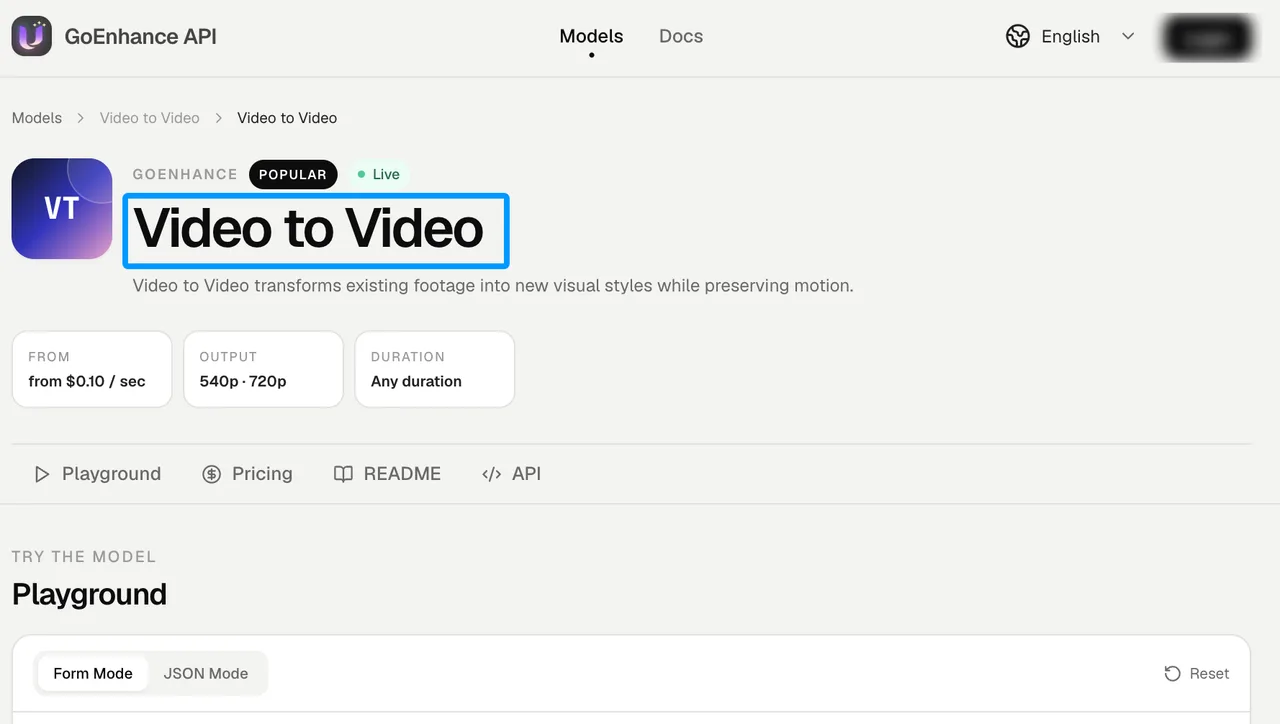
GoEnhance fits a clip-in, style-out workflow. Its video-to-video API documentation describes submitting a source URL, current style-model ID, and duration, then retrieving an asynchronous result. Production code must store the returned job ID and handle success or failure.
Model-dependent controls include prompt, source, and subject influence. A stronger transformation may make a shot more distinctive while making a recurring face or gesture harder to approve.
Control and Export Limits
The documented API route accepts a reachable MP4 or MOV source. Before moving a batch, confirm current file-size and duration limits, output format, style availability, and account-specific cost. A style shown in the creative interface should not be assumed to have identical API controls.
GoEnhance is worth evaluating for repeatable server-side stylization. It is a weaker fit when approval requires precise direction at particular frames and the chosen style offers no such control. Record that gap instead of hiding it behind one pleasing result.
Include queue time, failed jobs, and retries in the batch record. A low per-generation charge can still be expensive when editors repeatedly wait for an approvable take.
-
Runway for Reference-Led Video Edits
Footage Inputs and Edit Control
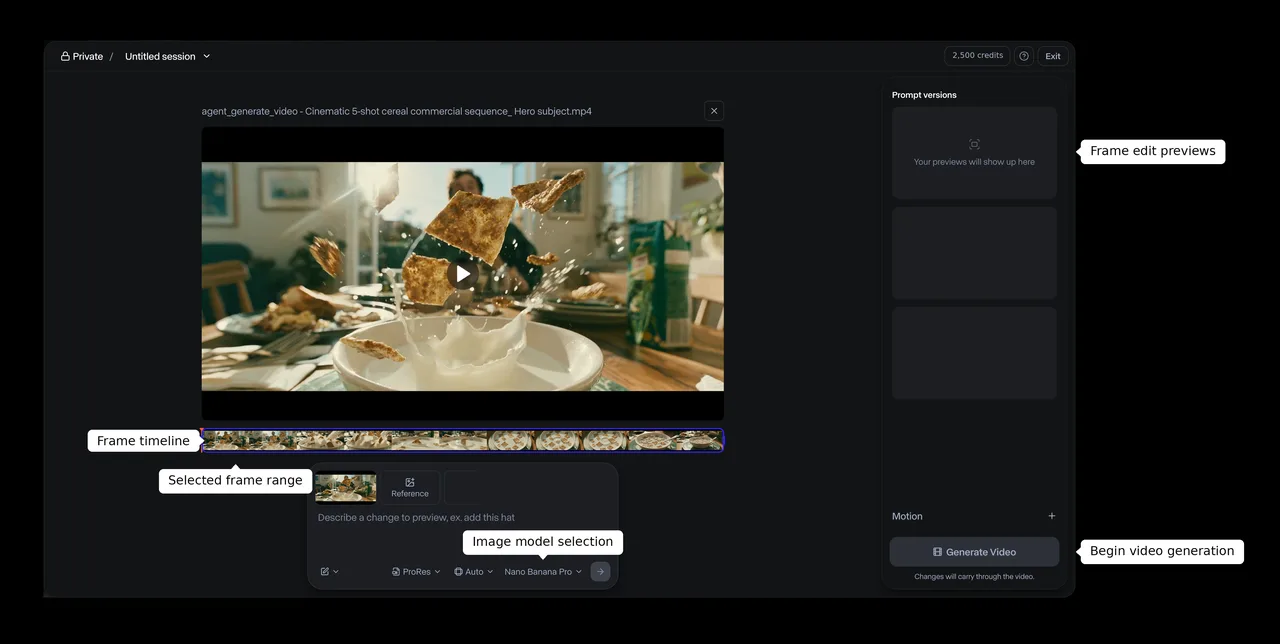
Runway’s Edit Studio guidance describes transforming uploaded footage with instructions and optional reference images. Its Aleph 2.0 edit route is also available through the developer API. References can help define a campaign look that is difficult to specify in words alone.
Check whether they improve your difficult moments: a profile turn, fast gesture, or product crossing an actor’s face. Keep the source and references fixed while changing one instruction at a time; otherwise, you cannot tell what caused a better result.
Style Consistency Trade-Offs
Runway can do more than restyle, including wider scene changes. That flexibility helps when the brief calls for a new environment, but may add review work when only the finish should change.
Check current credits and any extra cost for the export format your finishing team needs. Verify that the API exposes the controls you use in the web editor. Older video-to-video tutorials describe retired routes; implement the currently documented edit path.
-
Luma Modify Video for Developer-Led Restyling
Source Video and Instruction Workflow
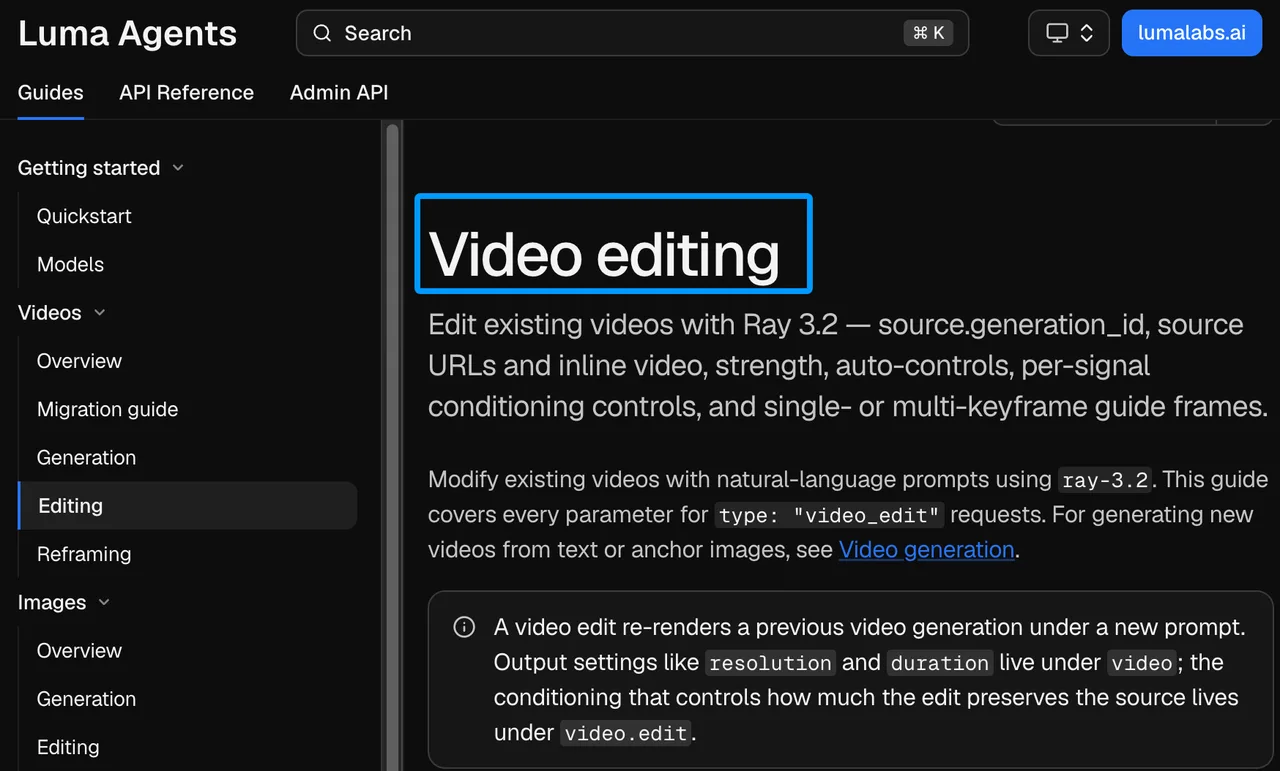
Luma’s current Ray 3.2 editing guide describes video_edit requests using a prior generation, hosted video, or uploaded source. It documents prompts, preservation controls, and guide frames at selected clip positions. Those frames can anchor a character’s appearance at the opening, during a turn, and at the final approval point. They do not guarantee consistency between those moments.
Integration and Review Limits
Use the current Ray 3.2 route; older Modify Video pages describe earlier models and endpoints. Check the documented source-video limit against your cuts before designing the job queue.
Luma’s app subscriptions and API billing are separate. Budget for API resolution, retries, and revisions rather than translating a consumer plan into a production rate. Store each source ID, prompt, guide frame, setting, job state, and approval decision. One person can remember parameters. A team cannot.
When testing preservation controls, change one setting per run. Otherwise, a cleaner face with worse motion tells the team little about which adjustment caused the trade-off.
-
Higgsfield Genjutsu Restyle for Preset-Led Source Video
Preset and Source-Video Workflow
Kaiber appeared in the proposed outline, but the official material reviewed did not establish a direct source-footage restyling path for this job. Higgsfield Genjutsu Restyle is the better-supported fourth candidate.
Its Restyle API reference specifies a source video, selected preset, optional character references, and asynchronous output. The route is designed to retain source motion, composition, and audio. That makes it a footage-in candidate, not merely an image-led generator.
Review and Integration Limits
Higgsfield presets have their own IDs. DomoAI styles cannot be transferred as IDs; recreate the approved look using reference frames. Check the documented input and duration limits before submission. Output frame rate and frame count may differ from the source, so inspect audio alignment and cut points. Preservation is an intended behavior, not a guarantee that every frame passes review.
Build a Shot-Level Migration Package Before Switching
Lock the Source Cut, Style References, and Approval Frames
A vendor list cannot tell another editor how to reproduce your approved shot. For each segment, save the authorized source, original in/out points and timecode, style references, critical approval frames, request settings, and approver. Record any restrictions on performer likeness, product appearance, or permitted use. Rights and consent depend on the material and agreement; this checklist is not legal advice.
Lock that package before comparing providers. If the source or reference changes mid-test, the comparison loses value. Keep rejected outputs with specific reasons: “face changed during the turn” is useful; “doesn’t feel right” is not.
Give every segment a stable shot ID and version number. That small convention prevents a polished preview from being mistaken for the approved deliverable when files pass between creative, engineering, and finishing teams.
Reassemble Against the Original Timeline and Audio
Download finished assets into storage your team controls. Place them in the original edit and check the first and last frames, duration, audio sync, and neighboring cuts. If a provider changes cadence or length, record the conform work and its time cost.
A good single output does not mean the production workflow is ready. The migration package makes promising results repeatable and reviewable across a team.
Choose by Source Fidelity
Keep the Original Motion or Prioritize a New Look
For strict performance continuity, prioritize preservation controls and guide frames over style count. If movement can change but the visual direction matters most, a stronger transformation may be acceptable. Neither choice is universally better.
Run the same small acceptance batch everywhere. Record motion fidelity, face drift, temporal defects, revision count, turnaround, and approved-segment cost. Before uploading performer or client footage, review each provider’s commercial-use, retention, and deletion terms. Feature fit cannot substitute for that approval.
Decide in advance how many failed attempts or cleanup hours justify switching back to the original workflow. A migration should have an exit condition, not just a launch date.
When DomoAI Is Still the Simpler Choice
Stay with DomoAI if its current flow produces approved clips at lower total effort. Migration adds asset export, look recreation, integration, retraining, and new data-handling decisions. Switch only when another route solves a measured problem without creating a larger downstream one.
FAQ
Can DomoAI style presets be exported to another tool?
No portable cross-provider preset export was established in the official material reviewed. Treat the old style as a visual target. Save its name, references, screenshots, and approved frames, then recreate and approve the look elsewhere.
Will replacements preserve original clip timecode after restyling?
Do not assume so. The reviewed routes do not generally guarantee preservation of embedded source timecode, and output timing can change. Keep original timecode in the editing system, conform the generated segment, and check frame-level sync.
Can a team migrate DomoAI project revisions?
Do not plan on importing editable DomoAI revision history. Export needed sources and approved renders; preserve prompts, style choices, dates, and approvals in your shot record. Rebuild only revisions still needed for delivery.
Are unused DomoAI credits refundable when switching?
Not automatically. DomoAI’s published policy treats purchased credits and subscriptions differently, with conditions for refunds. Check the current policy and your transaction type before canceling; an unused balance does not itself establish eligibility.
Can uploaded source footage be deleted before account closure?
DomoAI’s asset controls allow uploaded items to be deleted. That does not prove every stored or processor-held copy disappears immediately. Export needed files, remove unwanted uploads, and ask support about retention and deletion for sensitive footage. Check the replacement provider’s policy before uploading again.
Conclusion
The useful question behind domoai alternatives is not who makes the most impressive anime frame. It is which source-video workflow delivers approved, timeline-ready shots at acceptable rework, cost, and data risk. Compare GoEnhance, Runway, Luma, and Higgsfield on the same authorized footage, with DomoAI as the baseline. Move only workflows for which a replacement earns its place.
Previous posts:
/filters:quality(82)/media/images/7a8850fc-caf6-482f-ac4d-5ddbe64ec47c.webp)
/filters:quality(82)/media/images/6cd1ca63-9e7e-493b-8a68-97bad82fb7b4.webp)
/filters:quality(82)/media/images/567077af-c3bd-4701-ba96-1b981a515d79.webp)
/filters:quality(82)/media/images/1773962750383987480_n3hqzHRZ.webp)
/filters:quality(82)/media/images/1ecd59e5-56e4-434d-ae06-c414860b29b8.webp)
/filters:quality(82)/media/images/b38eb9e7-de41-4a05-8e79-5e280c4a0c36.webp)