
Wan 3.0 Anime Video Workflow for Production Teams
Build a Wan 3.0 anime video workflow around original characters, controlled references, repeatable shot tests, human review, and production handoff.
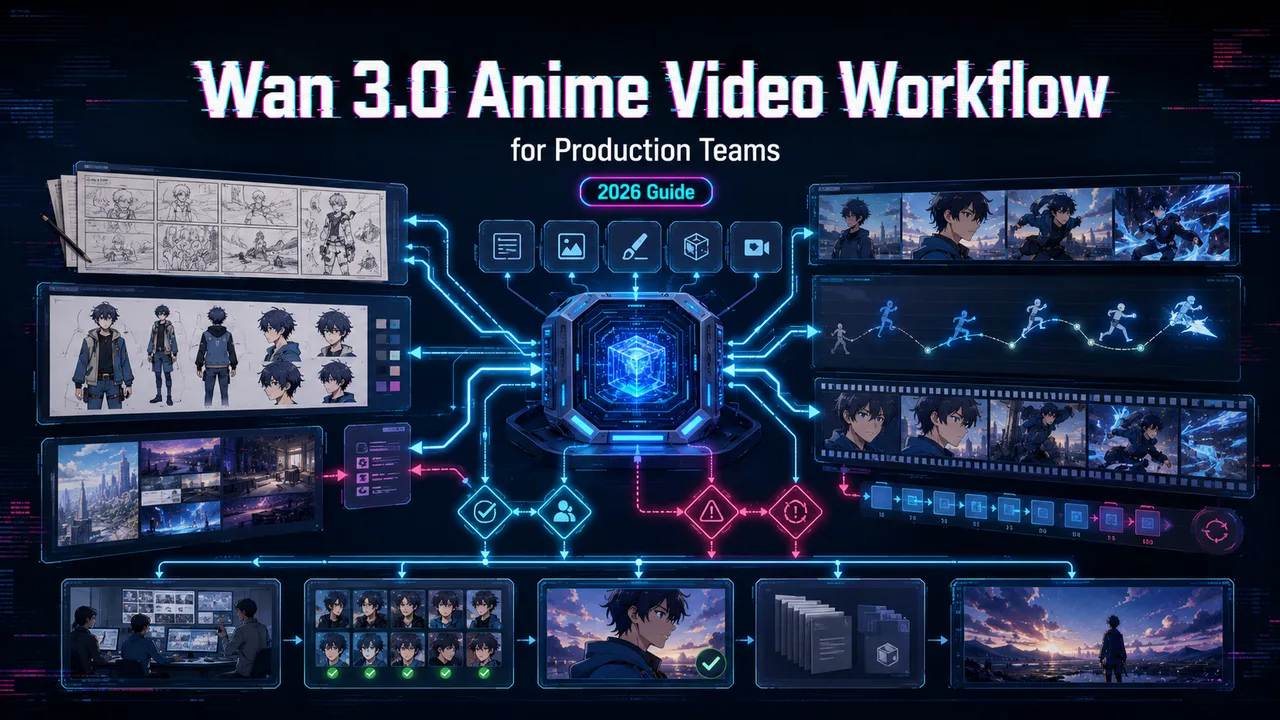
It’s John. You know the first anime sample is rarely where the workflow breaks. It breaks on shot 12, when the jacket trim changes, the eyes drift, the prop disappears, and nobody can trace which reference set produced the usable clip. For Wan 3.0 anime video production, I would not start with a beautiful one-off. I would start with a reusable reference package and a review log.
This article uses current Wan 3.0 platform documentation and published provider terms. I did not run a live generation for this article, so this is a reproducible production method, not a benchmark claim.
Define the Anime Production Brief
Original characters, visual rules, and shot goals
Use original characters, self-owned assets, and generic visual language. A safe brief might describe “clean ink lines, flat cel shading, muted teal jacket, short silver hair, square courier bag, rainy train platform.” That gives the model shape, color, costume, and mood without asking it to imitate a protected character, franchise, studio, or living artist.
Do not switch models yet. Look at the workflow first. The goal is not “make anime.” The goal is to test whether one character can survive several short shots with stable identity, readable movement, and usable handoff files.
Duration, audio, and acceptance criteria
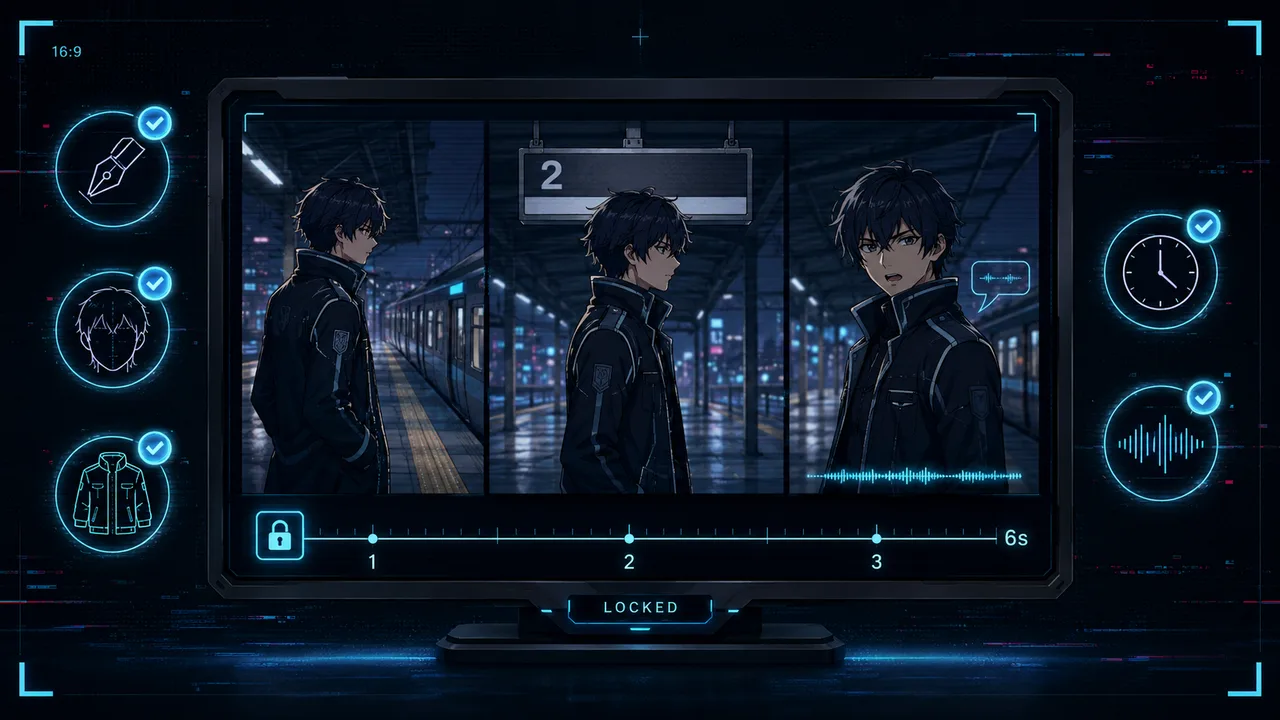
Lock the shot before generation. Example: 6 seconds, 16:9, one original character walks into frame, stops under a platform sign, turns toward camera, and says one short line. The clip passes only if linework, face shape, outfit, timing, and audio survive review.
For a Wan 3 anime animation batch, I would grade four things: character continuity, motion readability, scene continuity, and whether audio reduces edit time or creates cleanup work.
Build a Reusable Reference Package
Character sheets, backgrounds, palettes, and props
A reusable package should include a front character sheet, a three-quarter pose, a close-up face, one background plate, one prop sheet, and a short palette note. Keep the names plain: mira_front_v01.png, mira_face_v01.png, station_bg_v01.png, bag_prop_v01.png.
That naming feels dull until three people touch the same folder. Then dull becomes useful.
Choose text, image, or multimodal reference inputs
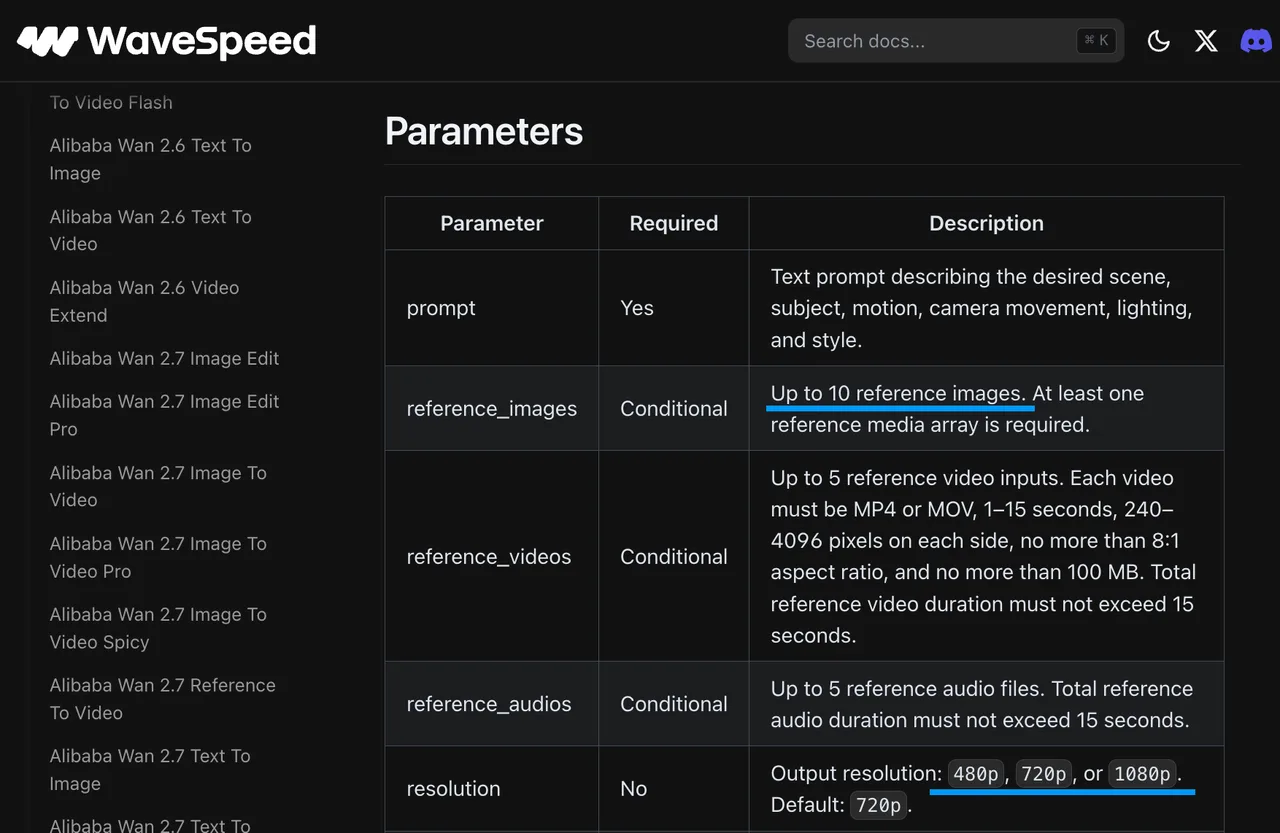
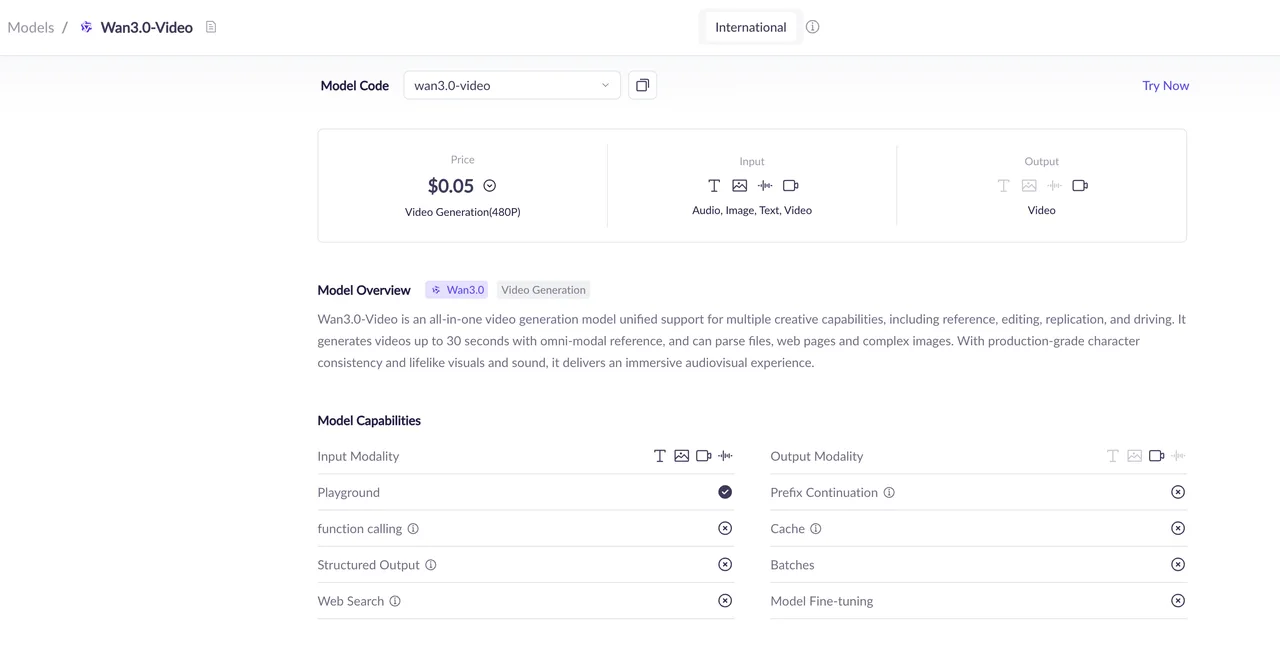
The current Wan 3.0 reference-to-video docs list prompt input, up to 10 reference images, up to 5 reference videos, and up to 5 reference audio files. The same schema lists 2-30 second duration, 480p/720p/1080p resolution, aspect ratio, thinking_mode, enable_audio, and seed.
Use text-to-video when nothing is locked yet. Use image-to-video when one approved frame must move. Use reference-to-video when character sheets, backgrounds, motion clips, or audio references must guide the same shot. That is the closest fit for a Wan3 anime generator test built around recurring characters.
| Production item | What to lock |
|---|---|
| Character | Original sheets, outfit, palette, face rules |
| Scene | Background plate, lighting, camera direction |
| Motion | One action per shot, no crowded choreography |
| Audio | One line or one cue, rights-cleared |
| Review | Prompt, parameters, references, output, failures |
Generate Controlled Anime Shots
Direct action, camera, pacing, and sound
A usable prompt gives blocking, not decoration.
Example: “Original 2D anime character Mira walks from frame left into a quiet train platform, stops beside the yellow safety line, turns toward camera, and says: ‘We are late.’ Clean black linework, flat cel shading, stable face shape, same teal jacket and square bag from references. Camera locked. Slight wind on hair. No extra characters. No subtitles.”
That is enough to create anime video with Wan 3.0 without forcing the model to solve every production problem in one request.
Reuse references and record every generation
Run three controlled variants before judging. Keep the reference package fixed. Change only one variable: seed, prompt wording, duration, or audio instruction. If all three clips fail the same way, the problem is probably upstream.
One person can remember parameters. A team cannot. Record model ID, endpoint, test date, reference file names, prompt, duration, resolution, audio setting, seed, output URL, final downloaded file, and failure notes.
Evaluate the Results
Line stability, character identity, and scene continuity
For Wan 3.0 character animation, review stills at the opening, midpoint, and final second. Check eye shape, hair silhouette, line thickness, jacket color, bag placement, hand count, and background consistency.
Do not let one attractive frame hide a broken shot. If the face changes during a head turn, mark identity drift. If the background redraws the sign, mark scene drift. If the bag swaps sides, mark prop drift.
Motion, timing, dialogue, and artifact review
Anime timing is unforgiving. A slow turn can look intentional. A half-broken turn looks like missed in-betweens. Watch the clip at normal speed, then step through key moments.
For audio, check voice clarity, mouth timing, unWanted music, and whether sound cues match the action. Alibaba’s Wan3.0 release post describes the model around long video generation, multimodal input, reference consistency, and audio-video work, but a production team should still grade the returned clip, not the launch language.
Assemble a Production Workflow
Select, version, and hand off approved clips
Approved clips should move forward with evidence attached: source references, prompt, settings, output file, reviewer note, and known fixes. This is where a Wan 3.0 storyboard workflow matters. Each panel gets a shot ID. Each shot gets a reference package. Each output gets a review call: pass, rerun, edit, or reject.
If a shot needs exact opening and ending poses, move it to a first-and-last-frame workflow. Do not stretch a loose reference prompt into a locked animation problem.
Add human review for rights, safety, and quality
Human review is not a polite extra. It is part of the workflow. Check character originality, logos, background assets, soundtrack rights, voice rights, likeness, and brand safety.
For commercial use, Alibaba’s Product Terms say users remain responsible for rights, consents, inputs, outputs, and legal compliance. This is general information, not legal advice.
Limits and Trade-Offs
Stylized details can drift across longer sequences
Stylized details can drift in generated motion. Longer shots should be tested carefully for eye-shape changes, collar shifts, hairline wobble, and background redraws.
Batch generation is not single generation repeated many times. It is a different workflow. Keep early tests short, review failures, then scale only when the reference package holds.
Generated clips still need editorial and legal review
A generated anime clip is not a finished production asset. It still needs editing, audio cleanup, subtitle work, rights review, color checks, and file QA.
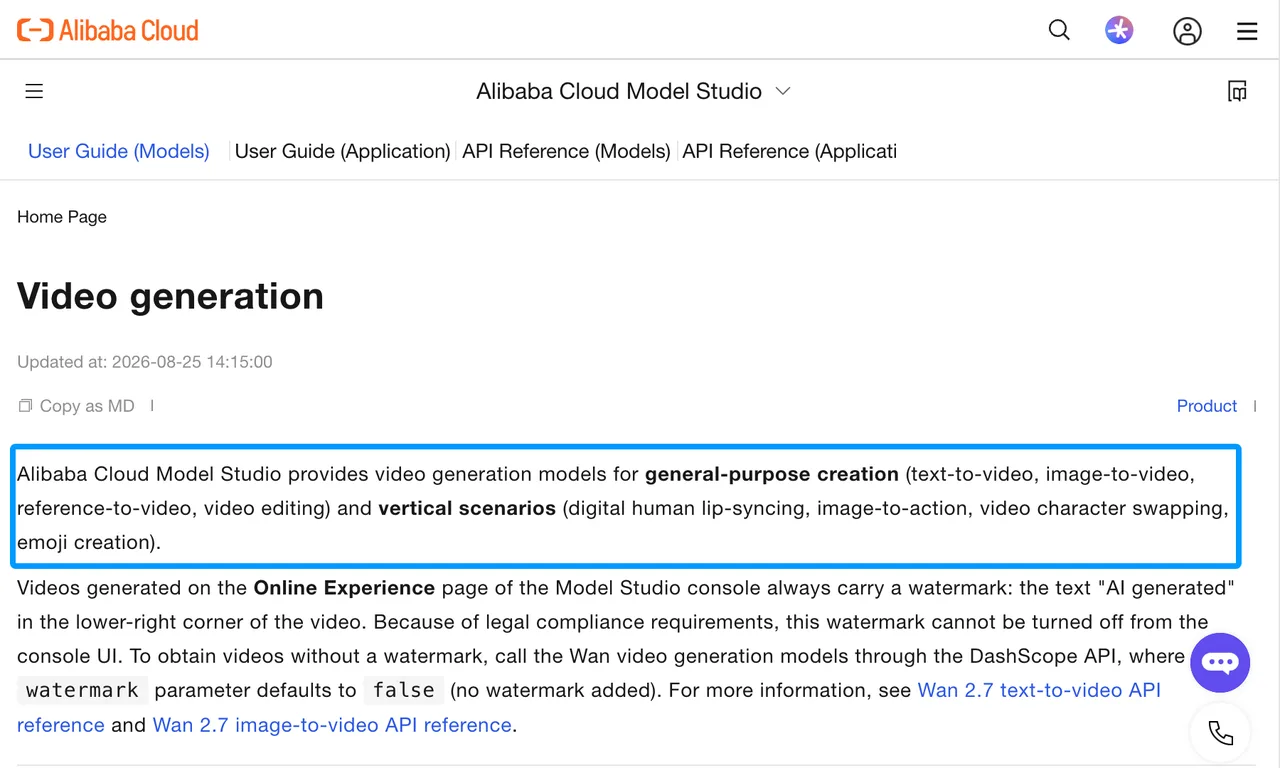
Alibaba’s broader video generation docs show how Wan video tasks can vary by text-to-video, image-to-video, and other modes. If a platform has not disclosed alpha layers, frame-rate controls, clean plates, or subtitle-track preservation for the route you use, assume the editor must handle those downstream.
FAQ
Does Wan 3.0 export transparent layers for compositing?
I did not find disclosed transparent-layer or alpha-channel export support in the checked Wan 3.0 reference-to-video schema. Treat outputs as flattened video unless your actual returned file proves otherwise.
Does Wan 3.0 expose frame-rate controls for anime timing?
I did not find a user-facing frame-rate parameter in the checked schema. You can steer pacing with prompt and duration, but exact anime timing should be handled in post until frame-rate controls are documented.
Can Wan 3.0 generate clean plates for anime compositing?
It can be prompted to generate background-only shots, but I would not treat that as guaranteed clean-plate output. Build clean plates as owned assets first, then use generation after review.
Can teams keep reference libraries private across projects?
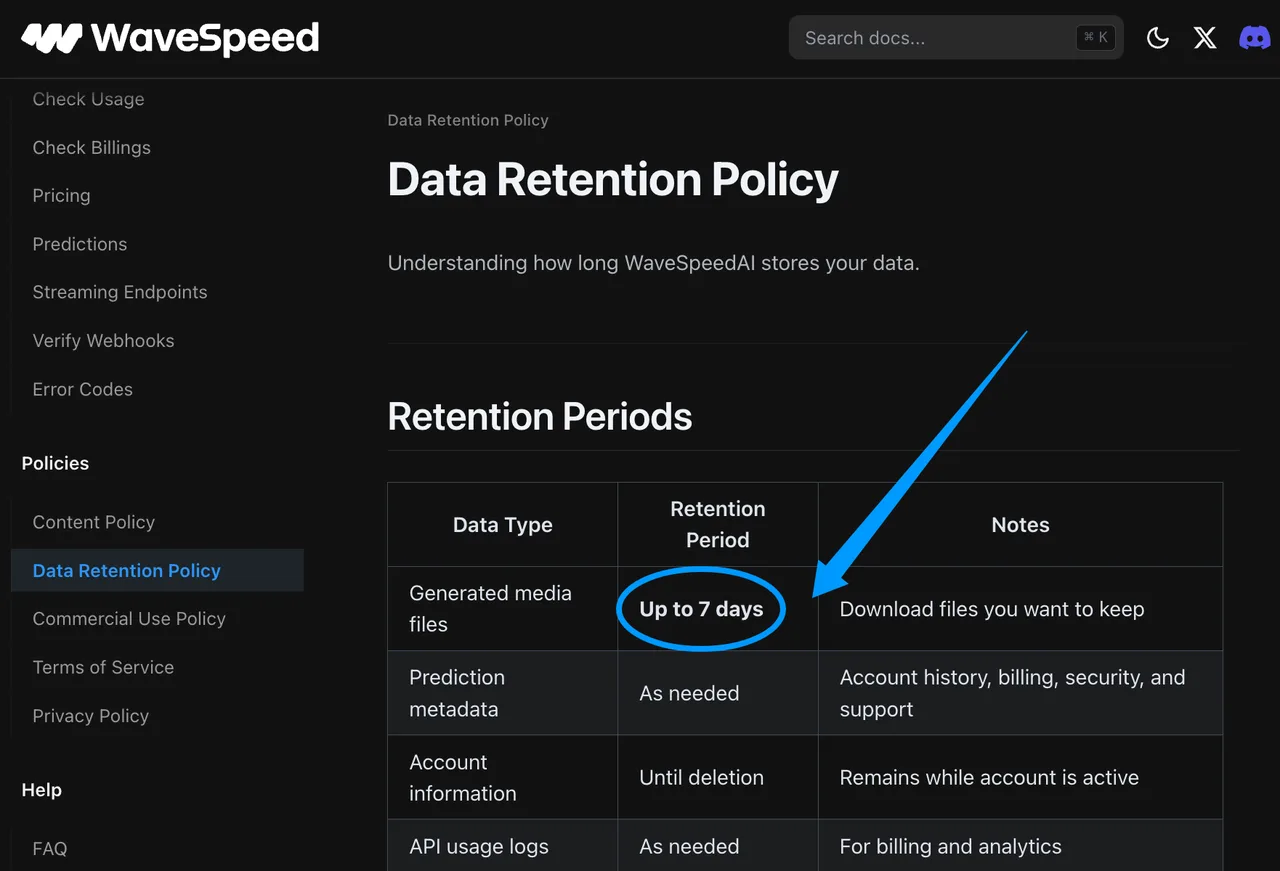
Privacy depends on account permissions, provider processing, upload handling, and retention. WaveSpeed’s data retention policy says generated media files generally expire within 7 days, but I did not find a separate guarantee for cross-project reference-library isolation. Check workspace settings and provider terms before uploading unreleased character packs.
Does Wan 3.0 automatically preserve embedded subtitle tracks?
I did not find disclosed support for preserving embedded subtitle tracks. Keep subtitles as separate editorial assets, then burn in or mux them after final video approval.
Conclusion
A reliable Wan 3.0 anime video workflow is built around original characters, reusable references, fixed shot goals, logged settings, failed samples, and human review. Start with three controlled shots, not a full sequence. If identity, linework, motion, and audio survive that small run, the workflow can move to a larger board. If not, fix the package before scaling the mistake.
Previous posts:
Related Articles
/filters:quality(82)/media/images/1791535252286714222_v4jvJT2a.webp)
ModelsLab Review 2027: One API for Media Models?
/filters:quality(82)/media/images/1791451065663755033_qNqAKS1a.webp)
Best AI Video Background Removal Tools in 2027
/filters:quality(82)/media/images/1791359984291066138_tW5eOX6f.webp)
Best Comfy Cloud Alternatives in 2027
/filters:quality(82)/media/images/1773962750383987480_n3hqzHRZ.webp)
Qwen Image 2.1 vs Qwen Image 3.0: What Changes and When to Upgrade
What's Next for Wan Video Generation, and What It Means for Creators
/filters:quality(82)/media/images/1791271002496939282_TBLU3cmv.webp)