
Gemini Omni 1.1 Review for Iterative Video Editing
Gemini Omni 1.1 review for video builders: test one iterative editing workflow from initial generation to controlled revision and export.
Changing one detail in a generated clip should not force a team to rebuild the shot. That is the production question behind this Gemini Omni 1.1 review.
It’s John. I am limiting the assessment to one sequence: generate a short scene, extend or interpolate it once, then make one natural-language revision. This is an official-evidence review, not a claim of hands-on testing.
Quick Verdict for Iterative Editing
Where conversational revisions help
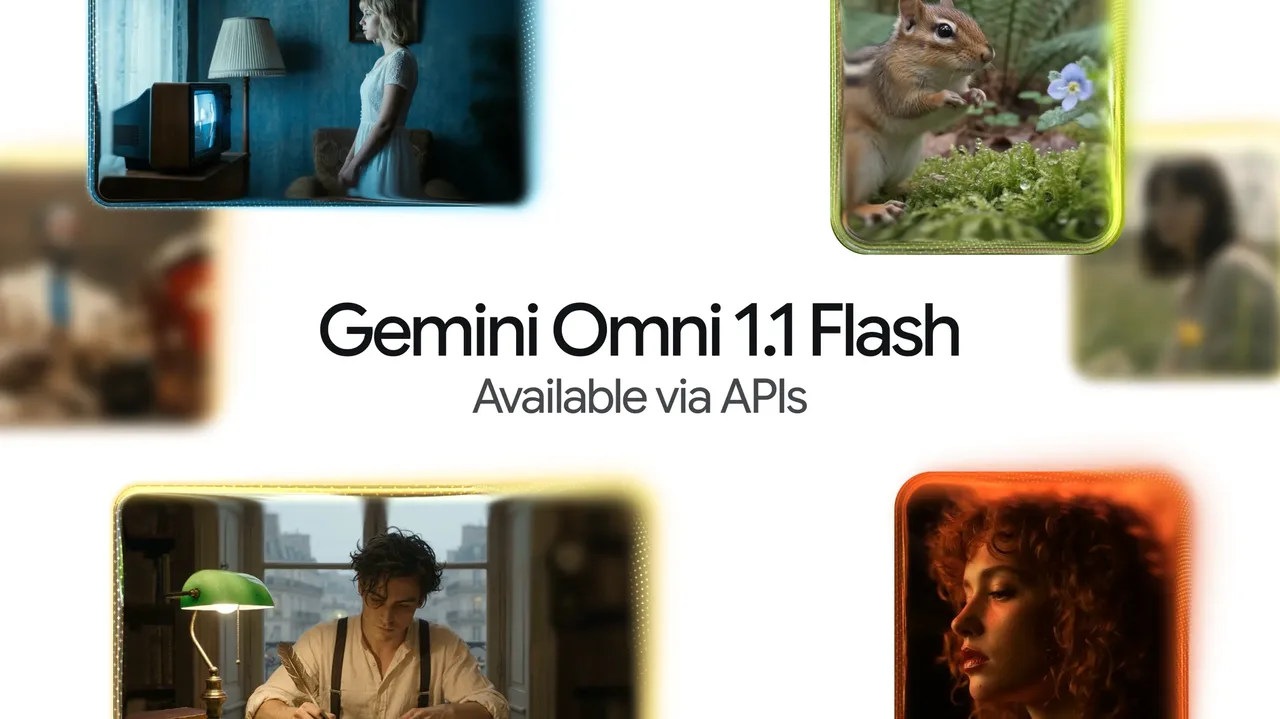
Gemini Omni 1.1 Flash is worth a pilot when the operator must preserve a scene while changing one element. Google says the Interactions API can carry video state forward through previous_interaction_id, so the next prompt can request a lighting, object, background, or motion change without uploading the prior result again.
That removes one export-and-import step and creates a traceable relationship between the source, continuation, and revision. Google describes the release as production-ready in its Omni 1.1 announcement. That is Google’s positioning, not proof that every editing workload is production-ready.
Where a different video model may fit better
Use another route when the task needs frame masks, timeline editing, exact typography, voice replacement, middle-of-clip extension, or deterministic color finishing. Google’s current limitations say extension appends only to the tail, and voice editing is unsupported.
The model handles generative revision. It is not a nonlinear editor, compositor, or finishing system.
Test One Controlled Revision Workflow
Generate a short source clip
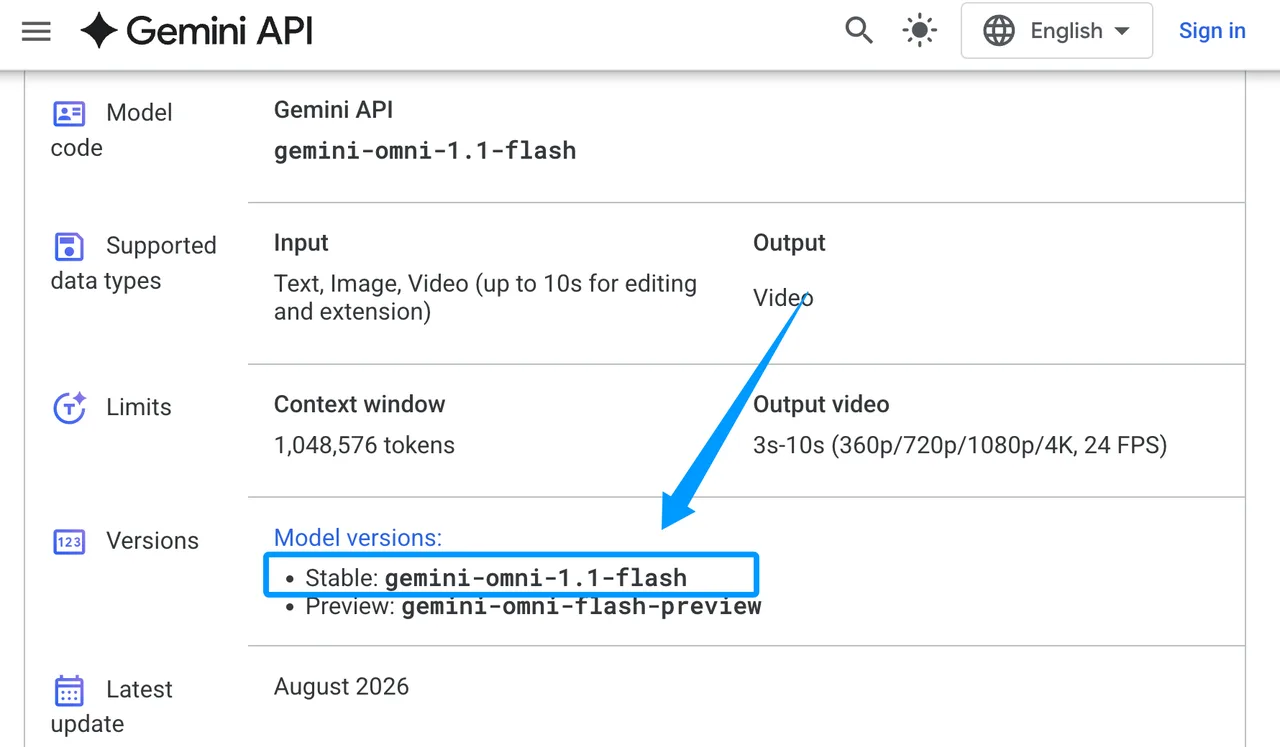
Start with one continuous 5-to-10-second shot at 720p. The acceptance rules should name the subject, wardrobe, lighting, camera move, background, audio, and prohibited scene cuts. The current model directory lists the stable ID as gemini-omni-1.1-flash, with text, image, and video inputs and 3-to-10-second video output at 24 FPS.
Save the interaction ID, prompt, output, resolution, generation time, and review decision. One person can remember what changed. A team cannot.
Extend, interpolate, and refine one scene
Choose one middle operation, not both. For continuation, extend the generated clip once through its interaction ID. For a controlled transition, provide first and last frames and request interpolation. Google says extension can inspect up to 10 seconds of prior context, while interpolation creates a continuous shot between two images.
Then make one natural-language revision: “Keep the camera path and subject unchanged; shift the lighting from noon to late afternoon.” The Gemini Omni editing guide documents stateful edits, uploaded-video editing, interpolation, and extension. Store each output rather than overwriting the previous turn.

Evaluate Production Fit
Instruction adherence and continuity
Score the requested change and preserved content separately. A revision fails if it fixes the lighting but changes the face, wardrobe, framing, dialogue, or camera move. Review the extension boundary frame by frame for jumps in identity, motion, geometry, exposure, and audio.
Track accepted revisions per attempt, unintended changes, and review minutes. A beautiful revision with a broken handoff is still a failed production asset.
Output resolution, latency, and review effort
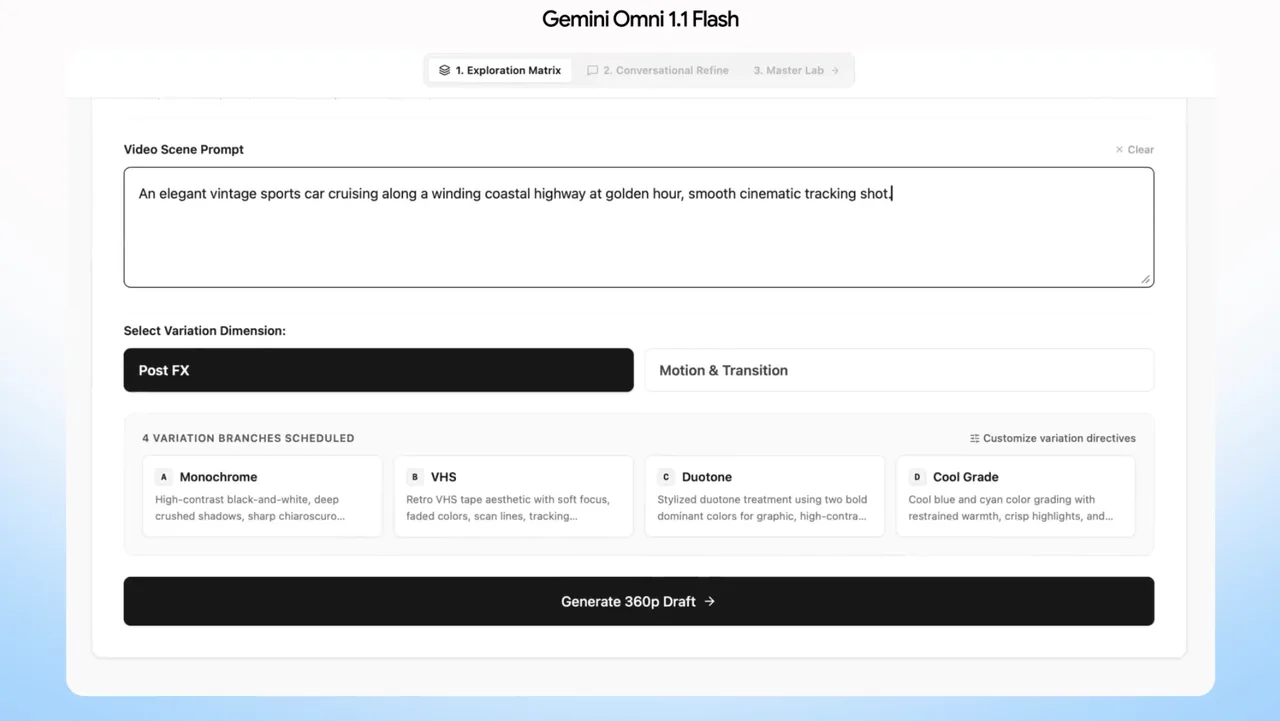
Google documents 360p, 720p, upscaled 1080p, and upscaled 4K output. Its announcement says 360p previews can be up to 60% faster than 720p based on system throughput. Do not convert that provider figure into a latency promise.
Draft at 360p or 720p and approve content before requesting higher resolution. Record p50 and p95 completion time for all three turns. Generation time varies with duration, resolution, and API load. Gemini Omni 4K matters only if the upscale survives review; it cannot repair an earlier continuity error.
Limits and Trade-Offs
Production-ready access does not guarantee every workflow
Google’s production-ready label is release positioning. The API still lacks provisioned throughput, and the model page lists a stable Gemini API ID alongside a preview alias. Cloud routes may expose different model names or availability, so record the exact route.
In the Gemini API, uploaded-video editing and extension are unavailable in the EEA, Switzerland, and the UK, although editing or extending model-generated videos remains supported where the service is available. This boundary matters before any Gemini Omni production decision.
Editing quality varies by source and instruction
A weak source, abrupt last frame, or vague request gives the model little stable context. Describe what must change and what must remain locked. Keep the revision atomic.
Conversational memory does not promise pixel-level preservation. Compare every turn with the accepted source and count unintended changes. Gemini Omni video control is useful only when those changes stay below the team’s rejection threshold.
FAQ
Can Gemini Omni preserve an alpha channel?
Google documents MP4 output but no alpha-channel parameter or preservation guarantee. Treat transparency as unsupported until Google publishes codec and alpha details. Keep masks in a separate compositing workflow.
Which color profiles survive a video edit?
The documentation does not specify preserved ICC profiles, transfer characteristics, Rec.709 handling, HDR metadata, or a selectable color space. Probe returned files and perform final color management outside the model.
Does Gemini Omni return edit-history metadata?
The Interactions API stores interaction IDs and chronological input/output steps when store=true. It does not document an edit decision list, changed-region mask, or semantic diff. Maintain your own ledger of prompts, IDs, file hashes, settings, and approvals.
Can Gemini Omni edit clips created by another model?
Google permits uploaded videos through the Files API and does not require Omni provenance. A clip from another model can be submitted if it meets current format, duration, safety, and regional rules. Acceptance does not guarantee continuity.
Are generated videos marked with SynthID?
Yes. Google says all Gemini Omni generated videos include invisible SynthID watermarking. Google DeepMind’s SynthID overview explains that the mark is imperceptible and machine-detectable, not a visible corner logo.
Conclusion
The Gemini Omni 1.1 review verdict is a bounded pilot, not automatic adoption. Run the same scene through one extension or interpolation and one atomic revision. Keep the model only if it reduces imports and review time while preserving accepted elements across every turn.
Previous posts:
Related Articles
/filters:quality(82)/media/images/1773962750383987480_n3hqzHRZ.webp)
Seedance 2.5 vs WAN 3.0 vs Kling 4.0: Specs, References and Price Compared
/filters:quality(82)/media/images/660b4b48-6351-40cd-ba00-51322b7455f4.webp)
How to Use Kling 4.0 Keyframes for a Product Reveal
/filters:quality(82)/media/images/273bf240-30e3-4e6c-8ae4-e3346b487bc7.webp)
Kling 4.0 Pricing: What Does One Usable Clip Cost?
/filters:quality(82)/media/images/bb7ec772-f694-45f4-9a9a-c0e5fd2e7d60.webp)
Kling 4.0 Reference-to-Video: Keep a Product Consistent
/filters:quality(82)/media/images/444431ee-1387-4a40-81ad-866e095a7c75.webp)
Kling 4.0 Review: Can It Handle Product Video Ads?
/filters:quality(82)/media/images/81212eb5-4b43-4cc4-92f4-38a0c439d258.webp)