
Kling 4.0 Review: Can It Handle Product Video Ads?
Kling 4.0 review for product video ads: assess the workflow, usable output criteria, and limits before a team commits production budget.
A product ad has a harsh test: the product must still look like itself after it moves. A smooth camera push means little if the bottle changes shape or the label stops making sense halfway through.
This Kling 4.0 review covers one job: turning a single, authorized product image into a short ad shot. I checked the current documentation. I do not have same-input test videos or run records, so this is a workflow assessment, not a claim about measured quality or pass rates.
Is Kling 4.0 a Fit for a Product Video Ad?
Yes, Kling 4.0 is a sensible candidate for drafting a short product shot, with final suitability decided by reviewing the exported clip. The official Kling 4.0 guide describes image-to-video generation, first-frame control, and clips lasting 3 to 30 seconds. That is enough to test a simple ad idea: hold a recognizable product in view while the camera or lighting moves.
The specific route sets the practical limits. Its image-to-video specifications list JPG and PNG inputs, 720p or 1080p output, and an optional last frame. For an ad team, the useful question is whether the footage preserves the approved product long enough to use in an edit. The documentation cannot answer that for a particular packshot. A small, recorded trial can.
How Does One Product Shot Move From Image to Draft?
The product image supplies the first frame; a prompt tells Kling what should move next. Start with one clean, right-cleared image and a shot that asks for modest motion. A centered pack with space around it gives the camera room to move and leaves space for a later caption.
For example: “The camera slowly pushes toward the upright bottle. Soft light moves across the front. The bottle stays centered, and the shot ends with the label facing the camera.”
Each instruction gives a reviewer something visible to check. “Make a premium product ad” does not.
A five-second 720p draft is a useful starting point because those are the route’s documented defaults. As of October 23, the listed rates are $0.157 per generated second at 720p and $0.235 at 1080p; The final task charge takes precedence. Longer clips and repeated attempts add cost before an editor has approved a single frame.
Keep the source image, prompt, aspect ratio, duration, resolution, task ID, charge, and output together. When a later draft changes the package, that record shows whether the team changed the input or the model produced a different result from the same setup.
Which Outputs Count as Usable for an Ad Team?
An output counts as usable when the product stays identifiable throughout the clip and the shot leaves room for the intended message. Watch it at the size and crop in which the ad will run. A good-looking preview frame is not an approval.
Product and Brand Consistency
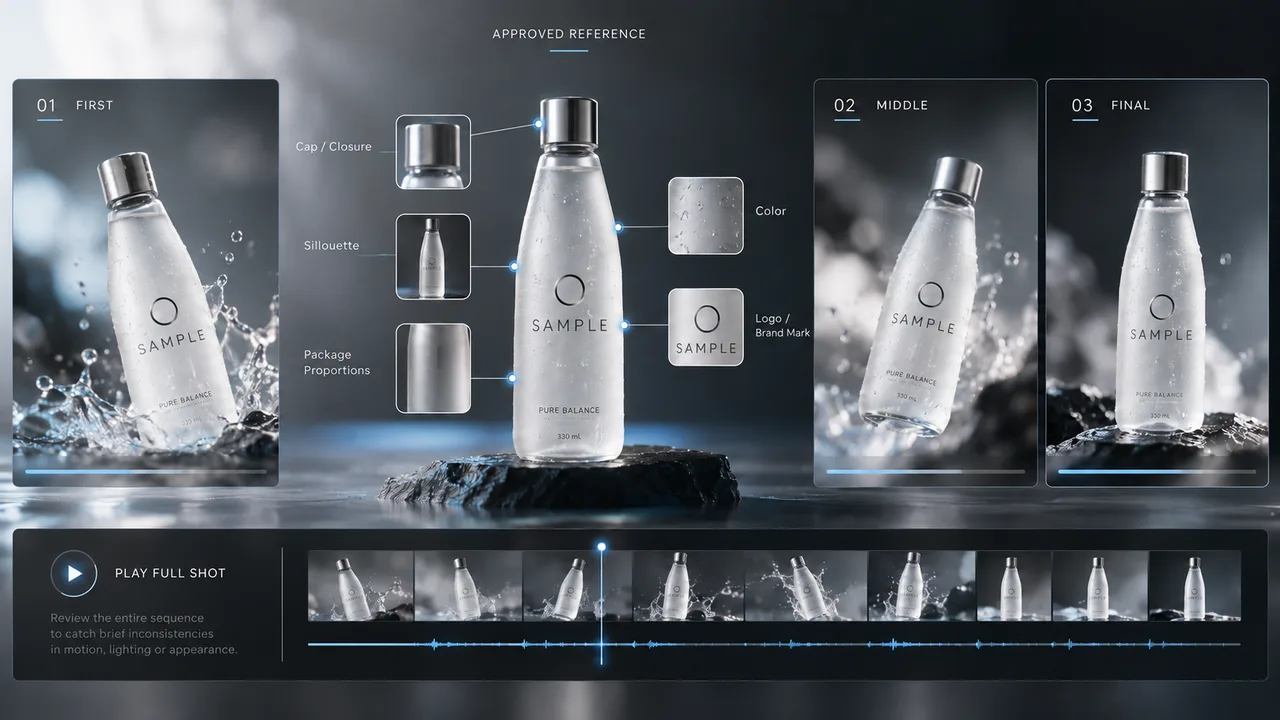
Compare the first, middle, and final frames with the approved image. Check the silhouette, cap or closure, package proportions, color, and visible logo. Then play the whole shot to catch brief changes between those frames. A label that looks correct at the start may soften or bend during motion.
Be especially careful when the camera reveals a side of the product that the input image never showed. That surface is generated, not documented product photography. If an invented detail appears, the clip needs another route or a crop that keeps the unsupported side out of view.
Exact claims, prices, and small legal copy belong in a controlled editing layer. They can then be checked against approved text without asking generated pixels to carry the wording.
Motion and Message Clarity
The motion should help the viewer understand the product. A slow push can draw attention to a feature; a turn may reveal more than the reference can support. Check whether the product remains in frame, whether reflections obscure its name, and whether the ending leaves a clean place to cut.
The review sheet needs two separate results: generation completed and shot approved. That distinction is the core of a useful Kling 4.0 product video review. An API success status says a file exists. It says nothing about whether the growth team can publish it.
Where Does This Workflow Need a Fallback?
It needs a fallback when the product or its approved message will not stay stable in motion. Repeated label distortion, an altered package shape, or an unusable final frame are reasons to stop generating variations of the same shot.
A controlled animation of the original photograph, motion graphics, or a filmed insert may solve that particular ad more directly. The choice also depends on cost: add the charges for every attempt, then divide by the number of approved clips. That gives the cost per usable shot. The listed price per second cannot tell a team what that figure will be, and I have no test record from which to invent one.
Who Should Trial Kling 4.0 for This Job?
Teams producing frequent creative variations have the clearest reason to trial it, provided they already review product accuracy and finish ads in an editor. A product team considering model access can run the same narrow test before building generation into a larger workflow.
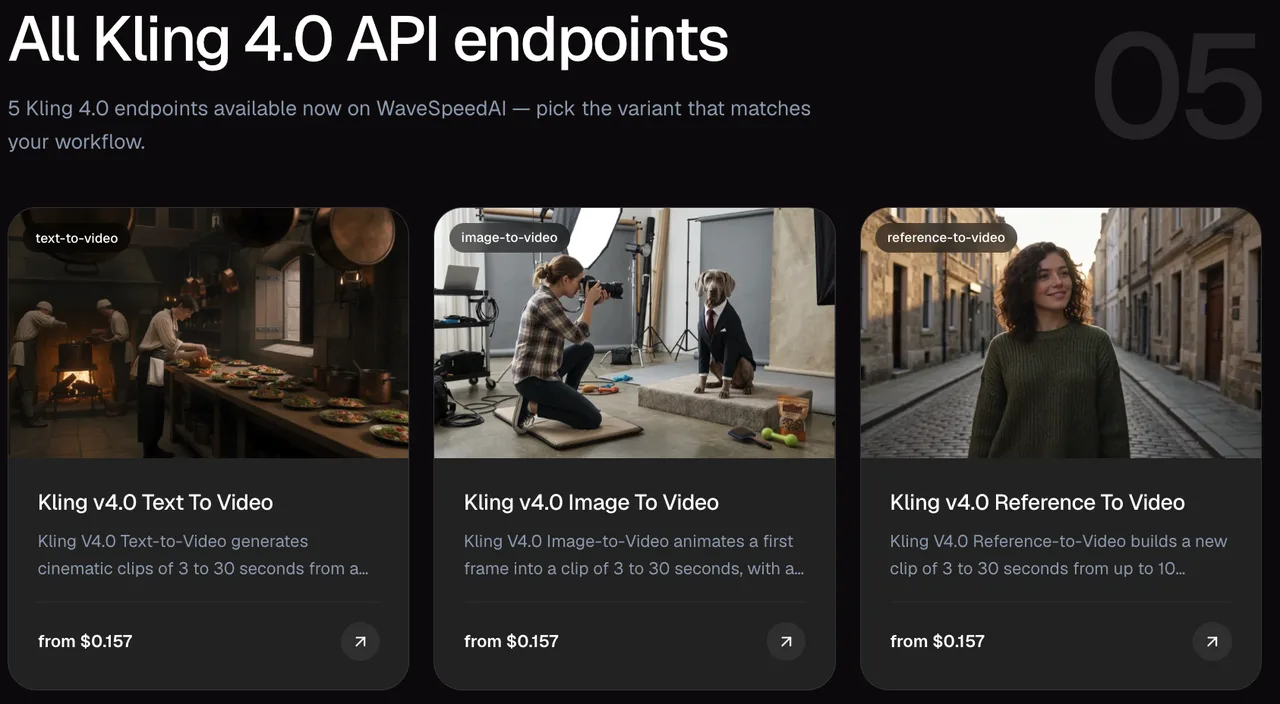
Use one approved image, one prompt, and one target ad format. Save every attempt, including rejected ones, with the reason for rejection. Change one setting at a time. The Kling 4 API page provides the internal path to the available routes; this trial only needs the single-image route.
My judgment remains limited: Kling 4.0 offers a documented way to draft this shot. Whether it earns a place in production depends on the team’s own approved-output rate, review time, and total spend.
FAQ
Does a Kling 4.0 ad export include generation provenance metadata?
Kling says its generated media contains an invisible watermark and metadata in its AI content detection documentation. That does not confirm which metadata fields remain in a file exported through this specific route. Keep the original export and inspect that file before promising downstream provenance data.
Can Kling 4.0 use a product image with a transparent background?
PNG is an accepted input format, but the route documentation does not explain how transparent pixels are handled. Prepare a copy on the intended background and inspect its edges after generation; PNG support alone does not establish alpha preservation.
Does a Kling 4.0 export include a watermark on the route used?
The route page does not clearly disclose whether its export has a visible watermark. Inspect an actual download from the account and route the team will use. An invisible provenance mark is a separate issue from a visible logo on the picture.
Can a team reuse one product reference across several Kling 4.0 jobs?
Yes, the same accessible, authorized image can be submitted as the first frame for separate jobs. Each job still produces its own result, with no documented guarantee of identical product details. Give the source image a stable identifier so reviewers can trace every draft back to it.
Which commercial-use terms apply to Kling 4.0 product ad outputs?
Kling’s paid-service terms describe commercial rights for its members, but those membership terms do not, by themselves, establish rights for every API route. Before publishing an ad, check the current terms that apply to the chosen route and confirm permission to use the product image, logo, and other supplied material.
This is general information, not legal advice.
Previous posts:
/filters:quality(82)/media/images/660b4b48-6351-40cd-ba00-51322b7455f4.webp)
/filters:quality(82)/media/images/273bf240-30e3-4e6c-8ae4-e3346b487bc7.webp)
/filters:quality(82)/media/images/bb7ec772-f694-45f4-9a9a-c0e5fd2e7d60.webp)
/filters:quality(82)/media/images/81212eb5-4b43-4cc4-92f4-38a0c439d258.webp)
/filters:quality(82)/media/images/5f15570a-6a68-432e-a6f1-1dcbf799ba81.webp)
/filters:quality(82)/media/images/b73c2438-6bdd-4b80-a229-8d71d8f819cf.webp)