
Voyage AI API: Embeddings and Reranking Explained
Voyage AI API offers embeddings and reranking for retrieval systems. Learn the endpoints, model choices, request flow, and evaluation basics.
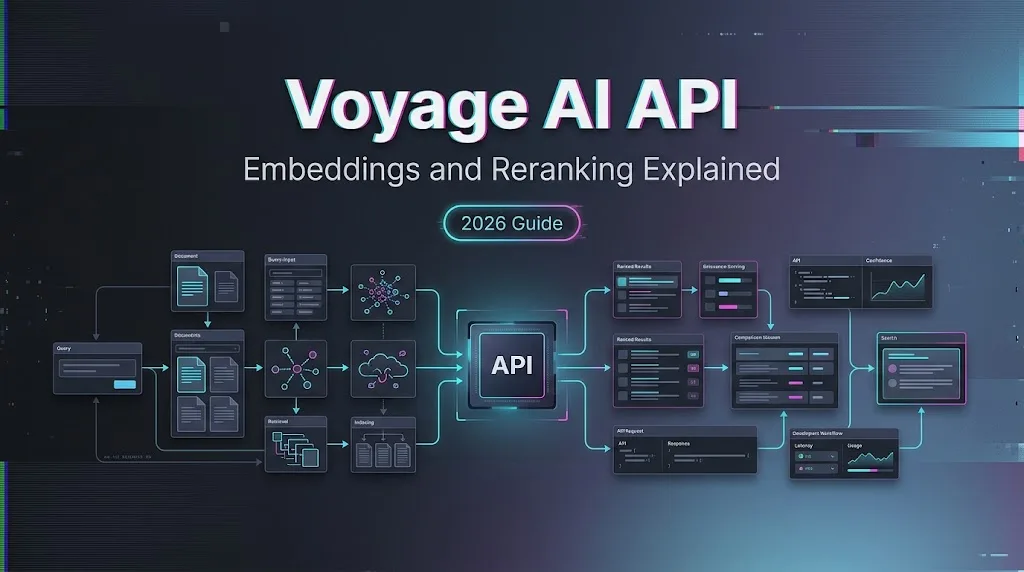
The Voyage AI API is built for retrieval systems that need stronger search quality than generic text matching. It provides embedding endpoints, contextualized embedding options, multimodal retrieval support, and rerankers that can rescore candidate documents after first-pass search. For RAG engineers, the main choice is not “which model is best in general.” It is which endpoint improves accepted answers on your own corpus, at a latency and token budget you can operate.
What the Voyage AI API Provides
Text, Contextualized, and Multimodal Embeddings
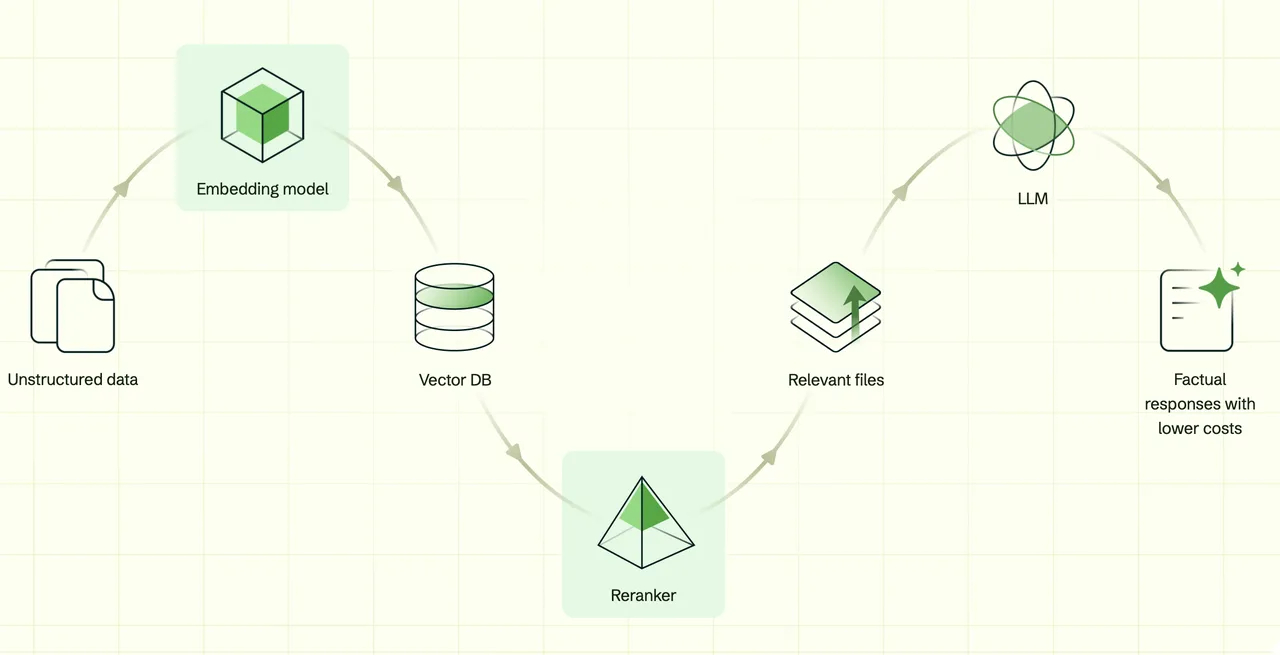
Voyage’s official introduction separates two retrieval building blocks: embeddings and rerankers. Embeddings turn input text or other supported content into vectors, so a vector database can retrieve semantically similar records.
For text retrieval, the current voyage-4 family includes models such as voyage-4-large, voyage-4, voyage-4-lite, and voyage-code-4, with model choice depending on quality, cost, latency, and domain. The embedding model documentation should be checked before release because model IDs, dimensions, and context limits can change.
Contextualized embeddings are different from standard chunk embeddings. Instead of treating every chunk as isolated, they add surrounding document context so short chunks can carry more meaning. Multimodal embeddings are another separate path, designed for retrieval across text and visual inputs such as document screenshots, slides, tables, and figures.
Rerankers for a Second Retrieval Pass
The Voyage rerank API is used after a first retrieval step. Your vector search might return 50 or 100 candidates. A reranker then receives the query and candidate documents, scores relevance, and returns a reordered list.
This is useful when first-pass recall is acceptable but ordering is weak. It is not a source validator. A higher relevance score means the document appears more relevant to the query under that reranker, not that the document is factually correct.
Choose the Right Retrieval Endpoint
Match the Embedding Model to Your Data and Query Type
Use standard Voyage AI embeddings when your records are mostly text chunks, product docs, support articles, tickets, code, or knowledge-base pages. Pick the model by corpus type. A code assistant should test voyage-code-4; a general multilingual support search might start with voyage-4 or voyage-4-large; a latency-sensitive workflow may compare voyage-4-lite.
The Embeddings API reference supports an input_type setting. For retrieval, use document when embedding stored content and query when embedding user queries. That small distinction matters because retrieval models may format the representation differently for each side.
Add Reranking When First-Pass Recall Is Not Enough
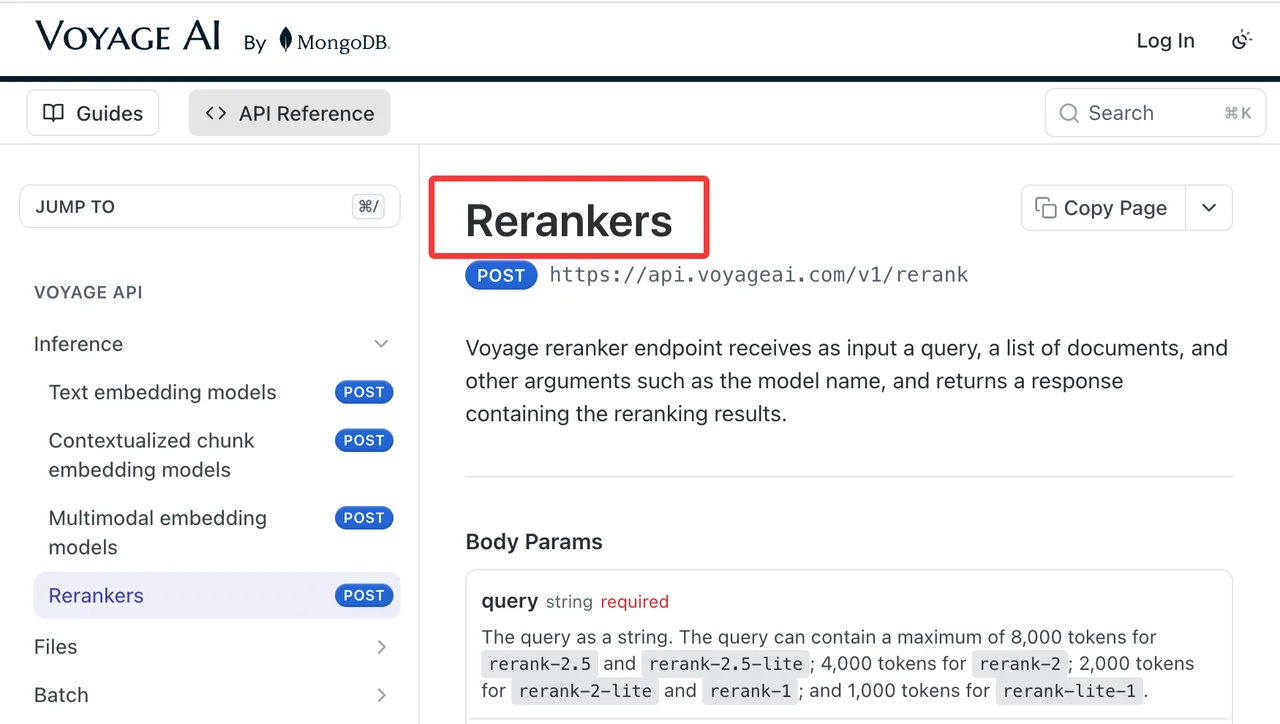
Add reranking when users complain that the right document is present but buried, or when the generator receives too many loosely related passages. The Reranker API reference documents query, documents, model, top_k, and return_documents.
Do not rerank your entire corpus. Retrieve candidates first, then rerank a bounded set. This keeps latency, token use, and cost under control.
Create and Store Embeddings
Prepare Inputs and Set the Correct Input Type
A minimal flow is simple: clean the document, split it into stable chunks, send chunks to the embedding endpoint, and store returned vectors with their source records.
For query-time retrieval, embed the user query with the same model family and compatible dimensions. If you embedded documents with input_type: document, embed the search query with input_type: query. Keep truncation behavior explicit. Silent truncation can hide bad chunking decisions during testing.
Persist Vectors With Model and Version Metadata
Store more than the vector. Save the model ID, output dimension, input type, chunking rule, source document ID, source version, language, and creation time. This metadata makes migrations possible.
If you later move from voyage-4-lite to voyage-4-large, do not mix vectors casually in the same index. Build a new index or namespace, run comparison tests, then switch traffic deliberately.
Rerank Retrieved Documents
Send a Query and Candidate Document Set
A common request sends one query plus a list of candidate documents. The reranker returns items with indexes and relevance scores; it can also return document text when requested.
Keep candidates short enough to fit documented limits. Long chunks can waste rerank tokens and make explanations harder to debug. If your retriever only works with very large passages, fix chunking before blaming the reranker.
Use Scores and Top-K Results Without Treating Them as Probabilities
Rerank scores are ranking signals. They are not calibrated probabilities, legal confidence scores, or proof that an answer is true. Use them to choose which passages enter the final context window.
For production RAG, store the selected document IDs and scores with each answer. When an answer fails review, this makes it possible to see whether retrieval, reranking, generation, or source quality caused the issue.
Evaluate Retrieval Quality and Cost
Measure Recall, Ranking Quality, Latency, and Token Usage
A good retrieval eval includes queries, expected sources, acceptable alternatives, and reviewer notes. Track recall at first pass, final top-k quality after reranking, latency, token use, and cost per accepted answer.
Voyage’s pricing page lists current prices and free allowances by model family. Recheck it on publication day and again before procurement, because pricing, batch behavior, and free-token rules can move.
Compare Models on Your Own Corpus and Queries
Do not select a retrieval model only from vendor claims. Build a small but realistic eval set from your own tickets, docs, code, PDFs, or product content.
Freeze chunking, query wording, vector database settings, top-k, rerank candidate count, and acceptance criteria. Then compare models under the same conditions. The winner is the setup that reduces failed answers and review time, not the one with the nicest benchmark label.
Prepare the API for Production
Protect Keys, Handle Errors, and Bound Retries
Create API keys through the Voyage dashboard and keep them server-side. The API key and installation guide shows the standard environment-variable setup. Do not ship keys in browser code, mobile apps, shared notebooks, or client-side config.
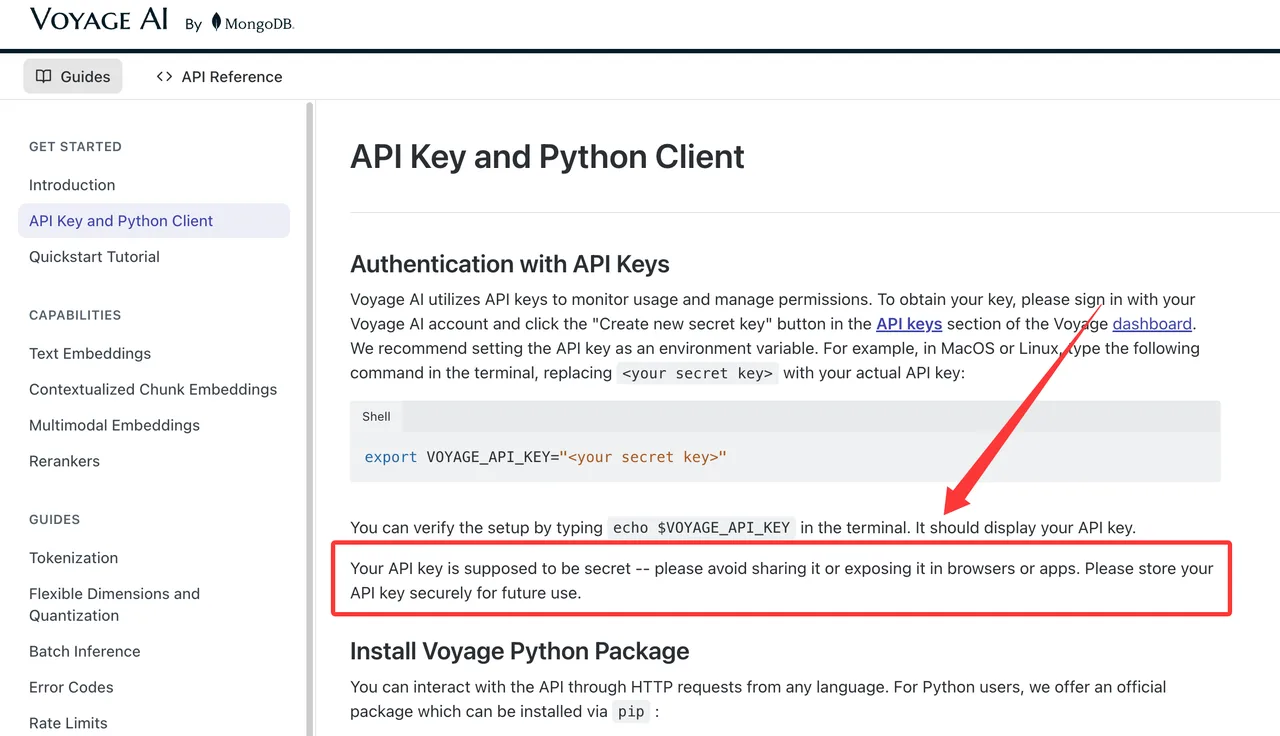
Set timeouts, bounded retries, and clear fallbacks. Retry brief service failures; do not retry invalid requests forever. For a full application path from ingestion to retrieval to answer assembly, link this section to your internal voyage-ai-retrieval-stack page instead of repeating the whole stack here.
Monitor Model Changes and Rebuild Triggers
Production indexes need rebuild rules. Trigger a rebuild when the embedding model, output dimension, chunking policy, or source normalization changes. Also log model IDs on every retrieval and rerank call.
Check the rate limit documentation before launch. Rate limits affect batch ingestion, backfills, incident recovery, and peak query traffic.
Limits and Trade-Offs
Retrieval Models Do Not Validate Source Truth
The Voyage AI API can help find likely relevant material. It does not decide whether the source is correct, current, licensed, or safe to show. Your application still needs source governance, freshness checks, permissions, and answer review rules.
This matters in finance, healthcare, legal, security, and customer-support systems. Retrieval quality can reduce noise, but it cannot replace policy.
Better Ranking Cannot Repair a Weak Corpus
Reranking cannot recover documents that were never indexed. It also cannot fix duplicate, stale, contradictory, or badly chunked content.
Before increasing model spend, inspect the corpus. Remove dead pages, merge duplicates, improve titles, preserve section hierarchy, and keep source metadata. Better inputs usually make every retrieval endpoint look better.
FAQ
Can development and production use separate Voyage AI projects?
Yes, teams can separate environments by project or account structure when their organization setup supports it. Keep dev and production keys separate, and avoid testing new indexes against production credentials unless access is intentionally granted.
Can teams cache Voyage rerank results for repeated queries?
They can cache results when the query, candidate set, model, and document versions are unchanged. Invalidate the cache when documents are edited, deleted, re-chunked, or re-embedded. Caching stale rankings can quietly reintroduce old retrieval bugs.
How should teams handle deletion requests for embedded documents?
Delete the source record, remove its vector entries, clear related caches, and record the deletion event. If backups or audit systems retain data, follow your organization’s retention policy and current legal requirements.
Can one account enforce separate budgets for embedding and reranking?
Use separate projects, keys, tags, or internal metering where available. At minimum, log endpoint, model, token usage, calling service, and environment so finance teams can separate ingestion cost from query-time reranking cost.
Who should own a retrieval incident that affects several applications?
Assign one platform owner for the shared retrieval layer and one product owner for each affected application. The platform owner handles index, model, API, and latency issues; product owners judge user impact and release decisions.
Conclusion
The Voyage AI API is strongest when treated as a retrieval toolkit, not a magic RAG switch. Use Voyage AI embeddings for first-pass search, contextualized embeddings when chunk meaning depends on surrounding text, multimodal embeddings for visual document retrieval, and the Voyage rerank API when candidate ordering needs a second pass.
The practical choice is the setup that improves accepted answers on your corpus while keeping latency, rebuild work, and cost predictable.
Previous posts:
/filters:quality(82)/media/images/5f15570a-6a68-432e-a6f1-1dcbf799ba81.webp)
/filters:quality(82)/media/images/b73c2438-6bdd-4b80-a229-8d71d8f819cf.webp)
/filters:quality(82)/media/images/427fd9f2-347d-4f86-a2d5-aee110cda01d.webp)
/filters:quality(82)/media/images/1773962750383987480_n3hqzHRZ.webp)
/filters:quality(82)/media/images/43fa0e7f-a0db-48d7-9bab-921d1225db30.webp)
/filters:quality(82)/media/images/5799ff56-3a73-40ca-a666-e4965d878496.webp)