 tripo3d/
Tripo3D v2.5 Multiview-to-3D turns 2 to 4 views of one object into a 3D model with Tripo's v2.5 model (up to 500,000 faces), with optional textures and PBR materials. Ready-to-use REST inference API, best performance, no coldstarts, affordable pricing.
待機中
$0.3241回あたり·~30 / $10
サンプルすべて表示

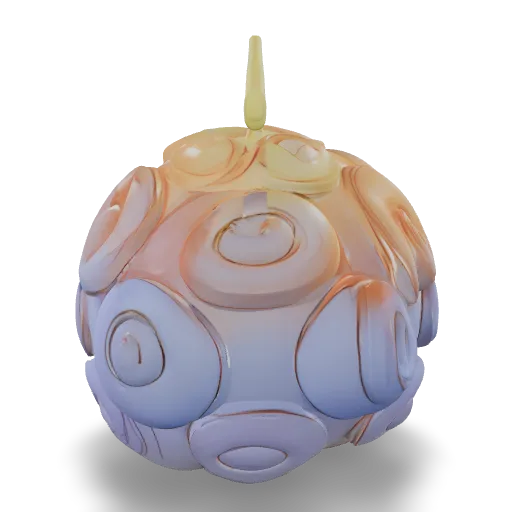
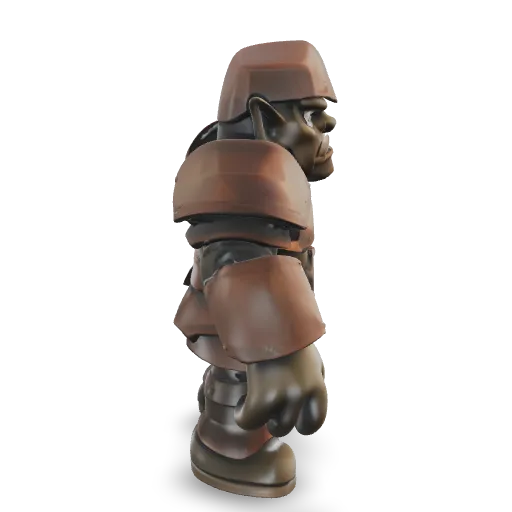

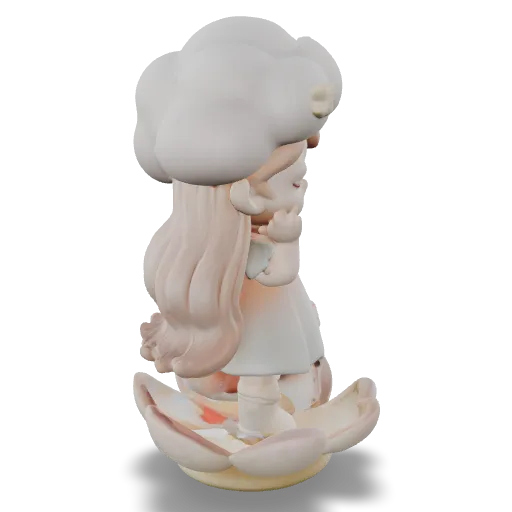
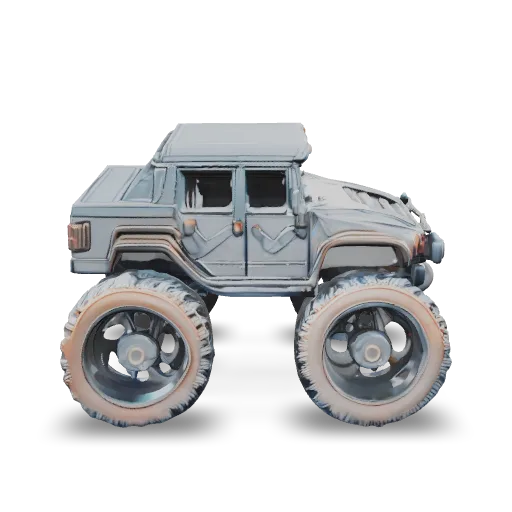
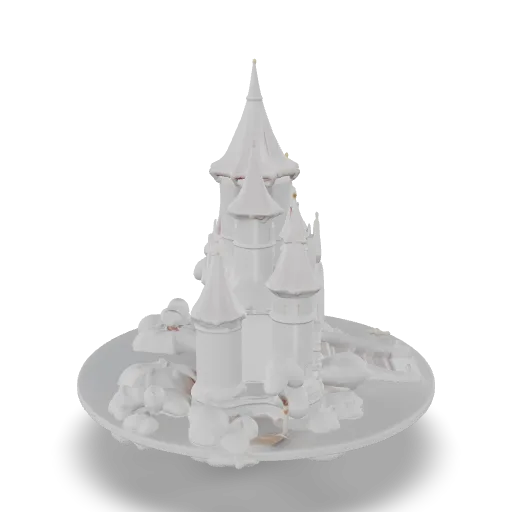
関連モデル





README
Tripo3D v2.5 Multiview-to-3D
Tripo3D v2.5 Multiview-to-3D generates a 3D model from multiple views of the same object. Provide 2–4 reference images from different sides, then configure geometry, textures, topology, and optional PBR materials for the final asset.
Why Choose This?
- Multi-view reconstruction — Build a 3D model from multiple views of the same object.
- Texture and PBR options — Generate untextured geometry, standard textures, detailed textures, or PBR materials.
- Face-limit control — Set an optional face limit, up to 500,000 faces.
- Topology options — Generate triangle meshes, quad meshes, or smart low-poly assets.
- Editable parts — Generate separate untextured parts for downstream editing.
- Texture controls — Choose texture quality, alignment, UV generation, and optional lighting cleanup.
Parameters
| Parameter | Required | Description |
|---|---|---|
| images | Yes | 2–4 views of the same object in front, left, back, right order. The front view is required. |
| texture | No | Generate texture maps. Disable both texture and pbr for an untextured model. Default: true. |
| pbr | No | Generate PBR materials. Enabling this also enables textures. Default: true. |
| texture_quality | No | Texture quality: standard, detailed, extreme, or fast. extreme uses 8K textures. fast requires texture version v3.5-20260815. Default: standard. |
| texture_version | No | Texture model version: v2.5-20250123 or v3.5-20260815. Default: v2.5-20250123. |
| delight | No | Reduce lighting baked into the source images during texturing. Applies only to texture version v3.5-20260815. Default: true. |
| quad | No | Generate a quad mesh in FBX format. If face_limit is omitted, the target is approximately 10,000 faces. Default: false. |
| smart_low_poly | No | Generate a low-poly mesh with simplified topology. Default: false. |
| generate_parts | No | Generate separate editable parts. Parts are untextured and use triangle meshes. Default: false. |
| face_limit | No | Requested face limit. Omit for adaptive topology. Supports up to 500,000 faces, 150,000 for quad meshes, or 500–20,000 with smart low-poly. |
| texture_alignment | No | Texture alignment priority: original_image or geometry. Default: original_image. |
| orientation | No | Model orientation: default or align_image. align_image applies to textured models. Default: default. |
| enable_image_autofix | No | Apply image preprocessing before generation. Default: false. |
| auto_size | No | Estimate real-world scale in meters. Requires a textured model. Default: false. |
| export_uv | No | Include UV unwrapping during generation. Default: true. |
| model_seed | No | Optional seed for geometry generation. |
| texture_seed | No | Optional seed for texture generation. |
How to Use
- Add reference views — Provide
2–4images of the same object, with the front view required. - Choose materials — Keep textures and PBR enabled, or disable both for an untextured model.
- Choose quality — Select the texture quality based on the level of detail you need.
- Configure topology optional — Use quad, smart low-poly, face limits, or separate parts when needed.
- Submit — Generate and retrieve the completed 3D model.
Pricing
Pricing is per generated model and depends on the selected options.
Price per model
| Configuration | Price |
|---|---|
| Default settings (textured, standard quality) | $0.324 |
| Untextured model (texture off and PBR off) | $0.216 |
| Fast texture quality | $0.324 |
| Detailed texture quality | $0.432 |
| Extreme texture quality | $0.54 |
| Quad mesh on | $0.378 |
| Smart low-poly mesh on | $0.432 |
| Separate parts on | $0.432 |
Optional add-ons on a textured model
| Setting | Additional Price |
|---|---|
| Detailed texture quality | +$0.108 |
| Extreme texture quality | +$0.216 |
| Quad mesh on | +$0.054 |
| Smart low-poly mesh on | +$0.108 |
The default configuration costs $0.324 per model (default settings).
PBR does not add a separate charge beyond the textured model price.
detailed and extreme texture charges apply only when textures are generated.
When generate_parts=true, the model is untextured and uses triangle meshes, so the price is $0.432 per model (separate parts on). Texture quality and quad charges do not apply.
Best Use Cases
- Product reconstruction — Build 3D models from multiple product photos.
- Game assets — Generate textured, low-poly, or quad-based assets for game workflows.
- E-commerce 3D — Convert multi-angle product photography into reusable 3D assets.
- Rendering assets — Generate textured models with optional PBR materials.
- Editable models — Create separated parts for additional modeling and refinement.
- High-detail assets — Pair a high face limit with detailed or 8K textures for complex objects.
Pro Tips
- Use images of the same object with consistent shape, appearance, and lighting.
- Make sure the front view is clear and centered.
- Keep the object's scale and framing reasonably consistent across views.
- Use
fasttextures for quicker iteration andextremewhen 8K texture detail is required. - Use
smart_low_polyfor simpler objects that need lightweight topology. - Use
generate_partswhen individual components need to remain separately editable.
Notes
- Provide
2–4views of the same object. - The front view is required.
- Disable both
textureandpbrfor an untextured model. - Enabling
pbralso enables texture generation. fasttexture quality requirestexture_version=v3.5-20260815.delightapplies only to texture versionv3.5-20260815.quad=truegenerates an FBX quad mesh and defaults to approximately10,000faces whenface_limitis not specified.generate_partsrequirestexture=falseandpbr=false.- Do not combine
generate_partswithquadorsmart_low_poly. - Separate parts are generated as untextured triangle meshes.
auto_sizerequires a textured model and estimates real-world scale in meters.orientation=align_imageapplies only to textured models.- Face limits depend on the selected topology settings.
v2.5 Multiview To 3d API — Quick start
Grab a WaveSpeedAI API key, then call POST https://api.wavespeed.ai/api/v3/tripo3d/v2.5/multiview-to-3d with your input as JSON. The endpoint returns a prediction id. Start polling the result endpoint around every 2 seconds, increase the interval for long-running tasks, and stop on any terminal status. On completed, read output values from data.outputs. Examples for v2.5 Multiview To 3d below.
HTTP example
set -euo pipefail

: "${WAVESPEED_API_KEY:?Set WAVESPEED_API_KEY}"

REQUEST_BODY=$(cat <<'JSON'
{
    "images": [
        "https://interactive-examples.mdn.mozilla.net/media/cc0-images/painted-hand-298-332.jpg",
        "https://interactive-examples.mdn.mozilla.net/media/cc0-images/painted-hand-298-332.jpg"
    ],
    "texture": true,
    "pbr": true,
    "texture_quality": "standard",
    "texture_version": "v2.5-20250123",
    "delight": true,
    "quad": false,
    "smart_low_poly": false,
    "generate_parts": false,
    "texture_alignment": "original_image",
    "orientation": "default",
    "enable_image_autofix": false,
    "auto_size": false,
    "export_uv": true
}
JSON
)

# 1. Submit the prediction.
SUBMIT_RESPONSE=$(curl --silent --show-error --fail-with-body \
  -X POST "https://api.wavespeed.ai/api/v3/tripo3d/v2.5/multiview-to-3d" \
  -H "Content-Type: application/json" \
  -H "Authorization: Bearer $WAVESPEED_API_KEY" \
  -d "$REQUEST_BODY")

TASK=$(printf '%s' "$SUBMIT_RESPONSE" | jq 'if has("data") then .data else . end')
PREDICTION_ID=$(printf '%s' "$TASK" | jq -r '.id')
if [ -z "$PREDICTION_ID" ] || [ "$PREDICTION_ID" = "null" ]; then
  printf 'Submission response did not contain a prediction id
' >&2
  exit 1
fi
RESULT_URL="https://api.wavespeed.ai/api/v3/predictions/$PREDICTION_ID/result"

# 2. Poll until the prediction finishes.
while true; do
  RESPONSE=$(curl --silent --show-error --fail-with-body "$RESULT_URL" \
    -H "Authorization: Bearer $WAVESPEED_API_KEY")
  RESULT=$(printf '%s' "$RESPONSE" | jq 'if has("data") then .data else . end')
  STATUS=$(printf '%s' "$RESULT" | jq -r '.status')
  case "$STATUS" in
    completed) printf '%s\n' "$RESULT" | jq '.outputs'; break ;;
    failed|cancelled|timeout|deleted) printf '%s\n' "$RESULT" | jq . >&2; exit 1 ;;
    *) sleep 2 ;;
  esac
done
Node.js example
const submitUrl = "https://api.wavespeed.ai/api/v3/tripo3d/v2.5/multiview-to-3d";
const apiKey = process.env.WAVESPEED_API_KEY;
if (!apiKey) throw new Error('Set WAVESPEED_API_KEY');

async function requestJson(url, options = {}) {
  const response = await fetch(url, options);
  if (!response.ok) throw new Error(await response.text());
  return response.json();
}

// 1. Submit the prediction.
const body = await requestJson(submitUrl, {
  method: "POST",
  headers: {
    "Authorization": `Bearer ${apiKey}`,
    "Content-Type": "application/json",
  },
  body: JSON.stringify({
        "images": [
                "https://interactive-examples.mdn.mozilla.net/media/cc0-images/painted-hand-298-332.jpg",
                "https://interactive-examples.mdn.mozilla.net/media/cc0-images/painted-hand-298-332.jpg"
        ],
        "texture": true,
        "pbr": true,
        "texture_quality": "standard",
        "texture_version": "v2.5-20250123",
        "delight": true,
        "quad": false,
        "smart_low_poly": false,
        "generate_parts": false,
        "texture_alignment": "original_image",
        "orientation": "default",
        "enable_image_autofix": false,
        "auto_size": false,
        "export_uv": true
}),
});
const task = body.data ?? body;
if (!task.id) throw new Error("Submission response did not contain a prediction id");
const resultUrl = `https://api.wavespeed.ai/api/v3/predictions/${task.id}/result`;

// 2. Poll until the prediction finishes.
while (true) {
  const resultBody = await requestJson(resultUrl, {
    headers: { "Authorization": `Bearer ${apiKey}` },
  });
  const result = resultBody.data ?? resultBody;
  if (result.status === "completed") {
    console.log(result.outputs);
    break;
  }
  if (["failed", "cancelled", "timeout", "deleted"].includes(result.status)) throw new Error(JSON.stringify(result));
  await new Promise(resolve => setTimeout(resolve, 2000));
}
Python example
import json
import os
import time
from urllib.request import Request, urlopen

api_key = os.environ["WAVESPEED_API_KEY"]
headers = {"Authorization": f"Bearer {api_key}", "Content-Type": "application/json"}
payload = {
    "images": [
        "https://interactive-examples.mdn.mozilla.net/media/cc0-images/painted-hand-298-332.jpg",
        "https://interactive-examples.mdn.mozilla.net/media/cc0-images/painted-hand-298-332.jpg"
    ],
    "texture": True,
    "pbr": True,
    "texture_quality": "standard",
    "texture_version": "v2.5-20250123",
    "delight": True,
    "quad": False,
    "smart_low_poly": False,
    "generate_parts": False,
    "texture_alignment": "original_image",
    "orientation": "default",
    "enable_image_autofix": False,
    "auto_size": False,
    "export_uv": True
}

def request_json(url, data=None):
    request = Request(url, data=data, headers=headers, method="POST" if data else "GET")
    with urlopen(request) as response:
        return json.load(response)

# 1. Submit the prediction.
body = request_json("https://api.wavespeed.ai/api/v3/tripo3d/v2.5/multiview-to-3d", json.dumps(payload).encode())
task = body.get("data", body)
if not task.get("id"):
    raise RuntimeError("Submission response did not contain a prediction id")
result_url = f"https://api.wavespeed.ai/api/v3/predictions/{task['id']}/result"

# 2. Poll until the prediction finishes.
while True:
    result_body = request_json(result_url)
    result = result_body.get("data", result_body)
    status = result.get("status")
    if status == "completed":
        print(result.get("outputs", []))
        break
    if status in {"failed", "cancelled", "timeout", "deleted"}:
        raise RuntimeError(result)
    time.sleep(2)
v2.5 Multiview To 3d API — Frequently asked questions
What is the v2.5 Multiview To 3d API?
v2.5 Multiview To 3d is a Tripo3D model for 3D asset generation from images, exposed as a REST API on WaveSpeedAI. Tripo3D v2.5 Multiview-to-3D turns 2 to 4 views of one object into a 3D model with Tripo's v2.5 model (up to 500,000 faces), with optional textures and PBR materials. Ready-to-use REST inference API, best performance, no coldstarts, affordable pricing. You can call it programmatically or try it from the playground above.
How do I call the v2.5 Multiview To 3d API?
POST your input parameters to the model's REST endpoint (shown in the API tab of this playground) with your WaveSpeedAI API key in the Authorization header. Submission returns a prediction ID. Poll the result endpoint starting around every 2 seconds, increase the interval for long-running tasks, and stop on any terminal status. The playground generates Python, JavaScript, and cURL examples for submitting requests and polling results. Full request/response shape is documented at https://wavespeed.ai/docs/docs-api/tripo3d/v2.5/multiview-to-3d.
How much does v2.5 Multiview To 3d cost per run or per second?
v2.5 Multiview To 3d starts at $0.324 per run or per second. That figure is the base price — the final charge scales with the parameters you set in the form (output size, length, count, references, or whatever knobs this model exposes), so a higher-quality or larger output costs more than a minimal one. The exact cost for your current input is shown live next to the Generate button before you submit, and the actual per-call charge is recorded on the prediction afterwards.
What inputs does v2.5 Multiview To 3d accept?
Key inputs: `images`, `auto_size`, `delight`, `enable_image_autofix`, `export_uv`, `face_limit`. The full JSON schema (types, defaults, allowed values) is rendered above the Generate button and mirrored in the API reference at https://wavespeed.ai/docs/docs-api/tripo3d/v2.5/multiview-to-3d.
How long does v2.5 Multiview To 3d take to generate?
Reported generation time on WaveSpeedAI is around 88 seconds per request. This is an estimate, not a latency guarantee; queue time and input settings can change the total wait. live status is visible in the prediction record.
Can I use v2.5 Multiview To 3d outputs commercially?
Commercial usage rights depend on the model's license, set by its provider (Tripo3D). Check the provider's applicable terms and WaveSpeedAI's Terms of Service before commercial use.
Tripo3D のその他のモデル
すべて表示その他の Image to 3D モデル
すべて表示- tripo3d/h3.1/image-to-3dImage to 3D
- meshy/v7.1/image-to-3dImage to 3D
- wavespeed-ai/trellis-2/image-to-3dImage to 3D
- wavespeed-ai/hunyuan3d-v3/image-to-3dImage to 3D
- meshy/v7.1/multi-image-to-3dImage to 3D
- tripo3d/h3.1/multiview-to-3dImage to 3D
- bytedance/seed3d-2.0/image-to-3dImage to 3D
- wavespeed-ai/hunyuan-3d-v3.1/image-to-3d-rapidImage to 3D