Add a photo
Choose, drop or paste a portrait. Skin is found automatically; Show skin area shows exactly where.
/filters:quality(82)/media/images/7c470940-c00b-4725-9a58-70e04a6b73e3.webp)
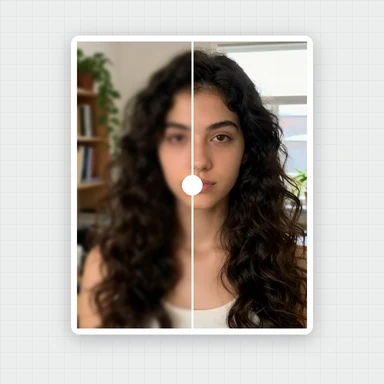
/filters:quality(82)/media/images/f6c634a9-4198-47ef-a120-cf9ada19de7f.webp) BEFOREAFTERGlam look
BEFOREAFTERGlam lookEven out blotches, fade spots and pimples, reduce redness and shine, and lighten dark circles, without the plastic look.
A keep-texture slider puts the pores and fine detail back, so the result stays natural.
Choose, drop or paste a photo. JPG, PNG, WebP or HEIC.
Portraits of people who do not exist, ready to try. Hover or tap the sparkle to peek at the result, then open one and pick your look.
Choose, drop or paste a portrait. Skin is found automatically; Show skin area shows exactly where.
Set Smooth skin and Keep texture, then fade blemishes, even the tone and reduce shine as needed.
Check at 100% with the split line and save the full-size photo.
This retoucher improves the photo you have. To create new headshots, styles or backgrounds, WaveSpeed AI makes images from a prompt or a photo.
Create professional-looking headshots, profile pictures and portraits in any style from a prompt.
Bring a portrait to life as a short clip for social media.
Turn a character portrait into a 3D figure.
$1 in free credits for eligible new accounts. No card needed. Generators have separate account and credit requirements. The portrait beautifier is free.
Open your photo, raise Smooth skin in the Skin tab and keep texture at 50 or more. Blotches and uneven tone fade while pores and fine detail stay, so skin looks smooth but real.
No. Only skin is smoothed; eyes, brows, lips, hair, clothes and the background stay as they are. Edges between skin and features are kept sharp.
Yes. The Blemishes slider fades small spots and pimples, Even tone calms redness and Reduce shine tones down oily highlights, for clearer-looking skin in one pass.
Yes. No sign-up, no watermark, and your photo never leaves your browser.
Keeps skin texture · Blemishes & dark circles · Free, in your browser
/filters:quality(82)/media/images/1791123751656780930_IfFPY7R0.webp)
/filters:quality(82)/media/images/1791123737177812425_RjKT3cku.webp)
/filters:quality(82)/media/images/1791123748309870128_xlkNgK8N.webp)
/filters:quality(82)/media/images/1791123738630744263_oR09R0aj.webp)
/filters:quality(82)/media/images/1791177033162457776_uQ09OY7g.webp)
/filters:quality(82)/media/images/1791123734319125607_JdnwGPY7.webp)
/filters:quality(82)/media/images/1791123746355630206_udnxGPY7.webp)
/filters:quality(82)/media/images/1791123744771362580_yC0sPezZ.webp)
/filters:quality(82)/media/images/1791123738606970169_5KIR1ais.webp)
/filters:quality(82)/media/images/1791123748197655725_EUmuFNW6.webp)