Add your selfie
Choose, drop or paste a photo. The faces are found automatically.
/filters:quality(82)/media/images/7c470940-c00b-4725-9a58-70e04a6b73e3.webp)
/filters:quality(82)/media/images/f6c634a9-4198-47ef-a120-cf9ada19de7f.webp) BEFOREAFTERGlam look
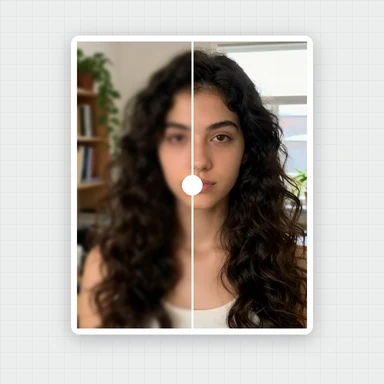
BEFOREAFTERGlam lookTap a look and your selfie gets smoother skin, fewer blemishes, brighter eyes and whiter teeth, while still looking like you.
Fine-tune every slider, compare before and after, and save the full-size photo.
Choose, drop or paste a photo. JPG, PNG, WebP or HEIC.
Portraits of people who do not exist, ready to try. Hover or tap the sparkle to peek at the result, then open one and pick your look.
Choose, drop or paste a photo. The faces are found automatically.
Natural, Soft, Fresh, Matte or Glam, with a strength slider. Adjust any effect on its own if you like.
Compare with the original, then save as JPG, PNG or WebP at full size.
This retoucher improves the photo you have. To create new headshots, styles or backgrounds, WaveSpeed AI makes images from a prompt or a photo.
Create professional-looking headshots, profile pictures and portraits in any style from a prompt.
Bring a portrait to life as a short clip for social media.
Turn a character portrait into a 3D figure.
$1 in free credits for eligible new accounts. No card needed. Generators have separate account and credit requirements. The portrait beautifier is free.
Open or paste your selfie, tap Natural, Soft, Fresh, Matte or Glam and set the strength, then save the full-size photo. It takes under a minute, with no app to install.
Yes. Beautify as many selfies as you like for free, with no sign-up, no watermark and no limit.
No. Your selfie is retouched right in your browser and never leaves your device. Only the face detection files are downloaded, once.
Yes. The looks keep your skin texture and features, and shape changes are subtle by default. Use Compare to check and set the strength to taste.
Yes. Every face is retouched, and each face has its own strength in the One-tap tab.
Five one-tap looks · Natural skin texture · Free, no watermark
/filters:quality(82)/media/images/1791123751656780930_IfFPY7R0.webp)
/filters:quality(82)/media/images/1791123737177812425_RjKT3cku.webp)
/filters:quality(82)/media/images/1791123748309870128_xlkNgK8N.webp)
/filters:quality(82)/media/images/1791123738630744263_oR09R0aj.webp)
/filters:quality(82)/media/images/1791177033162457776_uQ09OY7g.webp)
/filters:quality(82)/media/images/1791123734319125607_JdnwGPY7.webp)
/filters:quality(82)/media/images/1791123746355630206_udnxGPY7.webp)
/filters:quality(82)/media/images/1791123744771362580_yC0sPezZ.webp)
/filters:quality(82)/media/images/1791123738606970169_5KIR1ais.webp)
/filters:quality(82)/media/images/1791123748197655725_EUmuFNW6.webp)