Add your photos
Choose, drop or paste one photo or a whole batch. Faces are found automatically in a few seconds; the first time, the small face finder downloads once.
Every face is found automatically, from close-ups to crowds of 60, and hidden with blur, pixelate, a solid fill or frosted glass.
Tap a face to keep that person visible, draw extra areas by hand, and save full-size photos one by one or as a ZIP.
Drop, paste or choose one photo or a whole batch. Every face is found automatically and hidden.
JPG, PNG, WebP, HEIC and more · up to 50 MP · 50 photos at oncePick an example to see faces found and hidden in seconds, then switch faces on and off or try another style.
Choose, drop or paste one photo or a whole batch. Faces are found automatically in a few seconds; the first time, the small face finder downloads once.
Blur, pixelate, solid or frosted, with strength, padding and shape. Tap any face to keep that person visible, or draw an area over anything else.
Download the full-size photo as JPG, PNG or WebP, or every photo in one ZIP.
Zoom in on crowds and backgrounds before saving. Faces marked with ? are possible faces: tap them to hide them too, and draw an area over anyone the finder missed.
A strong blur or large pixels make a face unrecognisable. For sensitive photos, solid fill hides the most.
Padding covers hair, ears and the outline of the head, which can be recognisable on their own.
Name tags, school logos, number plates and house numbers can identify people too. Draw a rectangle over them.
Add a whole album, pick the style once and save everything as a ZIP. Give one photo its own settings when it needs them.
Keep visible only the people who agreed to be shown, such as yourself or your team, and hide everyone else in one tap with Invert.
Face blur protects the people in your photos. To create new pictures and clips from a prompt, with no one to hide, try WaveSpeed AI.
Create stock-style photos of places, products and scenes from a prompt.
Turn a photo or an idea into a short video clip.
Make 3D models from a picture.
$1 in free credits for eligible new accounts. No card needed. Generators have separate account and credit requirements. The face blur is free.
Open or drop your photo and every face is found and blurred automatically. Pick blur, pixelate, solid or frosted, set the strength, then download the full-size photo. It's free and takes seconds.
Yes. Blur faces in as many photos as you like for free, with no sign-up, no watermark and no limit.
No. Your photos stay in your browser and are processed on your device. Only the small face finder downloads, once, and your browser keeps it for next time.
No. The blur replaces the face's pixels in the saved file with a few averaged colours, so the original detail is gone, not hidden under a layer. Pixelate and solid fill work the same way.
Yes. Tap a face or its number to keep that person visible. Blur all, Blur none and Invert switch every face at once.
Yes. The photo is searched in fine sections so small faces in the background are found too, up to 60 per photo. You can draw extra areas over anything else.
Yes. Add a whole batch, choose the style once, give single photos their own settings if needed, and download everything as a ZIP.
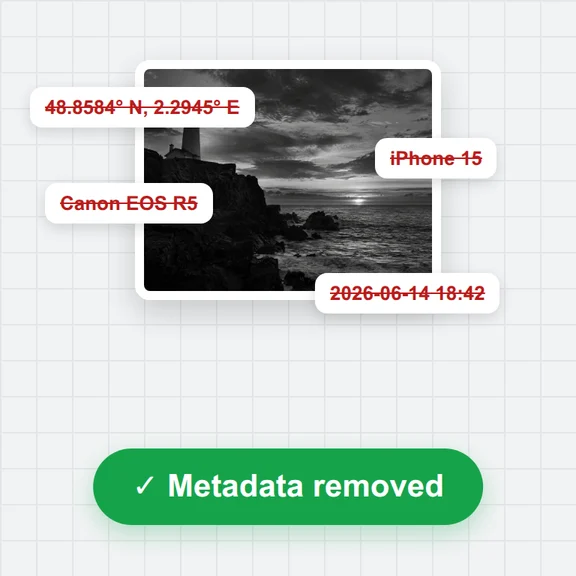
Yes. Saved photos carry no EXIF or GPS data, so the place and camera details are not shared along with the photo.
Free, private and full-size, with no sign-up or watermark.
/filters:quality(82)/media/images/1791123751656780930_IfFPY7R0.webp)
/filters:quality(82)/media/images/1791123737177812425_RjKT3cku.webp)
/filters:quality(82)/media/images/1791123748309870128_xlkNgK8N.webp)
/filters:quality(82)/media/images/1791123738630744263_oR09R0aj.webp)
/filters:quality(82)/media/images/1791177033162457776_uQ09OY7g.webp)
/filters:quality(82)/media/images/1791123734319125607_JdnwGPY7.webp)
/filters:quality(82)/media/images/1791123746355630206_udnxGPY7.webp)
/filters:quality(82)/media/images/1791123744771362580_yC0sPezZ.webp)
/filters:quality(82)/media/images/1791123738606970169_5KIR1ais.webp)
/filters:quality(82)/media/images/1791123748197655725_EUmuFNW6.webp)