Add a portrait
Choose, drop or paste a photo. The face is mapped automatically.
/filters:quality(82)/media/images/7c470940-c00b-4725-9a58-70e04a6b73e3.webp)
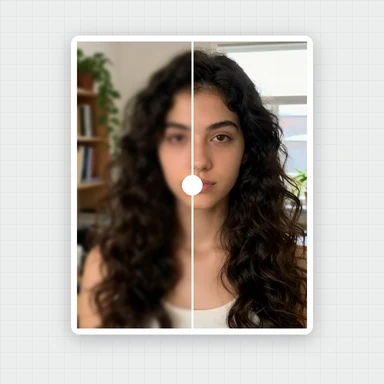
/filters:quality(82)/media/images/f6c634a9-4198-47ef-a120-cf9ada19de7f.webp) BEFOREAFTERGlam look
BEFOREAFTERGlam lookSlim the face and jawline, adjust the chin, forehead and nose, make eyes a little bigger and lift the smile.
Changes follow the face and fade out around it, with built-in limits so nothing warps.
Choose, drop or paste a photo. JPG, PNG, WebP or HEIC.
Portraits of people who do not exist, ready to try. Hover or tap the sparkle to peek at the result, then open one and pick your look.
Choose, drop or paste a photo. The face is mapped automatically.
Use the Face, Eyes and Mouth tabs. Small amounts look most natural; Compare shows the difference.
Save the full-size photo as JPG, PNG or WebP.
This retoucher improves the photo you have. To create new headshots, styles or backgrounds, WaveSpeed AI makes images from a prompt or a photo.
Create professional-looking headshots, profile pictures and portraits in any style from a prompt.
Bring a portrait to life as a short clip for social media.
Turn a character portrait into a 3D figure.
$1 in free credits for eligible new accounts. No card needed. Generators have separate account and credit requirements. The portrait beautifier is free.
Open your portrait, go to the Face tab and raise Slim face or Jawline a little, then use Compare to check. It's free, runs in your browser and needs no sign-up.
Yes. Shape changes follow the face and fade out around it, with built-in limits that keep the background looking natural. Small amounts give the most natural result.
Face width, jawline, chin length, forehead height, nose width, eye size and distance, mouth width and smile, plus skin, teeth and makeup.
Yes. Changes follow the visible side of the face, so angled portraits get a natural-looking retouch too.
Yes. No sign-up, no watermark, and the photo stays in your browser.
Face, eyes & smile · Built-in limits · Free, in your browser
/filters:quality(82)/media/images/1791123751656780930_IfFPY7R0.webp)
/filters:quality(82)/media/images/1791123737177812425_RjKT3cku.webp)
/filters:quality(82)/media/images/1791123748309870128_xlkNgK8N.webp)
/filters:quality(82)/media/images/1791123738630744263_oR09R0aj.webp)
/filters:quality(82)/media/images/1791177033162457776_uQ09OY7g.webp)
/filters:quality(82)/media/images/1791123734319125607_JdnwGPY7.webp)
/filters:quality(82)/media/images/1791123746355630206_udnxGPY7.webp)
/filters:quality(82)/media/images/1791123744771362580_yC0sPezZ.webp)
/filters:quality(82)/media/images/1791123738606970169_5KIR1ais.webp)
/filters:quality(82)/media/images/1791123748197655725_EUmuFNW6.webp)