
Seedream 5.0, FLUX, and ComfyUI Workflows
Seedream 5.0 workflow guide for builders choosing image models, ComfyUI, FLUX, upscalers, and routing patterns.

I had the same product prompt open in four places: Seedream 5.0 in one tab, FLUX AI in another, ComfyUI running locally, and Midjourney left open because someone still trusts it for first-pass art direction. The prompt was not the issue. The routing was.
This is not a design tool ranking. I don’t care which model “wins” a clean demo if the production file still needs three manual repairs, one undocumented upscale pass in Magnific, and a Slack thread to remember which prompt actually worked. This is about assigning image models to the right part of an AI image workflow.
Quick answer: model choice is a production decision, not a brand preference.
How Builders Should Think About Image Workflows
Most image workflow problems start before generation.
Someone chooses a model because it looks good on social feeds. Someone else reruns the same prompt in a different tool. The outputs look close enough at thumbnail size. Then the team tries to turn them into a campaign, a product set, or a brand system, and the differences get expensive.
The work is not “make an image.” The work is “make images that survive review, reuse, and replacement.”
Model choice depends on job type, not brand hype
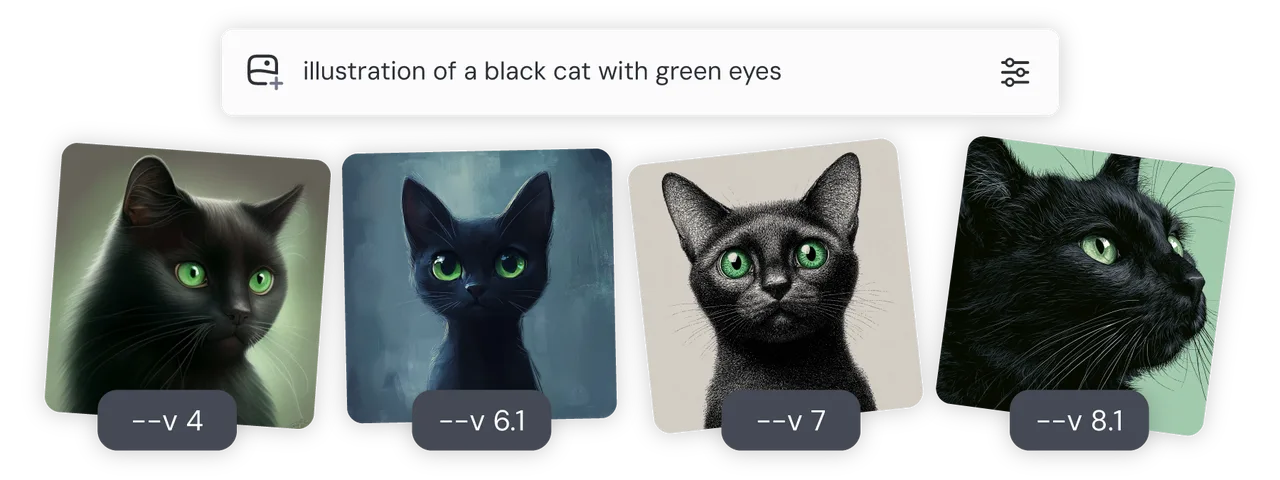
I use one question before routing: what has to stay fixed?
If nothing has to stay fixed, a manual creative tool can work. Midjourney is still useful for early visual direction. Its official docs show versioned behavior, image prompts, reference features, Draft Mode, and model differences in the Midjourney model documentation. That makes sense for exploration. It is weaker when the team needs exact replay.
If product shape, character identity, logo placement, aspect ratio, or prompt history has to stay fixed, I move away from loose prompting and toward a graph or API path.
Here is the routing map I use:
| Job | Better route | Reason |
|---|---|---|
| Mood board or concept range | Midjourney or hosted image model | Fast visual spread, low setup |
| Product image set | API or controlled graph | References, masks, repeatability |
| Brand visual system | Saved workflow | Consistent style and review history |
| Style transfer | Reference workflow plus approval | Style rights and identity control |
| Upscale/detail pass | Magnific-style tool | Finishing step, not composition |
| Batch generation | API or ComfyUI queue | Logging, replay, sampling QA |
The point is not that one route is “better.” The point is that each route fails differently.
Hosted APIs, ComfyUI graphs, and manual creative tools
Hosted APIs are commonly used for production access. They typically provide authentication and integration points, and may provide usage tracking and more predictable request handling, depending on the provider. They also create provider dependency. Fine. At least the dependency is visible.
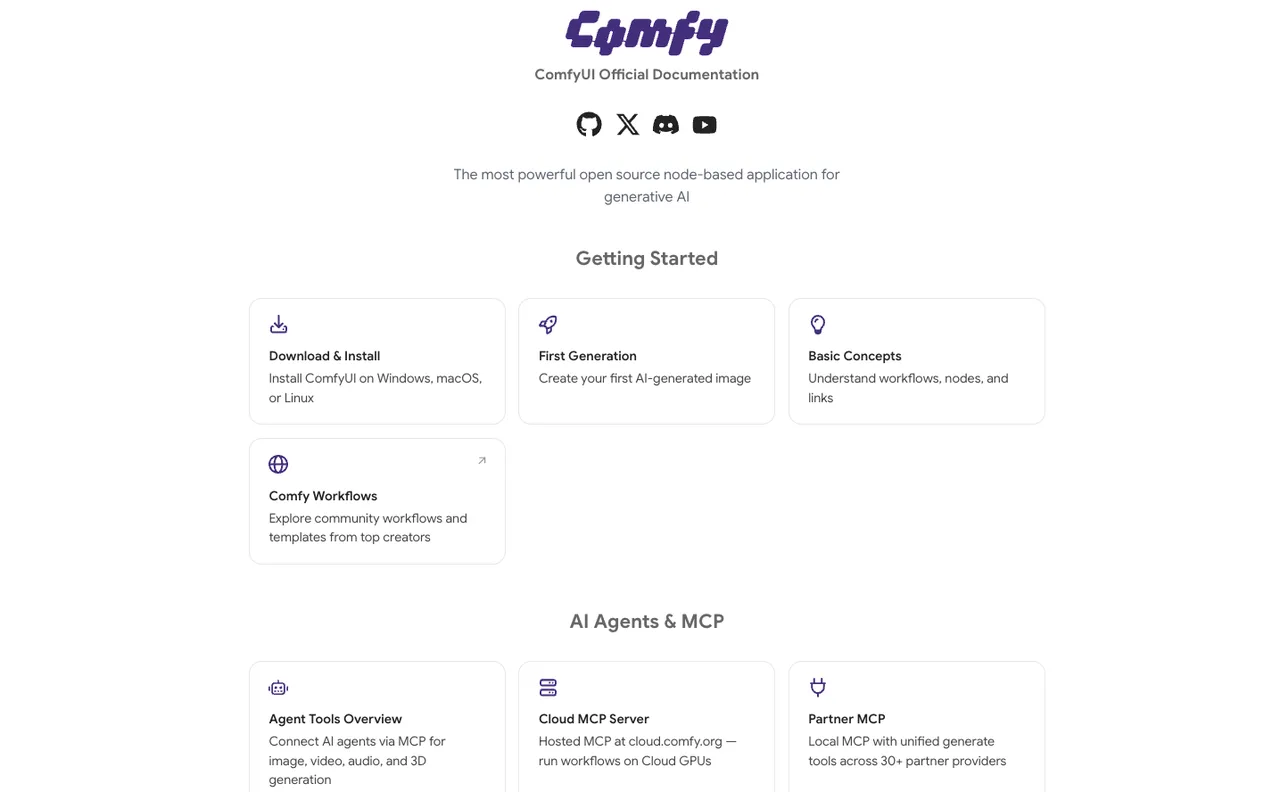
ComfyUI graphs are for control. The official docs describe ComfyUI as an open-source node-based app where users combine models and operations through nodes, with local execution, workflows, cloud API, and MCP sections in the ComfyUI documentation. That matters because a graph is not just a UI. It is a recipe.
Manual tools are for taste. Midjourney and Magnific can move faster than a graph when the task is still vague. I use them there. I don’t use them as the system of record.
Having many tools isn’t the problem. Having to manage your tools is.
Workflow Roles by Use Case
I don’t start with the model. I start with the asset.
A poster, a product image, a brand visual, and a style-transfer batch are different jobs. Sending all of them through the same model because it is currently popular creates beautiful inconsistency. Beautiful still loses time in review.
Posters, product images, brand visuals, and style transfer
Posters need composition and mood first. A hosted model can get a team to a direction quickly. The risk comes later: typography, logo placement, legal copy, and final crop. I keep those in a controlled edit pass unless the model has already proven itself with the exact text and layout.
Product images are stricter. The SKU has to stay itself. If a model changes stitching, ports, color, packaging, or proportions, the image is not “creative.” It is wrong.
Brand visuals sit between those two. They need range, but not too much. The color system, lighting language, and subject treatment need to repeat. This is where a saved workflow beats individual prompting.
Style transfer sounds artistic. In production, it is mostly governance. Which reference is approved. Which style belongs to the client. Which visual elements must not move. Whether the output still carries the original identity.
I paused here. Most style-transfer arguments are not about style. They are about ownership.
Upscale, reference consistency, batch generation, and QA
Upscale is a finishing step.
Magnific-style tools can be useful when the base image is already compositionally correct and needs detail, texture, or enlargement. I do not route weak images into upscale and hope the tool fixes the decision. It usually creates sharper uncertainty. I have done this. It stays uncertainty.
Reference consistency needs more than prompt memory. If a character, product, room, or brand object appears across 20 images, the workflow needs stored references, model settings, output names, and review notes.
Batch generation needs a sampling rule. I usually review a small first batch before expanding the run. For low-risk social variations, the sample can be small. For product assets, I review harder.
QA has four checks: identity, text, layout, and rights.
Identity means product shape, character face, logo, or object structure. Text means spelling and fake marks. Layout means crop, safe area, and aspect ratio. Rights means client assets, likeness, licensed references, and anything that would be awkward to explain later.
Once the workflow runs end-to-end, how fast each step is matters less. Not breaking review matters more.
Where Seedream, FLUX, and ComfyUI Fit
This is where the names matter, but only inside the routing logic.
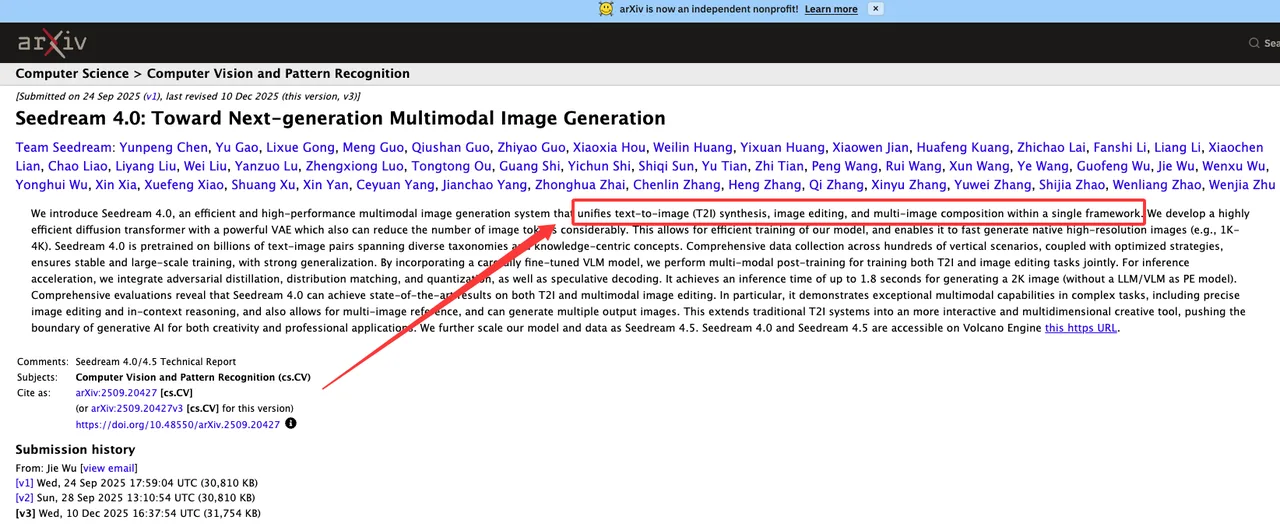
Seedream’s public technical trail is strongest around bilingual prompt handling, text rendering, multimodal editing, in-context reasoning, multi-image reference, and high-resolution generation in earlier papers. The Seedream 4.0 technical report says the system unifies text-to-image generation, image editing, and multi-image composition, with in-context reasoning and multi-reference capability. That explains the direction.
It does not prove every later access path.
For Seedream 5.0, I would verify current provider documentation before putting it into a production route. Search-aware generation, reasoning behavior, API access, limits, latency, and content policy need current confirmation. Secondary articles can point you toward a test. They are not a contract.
Seedream for search-aware or reasoning-heavy image tasks
The Seedream slot makes sense when the task is not just style.
A current-event visual is one example. A bilingual poster is another. Complex scene instructions, multi-image composition, and instruction-based edits also fit the direction described in earlier Seedream materials.
But “fit” is not enough.
If the actual access layer exposes search-grounded or reasoning-heavy image generation, then it can be routed to visuals that depend on current entities, places, event context, or structured instruction following. If it does not, I treat it like any other image model and remove the special route.
I don’t know. Better than making something up. The production rule is simple: no verified access path, no roadmap dependency.
FLUX and ComfyUI for controllable pipelines and local workflows

FLUX belongs where control and repeatability matter.
Black Forest Labs documents FLUX models for text-to-image generation, editing, API use, prompting, MCP, and self-hosting options in the BFL documentation. Their docs position FLUX.2 as the recommended family for generation and editing, with multi-reference editing and API workflows.
That matters for teams that need model behavior inside a system, not just inside a browser.
ComfyUI is the graph layer I reach for when I need to see the recipe. The public repo describes it as a modular AI engine for content creation, with a node graph interface for controlling models, parameters, and outputs in the ComfyUI GitHub repository. The official docs also include FLUX workflow examples, including a FLUX.1 Kontext workflow.
That is enough to show the pattern without turning this into a ComfyUI tutorial.
The trade-off is setup time. A graph gives control. It also gives people more ways to misconfigure a run. Fair trade, if the work needs it.
Routing and Production Trade-Offs
Image model routing looks clean in a diagram. In a real team, it is cost, speed, review time, asset rights, and tolerance for variation. I use a scorecard. Not because it is elegant. Because otherwise everyone argues from taste.
Cost means approved-output cost, not generation cost. If 100 images produce 8 usable outputs, the price of one approved asset includes all 100 generations plus review time.
Speed has two meanings. There is generation speed. Then there is workflow speed. A model that generates quickly but needs manual repair can lose to a slower graph that outputs predictable files.
Repeatability is the quiet constraint. It barely matters for one poster. It matters a lot for e-commerce, brand systems, recurring campaigns, and anything that needs to be rerun next month.
Review burden is where humans remain expensive. If a model changes faces, logos, text, or product details, someone has to catch it.
So that’s where the bottleneck was. It is usually not generation speed. It is approved-output speed.
Cost, speed, repeatability, and review burden
I score each route on seven factors:
Factor What I check Cost Cost per approved asset Speed Prompt-to-reviewed-output time Repeatability Can the route be rerun later Control Layout, identity, reference stability Access API, graph, local, or manual UI Review burden How much human checking remains Risk Client assets, likeness, legal exposure
This is where image model routing becomes useful.
Midjourney may win when the task is direction. FLUX AI inside ComfyUI may win when the task is controlled repeatability. Seedream may deserve a route when reasoning or search-aware visual construction is verified. Magnific may belong at the end, after composition and approval.
None of that fits in a generic “best AI image tools” list. That is why those lists age badly.
When to keep humans in the creative loop
Keep humans in the loop when the asset carries responsibility.
Client logos. Real people. Licensed characters. Product claims. News-like visuals. Medical, legal, financial, or public-event imagery. Anything that looks like evidence.
A 2026 paper on frontier image generation argues that risk comes from the combination of photorealism, readable text, identity persistence, fast iteration, and distribution context, not photorealism alone. That framing in synthetic visual evidence research matches what I see in production review.
Human review belongs before external publication, client delivery, batch expansion, model replacement, and upscale/detail enhancement.
Upscale deserves special mention. Detail tools can invent texture, marks, or surface information. That may be fine for fantasy art. It is not fine for a product image that claims to show the actual object.
The asset decides the risk. Not the model launch.
FAQ
Who owns workflow changes when a model is replaced?
The workflow owner owns the change. Not the person who found the new model.
If FLUX AI replaces another model inside a production graph, the owner records the model name, version, parameters, prompts, reference assets, output samples, known failures, and approval date. If the change affects brand output, the creative lead signs off. If it affects API behavior, the technical owner signs off.
Model replacement is not a vibe update. It is a production change.
What client assets require extra approval before routing?
Anything that creates legal, brand, or identity exposure.
That includes logos, unreleased campaign material, product photos, real people, licensed characters, packaging, screenshots, internal documents, and location-specific visuals. If Midjourney, Magnific, ComfyUI, or any hosted API receives the file, the team needs to know where it went and why.
My rule is simple: if the client would care where the asset was uploaded, approval comes first.
How should teams preserve prompt and workflow history?
Save the prompt, model name, model version, seed if available, dimensions, references, workflow graph, manual edits, upscale tool, and final export path.
For ComfyUI, save the workflow with the asset record. For API routes, log request metadata and provider response IDs. For manual tools, screenshotting the prompt panel is crude but better than pretending memory is documentation.
An AI image workflow without history is not a workflow. It is a lucky afternoon.
Seedream 5.0 belongs in the conversation because builders are already comparing it with FLUX, ComfyUI, Midjourney, and Magnific. Fine. The comparison only becomes useful when it turns into routing rules.
Use exploratory tools for exploration. Use graph and API paths for repeatability. Use upscalers after the base image is worth saving. Treat search-aware or reasoning-heavy generation as a capability to verify in the access layer, not a promise carried by a model name.
The model is one part of the system. The handoff is where production usually breaks.
Previous posts:
Related Articles
/filters:quality(82)/media/images/1773962750383987480_n3hqzHRZ.webp)
Seedance 3.0 Rumors: Native Audio-Video Sync, Multi-Shot Storytelling, and What to Expect
GPT Image 2.6: What Is Confirmed, What Is Rumor, and What to Build On Today
Pika H3 Flex Explained: What It Is and How to Try the H3 Family via API
Seedream 5.5: What to Expect, and How to Get Ready
AI Lip Sync Dialogue Scenes with Seedance 2.5: Prompts and Settings