Nano Banana 2 vs Nano Banana 2 Lite
Nano Banana 2 vs Nano Banana 2 Lite comparison for teams choosing between image quality, speed, cost, throughput, and use cases.
It’s Dora. I usually see model routing go wrong at the same point: someone asks for “the faster one,” someone else hears “the better one,” and the default route gets changed before anyone writes down what the image job actually needs.
That is the real question behind Nano Banana 2 vs Nano Banana 2 Lite. Not which name sounds newer. Not which one feels more fun in the Gemini UI. For builders and product owners routing image jobs, the question is whether the job needs final-asset quality or fast iteration.
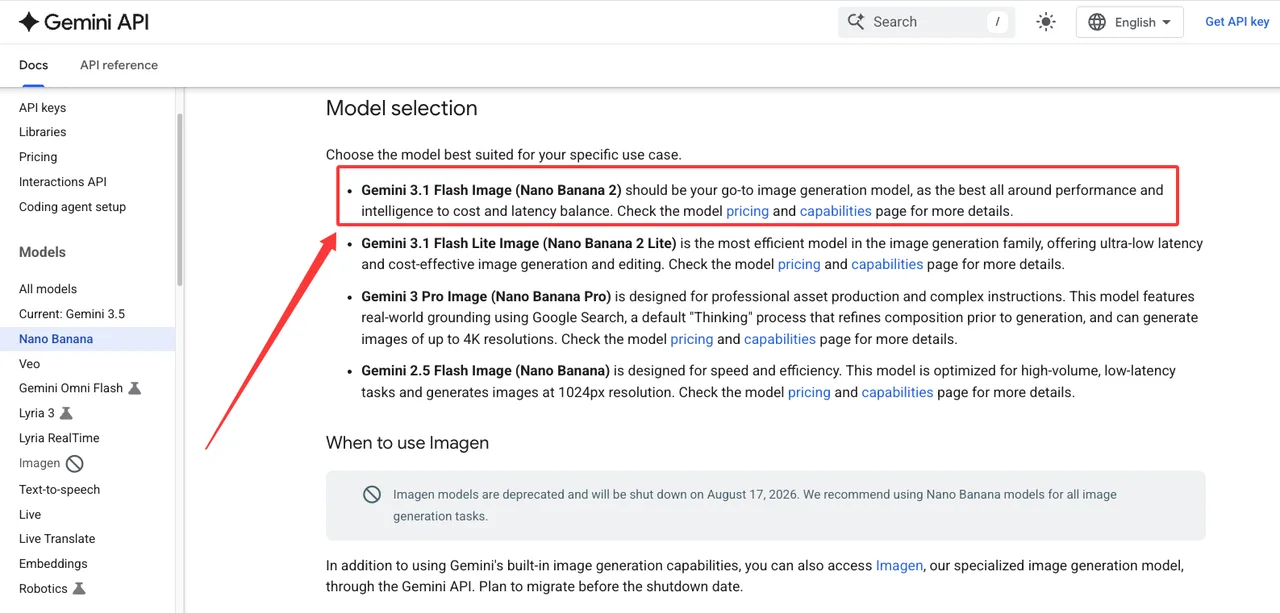
I checked the current Google developer docs before writing this. As of July 15, 2026, Google lists Nano Banana 2 as gemini-3.1-flash-image, a high-efficiency image model built for quality generation and editing at scale. It lists Nano Banana 2 Lite as gemini-3.1-flash-lite-image, the efficiency specialist for ultra-low latency and cost-effective image generation and editing.
That framing matters. Lite is not the stronger model. Lite is the faster lane.
Nano Banana 2 vs Nano Banana 2 Lite at a Glance
The short version: Nano Banana 2 is the safer default for broad production image jobs. Nano Banana 2 Lite is the better default when latency, volume, and cost matter more than final polish.
Google’s image generation documentation says Nano Banana 2 is the go-to image generation model for all-around performance, intelligence, cost, and latency balance. The same page says Nano Banana 2 Lite is the most efficient model in the image generation family, built for ultra-low latency and cost-effective generation and editing.
I paused here because the language is easy to flatten. “Efficient” is not “better at everything.” It means the model is designed around a different constraint.
Quality-first image work vs fast iteration
Quality-first image work usually has a review step. A designer, product marketer, client, or brand owner looks at the output and decides whether it can ship.
That kind of work punishes small defects. Bad text rendering. Inconsistent product geometry. Subject drift. A character who changes between frames. A layout that looks almost right until legal asks why the label is unreadable.
Nano Banana 2 fits that lane better. Google describes it as balancing speed with 4K generation, world knowledge, reliable text rendering, multiple reference image processing, and consistency. The model page also lists support for image generation, search grounding, thinking, and Batch API.
Fast iteration has a different shape. A growth team may need 200 ad concepts before lunch. A game team may need storyboard beats. A marketplace team may need rough hero-image directions for internal review. Nobody expects every output to be final. The useful thing is speed.
That is where Nano Banana 2 Lite belongs. Google says it targets sub-2 second end-to-end latency, lower TPU compute cost, 1K output, and high-volume interactive use cases. Good enough. That is the most honest assessment I can give.
Why Lite should not be framed as the stronger model
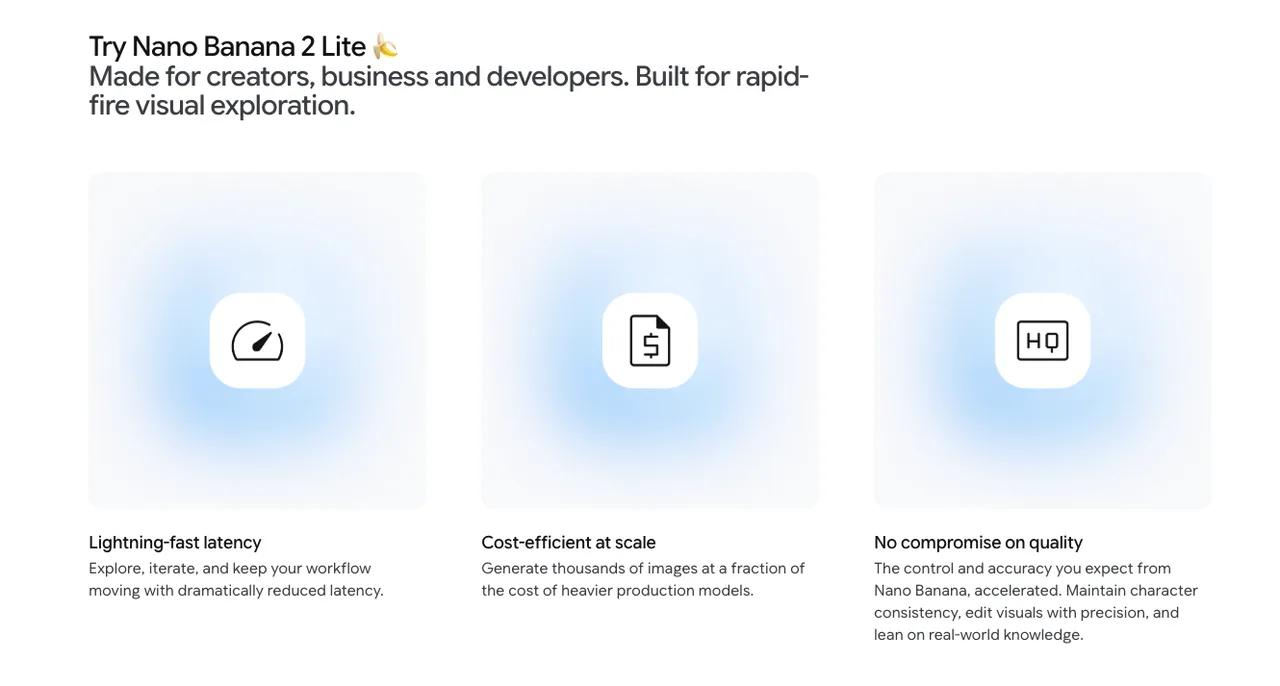
Lite should not be sold internally as “same quality, lower cost.” That sentence will come back later. Usually in a design review.
Google’s docs state that Gemini 3.1 Flash Lite Image only supports 1K resolution. They also say it is not optimized for multiple reference inputs or multi-turn sequential editing. The image generation guide notes that Google Search grounding is not supported by the Lite model.
Nano Banana 2 has the broader production surface. It supports 0.5K, 1K, 2K, and 4K output options, and Google calls out improved image quality, consistency, i18n text rendering, and image search grounding on the Flash Image model page.
So the routing rule is simple: Lite can be the faster model. It should not be described as the stronger final-asset model.
Compare by Production Constraint
I would not compare these models by taste. Taste changes by reviewer. Constraints are easier to defend.
Use the constraint first, then pick the model.
| Constraint | Better default |
|---|---|
| Low-latency prompt exploration | Nano Banana 2 Lite |
| High-volume variant generation | Nano Banana 2 Lite |
| Final marketing asset | Nano Banana 2 |
| Multi-reference consistency | Nano Banana 2 |
| Text-heavy image output | Nano Banana 2 |
| 2K or 4K delivery | Nano Banana 2 |
One table. Enough.
Speed, throughput, cost, and latency-sensitive batches
Lite is built for the jobs where waiting changes behavior.
If an internal tool takes 12 seconds per image, users write cautious prompts. If it takes closer to real-time, they explore. That changes the product experience. Speed is not the goal. Not breaking flow is.
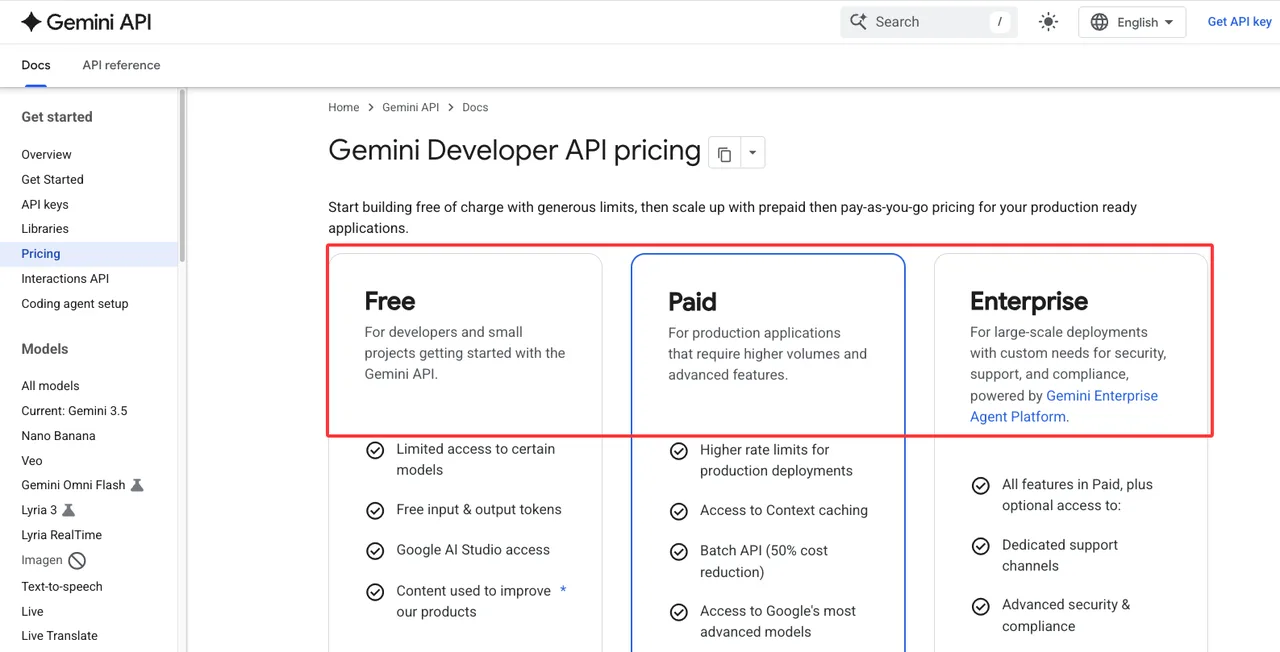
Google’s pricing page also supports the routing split. At current listed prices, Nano Banana 2 Lite has lower paid image output cost for 1K images than Nano Banana 2. Batch pricing lowers it further. That makes Lite easier to justify for ad variants, drafts, exploratory UI states, and large creative batches.
But cost should be measured per accepted asset, not per generated image. If Lite produces more rejects for a polished job, the cheaper generation price can disappear inside review time.
That is where teams get fooled. They compare API cost and ignore human cost.
Subject consistency, text rendering, and final asset quality
Final assets need fewer surprises.
Nano Banana 2 is the better fit when the output must preserve a product, person, character, package, scene structure, or brand element across edits. Google’s docs call out multiple reference image processing and consistency for Nano Banana 2. They also describe advanced text rendering for Gemini 3 image models, with Nano Banana 2 positioned as the all-around workhorse.
Text is the practical breakpoint. If the image contains a label, headline, UI screen, poster, menu, packaging mockup, or infographic, route with caution. Generate the text separately first when needed, then send the image request with that text locked down. Google’s image docs also note that Gemini works best when you generate text first, then ask for the image with that text.
Found the pattern on the third try: image models often look best when nobody reads the small words.
Best Use Cases for Each Model
The cleanest production setup keeps both models live, but not for the same jobs.
One route handles polished outputs. One route handles exploration. The mistake is letting those routes blur because someone likes the cheaper bill.
Nano Banana 2 for polished assets and formal outputs
Use Nano Banana 2 for jobs where the image may leave the building.
That includes campaign visuals, product mockups, formal concept boards, editorial layouts, sales collateral, text-heavy assets, and images that need multiple reference inputs. It is also the better default when a reviewer expects continuity across edits.
Nano Banana Pro still has a place above this, but I would keep it out of this comparison unless the job needs the highest-end studio path. The question here is not “when do we use Pro?” The question is whether the normal route should stay on Nano Banana 2 or move down to Lite.
For most production image routing, Nano Banana 2 should remain the default until evals prove another route works.
Lite for ad variants, drafts, storyboards, and prompt exploration
Use Nano Banana 2 Lite when speed changes the workflow.
Ad variants are the obvious case. So are social drafts, prompt exploration, visual brainstorming, rough storyboards, A/B creative options, and internal direction boards. These are jobs where the user benefits from seeing many options quickly.
Lite also fits latency-sensitive interactive tools. If the interface depends on rapid visual feedback, the Gemini image model choice becomes part of the UX. A slower model may produce better finals, but a faster model may keep the user in the loop.
The guardrail is review state. Lite outputs should enter the pipeline as drafts unless a specific eval says they meet the final-asset bar for that workflow.
This conclusion has an expiration date. Models update fast.
FAQ
Who should approve a default model switch for image jobs?
Product should own the business reason. Engineering should own route behavior, fallback, logs, and cost monitoring. Design or creative review should own visual acceptance criteria. If the job affects paid customer output, support should also see the change before launch.
A default switch should not happen because Lite is cheaper or because one test looked good. It needs route-level evals: accepted output rate, revision rate, latency, cost per accepted asset, reviewer complaints, and rollback criteria.
How should teams explain Lite tradeoffs to non-technical reviewers?
Say it plainly: Lite is optimized for speed, cost, and high-volume iteration. It is not the stronger final-quality route.
For reviewers, I would avoid model architecture language. Use workflow language instead: “Lite is for drafts and variants. Nano Banana 2 is for assets closer to approval.” That prevents the usual confusion where “newer” or “faster” gets heard as “better.”
What launch condition justifies keeping both models live?
Keep both live when each model has a clear job class and measurable value.
Nano Banana 2 should stay live for polished assets, consistency-sensitive work, text-heavy visuals, and higher-resolution output. Nano Banana 2 Lite should stay live for high-volume interactive generation, draft workflows, and cost-sensitive batches.
For Nano Banana 2 vs Nano Banana 2 Lite, the production answer is not a winner. It is a routing boundary. If the team can explain that boundary in one sentence and monitor it in logs, both models have a reason to stay.
Previous posts: