
Seedream 5.0 Lite API Guide for Builders
Seedream 5.0 Lite API guide for builders checking access, image workflows, latency, cost, and production readiness.

Dora here. I started this one from a missing registry row: model name, callable model ID, price, region, input limits, review owner. Four cells were still blank. That is usually where an AI image API integration starts to get expensive.
The Seedream 5.0 Lite API is not something I would approve from a product name alone. As of July 10, 2026, BytePlus ModelArk has a public Seedream 4.0-5.0 tutorial that uses Seedream 5.0 Lite as the example model for image generation, editing, multi-image input, and batch output. That confirms the model family is exposed through BytePlus documentation. It does not, by itself, prove your account has the right region, endpoint, quota, or production terms enabled.
That distinction matters. Builders do not ship model names. They ship operational contracts.
What Seedream 5.0 Lite Means for Builders
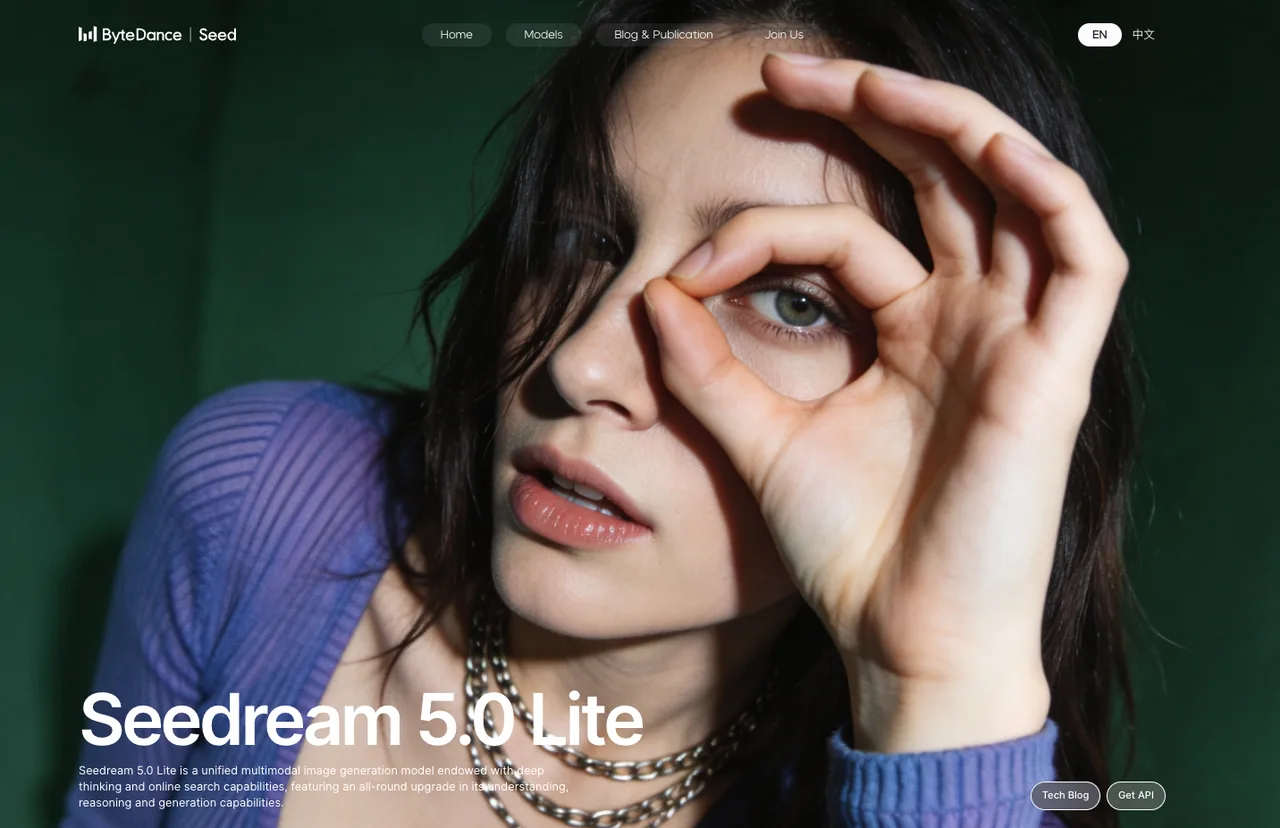
Image generation, editing, reasoning, and search-aware claims
Seedream 5.0 Lite sits in the Seedream AI image generation line from ByteDance Seed, exposed through BytePlus ModelArk for image generation workflows. The confirmed public docs describe support for text input, single-image input, and multi-image input. That means the same AI image API can cover text-to-image, single image-to-image, multi-reference image-to-image, and batch image generation.
In practical terms, this makes Seedream 5.0 Lite interesting for teams that need repeatable visual production rather than one good demo image. Product image variations, ad concepts, reference-based brand visuals, and grouped storyboard-style outputs all fit the shape of the documented API.
The Image generation API is a POST /images/generations endpoint under the regional ModelArk base URL. The request body includes model, prompt, optional image, size, stream, output_format, response_format, watermark, and prompt optimization settings. The API page also says image inputs can be URLs or Base64 strings, which is useful if your pipeline stores source assets in object storage.
I paused at the search-aware part. The Seedream tutorial includes a Web search capability row in the model parameter table, and the Lite column is marked as supported. I would still test it as a claim, not trust it as a product guarantee. Search-aware image generation has a weird failure mode: it may make a visual look current without making it true. Logos, packaging, political figures, uniforms, UI screens, and event-specific scenes can age quickly.
So the production question is not “does it search?” The question is: can your review system prove the generated visual evidence is still valid when users see it?
What is confirmed vs what needs API verification
Here is the split I would put in the launch checklist.
| Area | Confirmed from public docs | Needs API or dashboard verification |
|---|---|---|
| Model availability | BytePlus docs list Seedream 5.0 Lite in the Seedream 4.0–5.0 tutorial | Whether your account can activate it in the target region |
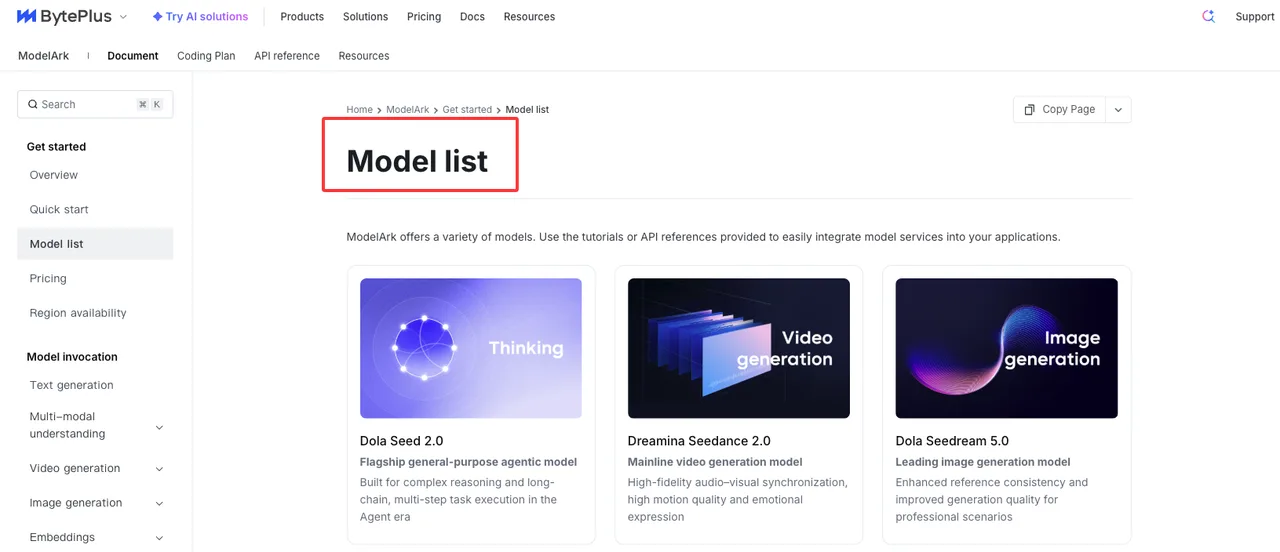
| Model ID | Model list shows seedream-5-0-260128, also supporting seedream-5-0-lite-260128 | Which ID your endpoint should use in production |
| Endpoint | Image generation API uses /images/generations | Whether your app should call a Model ID directly or a custom endpoint ID |
| Regions | Docs show AP Southeast and EU West base URLs | Whether your data routing, key, and endpoint are aligned by region |
| Pricing | Public pricing page lists Lite image input as free and output as USD 0.035 per image | Discounts, committed use, tax, currency, account tier, and contract terms |
| Rate limits | Public docs show a maximum images-per-minute field, with limits varying by model/account | Your real RPM, burst behavior, queueing, and approval path |
| Context | A language-model-style context window is not publicly confirmed as of publication date | Prompt length behavior, asset count, and prompt rewriting behavior in your own tests |
The Model list is the page I would check before every release candidate. It is the place where the callable model ID and capability row matter more than marketing copy. Hypothesis confirmed: the model name and model ID are not the same thing.
Production Use Cases
Product images, ads, style exploration, batch generation
Seedream 5.0 Lite makes the most sense when the workflow has repeatable image work and enough volume to justify API control.
For product images, I would test it on controlled reference assets first: one clean product shot, one lifestyle background, one prompt for material or scene variation, then a review pass for geometry, logo handling, and color drift. The model’s multi-reference support is useful here, but only if the team stores which reference image produced which final output.
For ads, the stronger use case is not final approved creative on day one. It is rapid concept exploration: 20 visual directions, 4 aspect ratios, a few brand-safe prompts, then a human editor chooses what survives. That saves time without pretending the model has brand judgment.
For style exploration, Lite is a good fit when designers need range before precision. A small team can generate moodboard variants, packaging directions, or campaign visuals and then promote only the best candidates into a stricter review flow.
For batch generation, the documented sequential_image_generation flow matters. If one prompt produces several related images, your QA has to track each image separately. One accepted output does not bless the whole batch.
When a Lite model fits draft or high-throughput workflows
A Lite model usually belongs where throughput and iteration speed matter more than maximal precision. That does not mean “low quality.” It means the model is part of a staged workflow.
Use Seedream 5.0 Lite for drafts, internal previews, early ad variants, catalog expansion, creative testing, and batch ideation. Use a stricter path when images become customer-facing, legally sensitive, or identity-bound.
My rule is simple: Lite can feed the queue. It should not own final approval.
A good production setup has three lanes. First, generate many candidates. Second, filter for prompt adherence, brand safety, and obvious visual defects. Third, route high-risk images to a human reviewer or a stronger model. One fewer blind spot. That counts.
API Readiness Checklist
Model ID, endpoint, input/output formats, and rate limits
Start with the model ID. The public Model list currently shows seedream-5-0-260128, also supporting seedream-5-0-lite-260128. Do not hardcode this from an article. Check the page, then confirm inside API Explorer or your console.
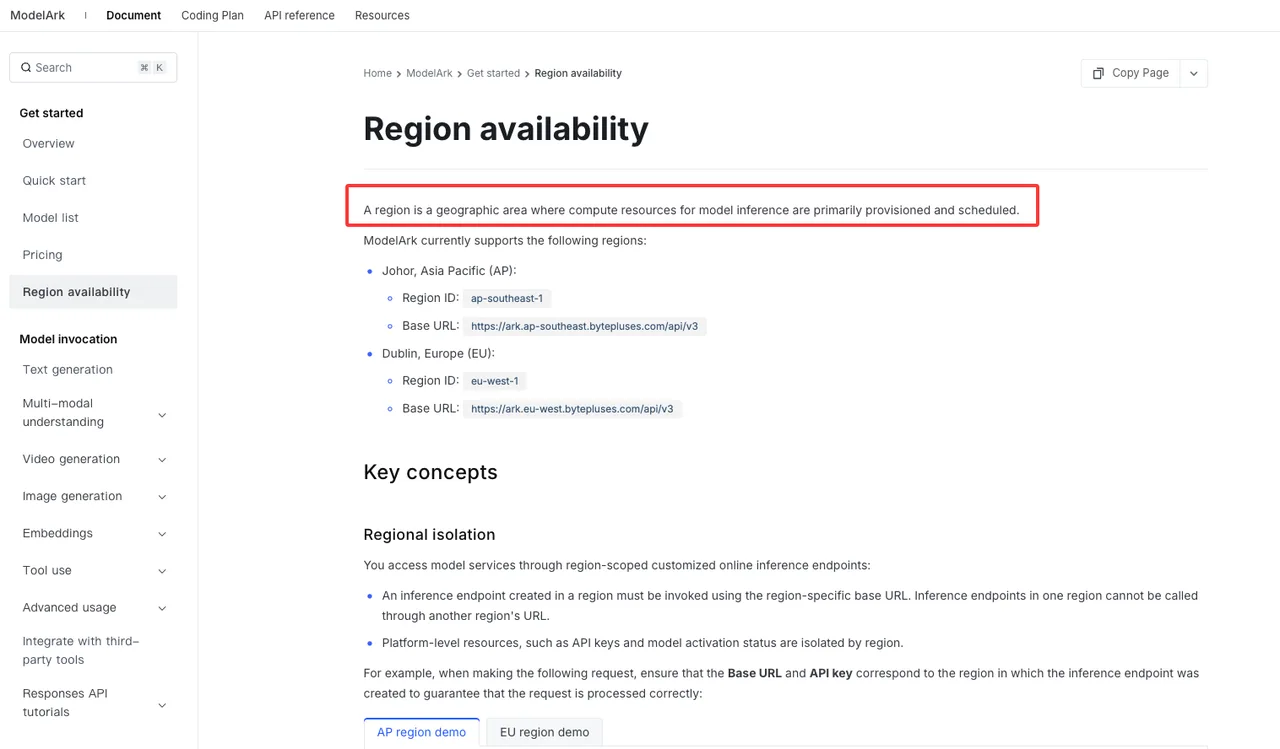
The Region availability docs list region-specific base URLs. AP Southeast uses https://ark.ap-southeast.bytepluses.com/api/v3; EU West uses https://ark.eu-west.bytepluses.com/api/v3. The API key, endpoint, and base URL have to belong to the same region. This is where teams lose time and then blame the model.
Input checks should cover:
- prompt under the documented recommendation of 600 English words
- image URL or Base64 format
- input image formats: jpeg, png, webp, bmp, tiff, gif, heic, heif
- image aspect ratio between 1/16 and 16
- image size up to 30 MB
- total pixels up to 36,000,000
- up to 14 reference images for Seedream 5.0 Lite
Output checks should cover:
response_format=urlfor download linksresponse_format=b64_jsonfor embedded image data- URL retention, documented as 24 hours
output_format=pngorjpeg- watermark behavior, default true unless set otherwise
- streaming behavior for single or batch output
Rate limits need extra caution. Public docs can show maximums, but account limits and traffic patterns are the real constraint. Run burst tests, not just happy-path calls.
Cost, latency, fallback, and output quality review
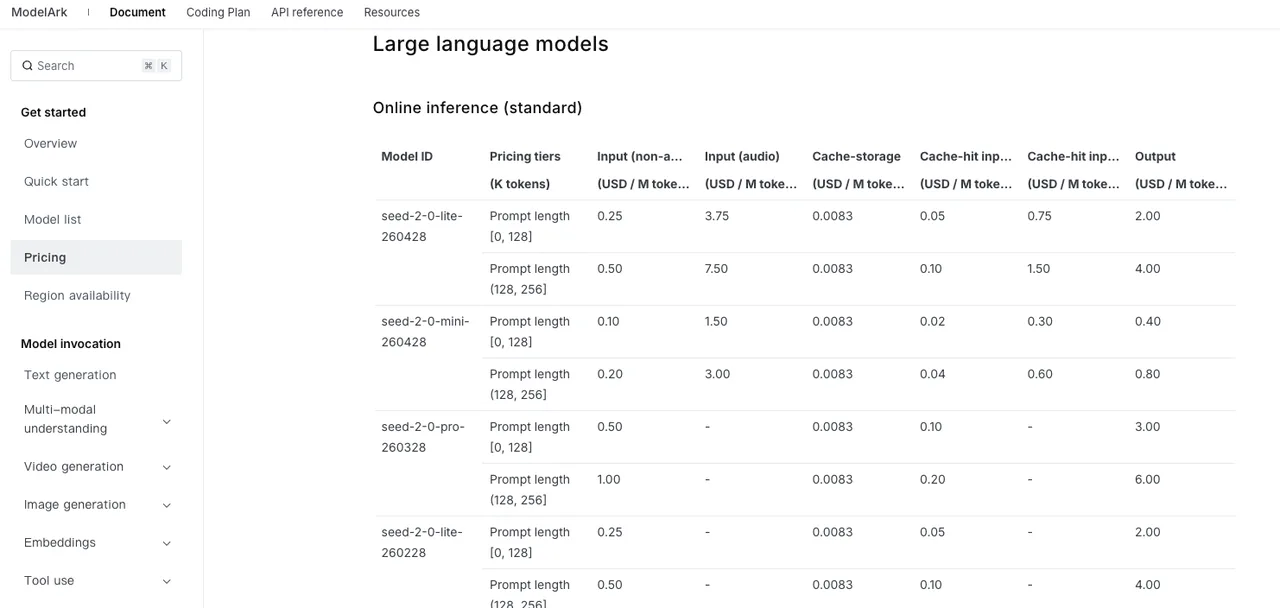
The Pricing page is clear enough to start a cost model: as of July 10, 2026, Seedream 5.0 Lite lists image input as free and output image price as USD 0.035 per image. Batch generation is billed by actual generated images.
That number is only the first line of the spreadsheet. You still need retry rate, rejected output rate, human review rate, and cost per accepted image. If a workflow generates 10 images to approve 2, your true accepted-image cost is not the unit price.
Latency should be measured at p50, p95, and p99. Include upload time, queue time, generation time, download time, and moderation failures. The user does not care which part was slow.
Fallback rules should be boring. If Lite fails content review, route to manual review or reject. If the API returns a service error, retry with backoff. If quality falls below threshold for a whole batch, stop the batch instead of generating more weak outputs.
For output quality, track prompt adherence, reference-image preservation, text rendering, brand color accuracy, people/identity risk, artifact rate, and reviewer override rate. Good enough is not a feeling. It is a threshold.
Limits and Risk Notes
Search-grounded image risks and outdated visual facts
Search-aware generation sounds useful until the output becomes evidence. A model can generate a current-looking product shelf, a recent sports jersey, or a public figure near a logo. If that visual is wrong, the image is not just “bad.” It may be misleading.
For customer-facing features, I would treat search-grounded visuals as unverified until a separate validation step confirms the factual elements. That validation can be human review, metadata comparison, source-image matching, or a policy rule that blocks current-event visuals entirely.
This conclusion has an expiration date. Models update fast.
Copyright, brand assets, people, and synthetic evidence risks
The risk profile changes when the prompt includes brand assets, recognizable people, copyrighted characters, real products, official documents, or news-like scenes.
For brand assets, require owned source files or explicit permission. For people, require consent and a use-case boundary. For copyrighted characters, block or escalate. For documents and UI screenshots, preserve source references and do not let generated images masquerade as real screenshots.
Synthetic evidence is the quiet problem. A generated “before and after” image, product defect image, or user testimonial visual can look like proof. It is not proof unless your system can trace the source and generation process.
Every generated image should carry at least: model ID, endpoint or region, prompt, input image references, generation timestamp, output URL or storage path, reviewer status, and policy flags. Boring metadata saves arguments later.
FAQ
Who should approve Seedream for customer-facing image features?
Product, engineering, legal or policy, and design QA should all have a say. Product defines the user promise. Engineering owns failure handling. Legal or policy owns rights, people, and synthetic evidence risk. Design QA owns brand and visual quality.
No single person should approve it because the risk is not single-lane.
What official change should trigger a full retest?
Retest when BytePlus changes the model ID, pricing row, region availability, rate-limit language, image input limits, output format behavior, watermark defaults, retention period, or content moderation behavior. Also retest when the API page changes request or response fields.
Small doc changes can break product assumptions. I have learned not to be casual about that.
How should teams document generated visual evidence?
Store the prompt, model ID, region, input references, output file, generation time, review status, and approval owner. For search-aware or current-fact visuals, add the source used to verify the factual claim.
The Seedream 5.0 Lite API is usable only when the registry is complete. Model name, callable ID, region, price, input limits, review rules, and fallback path. Fill those in first. Then generate images.
Previous posts:
/filters:quality(82)/media/images/5f15570a-6a68-432e-a6f1-1dcbf799ba81.webp)
/filters:quality(82)/media/images/b73c2438-6bdd-4b80-a229-8d71d8f819cf.webp)
/filters:quality(82)/media/images/427fd9f2-347d-4f86-a2d5-aee110cda01d.webp)
/filters:quality(82)/media/images/1773962750383987480_n3hqzHRZ.webp)
/filters:quality(82)/media/images/43fa0e7f-a0db-48d7-9bab-921d1225db30.webp)
/filters:quality(82)/media/images/5799ff56-3a73-40ca-a666-e4965d878496.webp)