
What Is Muse Image? Meta AI Image Model Explained
Muse Image explained for builders tracking Meta's agentic image model, social context, editing, references, and product access.
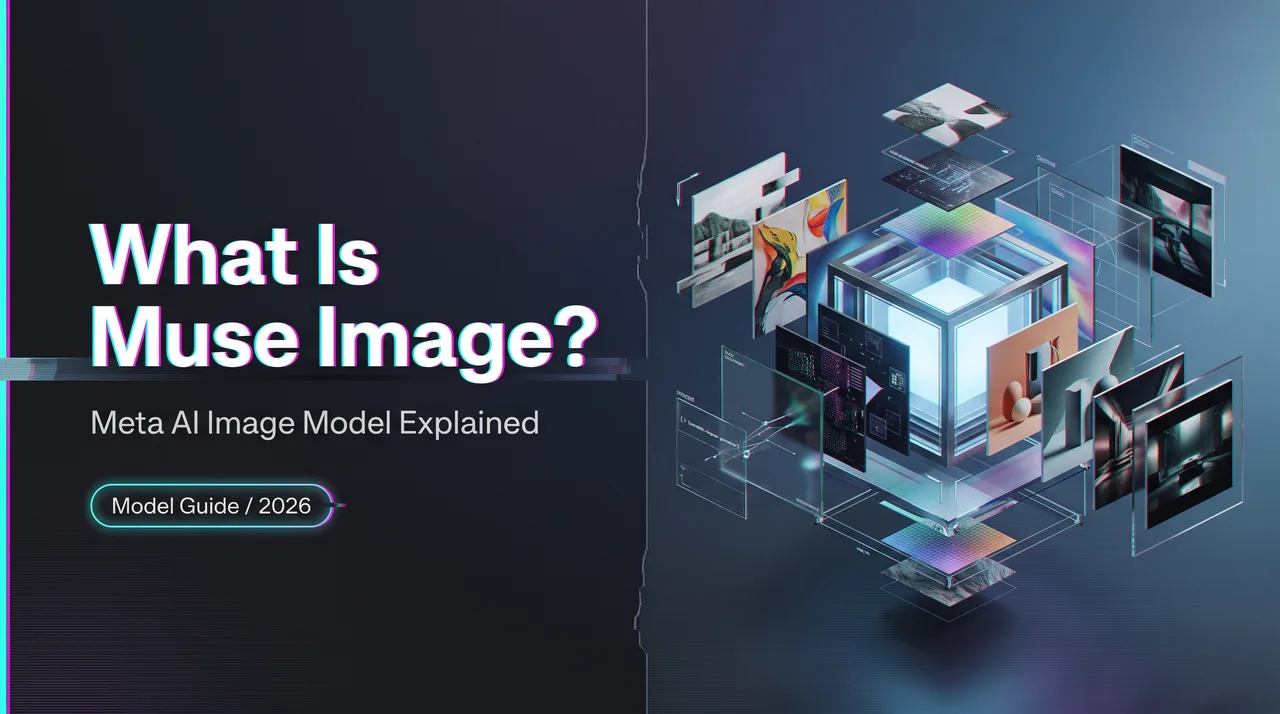
A product review queue gets messy when “image generator” stops meaning one blank prompt box.
Muse Image is a useful example. Meta is positioning it as a media model inside Meta AI and social surfaces, not as a standalone builder API. That distinction matters for product teams. The model can generate, edit, compose from references, and use Instagram context, but the public story is still a Meta consumer product story first.
As of July 10, 2026, Meta’s own launch materials describe Muse Image and Muse Video as the first media generation models from Meta Superintelligence Labs. Meta also says the image model is available through the Meta AI app, meta.ai, Instagram Stories in the US, and WhatsApp in limited countries. I would not treat it as an AI image API until Meta publishes the relevant developer documentation, model ID, access terms, and policy surface.
What Muse Image Is
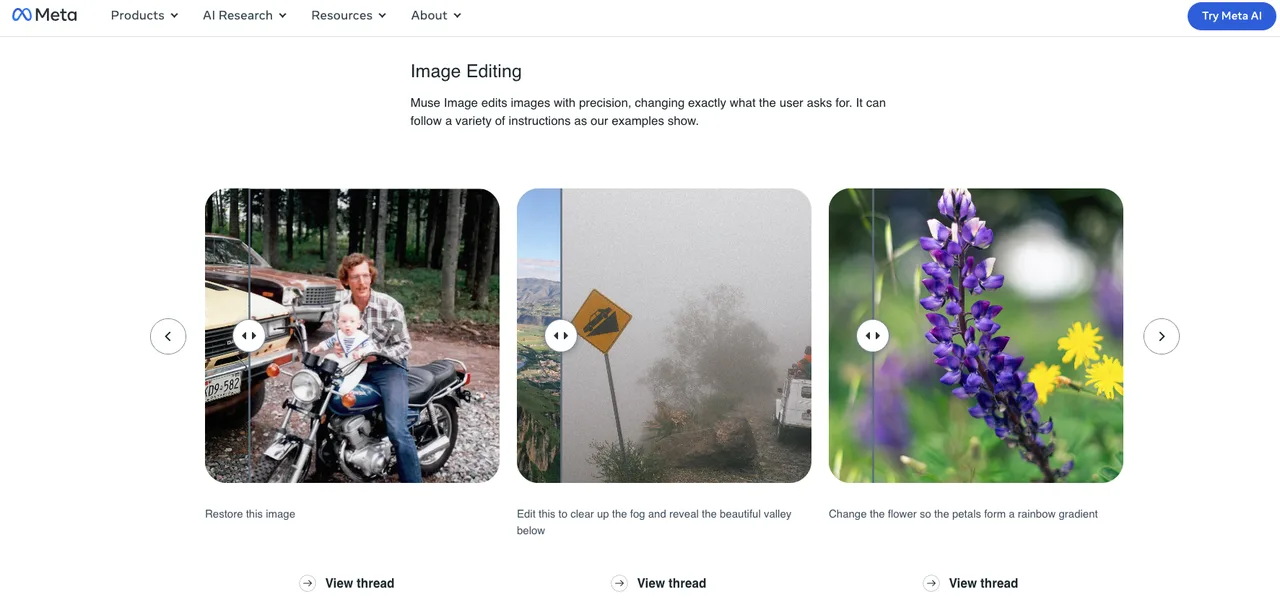
Meta’s image generation and editing model
Muse Image is Meta’s new image generation and editing model for the Meta AI ecosystem. In Meta’s research post, the company says the model can follow instructions, edit images, compose from multiple references, and draw on Instagram for social context. Meta’s consumer-facing announcement, Introducing Muse Image, frames it around everyday creation: restoring photos, changing styles, redesigning rooms, creating social graphics, and making shareable images inside Meta apps.
For builders, the key point is not only “Meta has an image generator.” The more important point is where it lives. The Meta AI image generator is tied to surfaces where Meta already has identity, social graph, app context, media uploads, and sharing flows. That creates a different product shape from a neutral image generation model sitting behind an API endpoint.
Confirmed from Meta’s public pages:
| Area | Publicly confirmed as of July 10, 2026 |
|---|---|
| Image generation | Yes, inside Meta AI and selected app surfaces |
| Image editing | Yes, including direct edits on photos |
| Multi-reference composition | Yes, including people, objects, clothing, styles, and environments |
| Instagram social context | Yes, public Instagram references can be used in supported flows |
| Muse Video | Previewed, not broadly launched |
| Public builder API for this model | Not publicly confirmed |
That last row is the one I would underline in a product brief.
Why it is not just a filter or effects tool
A filter changes an existing image according to a narrow transformation: add grain, shift colors, cartoonize a face, replace a background. This is bigger than that.
Meta describes the model as able to plan, edit, reason over references, and combine inputs. The official Meta AI research post says the model can use search and coding tools, self-refine outputs, and work with Muse Spark. That makes it closer to an agentic image generation system than a preset effects pack.
A practical example: a simple effects tool might turn a selfie into a clay-style portrait. A stronger model can use a selfie, a room photo, a public profile reference, a product image, and a natural-language instruction, then generate a final social image that blends those sources. That is a different risk profile. It raises questions about which references were used, who consented, what gets stored, how the final image is labeled, and whether a viewer can tell the image is synthetic.
What Makes Muse Image Different
Social context, references, and Meta app surfaces
The main difference is Meta’s distribution. A model inside Instagram, WhatsApp, Facebook, Messenger, and Meta AI does not behave like a model hidden in a developer console. It sits next to posting, messaging, tagging, ads, and identity.
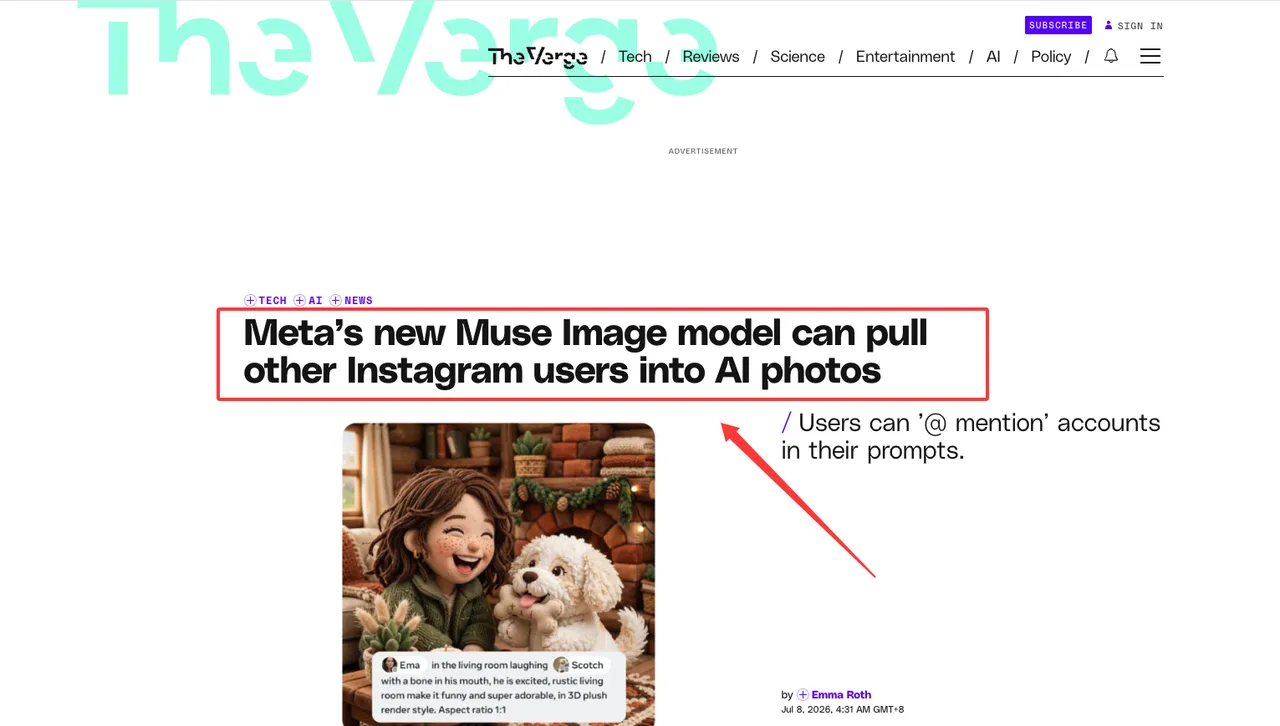
Meta says people can @-mention Instagram accounts in Meta AI to bring public profiles into images, and that users have controls through Instagram settings. The Verge’s coverage of the Muse Image rollout also notes that the tool can incorporate public Instagram content into generated images. The Guardian reported privacy concerns around default public-profile reuse, while also quoting Meta’s position that private accounts and accounts under 18 are excluded and that adult public users can opt out through controls.
That is why the phrase Meta Muse Image needs to be read as both a model and a social product surface. The same capability that helps a creator make a custom invitation can also create hard questions about likeness, implied endorsement, harassment, and synthetic evidence.
For product teams watching this space, the useful implementation lens is:
- What source images can the system see?
- Are those sources uploaded by the prompt author, pulled from public accounts, searched from the web, or inferred from connected accounts?
- Does the referenced person receive notice?
- Is consent opt-in, opt-out, or inherited from public visibility?
- Can generated outputs be shared, downloaded, reused in ads, or remixed?
- What labels and provenance signals survive reposting, cropping, screenshots, and compression?
If a team cannot answer those questions for its own image workflow, it is too early to ship social-context image generation.
Agentic planning, search, and tool-use claims to verify
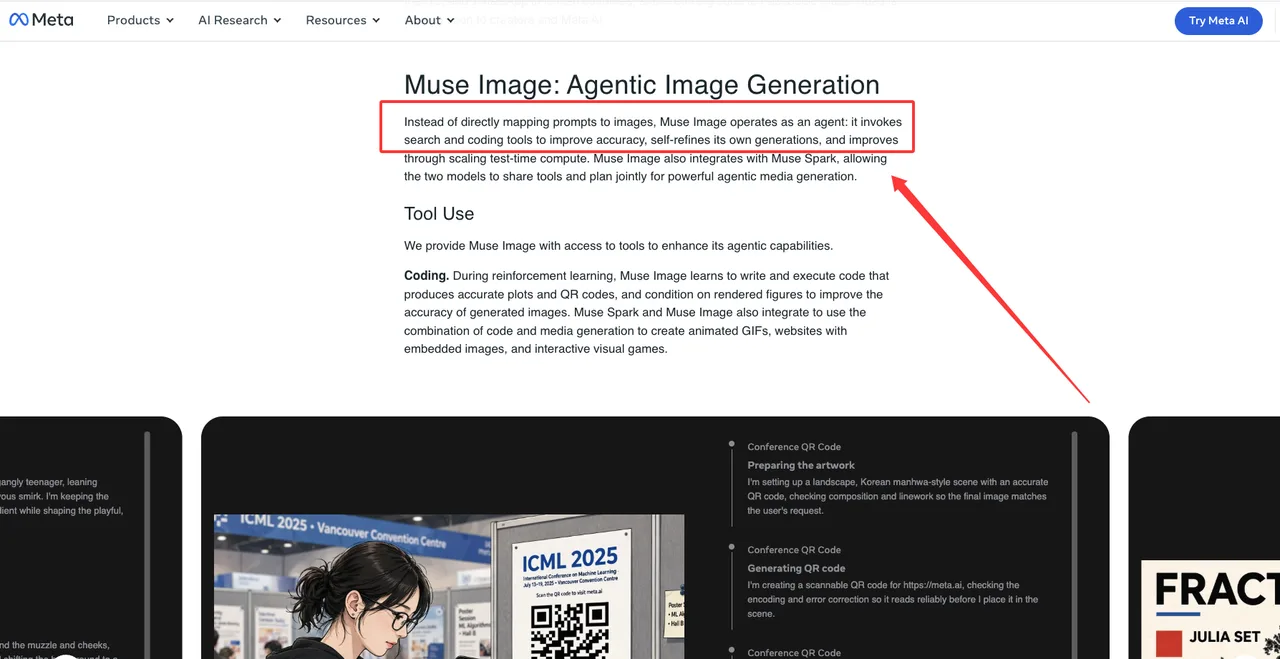
Meta’s official research post makes stronger claims than the average launch blog. It says the model can invoke search and coding tools, use search to ground images in current or factual context, and write code for outputs such as plots and QR codes. It also says quality improves with more inference-time reasoning and tool calls.
That is interesting for builders, but it should be handled with a test plan, not a headline. Search-aware image generation has a narrow upside: it can reduce stale visual facts when the prompt asks for something current, location-specific, or knowledge-heavy. It also has a failure mode: the model may produce an image that looks factual without giving the user a clean audit trail for what it searched, selected, ignored, or invented.
Before treating these claims as product-ready, verify:
- whether search is always on, user-controlled, region-limited, or surface-specific
- whether search sources are visible to the user
- whether prompts, retrieved references, and generated images are logged
- whether a generated factual visual can cite sources
- whether the model refuses prompts that create fake evidence
- whether tool use is available only in Meta-owned apps or through future developer access
This conclusion has an expiration date. Meta may publish more API or product details later. As of publication date, a public Muse Image AI endpoint, model ID, price sheet, rate limit, and builder-facing output specification are not publicly confirmed.
Builder Relevance and Limits
Instagram/Meta AI workflow implications
For product teams, the most relevant lesson is not “copy Meta’s feature.” It is that image generation is moving closer to the place where images are distributed.
Inside Instagram or Meta AI, a user can move from idea to image to post with less friction. That changes the review surface. The review step is no longer only “is the image good?” It becomes:
- Is the person in the image allowed to be there?
- Does the image imply a real event?
- Does it include a brand, product, public figure, child, or private individual?
- Does the model preserve or alter likeness in a way the user understands?
- Is the output labeled clearly enough when shared outside the creation surface?
For a builder shipping an image workflow, this argues for more boring controls: asset lineage, prompt logs, source-reference records, moderation decisions, watermark checks, and human review for high-risk use cases. Boring is useful here.
It also affects advertising. Meta’s announcement says advertisers and agencies will be able to use the model through Advantage+ creative in the coming weeks. That makes consent and brand safety harder, not easier. A generated ad image can combine product shots, public aesthetics, model-like people, location cues, and social references. The workflow needs permissions before creative variation, not after the ad is already in review.
Privacy, consent, watermarking, and rollout limits
The conservative read is simple: social-context generation should be treated as a high-risk feature even when the generated image looks harmless.
Meta says Muse Image includes Content Seal, an invisible watermarking system for images created in the Meta AI app and on meta.ai, and that it is previewing a detection tool for checking whether an image carries that watermark. That is useful, but watermarking is not consent. It may help provenance, but it does not answer whether a person agreed to be used as a reference, whether a public post was expected to become model input, or whether a synthetic scene could be misunderstood as real.
The Guardian’s privacy reporting highlights the main concern: public-profile reuse may be technically allowed by product settings, while still feeling unexpected to users. Builders should not dismiss that gap. “Public” does not always mean “available for any synthetic transformation.”
A conservative release checklist for teams evaluating similar features:
| Risk area | Safer product requirement |
|---|---|
| Likeness | Require explicit consent for private people and sensitive uses |
| Public profiles | Do not assume public visibility equals reuse permission |
| Minors | Block prompts that reference children or children appearing in adult-owned accounts |
| Brands | Require rights review for logos, packaging, and campaign assets |
| Evidence | Label outputs that could be mistaken for real events |
| Provenance | Store source references, prompt history, and review decisions |
| Rollout | Monitor country, app-surface, age, and account-type limits weekly |
 No public-facing team should describe this as “just fun personalization.” That phrase will age badly when the first abuse case arrives.
FAQ
Who should monitor Meta’s rollout changes?
The owner should be a small cross-functional group, not one PM refreshing news pages. Product should track surface changes across Meta AI, Instagram, WhatsApp, Facebook, Messenger, and ads. Legal and privacy should monitor consent language, opt-out design, age restrictions, and regional availability. Trust and safety should watch abuse patterns around likeness, harassment, impersonation, and fake evidence.
For API builders, engineering should also watch whether Meta publishes a real model endpoint. Until there is official documentation for model ID, pricing, limits, input formats, output formats, retention, safety behavior, and commercial terms, this is not a public API integration plan.
What policy risk should product teams flag early?
The first risk is non-consensual likeness use. The second is synthetic evidence: images that appear to show a real person, product, place, purchase, injury, political event, or brand endorsement.
The policy review should start before launch with three labels: allowed, allowed with consent, and blocked. People, minors, medical situations, legal claims, adult content, public figures, political content, and brand assets should not be left to a generic image moderation queue.
How should teams explain social-context image generation?
Use plain language. Say what inputs may be used, where they come from, who can reference them, whether people are notified, how users can turn reuse off, how images are labeled, and what happens after sharing.
A better explanation is: “This feature can create images using your prompt, uploaded media, and supported public social references. Some outputs may look realistic. We label AI-generated media where supported and keep records for safety review.”
A weaker explanation is: “Our AI makes personalized creative images.”
The first version gives users a chance to understand the system. The second hides the part that matters.
Previous posts:
/filters:quality(82)/media/images/c347367a-a007-4466-b8f7-d37f5fb52819.webp)
/filters:quality(82)/media/images/cd4db796-7728-45fb-8267-6813ed28e173.webp)
/filters:quality(82)/media/images/1791535252286714222_v4jvJT2a.webp)
/filters:quality(82)/media/images/1791451065663755033_qNqAKS1a.webp)
/filters:quality(82)/media/images/1791359984291066138_tW5eOX6f.webp)
/filters:quality(82)/media/images/1773962750383987480_n3hqzHRZ.webp)