
Seedance 2.0 Mini API: Production Integration Guide
Integrate Seedance 2.0 Mini with production-safe job handling, retries, output storage and cost tracking.
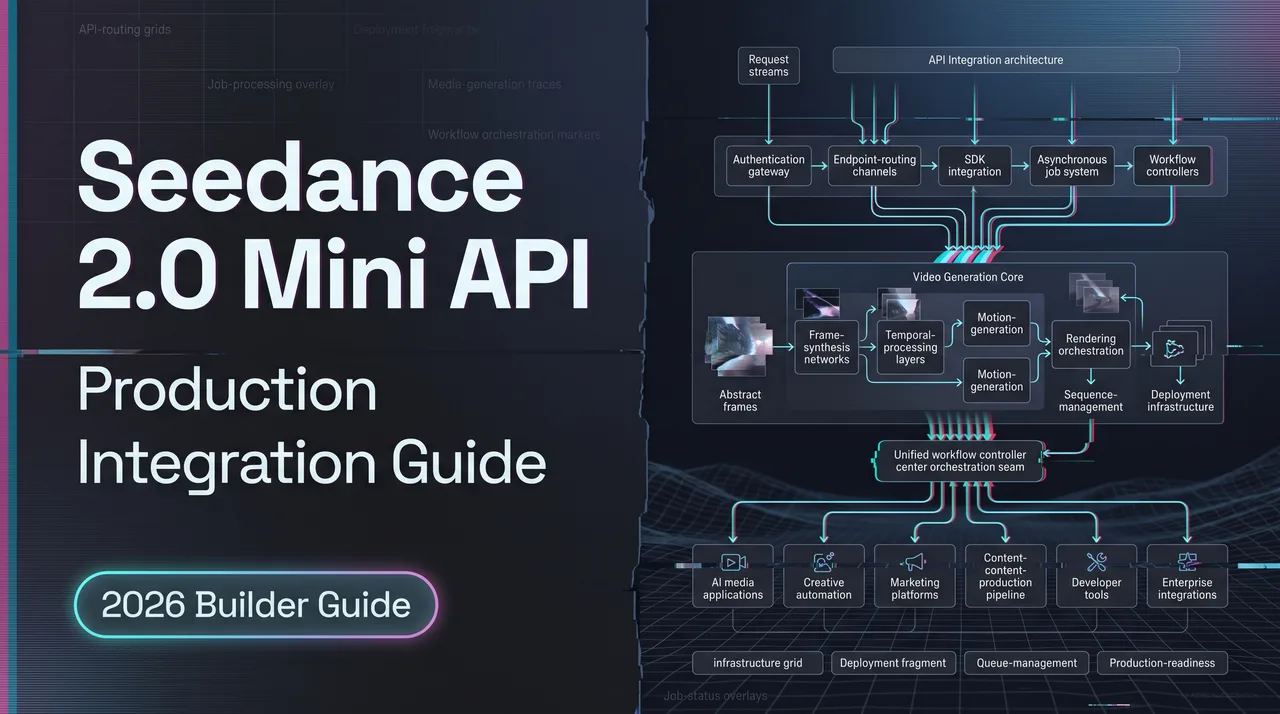
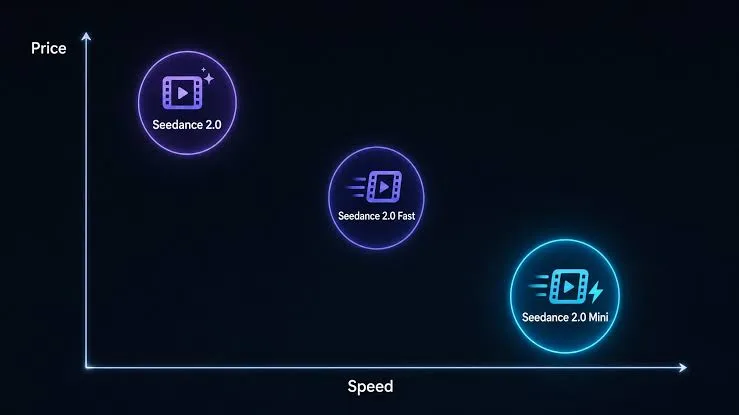
It’s Dora here. I’ve been pushing video through Seedance for a few months — first standard 2.0, then Fast for higher volume. When the Seedance 2.0 Mini API opened in late June 2026, the math caught my attention: roughly half the price of standard 2.0, about twice the speed of Fast, capped at 480P/720P and 4–15 second clips. For batch work, that’s the variant that changes unit economics.
This isn’t “how to make your first generation.” It’s a work note on what breaks when you take Mini from a curl test to a pipeline running dozens of jobs an hour. If you’re already on standard 2.0 or Fast, most of this transfers. If you’re new to the ByteDance video API family, start with the standard flow first, then optimize for Mini once you understand the failure modes.
Access Seedance Mini and Submit a Job
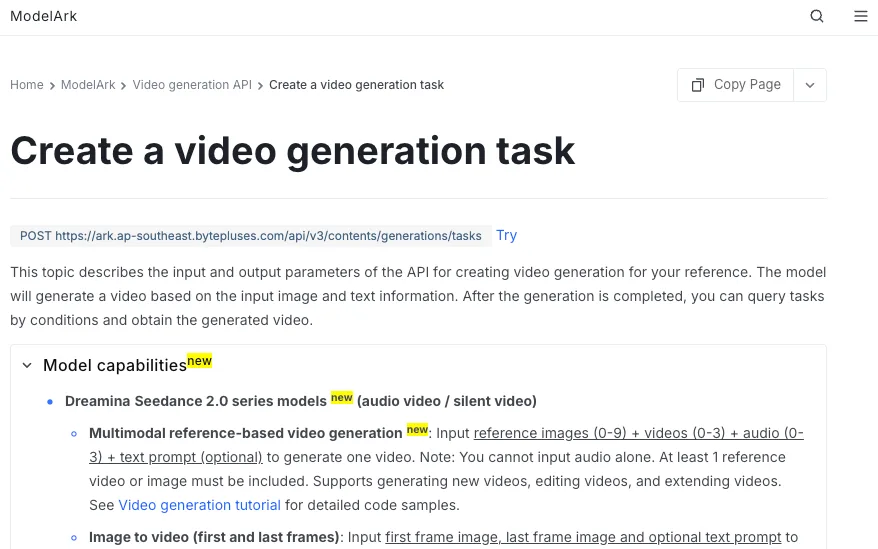
Two surfaces, two endpoints, two model IDs. Get this wrong and nothing else matters.
- Volcano Engine (Volcengine Ark) — mainland China, RMB billing. Base URL
https://ark.cn-beijing.volces.com/api/v3. Mini model ID:doubao-seedance-2-0-mini-260615. - BytePlus ModelArk — international, USD billing. Base URL
https://ark.ap-southeast.bytepluses.com/api/v3. Mini model ID:dreamina-seedance-2-0-mini-260615.
The IDs and base URLs are not interchangeable. Mixing a doubao-* ID with the BytePlus base, or vice versa, fails authentication. Keep them in config side by side — base URL, model ID, API key, billing route — never split across files. The BytePlus ModelArk video generation API reference is the canonical doc for the international route; verify the exact strings in the console before deploying, because release-date suffixes (the trailing 260615) get updated and stale IDs in production cause silent failures.
The submission flow:
- Verify the model is activated in your console. Provisioning is per-account on both platforms. A new API key won’t call Mini until the model is enabled for that account.
- Generate and store an API key. Treat it as a secret — environment variables, secrets manager. Never client-side.
- Build the request. Standard structure:
model,contentarray (text + optional image_url / video_url references),ratio,duration, optionalgenerate_audioandwatermark. Mini accepts 480P or 720P; do not request 1080P. - Submit a create task call. This is asynchronous. The response returns a task ID and queued status — no MP4 yet.
- Persist the task ID before doing anything else. Most early integrations get this wrong. The task ID is your job’s primary key. Lose it and you can’t poll, can’t retrieve, can’t reconcile billing.
Everything beyond this deals with the fact that video generation is asynchronous and lossy at the boundaries.
Handle Inputs, Outputs, and Result Storage
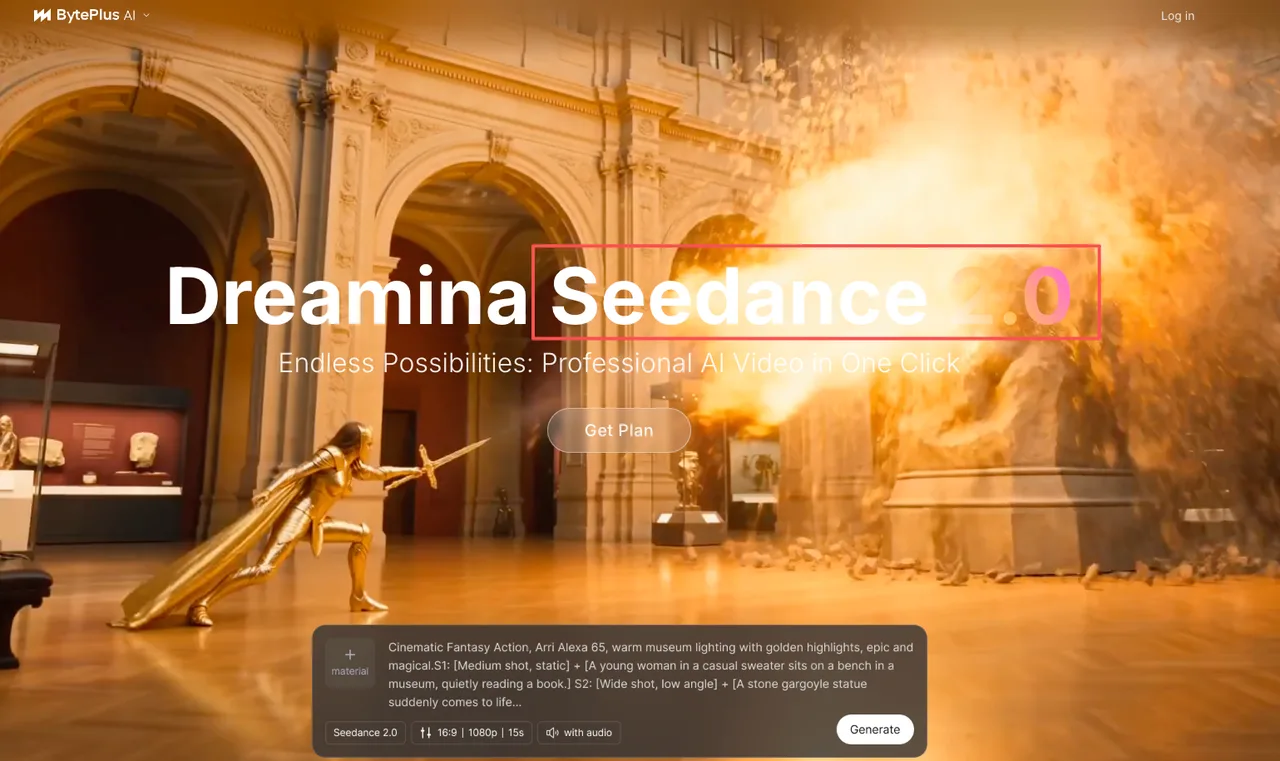
Mini accepts the same input types as the rest of the Seedance 2.0 family: text prompts, image references, video references. The BytePlus Seedance 2.0 product page covers the multimodal reference structure — Mini inherits the shape with the resolution and duration caps above.
A few things I check on every input before submission:
- Reference URL accessibility. Any image or video URL you pass must be reachable from the API’s region. I’ve burned hours debugging jobs that failed silently because a reference was on a private bucket. Use public URLs or a CDN with permissive read.
- Reference budget. Standard Seedance 2.0 docs mention up to 9 reference images and 3 video clips per call. Mini is the lighter variant — assume tighter limits and verify against the console.
- Duration and resolution match the variant. Mini does 4–15 seconds at 480P/720P.
duration: 30will fail.resolution: 1080pwill fail. Validate client-side before submitting.
On the output side, the retrieve call returns a video URL once the task reaches succeeded. That URL is not durable storage. It points to a temporary asset on ByteDance’s CDN with a cleanup window (commonly cited as 24 hours on the BytePlus side — verify the exact figure for your region). The pipeline rule:
- Job reaches
succeeded→ immediately download the MP4 to your own object storage (S3, R2, GCS, whatever). - Record both URLs in your job record: provider’s temporary URL (for debugging) and your durable URL (for everything downstream).
- Never hand the provider URL to a downstream service that might process it hours later. By then it may be gone.
Same rule for thumbnails, preview frames, side artifacts. Copy them off the provider’s CDN within the same job step.
Build Reliable Async Processing
Mini’s faster generation makes the async pattern more important, not less. A task finishing in 15 seconds instead of 60 means your poll loop and callback handler get more chances to mishandle the boundary.
For any AI video API running async tasks, the core architecture is a finite state machine: queued → running → succeeded | failed | rejected. Callbacks and polls update the state; your application never assumes state without checking.
Retry and Idempotency
The thing that breaks first in early Mini integrations is duplicate submissions. A user clicks “generate” twice, the network drops mid-request, a retry triggers — and you’ve paid for two generations of the same prompt.
What I keep in place:
- Application-level job records. Every generation request gets a job ID in your database before the provider call goes out. The record holds: prompt, references, model variant, settings, user, and once submitted, the provider’s task ID.
- Idempotency on retries. Retries operate on the job record, not blind resubmission. If a job already has a provider task ID, the retry polls the existing task. Only network errors before the task ID returned should trigger fresh submission.
- Idempotent callback handlers. Validate the task ID belongs to an existing job. Update state only on valid transitions. A late
runningcallback aftersucceededshouldn’t downgrade the job. - Poll as repair logic. Even with callbacks, run a slower poll as backup. Webhooks miss. Deploys drop in-flight requests. The poller catches what callbacks don’t.
Moderation and Rejected Requests
Not every failure is a system failure. Some requests are rejected by content moderation — and rejections need to be classified separately from infrastructure errors, because the response shape differs and the user experience differs.
What I log per job, every time:
-
Outcome classification:
succeeded,failed_infra(timeouts, 5xx, network),failed_input(validation, malformed references),rejected_moderation(content policy refusals),failed_quota(rate limit, balance exhausted). -
Provider error code and message verbatim. Truncate nothing.
-
Submission timestamp, completion timestamp, latency. Mini’s selling point is speed; you need the actual distribution, not the marketing claim.
-
Cost record. Every succeeded job adds to spend; failed jobs may or may not, depending on provider policy for that error class.
When a job is rejected_moderation, do not auto-retry. Surface the rejection to the user, and don’t burn budget on a request the platform won’t run.
Production Launch Checklist
Before flipping a Mini integration on for real traffic, this is the list I work through. The Volcano Engine documentation hub is where I cross-check China-region specifics; the international-route equivalents live on BytePlus.
-
Schema versioning. Mini’s model ID has a date suffix (
260615). When ByteDance ships an update, the old suffix gets deprecated. Keep the model ID in a config value, not hardcoded, so you can rotate without a code deploy. -
Fallback model. If Mini is unavailable or returns a sustained error rate, you need a defined fallback — typically Fast or standard 2.0, depending on your quality bar. Fallback model ID and base URL live in the same config block as Mini’s.
-
Observability. Per-job tracing, per-status counters, per-outcome dashboards. Cost per second is the metric Mini lives or dies on; if you can’t see it in production, you’re flying blind.
-
Cost records. Every successful job persists duration, resolution, and platform-reported billing units. Reconcile against the provider invoice monthly. Discrepancies show up here, not in the dashboard.
-
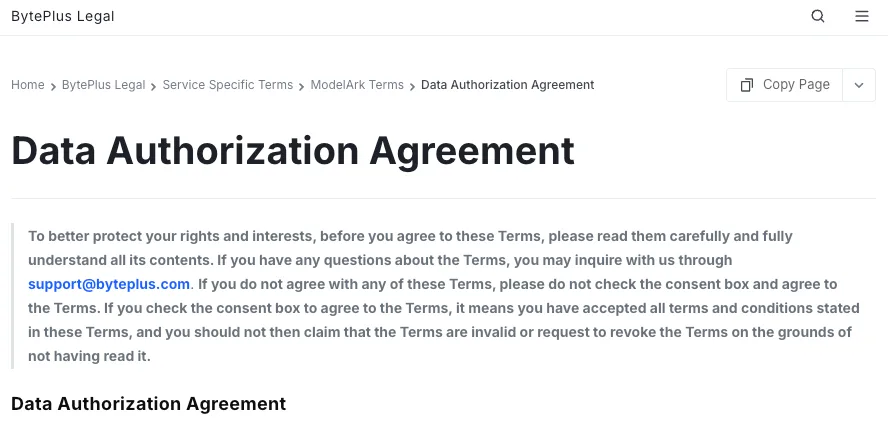
Data and content policies. The BytePlus Data Authorization Agreement covers how Authorized Data is handled on ModelArk and what indemnity obligations sit on your side. Read it before processing real user inputs, especially anything containing personal data. Mainland-region equivalents apply on Volcano Engine.
-
Dreamina vs API clarification. This trips up procurement and PMs more than engineers. Dreamina (Jimeng in China) is ByteDance’s consumer-facing creative UI. Seedance is the underlying model. There is no independent “Dreamina API” — when you see that phrasing, it points at the same Volcano Engine / BytePlus surfaces under a different name.
-
Commercial review. Any footage you plan to use commercially needs explicit review against the platform’s terms for the route you generated on. Different ByteDance platforms carry different commercial-use clauses; consumer surfaces apply additional moderation. Confirm in writing before shipping to a paying customer.
FAQ
Can generated asset URLs expire before downstream processing completes?
Yes. The provider’s returned video URL is on a temporary CDN with a cleanup window. The exact retention period is region- and platform-specific — check the current docs for your route. The safe pattern: assume expiration may happen sooner than expected, and copy assets to your own durable storage in the same job step that retrieves them.
How should applications recover from partially completed video jobs?
“Partially completed” can mean several things: the task reached succeeded but you crashed before downloading, the task is stuck in running past your timeout, or a callback was delivered but lost in your queue. Your reconciliation logic should query the provider by task ID for the authoritative state, and your job state machine should allow re-entry from any non-terminal state. The exact policy depends on your tolerance for duplicate work and your billing visibility — design it explicitly rather than letting it emerge from incidents.
Which metadata should teams retain for reproducible generations?
At minimum: full prompt text, model ID with date suffix, all reference URLs (or hashes if URLs aren’t stable), every input parameter sent in the request body, the provider’s task ID, completion timestamp, and a copy of the output in your own bucket. Without that bundle, “regenerate this video next quarter” becomes “approximately recreate this video next quarter.”
What should commercial teams verify before reusing generated footage?
Not a question to answer in a blog post. Terms vary by platform (Volcano Engine, BytePlus, Dreamina, Doubao), by region, and sometimes by account tier. Pull the most recent terms-of-service and commercial-use clauses for the exact route you’re generating on, and route significant commercial use through your legal team. Treat anything I or any third-party source says here as a starting point for verification, not a substitute for it.
Conclusion
Mini is the variant I’d reach for when the workload is volume-heavy and quality just has to be good enough — product clips, social variants, A/B test footage, anything where you generate 10 candidates to ship 1. For hero content, route to standard 2.0 or higher. Most production pipelines end up using two variants in the same stack.
The Seedance 2.0 Mini API itself is the easy part. The boring infrastructure — task IDs persisted before any network call returns, durable storage before the cleanup window hits, fallback configured before you need it — is what determines whether Mini becomes a reliable workhorse or a source of incidents. For broader context on the model lineage, the ByteDance Seed team is where new variants get announced.
Still running it in production.
Previous posts:
/filters:quality(82)/media/images/c347367a-a007-4466-b8f7-d37f5fb52819.webp)
/filters:quality(82)/media/images/cd4db796-7728-45fb-8267-6813ed28e173.webp)
/filters:quality(82)/media/images/1791535252286714222_v4jvJT2a.webp)
/filters:quality(82)/media/images/1791451065663755033_qNqAKS1a.webp)
/filters:quality(82)/media/images/1791359984291066138_tW5eOX6f.webp)
/filters:quality(82)/media/images/1773962750383987480_n3hqzHRZ.webp)