
Unlimited-OCR vs DeepSeek-OCR 2: Production Tradeoffs
Compare Unlimited-OCR and DeepSeek-OCR 2 across architecture, benchmarks, long-output behavior and production fit.
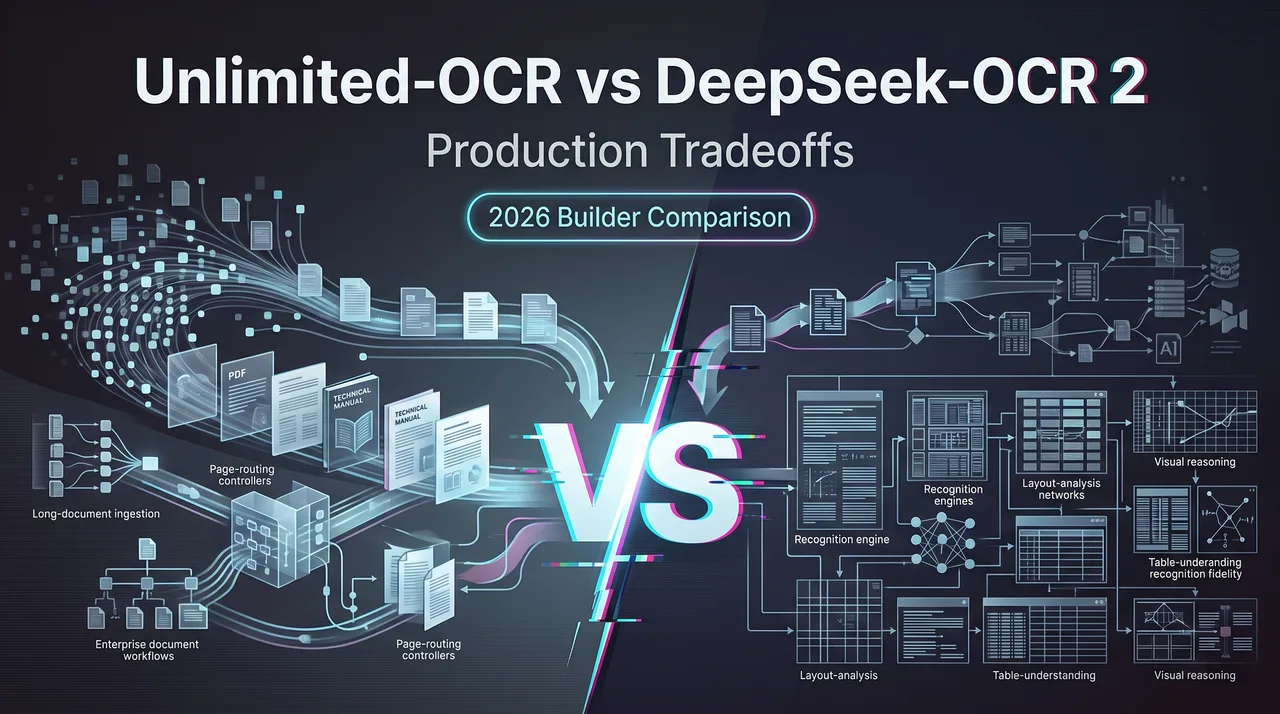
I spent two weeks running both models against the same backlog of scanned contracts, table-heavy financial filings, and Chinese government PDFs that our pipeline chokes on weekly. Not a lab benchmark. Just the documents already sitting in our queue.
If you’re picking between Unlimited-OCR and DeepSeek-OCR 2 for a production document parsing model, the OmniDocBench numbers floating around the internet won’t settle it. They were measured on different benchmark versions, the gaps are smaller than the press releases suggest, and the real decision lives in serving cost, recovery behavior, and how each one handles a 40-page document without breaking.
I’m Dora. This piece documents what I found. Where the evidence is solid, I’ll show it. Where it’s author-reported and unverified, I’ll mark it. The goal isn’t to crown a winner. It’s to give you enough to decide which one fits the shape of your workload.
Unlimited-OCR vs DeepSeek-OCR 2 at a Glance
Quick positioning before the architecture details.
DeepSeek-OCR 2 is the baseline most teams already know — DeepSeek’s second-generation document parsing model, building on the original DeepSeek OCR release, with a focus on visual token compression to reduce the cost of long documents. It’s open-weights and has been picked up by the broader serving ecosystem.
Unlimited-OCR is the comparison target — a newer entrant pushing on a different axis: longer coherent outputs and a recurrent attention variant the authors call R-SWA. The Baidu OCR team and several other Chinese labs have published in this space recently, so context matters when you read the claims.
Both models accept page images as input and produce structured markdown or JSON — tables, headings, math, the usual. Both target the same downstream consumers: RAG pipelines, archival digitization, regulated-document workflows.
Here’s the side-by-side, kept to facts the authors actually published:
| Dimension | Unlimited-OCR | DeepSeek-OCR 2 |
|---|---|---|
| Benchmark reported on | OmniDocBench v1.6 | OmniDocBench v1.5 |
| Overall score (author-reported) | 93.92 | Not directly comparable — different version |
| Edit distance (author-reported) | 0.035 | Higher (version mismatch) |
| Table cell error (author-reported) | 5.96% | Higher (version mismatch) |
| Core architectural bet | R-SWA for long-output coherence | Visual token compression |
| Output length ceiling | Designed for very long sequences | Optimized for compressed representations |
| Serving ecosystem | Newer, fewer integrations | Broader vLLM / SGLang support |
One thing to flag immediately: v1.5 and v1.6 are not the same benchmark. v1.6 added harder samples and adjusted the table scoring. Comparing 93.92 on v1.6 against any v1.5 number gives you a directional hint, not a verdict.
Architecture, Benchmarks, and Long-Output Differences
The two models are solving slightly different problems, and that shapes everything downstream.
Unlimited-OCR and R-SWA
Unlimited-OCR’s headline claim is the Recurrent Sliding Window Attention mechanism — R-SWA. The pitch: standard transformer attention degrades on very long outputs (think a full 50-page report rendered as one continuous markdown document), and R-SWA carries state across windows so the model doesn’t lose track of section structure halfway through.
Author-reported numbers on OmniDocBench v1.6:
- Overall score: 93.92 (author-reported, v1.6)
- Edit distance: 0.035 (author-reported, v1.6)
- Table cell error rate: 5.96% (author-reported, v1.6)
These are strong if accurate. They are not independently reproduced as of writing. Anyone making a procurement decision on these three numbers alone is taking on more risk than they probably realize.
The architectural cost: R-SWA’s recurrent state adds memory pressure that scales differently from vanilla attention. On short documents the overhead is wasted. On long ones it’s the whole point.
DeepSeek-OCR 2 and Visual Compression
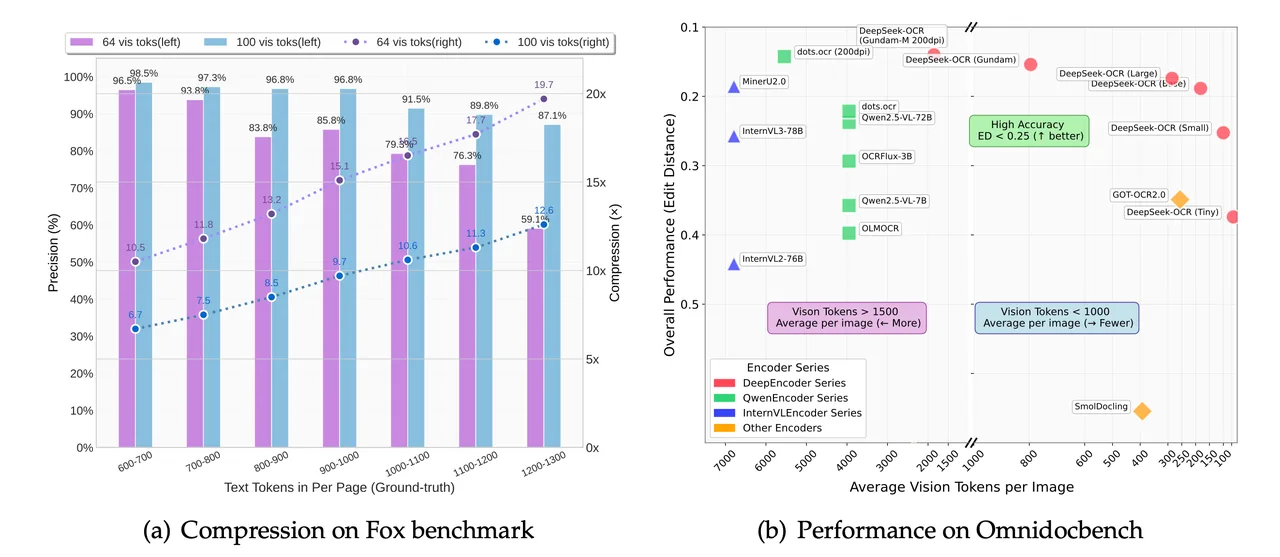
DeepSeek-OCR 2 went the other direction. Instead of stretching the output side, it compressed the input side — packing more visual information into fewer tokens before the language model sees it. The DeepSeek team published the approach in their model card and the DeepSeek-OCR GitHub repository, which is worth reading directly rather than via secondhand summaries.
The practical effect: lower per-page cost at serving time, especially on dense layouts. The tradeoff: long, structurally coherent outputs are not where this architecture is trying to win.
DeepSeek-OCR 2’s OmniDocBench numbers were reported on v1.5. Translating them to v1.6 informally — by running the same model against the new benchmark — typically shows a few points of degradation, because v1.6 is harder. That’s a fact about v1.6, not about the model.
What benchmarks miss. Both models do well on aggregate scores and worse on the things that actually matter in production: merged cells in financial tables, rotated stamps on Chinese contracts, footnotes that wrap across page breaks. I had Unlimited-OCR cleanly handle a 38-page filing with a continuous table-of-contents structure that DeepSeek-OCR 2 broke into fragments around page 22. I also had DeepSeek-OCR 2 nail a dense bilingual table that Unlimited-OCR mangled. Aggregate scores don’t predict either of those.
For OCR benchmark methodology, the OmniDocBench paper on arXiv is the source. Read the metric definitions before quoting any score — “edit distance” in particular means something specific and is easy to misread.
Production Tradeoffs and Model Choice
The benchmark numbers are the starting point. The decision lives elsewhere.
Choose Unlimited-OCR When
- Your documents are long and structurally continuous. Annual reports, legal contracts over 30 pages, technical manuals where section coherence matters more than per-page throughput.
- You can absorb the higher memory cost. R-SWA isn’t free. If you’re running on constrained GPUs or chasing maximum concurrency per node, this hurts.
- You’re willing to do your own benchmark. The author-reported scores on v1.6 are promising. They are not independently verified. Run it on your documents before committing.
- Replacement cost is acceptable. Newer model, smaller ecosystem. If it’s deprecated in 18 months, how painful is the migration?
Choose DeepSeek-OCR 2 When
- Throughput and serving cost matter more than maximum output length. Visual compression pays off when you’re parsing millions of pages a month.
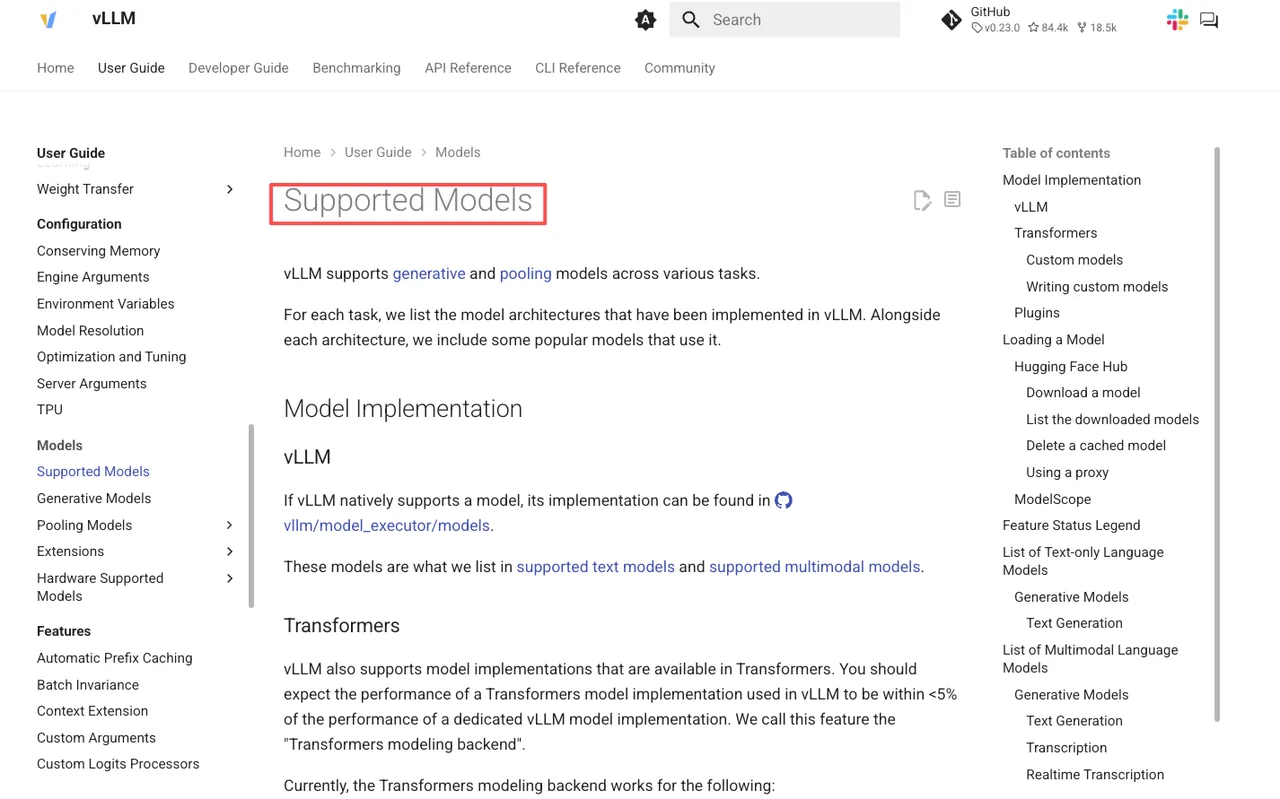
- You need broad serving framework support today. vLLM has native support for DeepSeek models, and SGLang is similar. Unlimited-OCR’s integration story is still maturing.
- Your documents are typically under 20 pages. This is where the compression-first design shines.
- You want a recovery path. If something goes wrong in production, the community around DeepSeek-OCR is larger. More stack traces on GitHub. More people who’ve hit your bug.
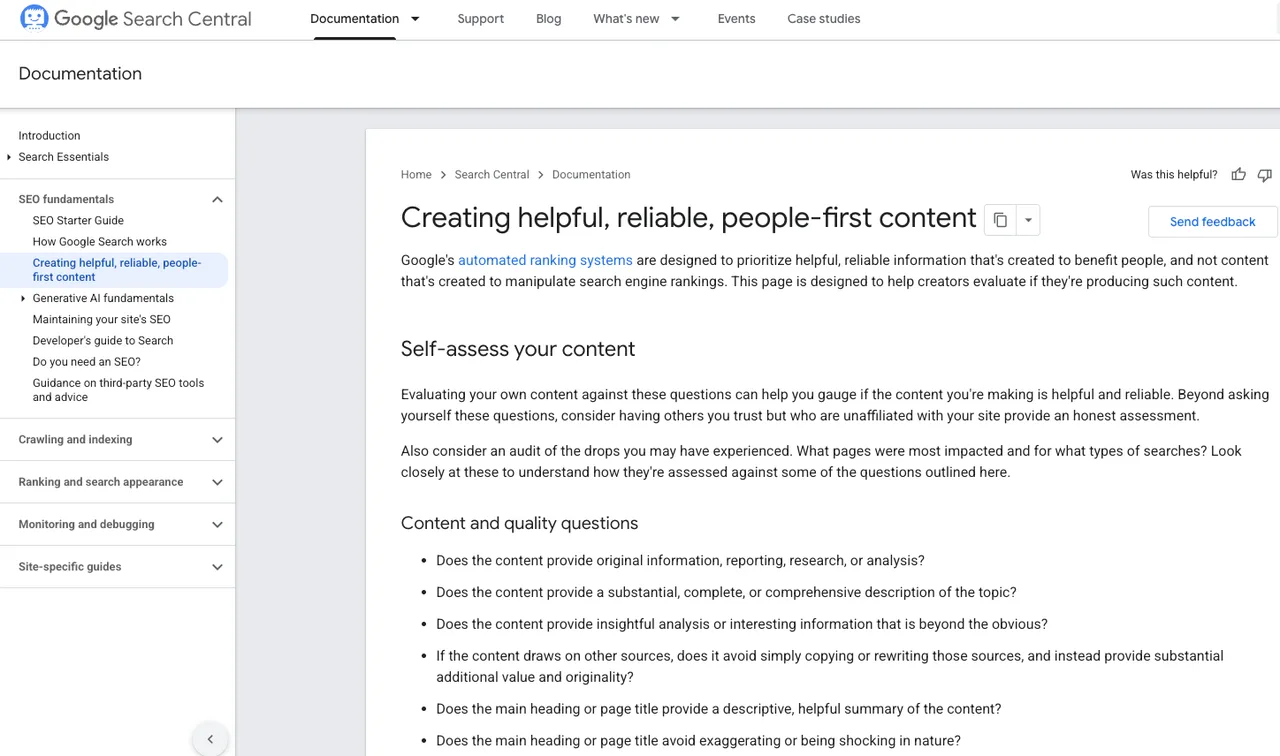
On internal evaluation. Neither vendor’s reported numbers should be your final input. Build a held-out set of 200–500 pages from your actual document distribution, score both models with the same metric definitions, and look at the distribution of errors, not just the mean. The mean lies. A model with a slightly worse average but zero catastrophic failures is often the better production choice. The Google Search Central guidance on helpful content makes a similar point in a different context: aggregate signals miss tail behavior, and tail behavior is where users actually live.
One more thing worth saying directly: the cost of replacing an OCR model post-deployment is high. Downstream consumers — your RAG indexer, your table extractor, your structured-output validator — all get tuned to the quirks of whatever model you shipped. Switching models 6 months in means re-tuning all of them. Factor that into the decision now, not later.
FAQ
Can both models use the same document preprocessing pipeline?
Mostly. Both accept rendered page images, so PDF rasterization, deskewing, and resolution normalization stay the same. The differences show up in input size — DeepSeek-OCR 2’s compression assumes a certain density, so dropping resolution too aggressively hurts it more than it hurts Unlimited-OCR. Keep your preprocessing stage configurable per model.
Which model is easier to replace after deployment?
DeepSeek-OCR 2, today. Larger serving ecosystem, more community knowledge, more drop-in alternatives if it gets deprecated. Unlimited-OCR is newer, and the replacement question is genuinely open — there isn’t yet an obvious “next thing” if R-SWA-style models don’t pan out. This is a real risk for long-horizon deployments.
How should teams validate tables beyond aggregate benchmark scores?
Build a small evaluation set focused on the specific table patterns in your corpus — merged cells, nested headers, rotated text, multi-row entries. Score cell-level F1 separately from structural F1. The aggregate “table cell error” number reported on OmniDocBench compresses very different failure modes into one score. Your downstream consumers care about the failure modes, not the score.
When do long outputs expose differences missed by benchmarks?
On documents over roughly 25–30 pages with continuous structure — long TOCs, footnotes that reference earlier sections, tables that span page breaks. Benchmark documents are typically shorter and more self-contained. If your real workload skews longer, do a long-document spot check before trusting any aggregate score. This is where I saw the biggest delta between the two models in my own testing.
Conclusion
Picking between Unlimited-OCR and DeepSeek-OCR 2 isn’t a benchmark contest. The author-reported v1.6 numbers for Unlimited-OCR are strong but unverified. DeepSeek-OCR 2’s v1.5 numbers are more battle-tested but on an easier benchmark. Neither comparison answers the question you actually care about: which one survives your documents, your throughput, your team’s ability to debug it at 2 a.m.
If your workload is long-document, structure-heavy, and you can run your own validation, Unlimited-OCR is worth testing seriously. If your workload is high-volume, shorter-document, and you need a mature serving story today, DeepSeek-OCR 2 remains the safer pick.
Run both on 200 pages of your own data before you commit. That’ll tell you more than this article will.
To be verified — I’m still tracking how Unlimited-OCR holds up over a longer window.
Previous posts:
/filters:quality(82)/media/images/5f15570a-6a68-432e-a6f1-1dcbf799ba81.webp)
/filters:quality(82)/media/images/b73c2438-6bdd-4b80-a229-8d71d8f819cf.webp)
/filters:quality(82)/media/images/427fd9f2-347d-4f86-a2d5-aee110cda01d.webp)
/filters:quality(82)/media/images/1773962750383987480_n3hqzHRZ.webp)
/filters:quality(82)/media/images/43fa0e7f-a0db-48d7-9bab-921d1225db30.webp)
/filters:quality(82)/media/images/5799ff56-3a73-40ca-a666-e4965d878496.webp)