How to Run Unlimited-OCR on Multi-Page PDFs
Run Unlimited-OCR on images and multi-page PDFs with Transformers, SGLang serving, validation and production failure controls.
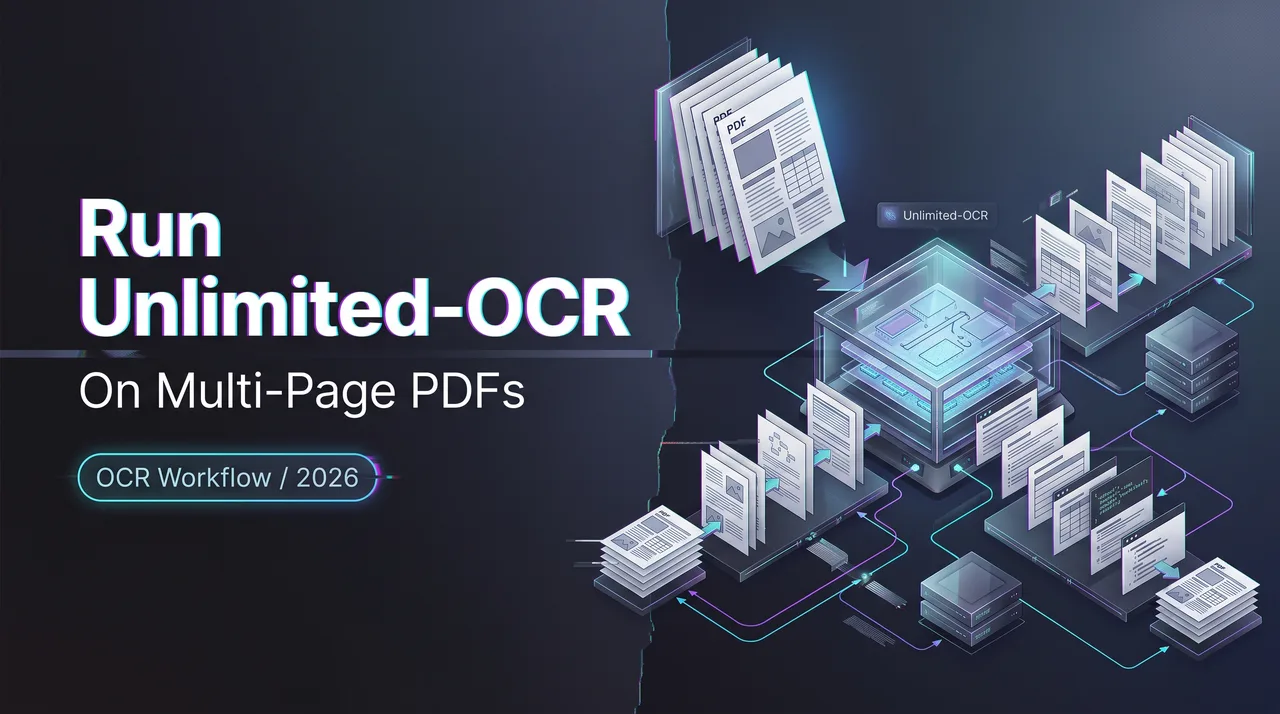
I searched “how to use Unlimited-OCR” because I wanted one thing: a repeatable PDF OCR path that does not turn a 40-page scan into 40 unrelated text files with mystery gaps between them.
This is a work note for teams doing document parsing, scanned PDF cleanup, archive conversion, or OCR evaluation before wiring the model into a product. The main boundary: the commands below follow the current official code path as of July 25, 2026. The 32K context value is an example configuration from the repo, not a promise that every GPU will run it cleanly.
Prerequisites and Safety Checks
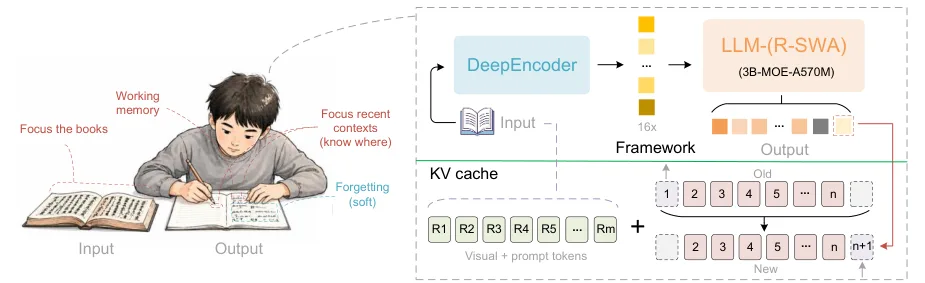
Start from the official Unlimited-OCR GitHub repository. Do not copy commands from random blog snippets first. The repo release notes show the June 22, 2026 launch, later Hugging Face Space availability, vLLM support, Baidu Cloud availability, and ms-swift support.
Clone the repo, then inspect the files that matter:
git clone https://github.com/baidu/Unlimited-OCR.git
cd Unlimited-OCR
ls
The working surfaces are:
README.mdfor the official examples.infer.pyfor concurrent SGLang batch inference.wheel/for the custom SGLang wheel.LICENSEfor the MIT license.- The model ID
baidu/Unlimited-OCRfor weight loading.
The Hugging Face OCR model card lists the model as Image-Text-to-Text, Transformers, Safetensors, multilingual, MIT licensed, and custom code. It also reports a 3B parameter BF16 model. That is enough to plan the environment, not enough to skip a local smoke test.
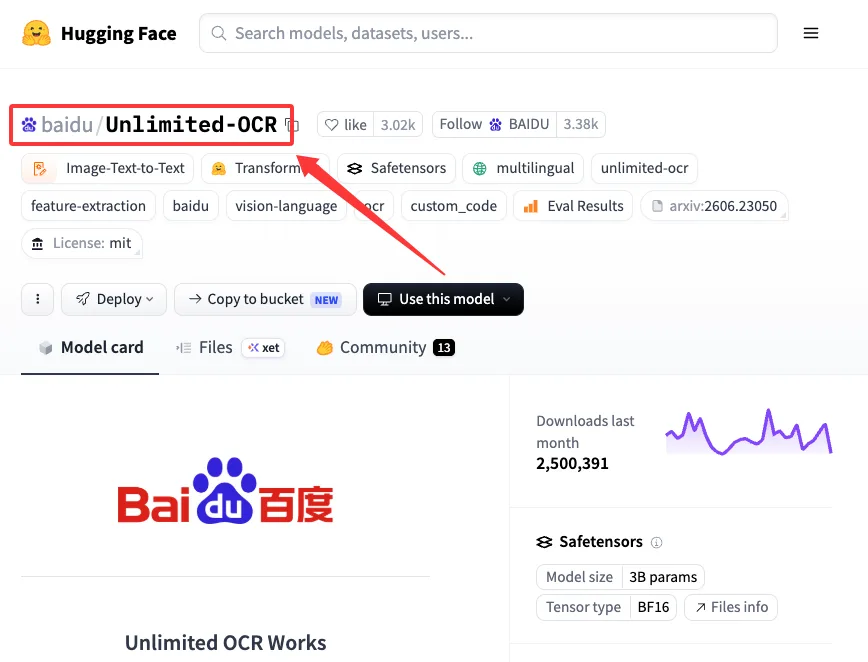
The uncomfortable bit is trust_remote_code=True. Unlimited-OCR uses custom model code. Hugging Face’s own remote code guidance says this flag executes repository code locally, so I treat it like running a downloaded program. Review the modeling files, pin a revision for production, and use use_safetensors=True.
I paused here.
Temporary files matter too. A PDF-to-image OCR run creates page images on disk. If the source PDF contains contracts, IDs, medical files, invoices, or customer records, the temp directory is part of the data boundary. Put it somewhere controlled. Do not leave page PNGs in /tmp on a shared machine and call the job private.
Run a Single-Image Test
The single-image path is the fastest way to find environment errors before touching a PDF. It tests weights, tokenizer, custom code, CUDA, output writing, and OCR tags.
- Create and activate an isolated environment. The repo says its Transformers path was tested with Python 3.12.3 and CUDA 12.9. I would start there if the machine allows it.
python3.12 -m venv .venv
source .venv/bin/activate
python -m pip install --upgrade pip- Install the pinned packages from the README. Keep the versions close to the repo first, then relax them only after the smoke test passes.
pip install \
  torch==2.10.0 \
  torchvision==0.25.0 \
  transformers==4.57.1 \
  Pillow==12.1.1 \
  matplotlib==3.10.8 \
  einops==0.8.2 \
  addict==2.4.0 \
  easydict==1.13 \
  pymupdf==1.27.2.2 \
psutil==7.2.2- Put one clean page image in the repo folder. Use a page with visible headings, one table, and at least one line near the margin. A perfect sample hides layout bugs.
- Run the Transformers OCR smoke test.
import torch
from transformers import AutoModel, AutoTokenizer

model_name = "baidu/Unlimited-OCR"

tokenizer = AutoTokenizer.from_pretrained(
    model_name,
    trust_remote_code=True,
)

model = AutoModel.from_pretrained(
    model_name,
    trust_remote_code=True,
    use_safetensors=True,
    torch_dtype=torch.bfloat16,
)

model = model.eval().cuda()

model.infer(
    tokenizer,
    prompt="<image>document parsing.",
    image_file="page_0001.png",
    output_path="./outputs/smoke",
    base_size=1024,
    image_size=640,
    crop_mode=True,
    max_length=32768,
    no_repeat_ngram_size=35,
    ngram_window=128,
    save_results=True,
)- Validate the output before moving on. I check five things: text exists, reading order is plausible, headings are not repeated, table cells have not become one long sentence, and no footer line appears five times. Repetition is the first failure mode I look for. Found the pattern on the third try.
Base versus dynamic resolution is simple in the official examples. gundam mode uses base_size=1024, image_size=640, and crop_mode=True. base mode uses base_size=1024, image_size=1024, and crop_mode=False. Single-image tests can use either. Multi-page PDF parsing uses base.
Process a Multi-Page PDF
For PDF OCR, the official flow converts pages to images first, then calls infer_multi. This keeps page order explicit and makes failed-page recovery easier later.
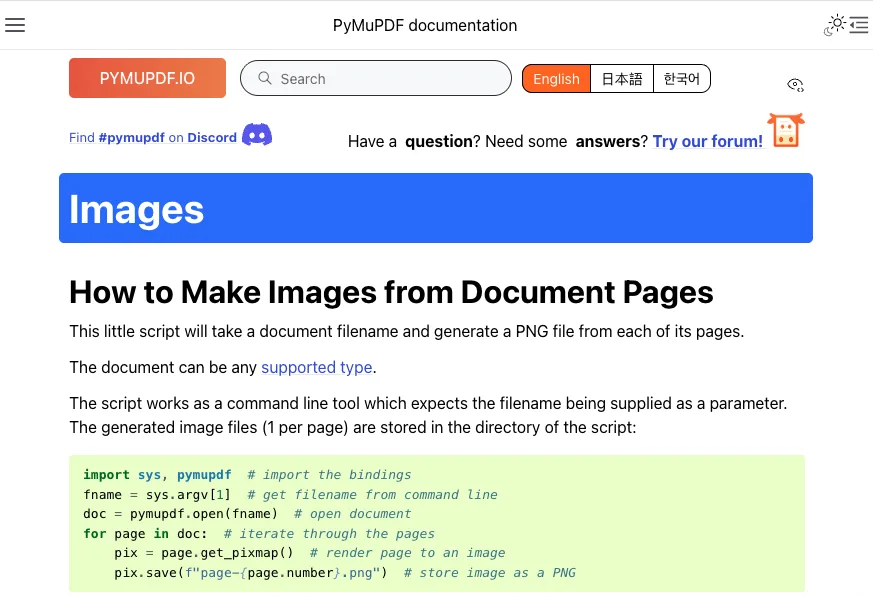
- Render the PDF to numbered page images. The repo uses PyMuPDF through
fitz, opens the document, creates a temporary directory, applies a DPI matrix, and saves pages aspage_0001.png,page_0002.png, and so on. PyMuPDF’s own page rendering docs also showPage.get_pixmap()as the standard PDF-to-image method.
import os
import shutil
import tempfile
import fitz

def pdf_to_images(pdf_path, dpi=300, temp_root=None):
    if temp_root is not None:
        os.makedirs(temp_root, exist_ok=True)

    tmp_dir = tempfile.mkdtemp(prefix="pdf_ocr_", dir=temp_root)
    doc = None

    try:
        doc = fitz.open(pdf_path)
        mat = fitz.Matrix(dpi / 72, dpi / 72)
        paths = []

        for i, page in enumerate(doc):
            out = os.path.join(tmp_dir, f"page_{i + 1:04d}.png")
            page.get_pixmap(matrix=mat).save(out)
            paths.append(out)

        return paths, tmp_dir
    except Exception:
        shutil.rmtree(tmp_dir, ignore_errors=True)
        raise
    finally:
        if doc is not None:
doc.close()- Send those images to
infer_multiin the same order.
page_images, tmp_dir = pdf_to_images(
    "your_doc.pdf",
    dpi=300,
    temp_root="./controlled_tmp",
)

try:
    model.infer_multi(
        tokenizer,
        prompt="<image>Multi page parsing.",
        image_files=page_images,
        output_path="./outputs/pdf_run",
        image_size=1024,
        max_length=32768,
        no_repeat_ngram_size=35,
        ngram_window=1024,
        save_results=True,
    )
finally:
shutil.rmtree(tmp_dir, ignore_errors=True)- Preserve separators. Unlimited-OCR’s multi-page flow is meant to keep page sequence visible. I keep page boundaries in the output even when the final target is Markdown, JSON, or a database row set. Removing separators too early makes dispute handling worse.
- Check missing and repeated output. Count input pages. Count page sections. Search for repeated headers, duplicated paragraphs, empty pages, and abrupt cutoffs after tables. This is where PDF OCR becomes engineering, not a demo.
- Split long documents when needed. A 32K
max_lengthis a repo example, not a universal device guarantee. For a 200-page archive, I would process in ranges, store page-level outputs, then merge with a manifest.
Serve Unlimited-OCR with SGLang
SGLang is the path I would use when OCR needs a service boundary instead of a notebook. The official README sets up a local server and sends requests to an OpenAI-compatible chat completions endpoint. SGLang’s OpenAI-compatible API documents /v1/chat/completions, health checks, server info, errors, and queue limits.
- Create the SGLang environment from the repo checkout.
uv venv --python 3.12
source .venv/bin/activate

uv pip install wheel/sglang-0.0.0.dev11416+g92e8bb79e-py3-none-any.whl
uv pip install kernels==0.11.7
uv pip install pymupdf==1.27.2.2
The README prose currently mentions one kernel pin, while the command uses kernels==0.11.7. I follow the command block and pin the repo revision. This didn’t match the documentation.
- Start the server.
python -m sglang.launch_server \
  --model baidu/Unlimited-OCR \
  --served-model-name Unlimited-OCR \
  --attention-backend fa3 \
  --page-size 1 \
  --mem-fraction-static 0.8 \
  --context-length 32768 \
  --enable-custom-logit-processor \
  --disable-overlap-schedule \
  --skip-server-warmup \
  --host 0.0.0.0 \
--port 10000- Submit a request to
/v1/chat/completions. The official example uses streaming, base64 image payloads,images_config, and a custom no-repeat n-gram processor.
import base64
import json
import requests
from sglang.srt.sampling.custom_logit_processor import (
    DeepseekOCRNoRepeatNGramLogitProcessor,
)

server_url = "http://127.0.0.1:10000"

def encode_image(path):
    with open(path, "rb") as f:
        data = base64.b64encode(f.read()).decode("utf-8")
    return {
        "type": "image_url",
        "image_url": {"url": f"data:image/png;base64,{data}"},
    }

payload = {
    "model": "Unlimited-OCR",
    "messages": [{
        "role": "user",
        "content": [
            {"type": "text", "text": "Multi page parsing."},
            encode_image("page_0001.png"),
            encode_image("page_0002.png"),
        ],
    }],
    "temperature": 0,
    "skip_special_tokens": False,
    "images_config": {"image_mode": "base"},
    "custom_logit_processor": DeepseekOCRNoRepeatNGramLogitProcessor.to_str(),
    "custom_params": {
        "ngram_size": 35,
        "window_size": 1024,
    },
    "stream": True,
}

response = requests.post(
    f"{server_url}/v1/chat/completions",
    headers={"Content-Type": "application/json"},
    data=json.dumps(payload),
    timeout=1200,
    stream=True,
)

response.raise_for_status()

chunks = []

for line in response.iter_lines(decode_unicode=True):
    if not line or not line.startswith("data:"):
        continue

    data = line[len("data:"):].strip()
    if data == "[DONE]":
        break

    event = json.loads(data)
    delta = event["choices"][0].get("delta", {}).get("content", "")

    if delta:
        chunks.append(delta)

ocr_text = "".join(chunks)

with open("./outputs/pdf_run.md", "w", encoding="utf-8") as f:
f.write(ocr_text)- Store outputs outside the request process. For queues, I use a job ID, page range, source checksum, model revision, config hash, output path, and status. The repo’s
infer.pyalready supports concurrent image directory and PDF-page modes. That is a better starting point than writing a fresh queue runner in a hurry.
Production Limits and Recovery
Retry and Partial Output Controls
Do not retry the whole PDF by default. Store page images or page ranges as units of work. If page 37 fails, rerun page 37 or the containing range. Reprocessing the full document makes costs unpredictable and makes output diffs noisy.
The minimal state record is plain: document_id, source_hash, page_number, image_path, prompt, image_mode, max_length, ngram_window, model_revision, attempt_count, status, and output_path.
If output repeats, lower the blast radius first. Mark the page failed, save the raw model text, and rerun with the same inputs after checking the image render. Do not silently patch repeated lines unless the downstream system labels them as edited OCR.
Sensitive File and Logging Controls
The risk is not only the original PDF. It is the rendered images, base64 request bodies, streamed chunks, logs, retries, and failed outputs.
For sensitive document parsing, keep temp images in an encrypted workspace or short-lived job directory. Do not log base64 payloads. Do not put raw OCR text into application logs unless the log store is approved for the same data class as the source file.
Audit logs should say what happened without copying the whole document. Store hashes, page numbers, config, error type, and output file references. The actual files belong in controlled storage.
FAQ

How should failed pages resume without reprocessing the full document?
Render the PDF into stable page images and track each page or page range as a job. Resume from the failed unit using the same source hash, model revision, prompt, image mode, and output path. For multi-page ranges, keep the original page order and merge only after all pages pass validation.
Can SGLang clients reuse existing OpenAI-compatible request handling?
Mostly, yes. Existing clients can point at the SGLang base URL and call /v1/chat/completions. The OCR request still needs multimodal content plus Unlimited-OCR-specific fields such as images_config and, when used, custom no-repeat parameters. So the transport can be reused. The request builder still needs OCR-specific logic.
Where should temporary PDF images be stored securely?
Use a controlled job directory, not a casual shared temp folder. For regulated files, put rendered images on encrypted local disk or an approved object store with short retention. Delete page images after output validation unless audit rules require retention.
What should teams log for reproducible OCR failures?
Log the document hash, page number, rendered image hash, model ID, model revision, prompt, image mode, max_length, n-gram settings, server version, attempt number, error class, and output pointer. Avoid logging full document text or base64 image bodies. This is where my data ends.
Conclusion
That is how to use Unlimited-OCR without turning a PDF run into a loose pile of scripts. Start with a single image. Convert PDF pages with stable names. Use base mode for multi-page parsing. Serve with SGLang when the workflow needs queues, retries, and shared access. Keep the 32K setting as a tested example, not a hardware promise.
Previous posts: