Add your video
Drop or choose a clip of a person. It stays on your device.
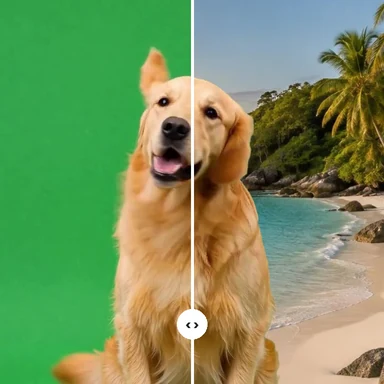
AI separates the person from the background in every frame and puts your picture behind them.
Use a photo of an office, a room, a landscape or a branded backdrop, and export an MP4 with the original sound.
MP4, MOV, WebM or MKV with a person in it. No green screen needed.
Or paste a video. Exports cover up to 60 seconds at a time.Need a clip? Create one with AIPeople filmed in rooms and streets, no green screen. Pick one to see the background disappear.
Drop or choose a clip of a person. It stays on your device.
Picture is already selected: press Upload picture and choose the photo you want behind the person. It is scaled to fill the frame.
Press Remove background, check the live preview, adjust the edges, then export MP4 or WebM.
Generate the backdrop for your cut-out video, or a whole new clip, from a prompt with WaveSpeed AI.
Create moving backgrounds, B-roll and full scenes from a prompt or a photo.
Make a studio, city or fantasy backdrop to put behind your video.
Turn an object into a 3D model for your set.
$1 in free credits for eligible new accounts. No card needed. Generators have separate account and credit requirements. The video background remover is free.
Add the video, upload your picture with Picture selected, and press Remove background. The AI cuts out the person in every frame and places them on your picture. Export when the preview looks right.
A picture with the same shape as the video and similar lighting looks most natural. It is scaled and cropped to fill the frame, so keep the important part near the middle.
Not here: the new background is a still picture. For a moving backdrop, export on green screen and combine the two clips in a video editor.
One or two people, evenly lit, in front of a background that does not match their clothes. Fine hair, fast motion, see-through objects and busy backgrounds can leave rough edges; the Fine detail setting and the edge sliders help.
Your own picture · MP4 with sound · No green screen
/filters:quality(82)/media/images/1791123751656780930_IfFPY7R0.webp)
/filters:quality(82)/media/images/1791123737177812425_RjKT3cku.webp)
/filters:quality(82)/media/images/1791123748309870128_xlkNgK8N.webp)
/filters:quality(82)/media/images/1791123738630744263_oR09R0aj.webp)
/filters:quality(82)/media/images/1791177033162457776_uQ09OY7g.webp)
/filters:quality(82)/media/images/1791123734319125607_JdnwGPY7.webp)
/filters:quality(82)/media/images/1791123746355630206_udnxGPY7.webp)
/filters:quality(82)/media/images/1791123744771362580_yC0sPezZ.webp)
/filters:quality(82)/media/images/1791123738606970169_5KIR1ais.webp)
/filters:quality(82)/media/images/1791123748197655725_EUmuFNW6.webp)