Add your video
Drop a video or audio file. Choose the language, or let it be detected, and press Generate subtitles.
Turn speech in any video or audio file into timed captions, in about 100 languages.
Edit them, style them, then download SRT, VTT or a transcript, or burn them into the video.
Drop a video or audio file here, or paste it
MP4, MOV, WebM, MP3, WAV, M4A · Or an SRT / VTT file to restyleNeed a video? Create one with AI Video GeneratorCreate videos with AIMake a short clip from a prompt, or bring a still image to life, then edit it here.
Open AI Video GeneratorDrop a video or audio file. Choose the language, or let it be detected, and press Generate subtitles.
Fix any word, split or merge captions, and drag their edges on the timeline to adjust the timing.
Get an SRT or VTT file for YouTube and video editors, a text transcript, or the video with captions burned in.
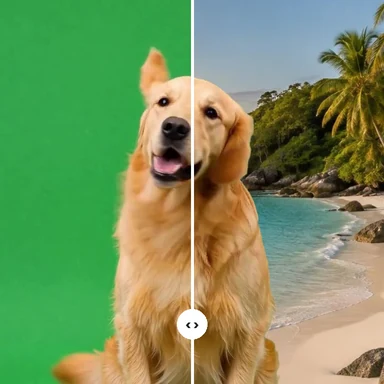
Create clips from a prompt or an image with WaveSpeed AI, then add subtitles here for free.
Design thumbnails and title cards for your videos.
Create an imageGenerate talking clips, ads and scenes from text or an image.
Create a videoTurn a product or character into a 3D model for your videos.
Create a 3D modelGenerators have separate account and credit requirements. The subtitle generator is free.
Yes. There is no account, no watermark and no limit on minutes or files. Speech recognition runs on your own device, so it costs us nothing to let you use it as much as you like.
No. Your video and its sound stay on your device. The only download is the speech model, the first time you use it; your browser keeps it for next time.
About 100, including English, Spanish, Chinese, Japanese, Hindi, French, German, Portuguese and Korean. The spoken language is detected automatically, or you can choose it. You can also translate the captions into English.
Fast is a smaller model that handles clear speech well. Accurate is about three times larger and slower, and makes fewer mistakes with accents, background noise and languages other than English.
It depends on your device and the quality you choose. On a recent laptop, Fast usually takes well under the length of the video. Browsers with WebGPU run it faster. You see the progress and the time left, and can cancel at any time.
In YouTube Studio, open the video, choose Subtitles, add a language, then Upload file and pick the SRT. Most video editors, such as Premiere Pro, DaVinci Resolve and CapCut, import SRT too.
Yes. Drop an SRT or VTT file together with the video to edit the captions, change their style and burn them in, without transcribing again.
Free, private and unlimited.