Paste your script
Type or paste what you want to say. You see the word count and how long it takes to read.
Smooth scrolling at the pace you speak, with mirror mode for teleprompter glass.
Control it from the keyboard or a Bluetooth remote, and record yourself with your webcam.
Create videos with AIMake a short clip from a prompt, or bring a still image to life, then edit it here.
Open AI Video GeneratorType or paste what you want to say. You see the word count and how long it takes to read.
Pick the speed, text size and margins. Turn on mirror mode for teleprompter glass, or the camera to see yourself.
Press Start, or Record to film yourself while you read. Pause with the space bar or a remote, and save your video as MP4.
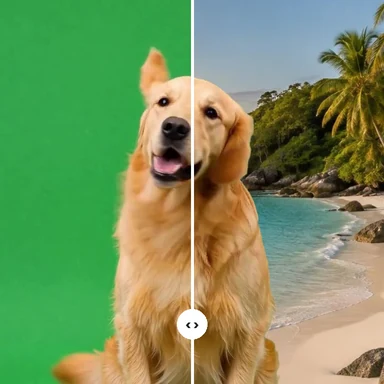
Turn the same script into scenes, B-roll or a talking video with WaveSpeed AI.
Make B-roll and scenes from a prompt to cut between your takes.
Create a videoCreate a thumbnail or slides to go with what you say.
Create an imageMake a 3D model of your product to show on screen.
Create a 3D modelGenerators have separate account and credit requirements. The teleprompter is free.
Yes. There’s no app to buy, no subscription and no account. It runs in your web browser on a computer, tablet or phone.
Set it in words per minute: the text then scrolls at that reading pace whatever the text size. Most people speak at 130–160 words a minute. Change it while reading with the up and down arrow keys or the + and − buttons.
Yes. Turn on Flip left–right so the words read correctly in the glass’s reflection, and Flip upside down if your rig needs that too. Then go full screen on the screen under the glass.
Yes. Most remotes act as a keyboard: next and previous (Page Down and Page Up) jump forward and back, and the blank-screen button (B or full stop) pauses. The space bar also plays and pauses.
Turn on “Scroll only while I speak”. The text moves while your microphone hears you and waits when you stop. It measures loudness only, so it works in any language and nothing is recorded or uploaded. It doesn’t recognise words, so it won’t jump back if you skip a line.
Yes. Turn on the camera (behind the text or small at the top) and press Record. You get a video of you, without the words on it, that you can trim and save as MP4 or WebM.
Your script and settings are kept in this browser so they’re there next time. They’re never uploaded.
Yes. Tap the text to pause and drag it to move it. Full screen works on Android phones and on iPad; iPhone browsers don’t offer full screen for web pages, so turn the phone sideways for longer lines.
No app, no account, nothing uploaded.