Add a short clip
Drop, paste or choose an MP4, MOV, WebM or MKV video up to 60 seconds. Short clips at 720p or smaller work best.
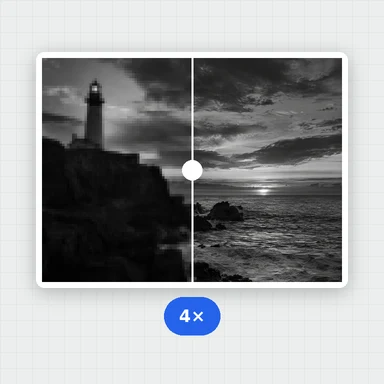
Enhance a short clip frame by frame with AI and make it up to four times larger, with the sound kept.
The AI runs in your browser, so your video never leaves your device.
Drop a video here, or paste it
MP4, MOV, WebM or MKV · Up to 60 s and 500 MB · Nothing is uploadedEach example opens the first 3 seconds of an AI-made clip at 240p, so it upscales quickly. Press Upscale to see the result.
Drop, paste or choose an MP4, MOV, WebM or MKV video up to 60 seconds. Short clips at 720p or smaller work best.
Choose 2×, 3× or 4× and Fast, Balanced or Best. The page shows the size of the result.
Watch the frames being enhanced with the time left, compare with the original and download the MP4.
Create short videos from a prompt or a still image with WaveSpeed AI, then upscale them here.
Make the first frame or a cover image for your video.
Turn a prompt or a picture into a short video clip.
Turn a picture into a 3D model you can spin and render.
$1 in free credits for eligible new accounts. No card needed. Generators have separate account and credit requirements. The video upscaler is free.
Yes. Upscale as many clips as you like, with no account and no watermark.
No. The AI runs in your browser and the video never leaves your device. Only the AI model is downloaded the first time you use it (about 1 MB for Fast, 3 MB for Balanced and 28 MB for Best), and your browser keeps it for next time.
Up to 60 seconds. Every frame is enhanced by AI on your own device, which can take a second or more per frame, so a 10-second clip can take several minutes. Clips under 15 seconds at 720p or smaller work best. For longer or larger videos, use Video Upscaler Pro, which runs in the cloud.
The width and height are multiplied: a 640 × 360 clip becomes 1280 × 720 at 2×, 1920 × 1080 at 3× and 2560 × 1440 at 4×. Results are limited to 4K, so larger scales are disabled for bigger videos.
Fast suits most clips. Balanced adds sharper detail and takes about twice as long. Best gives the most detail but is many times slower, so use it for very short clips.
Yes. The original sound is copied into the upscaled MP4. In the rare case a browser can’t keep it, the page tells you.
Upscaling uses your device’s graphics chip. Without graphics acceleration it runs much more slowly, and very large frames can run out of memory. Close other tabs, choose a smaller scale or the Fast quality, or try a shorter clip. A computer works best.
You can open MP4, M4V, MOV, WebM and MKV videos. The result is an MP4 (H.264) file that plays almost everywhere.
Free, private and right in your browser.
/filters:quality(82)/media/images/1791123751656780930_IfFPY7R0.webp)
/filters:quality(82)/media/images/1791123737177812425_RjKT3cku.webp)
/filters:quality(82)/media/images/1791123748309870128_xlkNgK8N.webp)
/filters:quality(82)/media/images/1791123738630744263_oR09R0aj.webp)
/filters:quality(82)/media/images/1791177033162457776_uQ09OY7g.webp)
/filters:quality(82)/media/images/1791123734319125607_JdnwGPY7.webp)
/filters:quality(82)/media/images/1791123746355630206_udnxGPY7.webp)
/filters:quality(82)/media/images/1791123744771362580_yC0sPezZ.webp)
/filters:quality(82)/media/images/1791123738606970169_5KIR1ais.webp)
/filters:quality(82)/media/images/1791123748197655725_EUmuFNW6.webp)