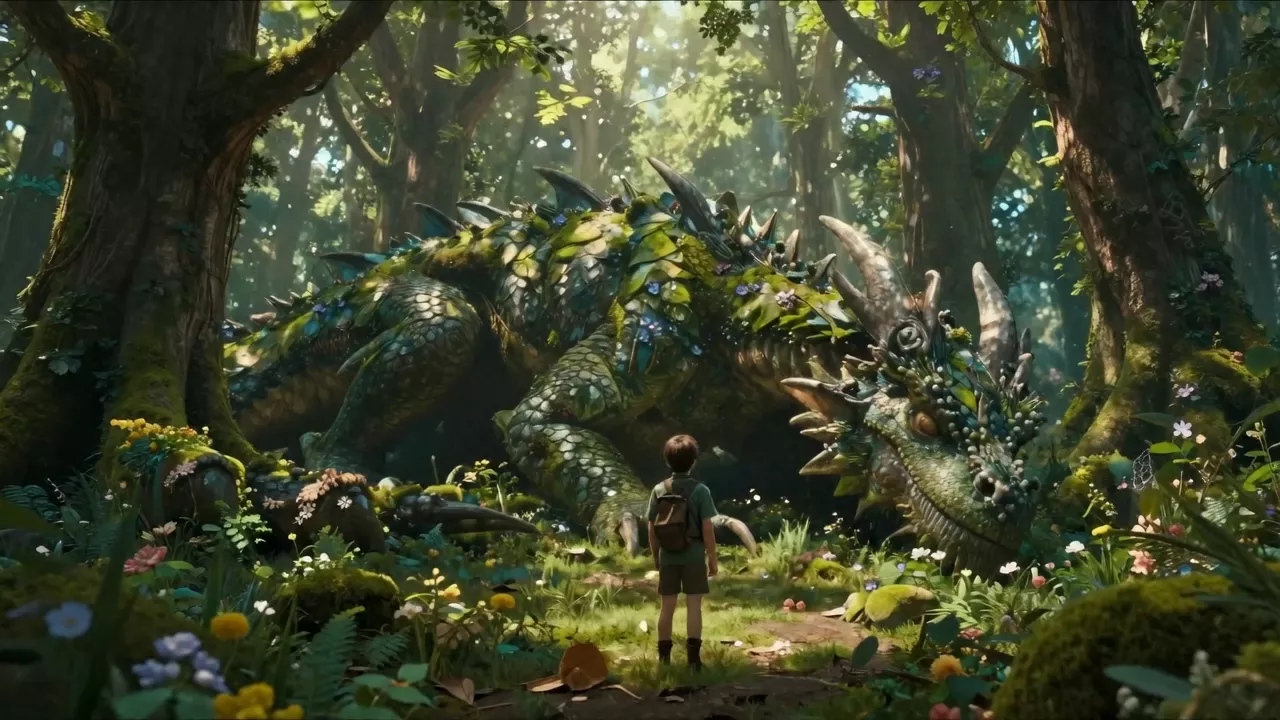
Inszeniere jede Szene
mit Wan 3.0
Beschreibe eine Einstellung, lade ein Standbild oder mehrere Referenzen hoch und erhalte ein Video mit Ton zurück.
Wan 3.0 testenLerne Wan 3.0 kennen
Erstellt mit Wan
Generator öffnenWan 3.0 Prime Image to Video
He lowers the camera, looks at the busy square around him, then raises it again to compare the scene. He slowly turns toward a clock tower visible in the distance, suddenly noticing someone standing there who appears to be himself. The camera alternates between his viewpoint and a slow push toward his stunned face. Urban suspense, subtle sci-fi hook, clear story movement.
Jetzt ausprobierenWan 2.7 Text to Video
Close-up portrait of a woman pressing her palm against a rain-soaked window at night, shot from outside. Heavy rain streaks distort her face through the glass, neon signs from the street below cast fragmented magenta and cyan reflections across her skin. Camera slowly pushes in at 0.3x speed. Shallow depth of field, bokeh rain drops, dual-exposure ghosting of her reflection overlapping her face. Cinematic 4K, anamorphic lens flare, 24fps.
Jetzt ausprobierenWan 2.7 Image to Video
A father and young daughter flying a green diamond kite together in a sunlit park. The man stands behind the girl, both arms raised holding the kite string, both gazing upward with joy. Lush green grass, dappled sunlight filtering through tree canopy in background. Camera slowly circles them from left to right at medium distance, slight crane up movement. Kite string sways gently in the breeze, kite dips and rises naturally. Warm golden afternoon light, soft lens flare, shallow depth of field with bokeh trees. Cinematic handheld feel
Jetzt ausprobierenWan 2.6 Image to Video
5-second cinematic shot of a lone post-apocalyptic soldier in armor and gas mask walking straight toward the camera along a cracked, dusty road between rows of rusted abandoned cars, holding a rifle and tattered flag, slow forward camera movement, smoke and dust drifting from ruined buildings in the background, warm orange sunset light, debris blowing slightly in the wind, realistic gritty atmosphere.
Jetzt ausprobierenWan 3.0 Reference to Video
The red-haired aviator from Image 1 flies the vintage red and cream biplane from Image 2 high above a sea of golden sunset clouds. She pulls her goggles down, grins, and pushes the plane into a daring barrel roll as the propeller roars. The camera flies alongside the plane, then swings behind the tail for a sweeping view of the endless sky. Classic adventure film, warm golden light, wind and engine sounds.
Jetzt ausprobierenWan 2.7 Text to Video
Extreme close-up portrait, woman's face in profile against golden hour sun, shot with 85mm f/1.2. Sun positioned directly behind her head creating a blazing rim light halo. Individual strands of hair catch the light and glow translucent amber. A gentle breeze causes hair to drift across her cheek in slow motion. Skin subsurface scattering visible on ear and nose tip. Dust particles float through the backlit air. Hyper-realistic, 120fps slow motion playback at 24fps, anamorphic 2.39:1.
Jetzt ausprobierenWan 2.6 Image to Video
dynamic video of two professional fencers in white uniforms dueling on a metallic piste inside a bright old sports hall, sunlight streaming through tall windows onto the wooden floor and a small crowd of spectators in the background. Starting from a still mid-lunge, both fencers continue with quick footwork and agile attacks, blades clashing and flickering, with subtle handheld camera motion and realistic footsteps and metal sounds.
Jetzt ausprobierenWan 3.0 Image to Video
The giant jellyfish pulses gracefully, its bioluminescent bell glowing brighter with each beat, trailing tentacles drifting through the dark water. The diver slowly reaches out a gloved hand as tiny glowing particles swirl between them. The camera glides slowly around both, revealing the vast deep ocean. Muffled underwater ambience, deep resonant hum, rising bubbles.
Jetzt ausprobierenWan 3.0 Reference to Video
Stop-motion animation. The knitted wool fox from Image 1 wakes up on a mossy log in a sunny garden, stretches, and hops across giant flowers and dewdrops. A curious ladybug lands on its nose, the fox sneezes and tumbles into a pile of soft petals, then pops up happily. Handcrafted miniature set, shallow depth of field, whimsical playful music.
Jetzt ausprobierenWähle dein Wan
Wan 3.0
Das komplette Toolkit: Text, Bild und Referenz zu Video sowie Videobearbeitung, 480p bis 1080p, Clips von 2 bis 30 Sekunden mit Audio.
Jetzt ausprobierenWan 3.0 Prime
Das beschleunigte Wan 3.0 für Text und Bild zu Video, mit denselben Dauer- und Audio-Steuerungen.
Jetzt ausprobierenWan 2.7
720p- oder 1080p-Clips von 2 bis 15 Sekunden, Steuerung von erstem und letztem Bild, optionales Audio und negative Prompts.
Jetzt ausprobierenWan 2.6
Bild zu Video in 720p oder 1080p in 5-, 10- oder 15-Sekunden-Clips, mit synchronem Audio und Einzel- oder Mehrfach-Shot-Ausgabe.
Jetzt ausprobierenModelle und Preise
Die Preise gelten pro Generierung und werden live aktualisiert. Optionen wie Auflösung, Dauer oder Qualität können den Endpreis ändern – der Generator zeigt ihn vor dem Start an.
| Modell | Eingabe | Ab | |
|---|---|---|---|
| Wan 3.0 Image to Video | Bild + Prompt | $0.475 | Generieren |
| Wan 3.0 Text to Video | Prompt | $0.475 | Generieren |
| Wan 3.0 Reference to Video | Referenzbilder + Prompt | $0.475 | Generieren |
| Wan 3.0 Video Edit | Video + Prompt | $0.50 | Generieren |
| Wan 3.0 Prime Text to Video | Prompt | $0.7125 | Generieren |
| Wan 3.0 Prime Image to Video | Bild + Prompt | $0.7125 | Generieren |
| Wan 2.7 Text to Video | Prompt | $0.50 | Generieren |
| Wan 2.7 Image to Video | Bild + Prompt | $0.50 | Generieren |
| Wan 2.6 Image to Video | Bild + Prompt | $0.50 | Generieren |
Häufig gestellte Fragen
Welches Wan-Modell sollte ich verwenden?
Beginne mit Wan 3.0: Es bietet die längsten Clips, Referenzeingaben und Videobearbeitung. Wan 3.0 Prime ist die beschleunigte Variante für Text und Bild zu Video. Wan 2.7 und Wan 2.6 decken 720p- und 1080p-Clips bis zu 15 Sekunden ab.
Wie lang und wie scharf kann ein Wan 3.0-Video sein?
Wan 3.0 und Wan 3.0 Prime erzeugen 2 bis 30 Sekunden in Ein-Sekunden-Schritten, in 480p, 720p oder 1080p. Text- und Referenzmodi bieten 16:9, 9:16, 1:1, 4:3 und 3:4.
Erzeugt Wan Ton?
Ja. Wan 3.0 hat einen Audio-Schalter, der standardmäßig aktiviert ist. Wan 2.7 und Wan 2.6 akzeptieren ebenfalls eine Audiospur zum Folgen.
Was kann ich als Referenzen verwenden?
Wan 3.0 Referenz zu Video nimmt bis zu 10 Bilder, 5 Videoclips und 5 Audiospuren zusätzlich zu deinem Prompt entgegen, was hilft, Charaktere, Bewegung und Timing konsistent zu halten.
Wie funktioniert Wan 3.0 Video bearbeiten?
Lade ein Video hoch und beschreibe, was sich ändern soll; Referenzbilder oder Audio sind optional. Eingaben, die länger als 15 Sekunden sind, werden auf die ersten 15 gekürzt, und das Ergebnis entspricht dem Seitenverhältnis der Quelle.
Kann ich Wan über eine API nutzen?
Jedes Modell in der obigen Tabelle verfügt über eine REST-API. Öffne eine Modellseite für das Anfrageschema und Codebeispiele; die hier angezeigten Preise werden live aktualisiert.